
To use the numpad, it must first be enabled. Follow this guide to activate it: Enable/disable numpad
Step 1:
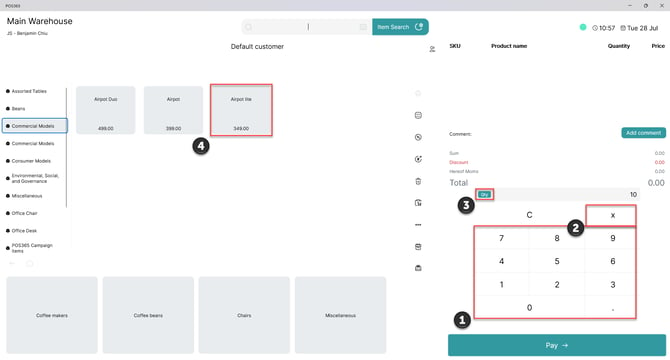
1) Enter the quantity on the numpad
2) Click 'X'
3) Observe that the indicitaor swithches to 'Qty' (Quantity)
4) Select the item. This can either be done by selecting the item manually or scanning the barcode of the item
Step 2:
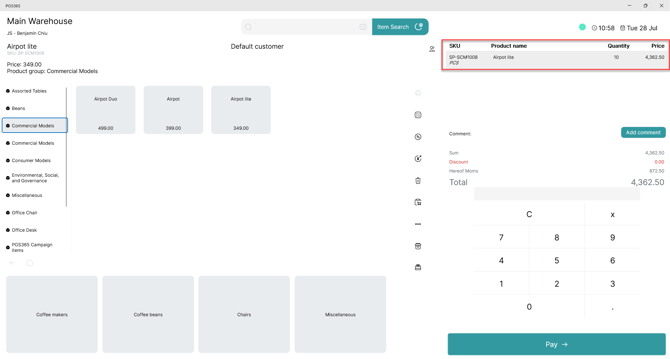
1) The selected quantity and item, have now been added to the basket