
Step 1:
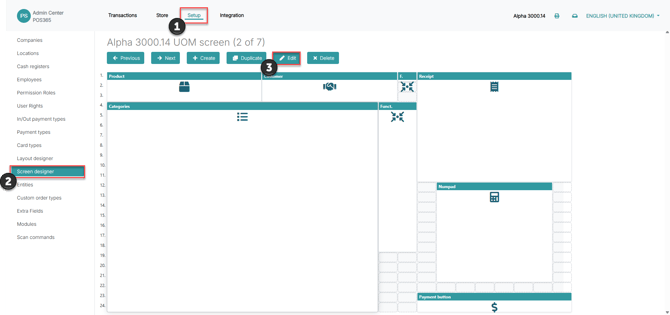
1) Go to 'Setup'
2) Open 'Screen designer'
3) Find the screen design that you want to add the numpad to and click 'Edit'
Step 2:
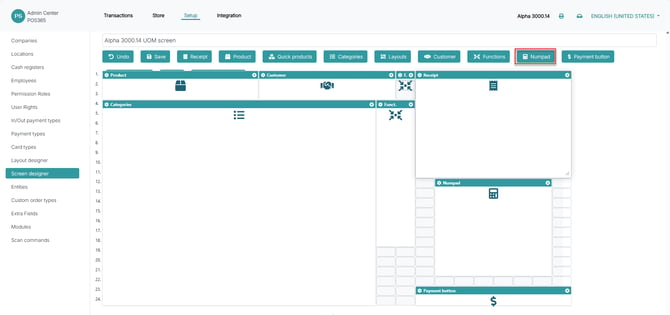
1) Click on 'Numpad'
2) Drag the numpad block to the desired screen location, and adjust the size of the numpad to your preference
3) Click 'Save'
To learn more about using the numpad, see this guide: Numpad usage
Note:
Ensure that you have added the numpad to the correct screen design that is being used on the cash registers