
Step 1: Create the Item Limit question
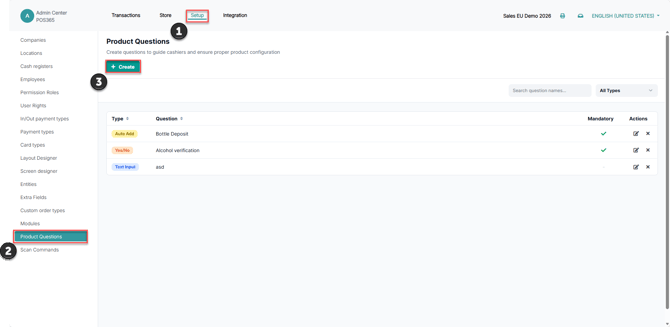
In Admin Center, open Setup → Product Questions and select Create.
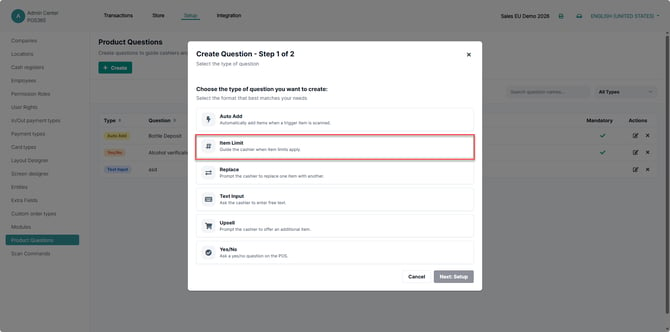
Select Item Limit and continue to its setup.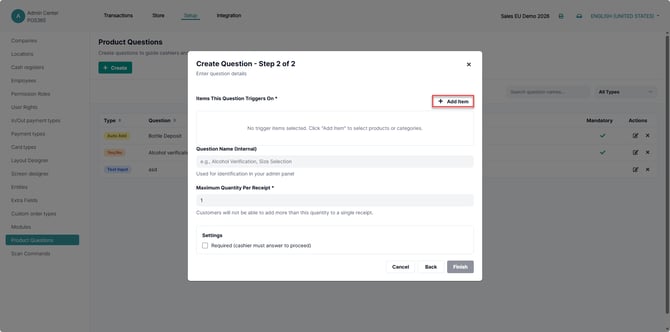
Under Items This Question Triggers On, select Add Item.
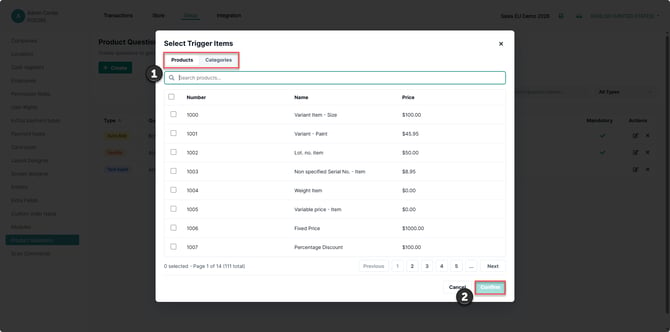
Use Products or Categories, where offered, to choose the trigger entries, then select Confirm.
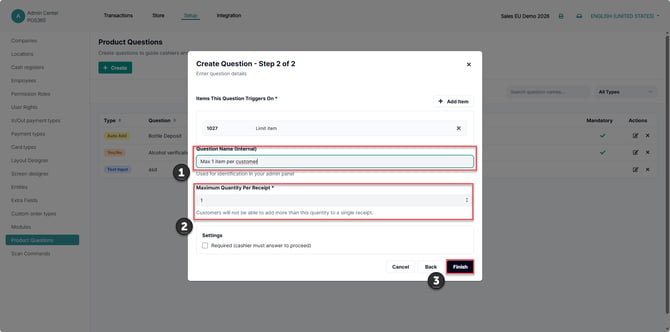
1) Enter Question Name (Internal)
2) Set Maximum Quantity Per Receipt to the required maximum.
3) Select Finish to create the question. When editing an existing question, select Save.
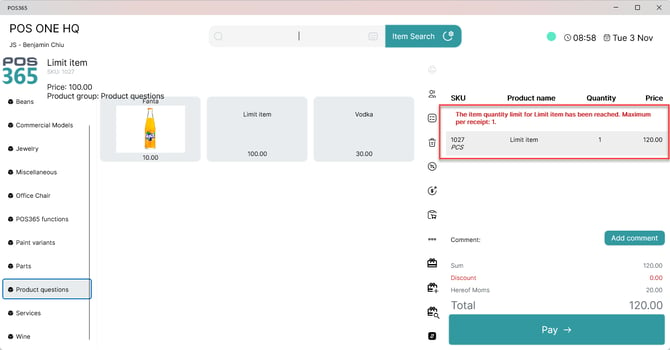
POS365 allows the configured maximum quantity and shows a notice when it is reached. A further increase above that maximum is blocked.