
This guide explains how to add pictures from Business Central items to the POS365 interface
Step 1:
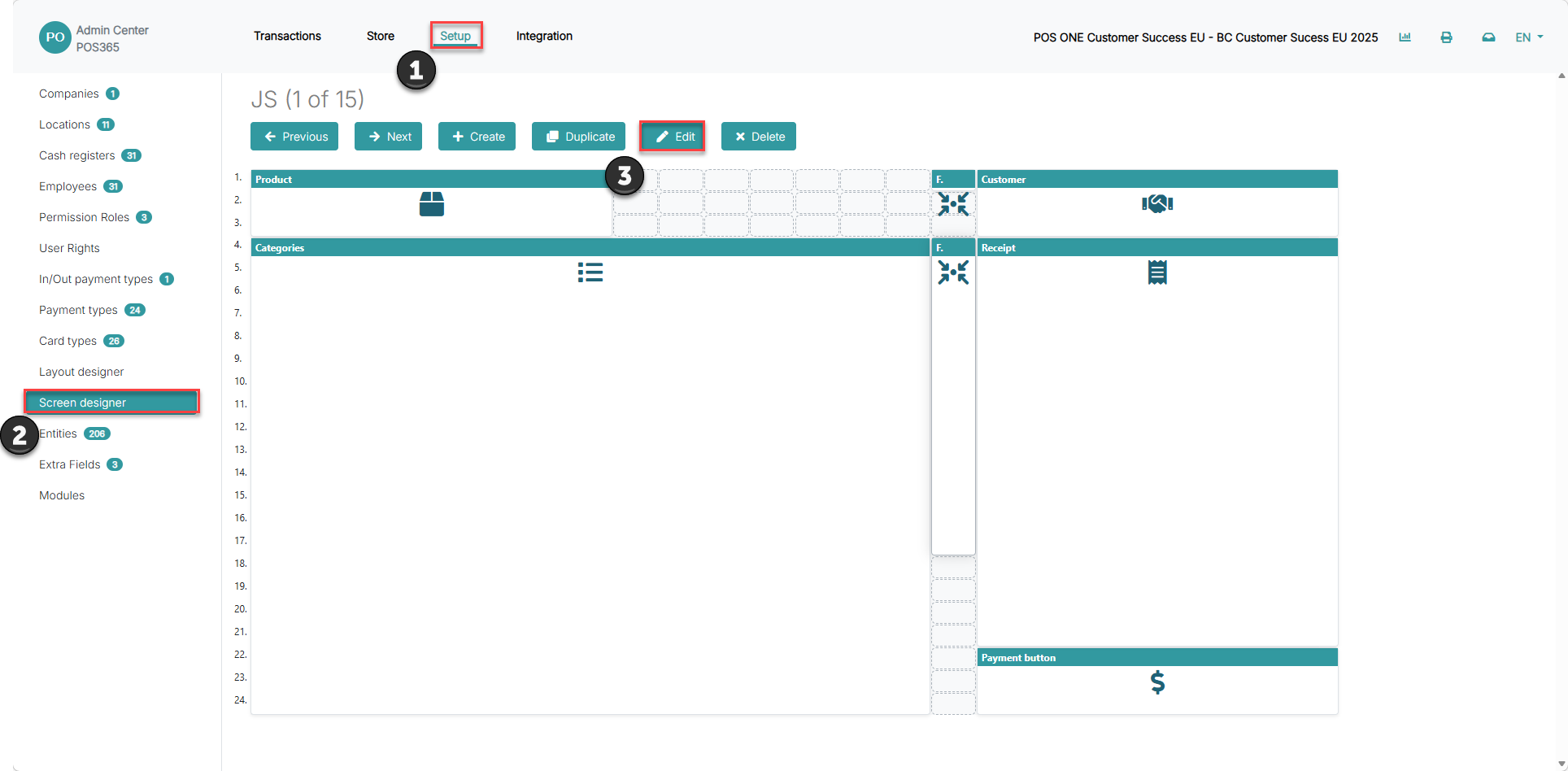
1) Click on 'Setup'
2) Go to 'Screen designer'
3) Click 'Edit'
Step 2:
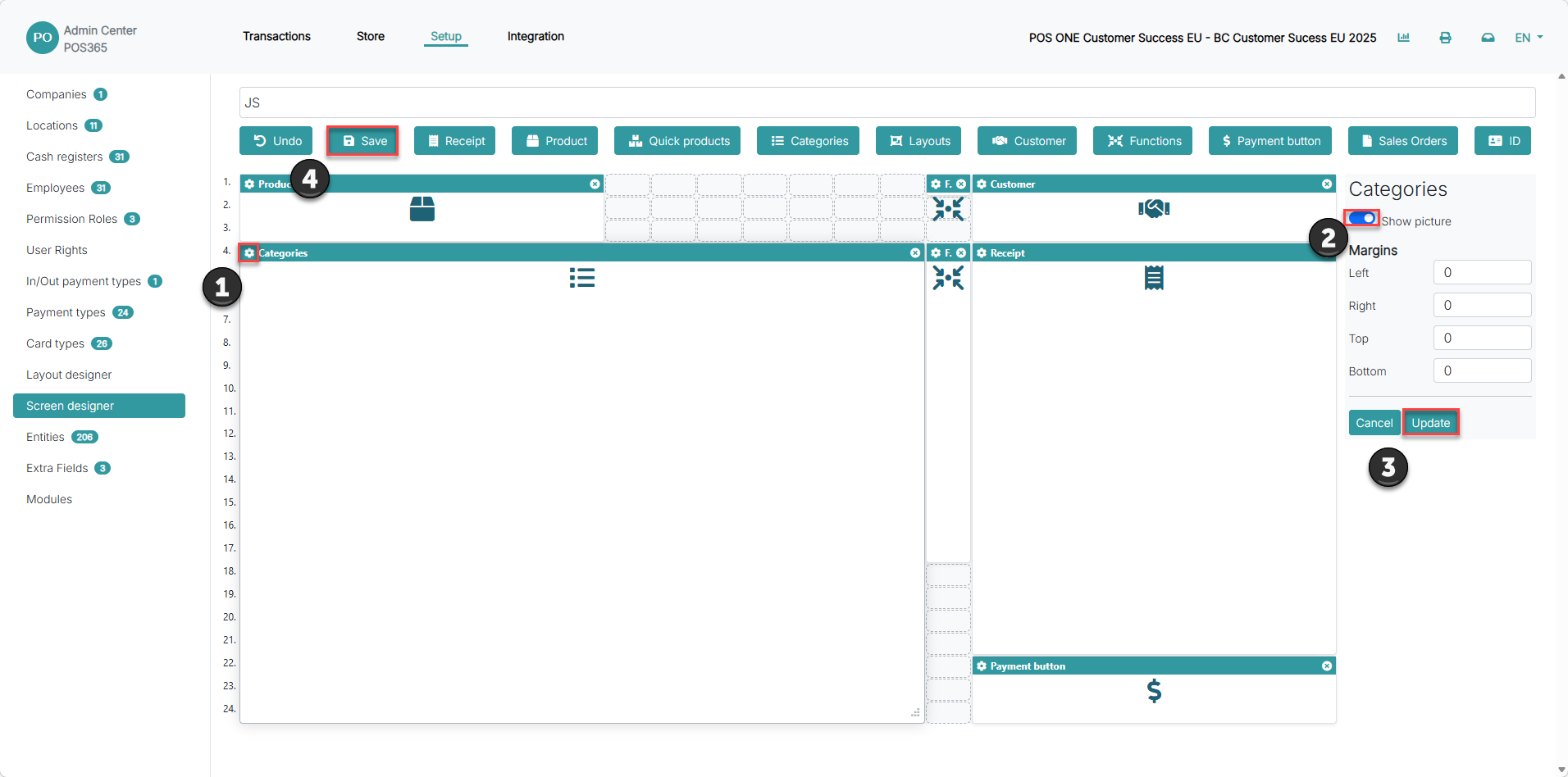
1) Click on the bolt icon at the top, left corner of the 'categories' field in the screen designer
2) Turn on 'Show pictures'
3) Click 'Update'
4) Click 'Save'