
This guide explains how to set the default customer of the POS365 app. The setup must be made in the Business Central.
Step 1:
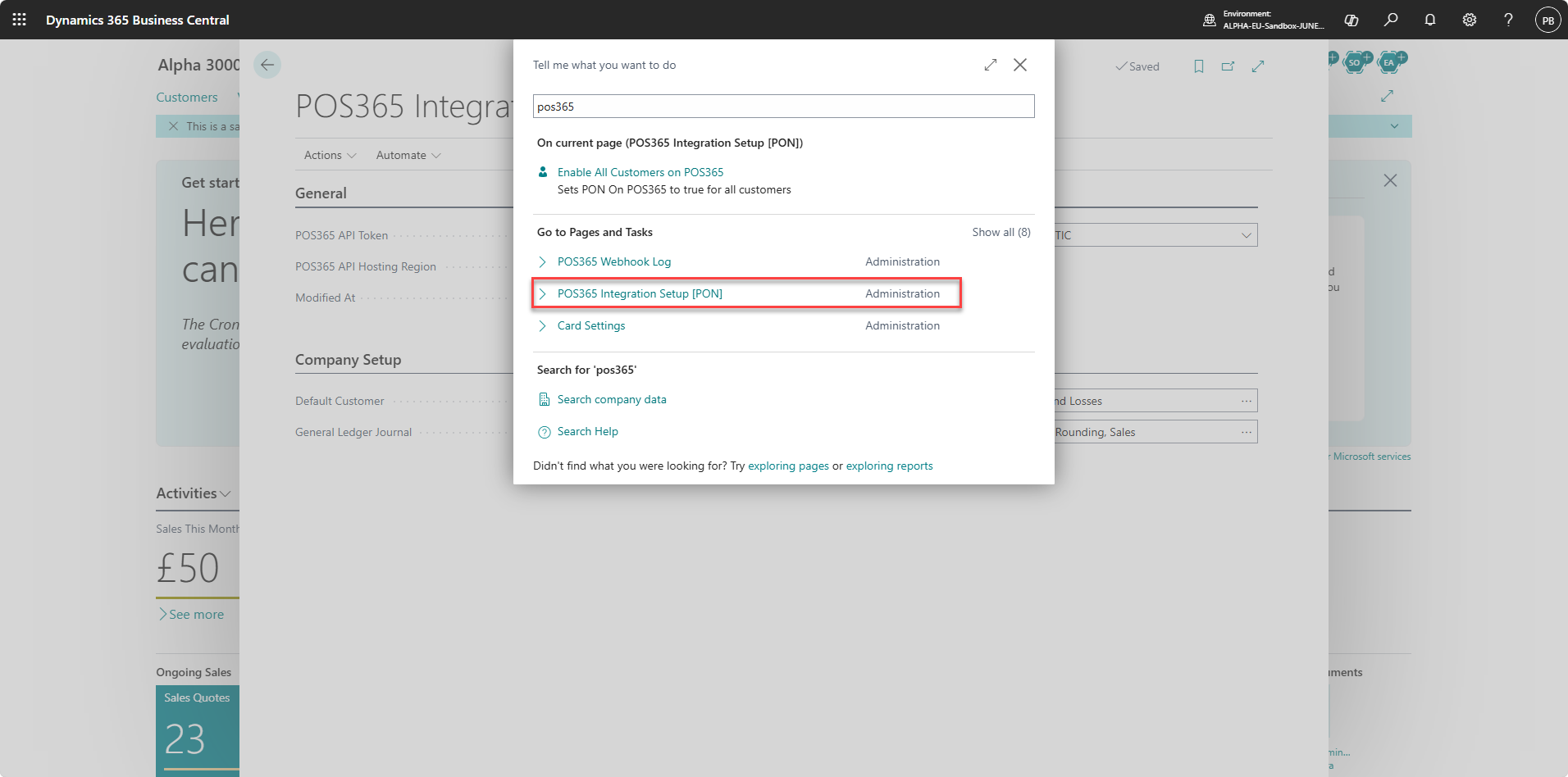
1) Go to 'POS365 Integration Setup [PON]
Step 2:
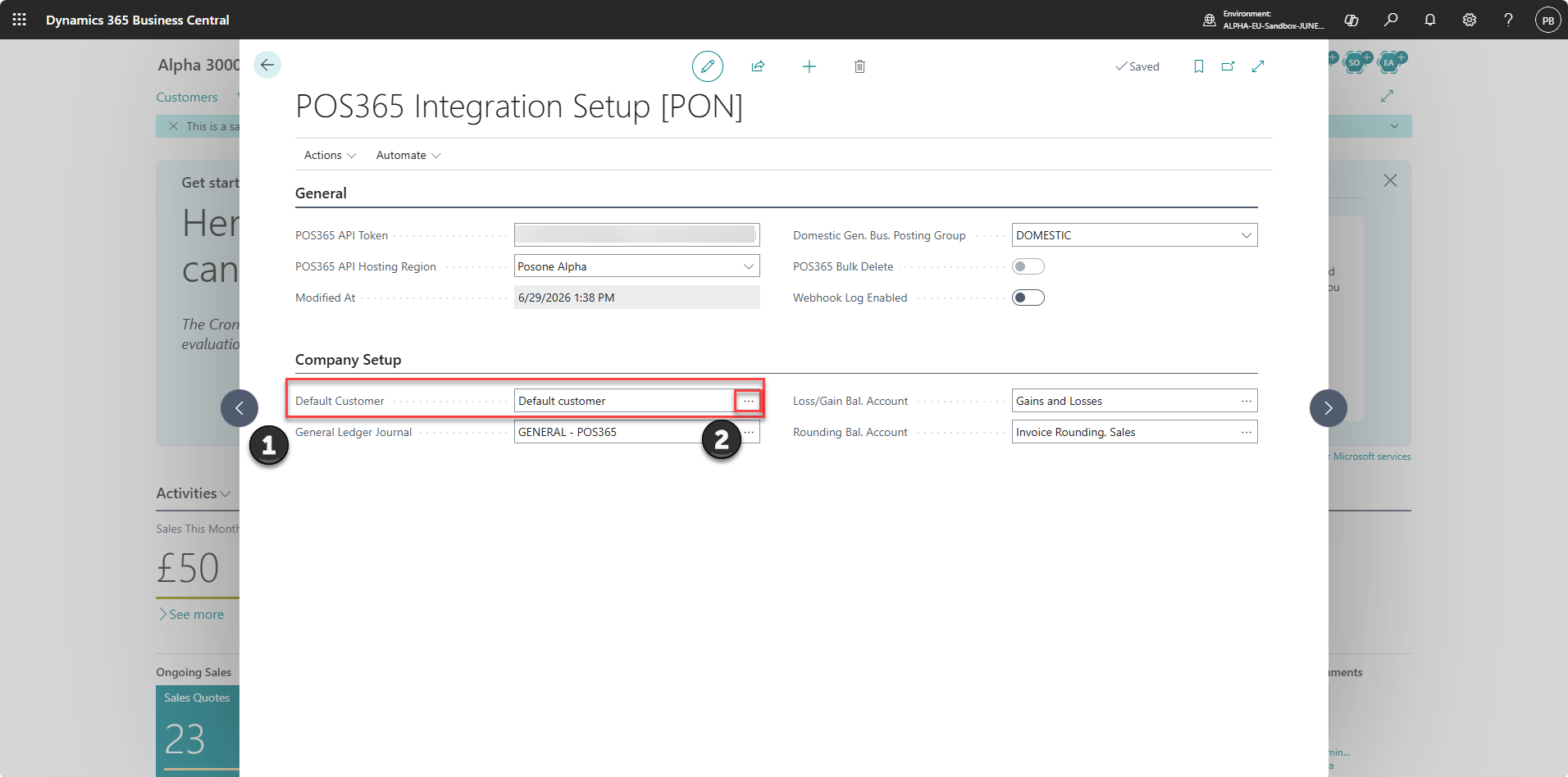
1) Locate the 'Default customer'-field
2) Click on the three dots
Step 3:
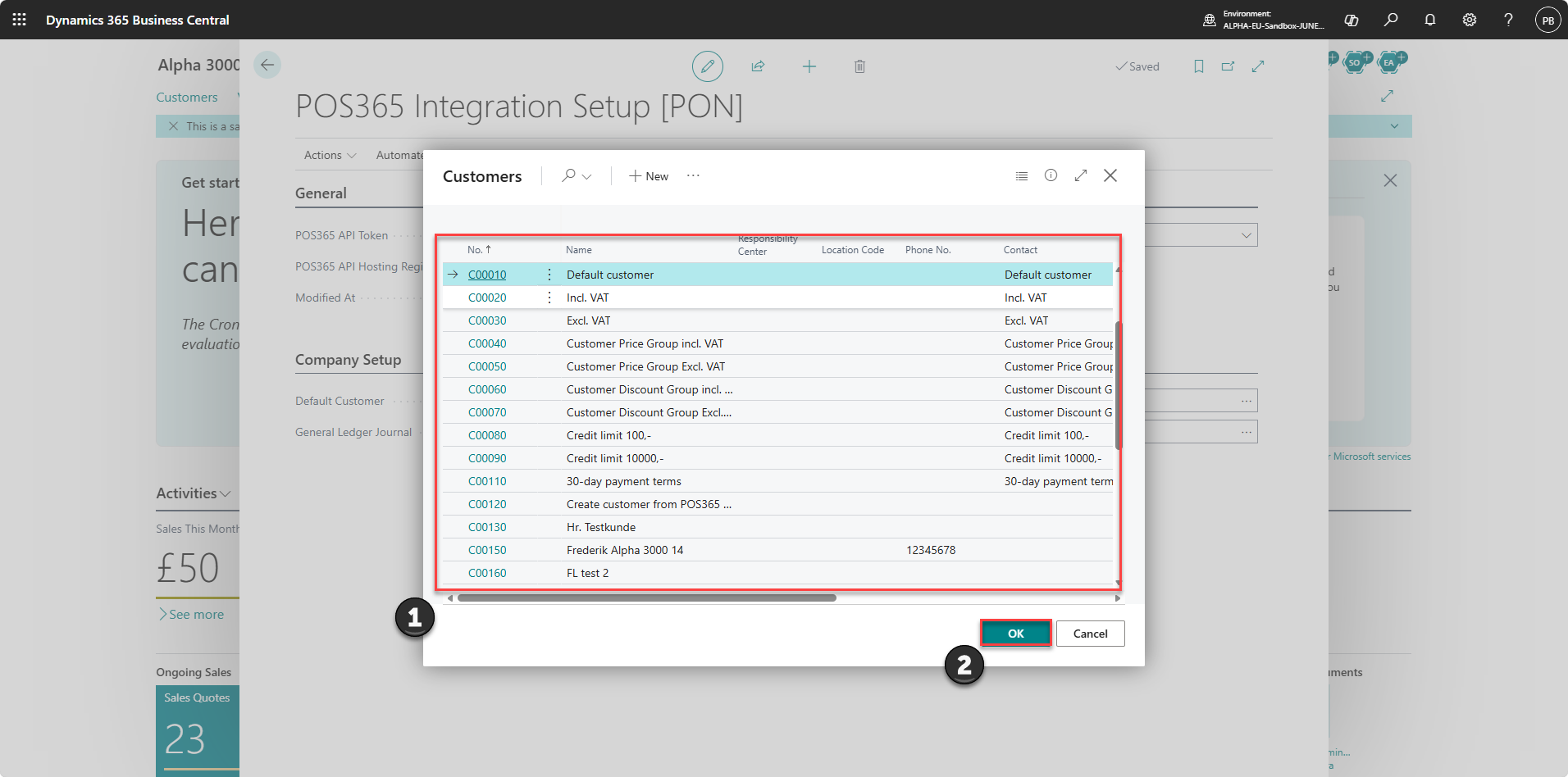
1) Pick the customer you created as your default customer
2) Click 'OK'