
This guide explains how to view the sales history on the POS365 app. By following this guide, you can access a list of old receipts in the system.
Step 1:
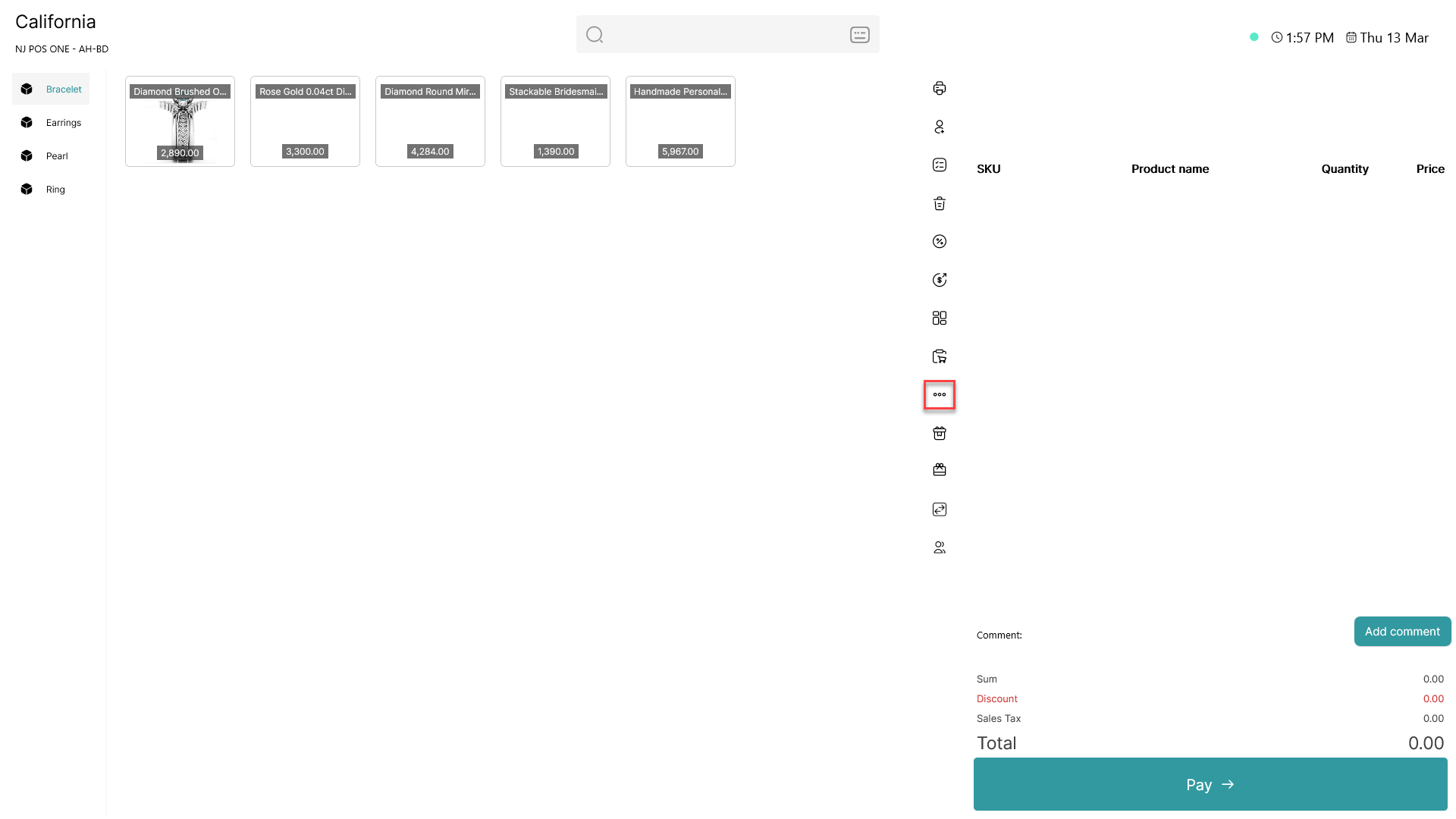
Click on the three dots ( - button) to access more options
Step 2:
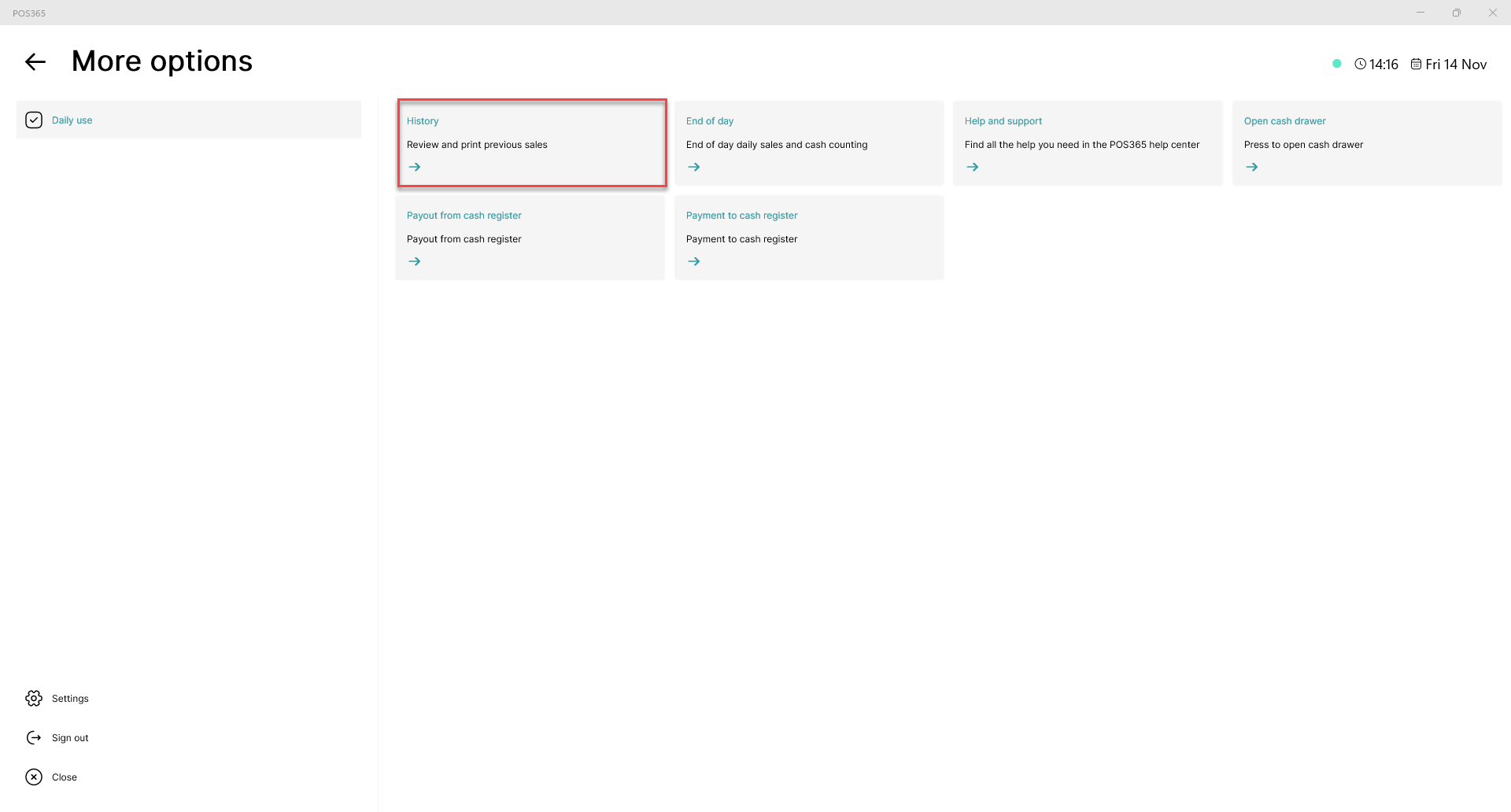
Click on 'History'
Step 3:
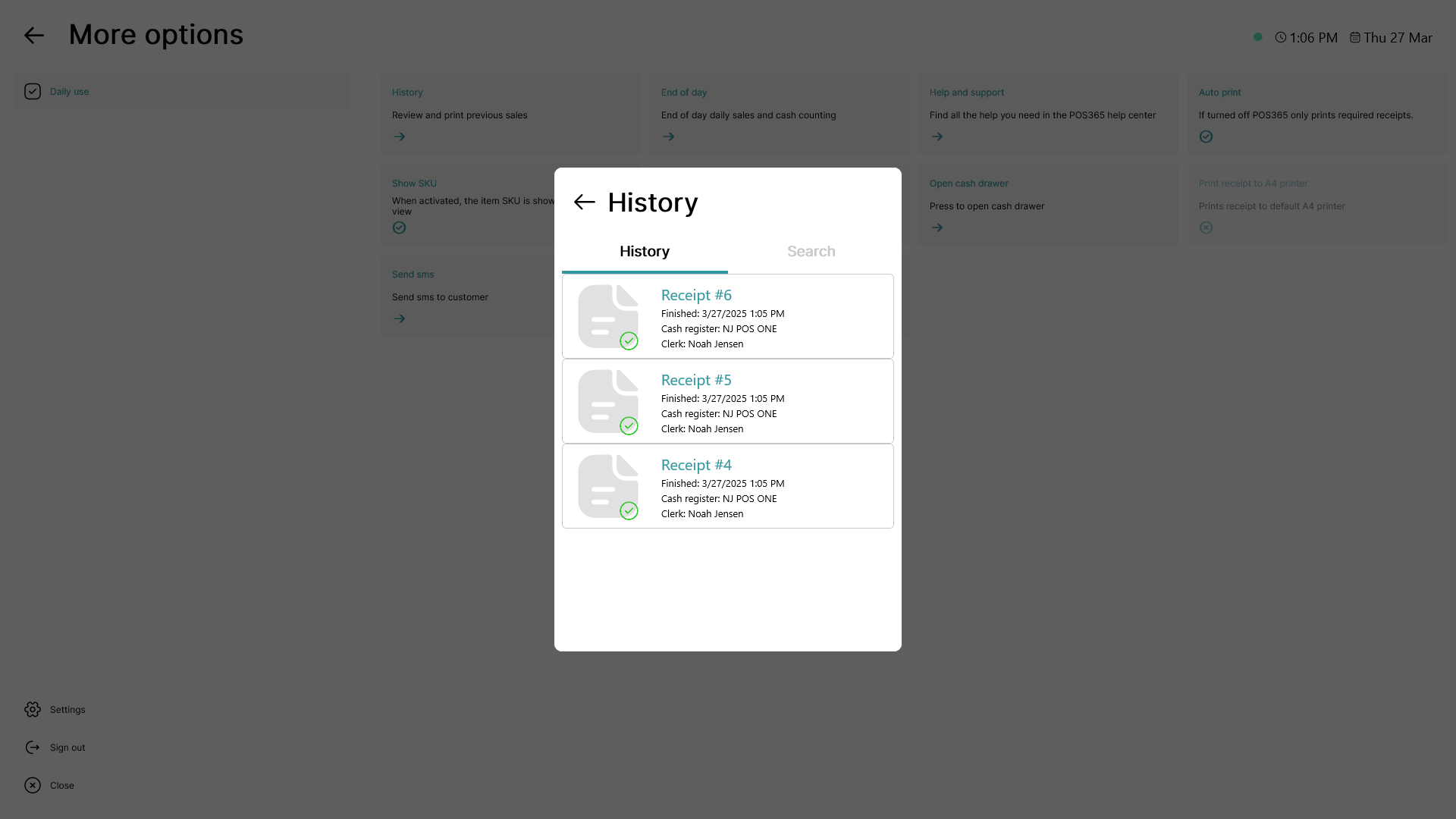
A list of all receipts from the store is shown.