
Skip to content
English
  • There are no suggestions because the search field is empty.

Set up locations using POS365 Admin Center

This guide shows you how to set up locations using the POS365 Admin Center, e.g., a specific store in your company.


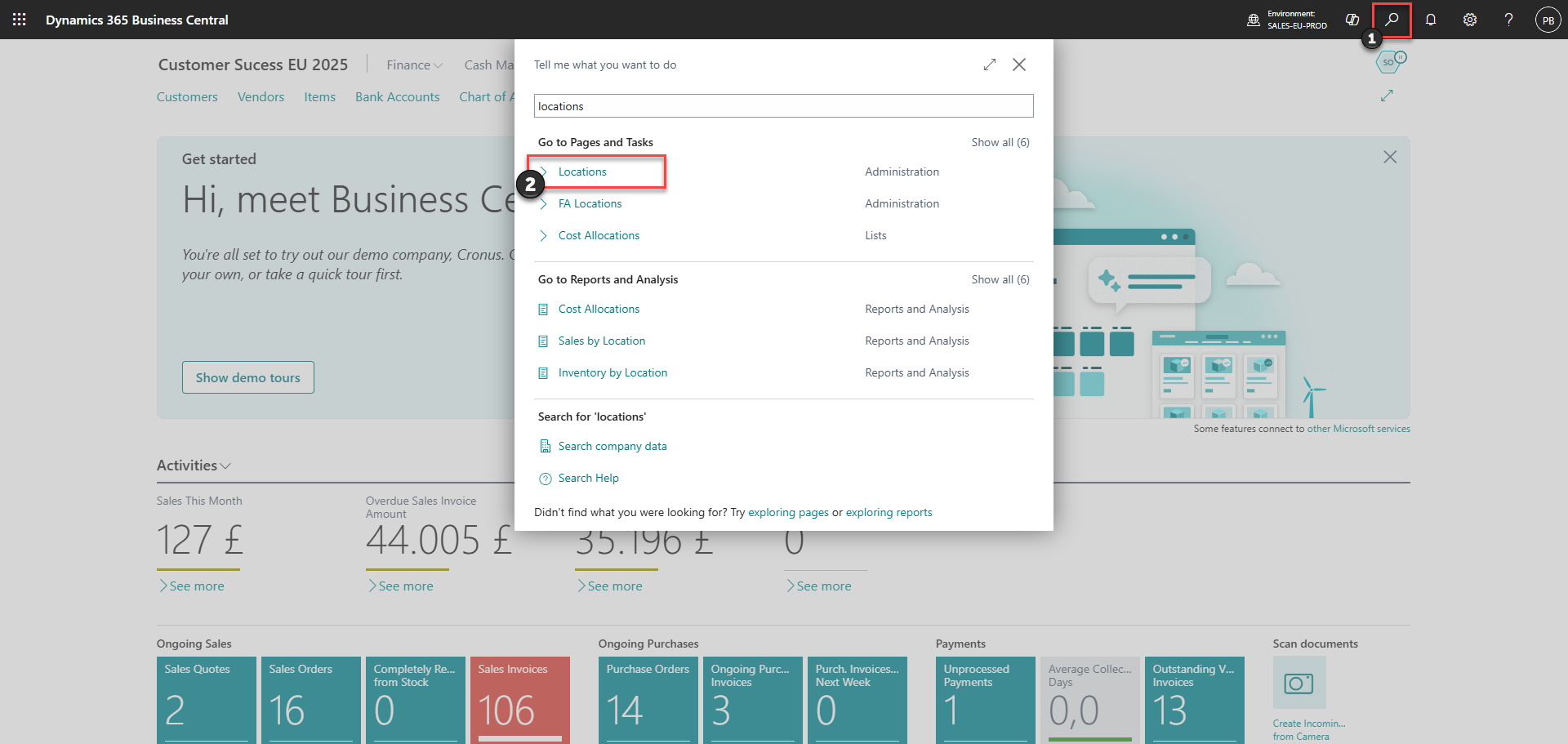
Step 1: Set up location(s) in Business Central.
how to set up locations using pos365 admin center

1) Click on the search icon

2) Find 'Locations'

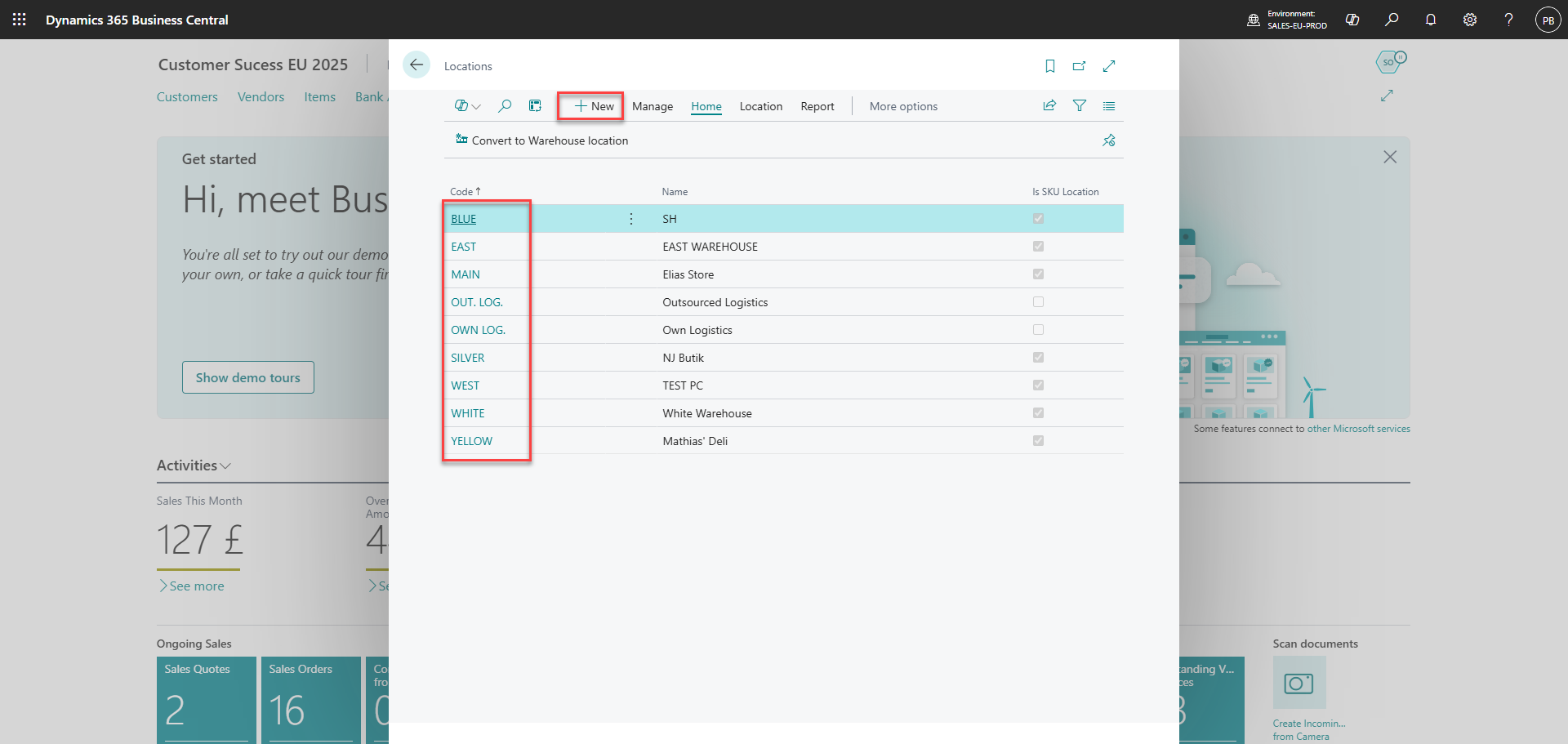
Step 2:
how to set up locations using pos365 admin center

Click 'New' or edit one of the existing locations

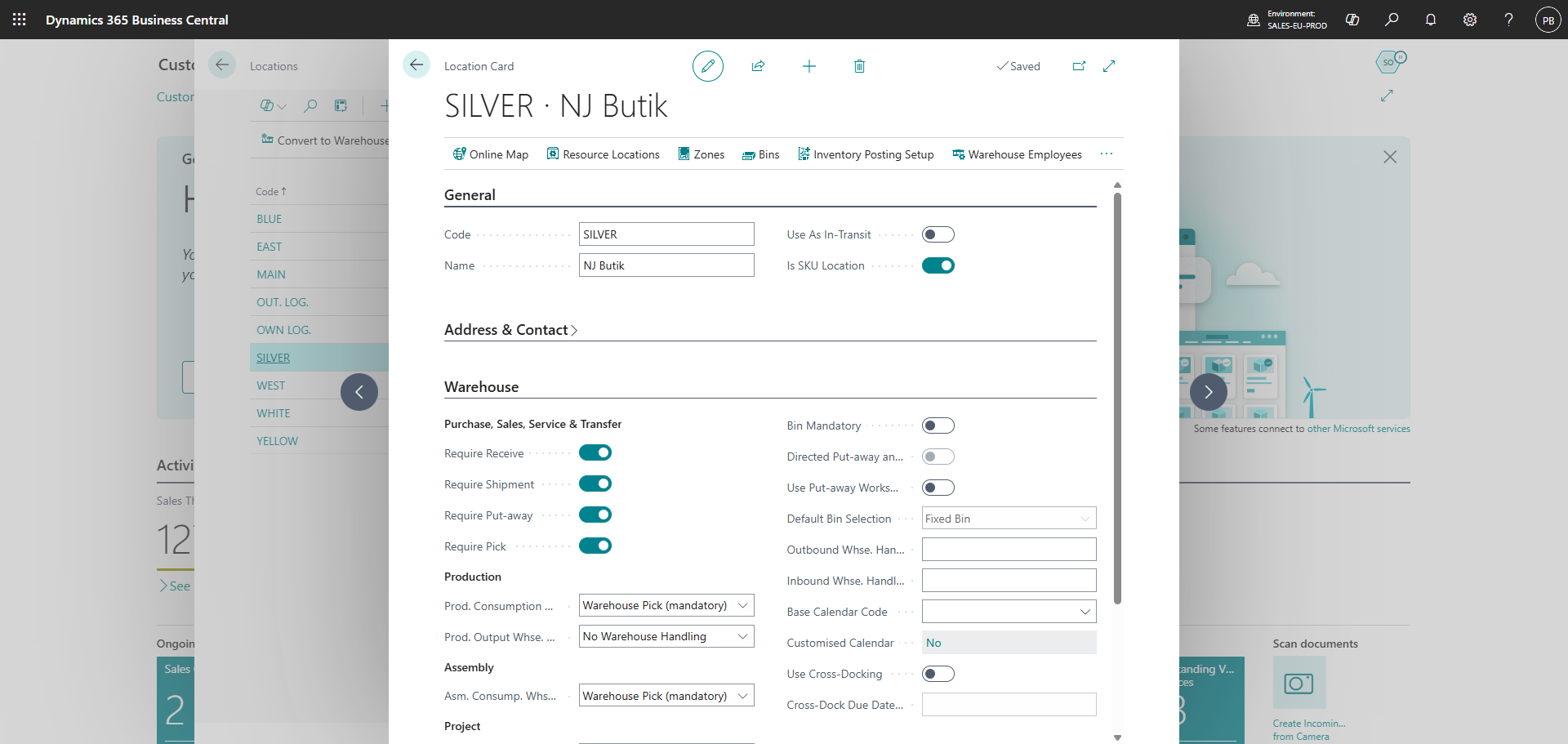
Step 3:
how to set up locations using pos365 admin center

Set up the information regarding the location at the 'Location Card'

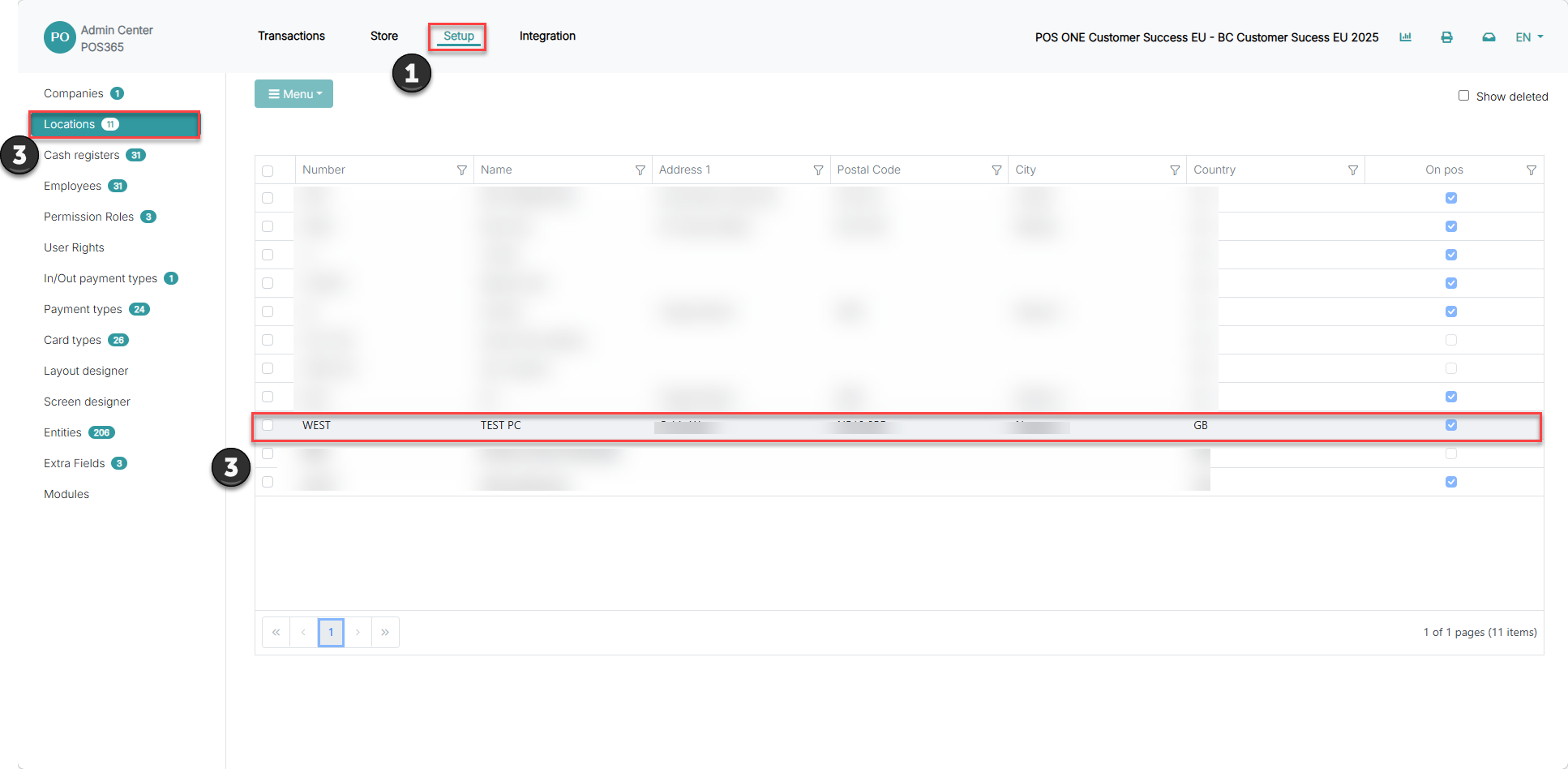
Step 4: Activate the location in the Admin Center

OBS! synchronization time from Business Central to the admin center can be up to 6 minutes 
how to set up locations using pos365 admin center

1) Go to 'Setup'

2) Go to 'Locations'

3) Select your new location 

4) Click on you new location

Step 5:
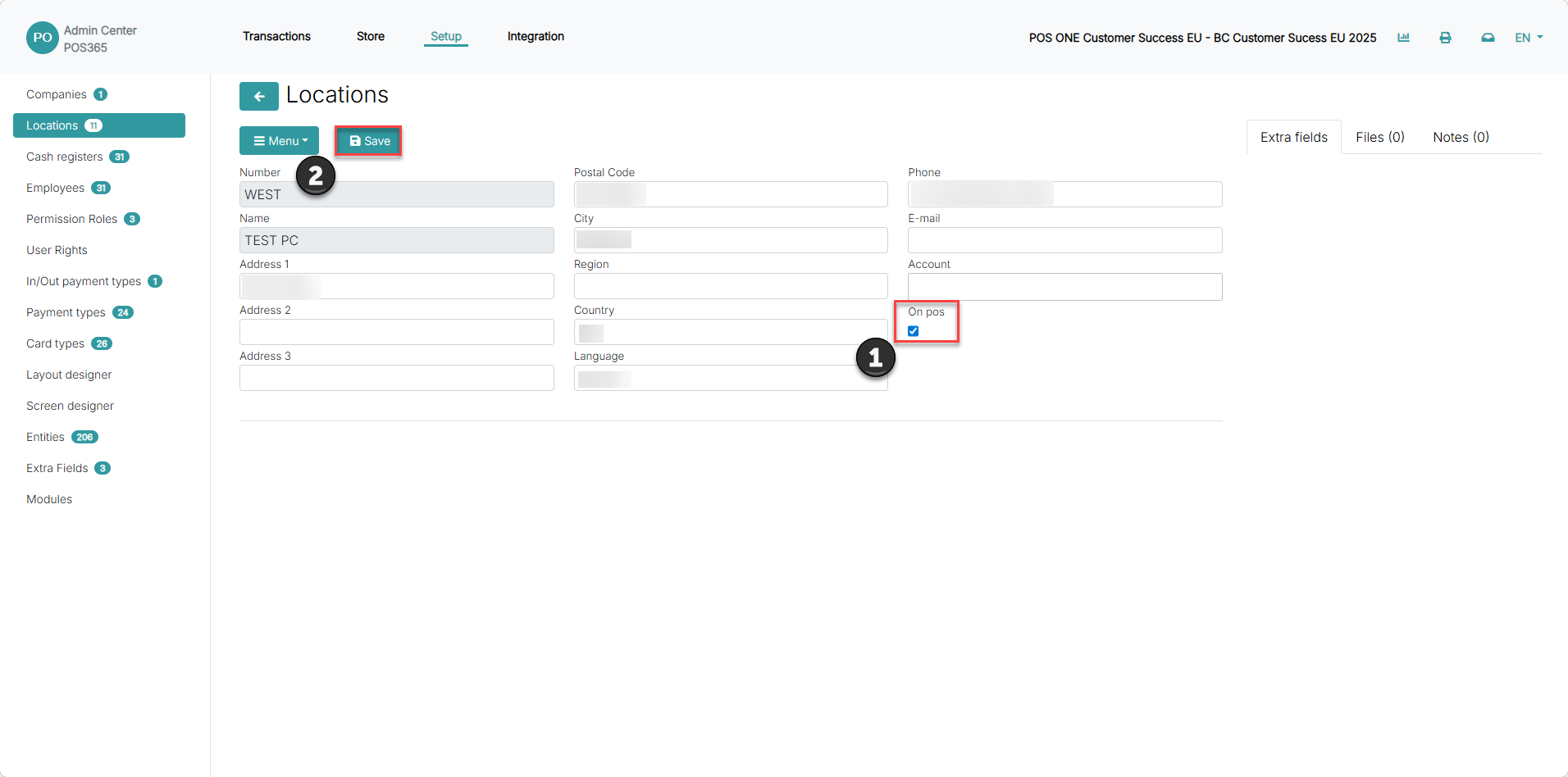
how to set up locations using pos365 admin center

1) Set 'OnPOS' to true

2) Click 'Save'