
Use these settings to help staff identify when a customer is near a campaign threshold before completing the sale.
Step 1:
Open the location settings
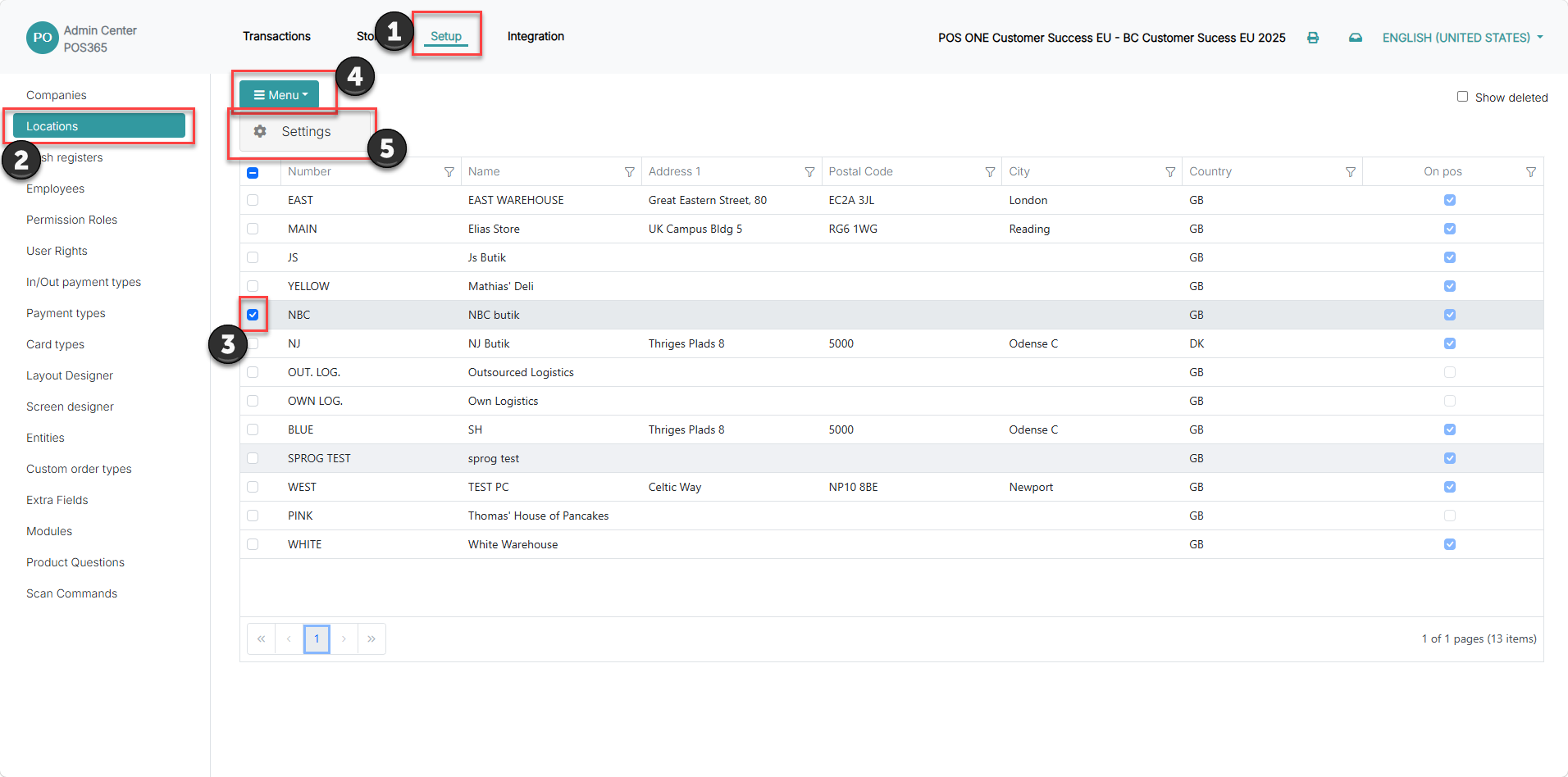
1) Click 'Setup'.
2) Click 'Locations'.
3) Select the locations that should be affected
3) Click 'Menu'.
4) Click 'Settings'.
Step 2:
Configure the campaign awareness trigger settings
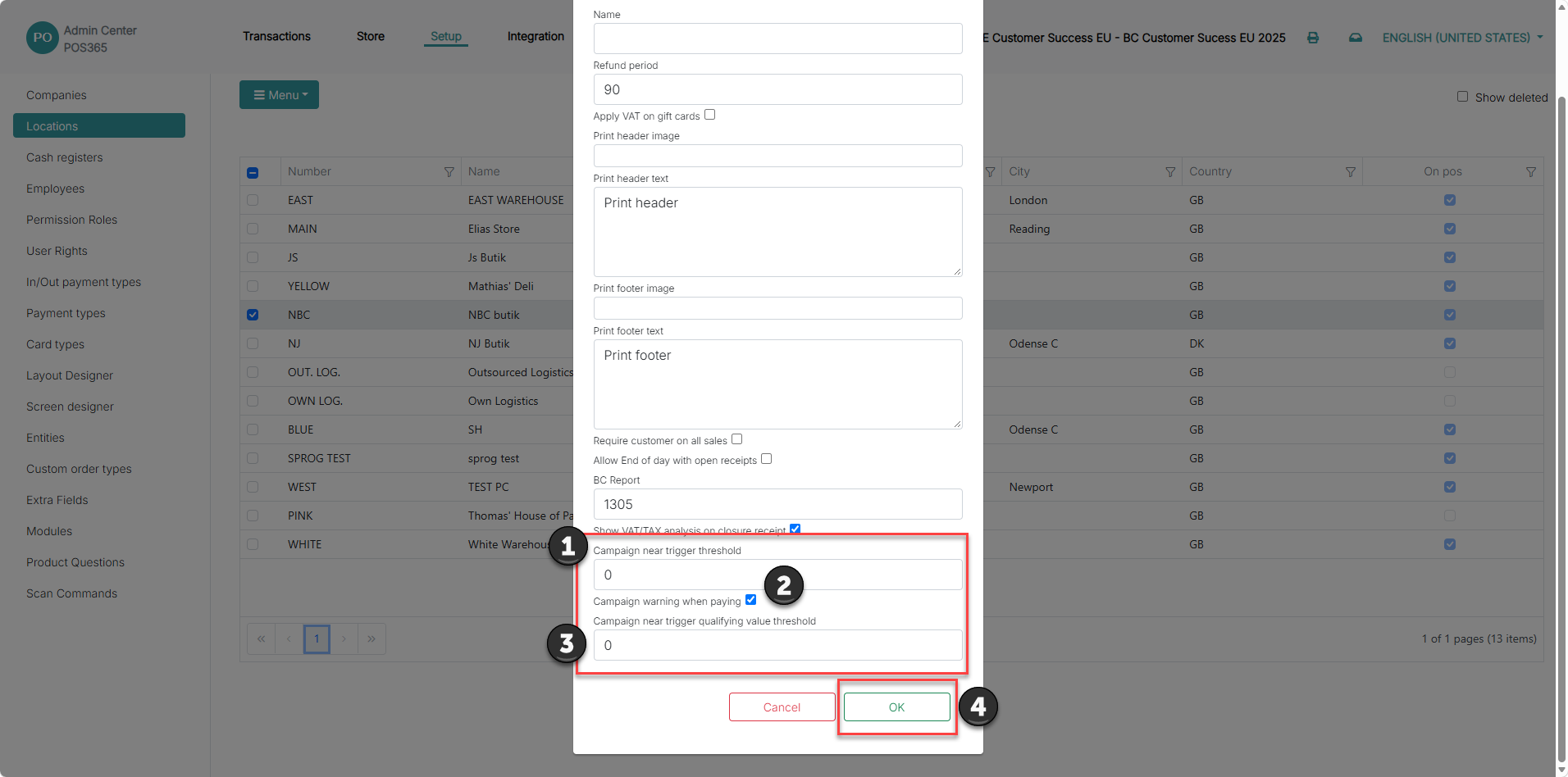
1) Enter the desired value in 'Campaign near trigger threshold'. This value determines how close a sale can be to triggering a campaign before the POS displays an information box. For example, if this value is set to 2, the POS can warn the cashier when the customer is within 2 units of meeting the campaign trigger
2) Enable 'Campaign warning when paying' if the warning should be shown when the cashier proceeds to payment
3) Enter the desired value in 'Campaign near trigger qualifying value threshold'. This value determines how close the sale amount can be to the qualifying campaign value before the POS displays an information box. The qualifying value can be set to look at a cash value rather that a quantity.
4) Click 'OK'
To read more about setting up campaigns, click here