
To enable this function, follow this guide: Enable cash withdrawal in POS365
Step 1:
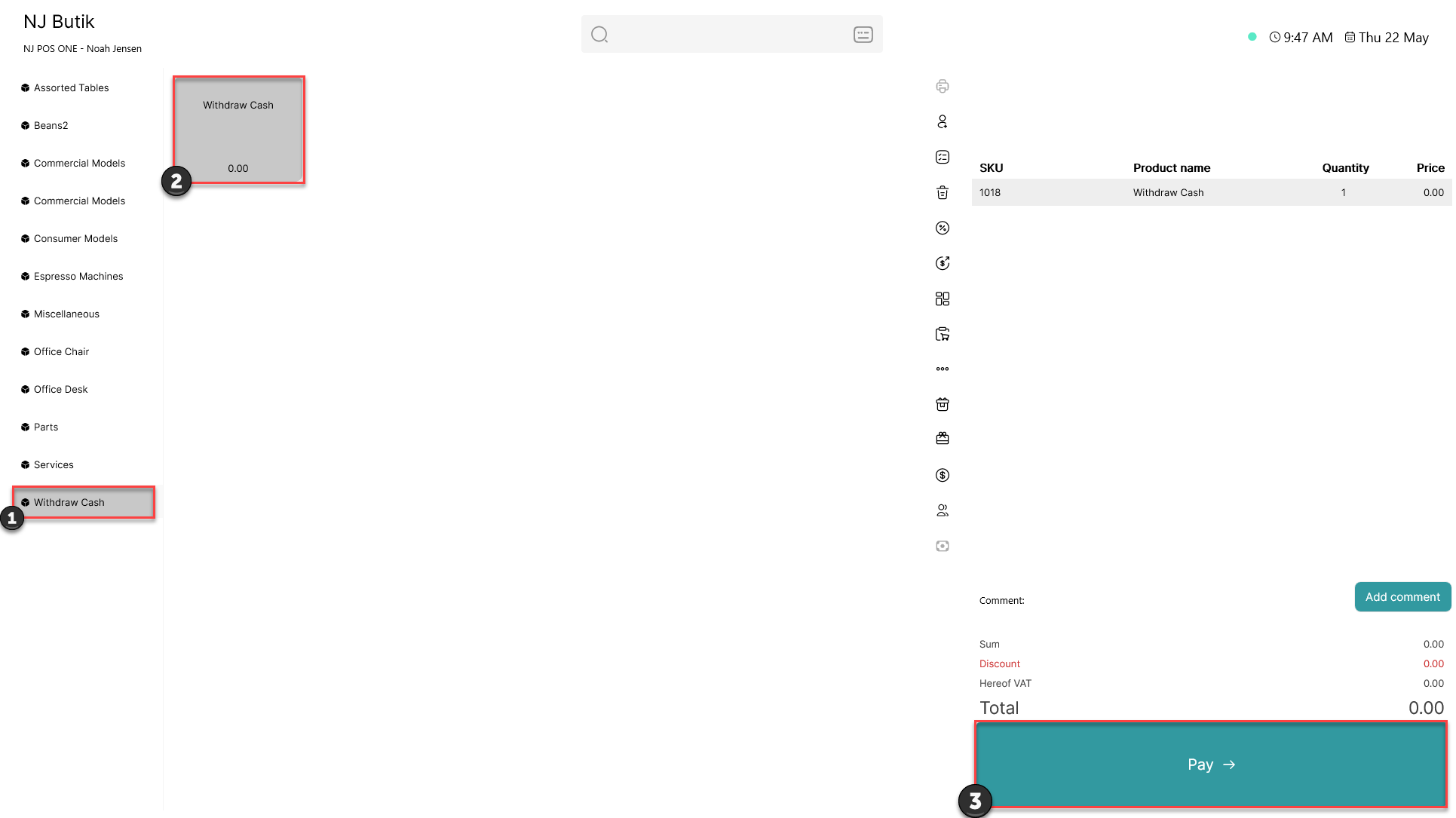
1) Click on the 'Withdraw Cash' category
2) Click on the 'Withdraw Cash' product
3) Click 'Pay'
Step 2:
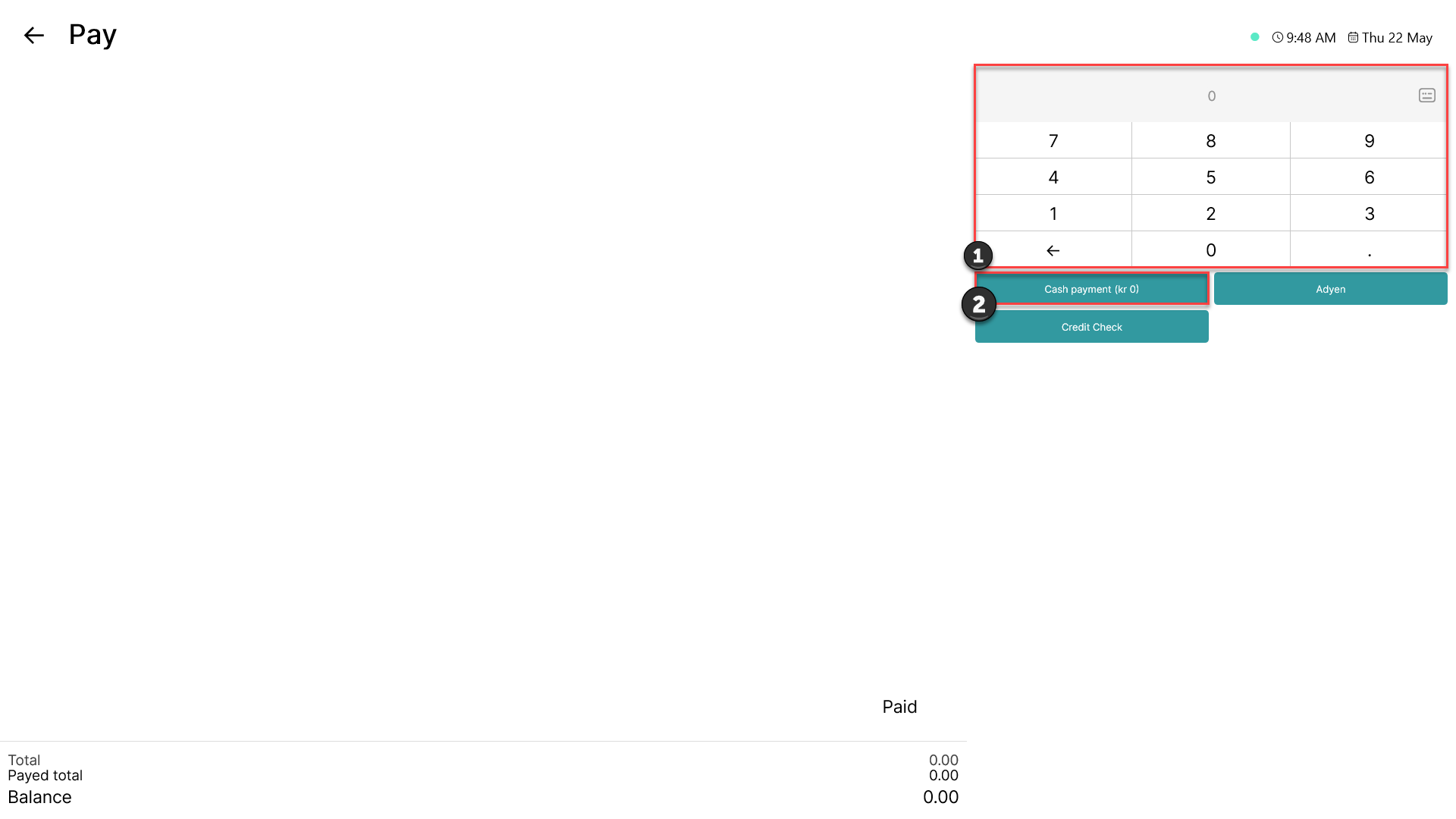
1) Type in the amount you want to withdraw from the cash register
2) Choose 'Cash payment'
Step 3:
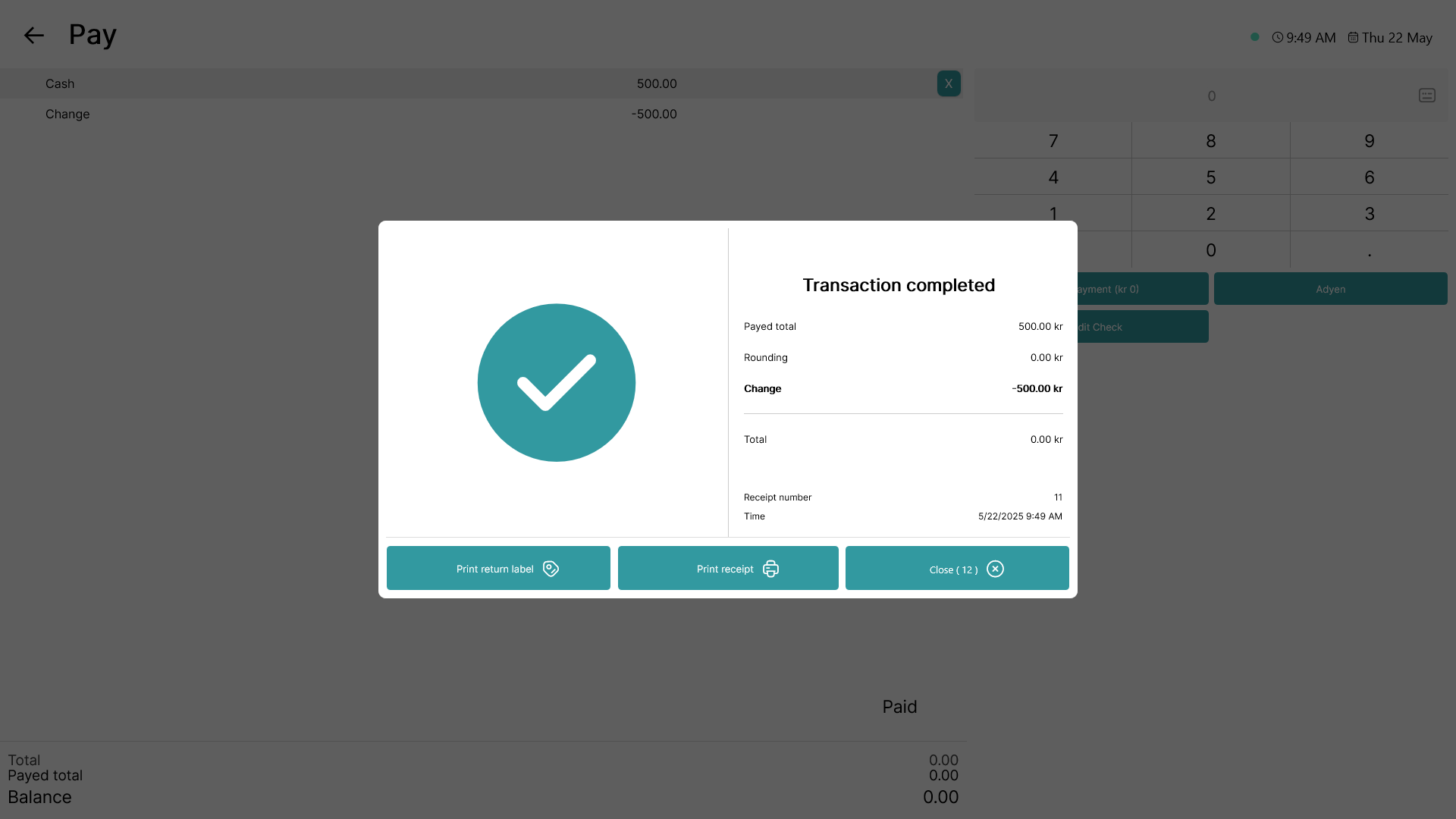
A cash withdrawal has been made successfully