This guide explains how to access the IP address of your computer, which is used to set up some of the hardware connected to the POS, e.g. to establish a connection to a card terminal.
Step 1:
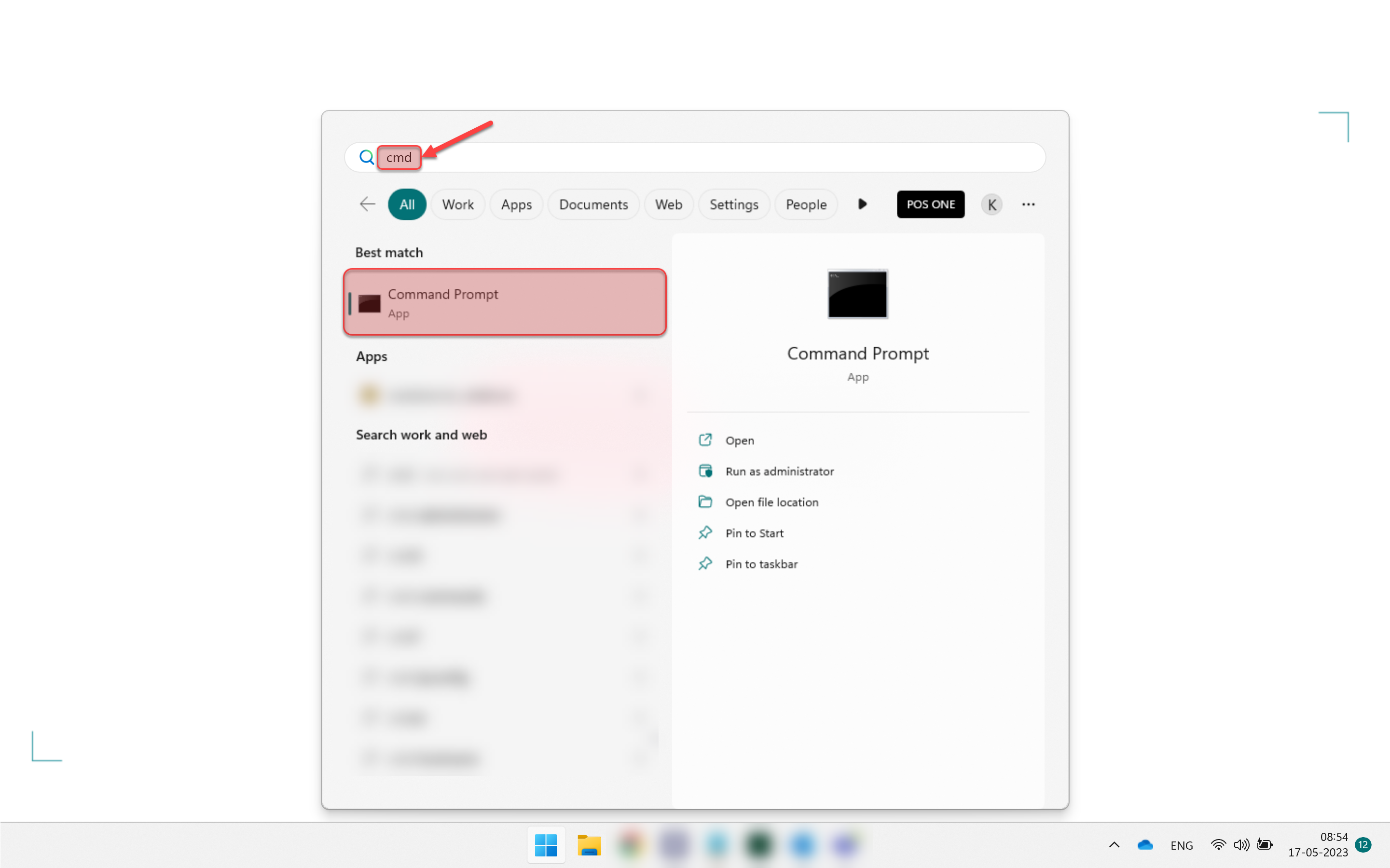
1) Click on the windows button and search for CMD
2) Select Command Prompt
Step 2:
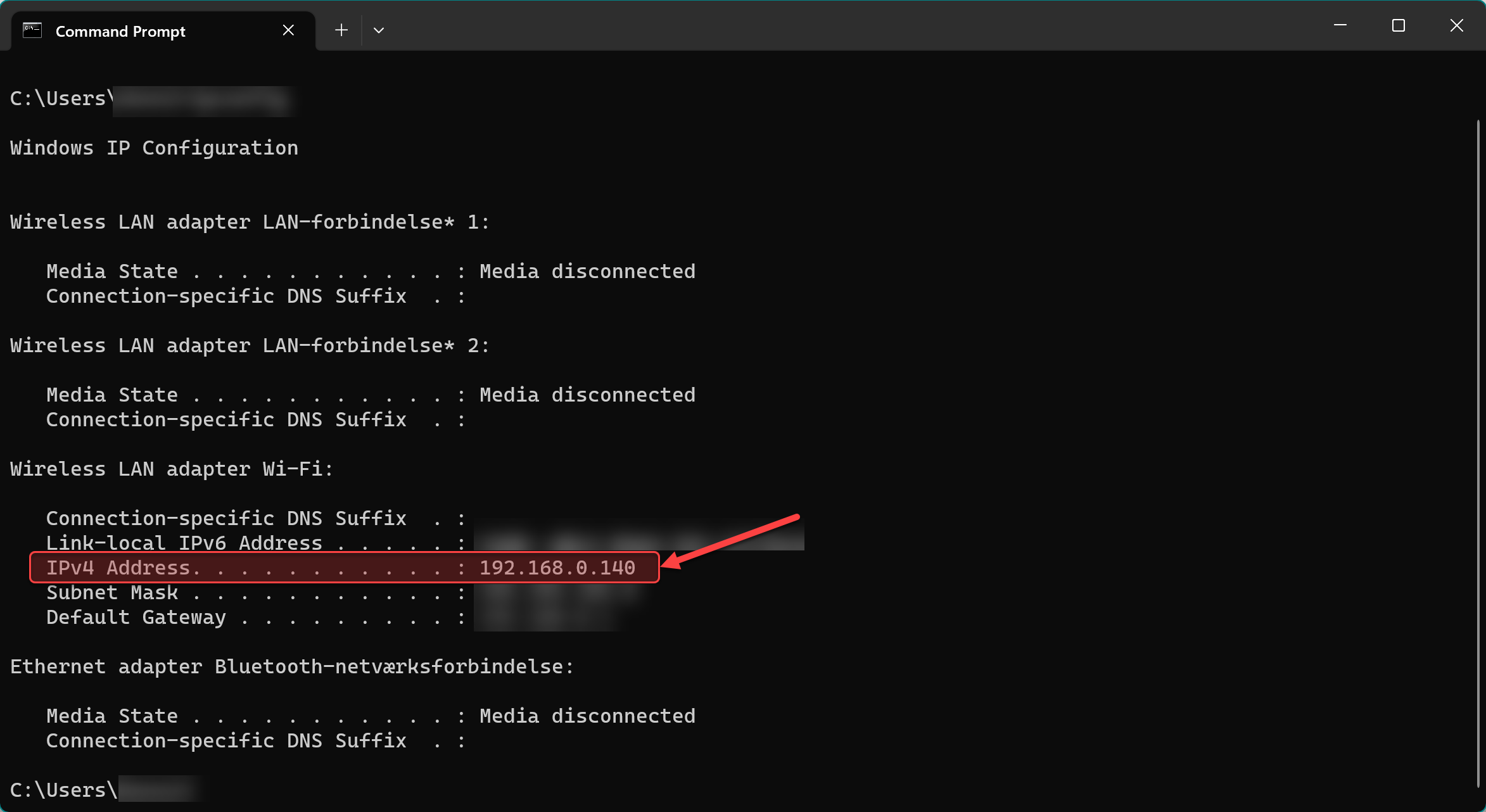
1) Type ipconfig and click enter
2) The IPv4 Address is displayed under Wireless LAN adapter Wi-Fi