In this guide, we have listed the cords and cables on the essential pieces of hardware and how to connect them.
Cords and cables
PC
Printer
Card terminal
Cash drawer
Scanner
Connections
PC
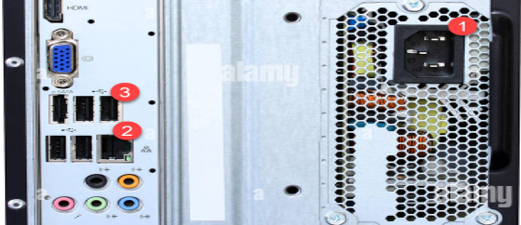
(1) – Plug in the computer with the power cord.
(2) – Plug the network/internet cable into the computer and router.
(3) – Connect the mouse, keyboard, and/or scanner via the USB cable in the computer’s USB ports if needed.
Printer
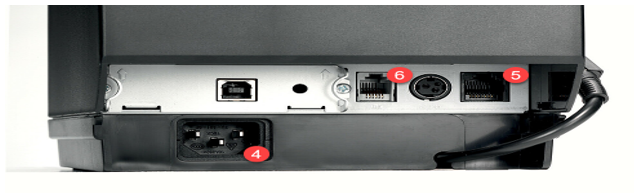
(4) – Plug in the printer with the power cord.
(5) – Plug the network/internet cable into the computer and router.
(6) - If you have a cash drawer, now connect it to the printer.
Card terminals
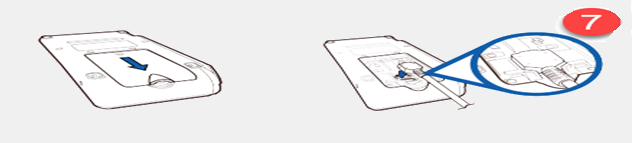
(7) – Connect your network/internet cable to the ETH port and the power cord to the power slot on the card terminal dongle.