This guide explains how to access the item categories view in POS365 and how to use the function
Step 1:
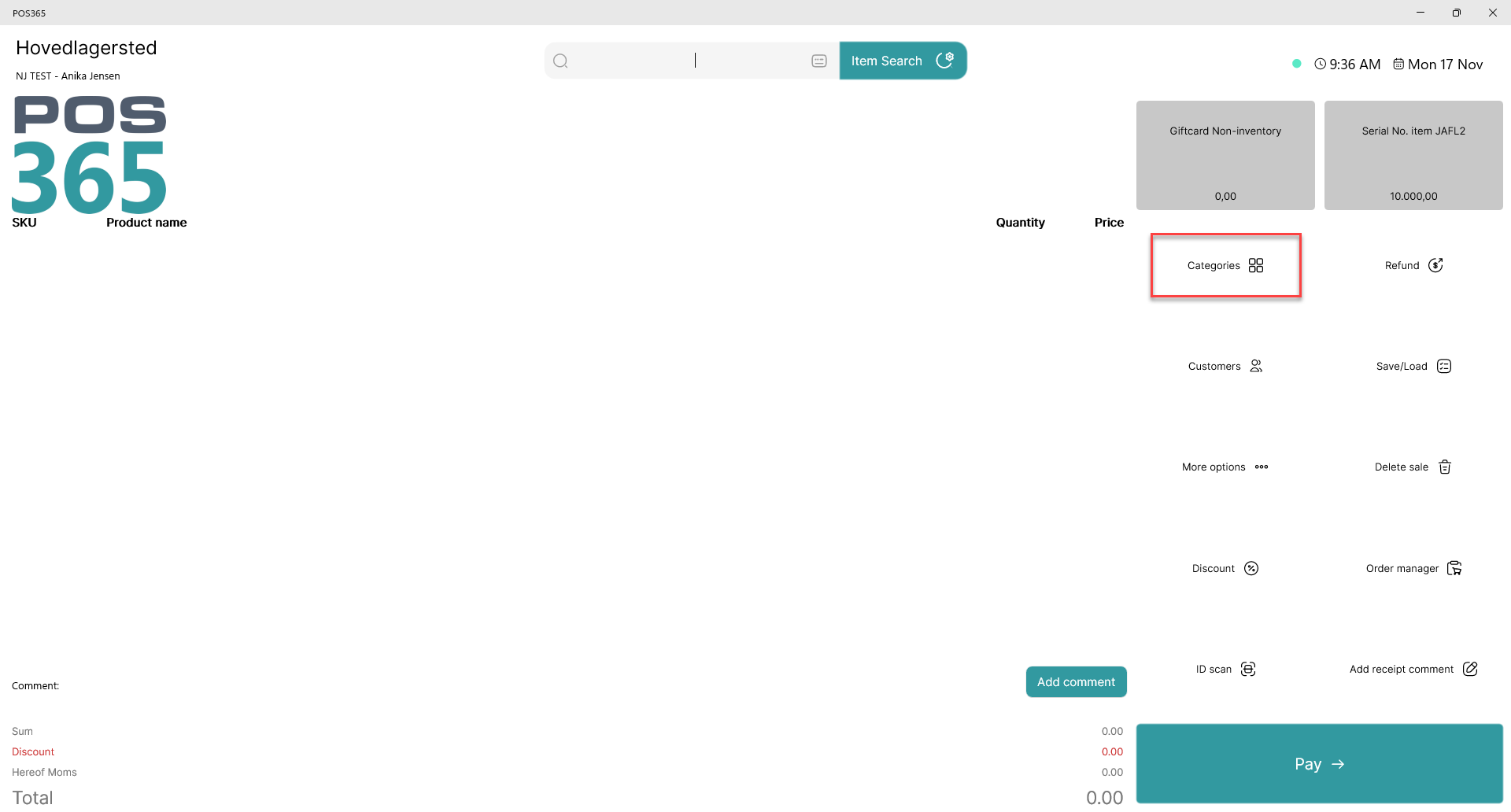
Click on 'categories'
Note:
This button can be enabled/disabled in the screen designer in the Admin Center.
Step 2:
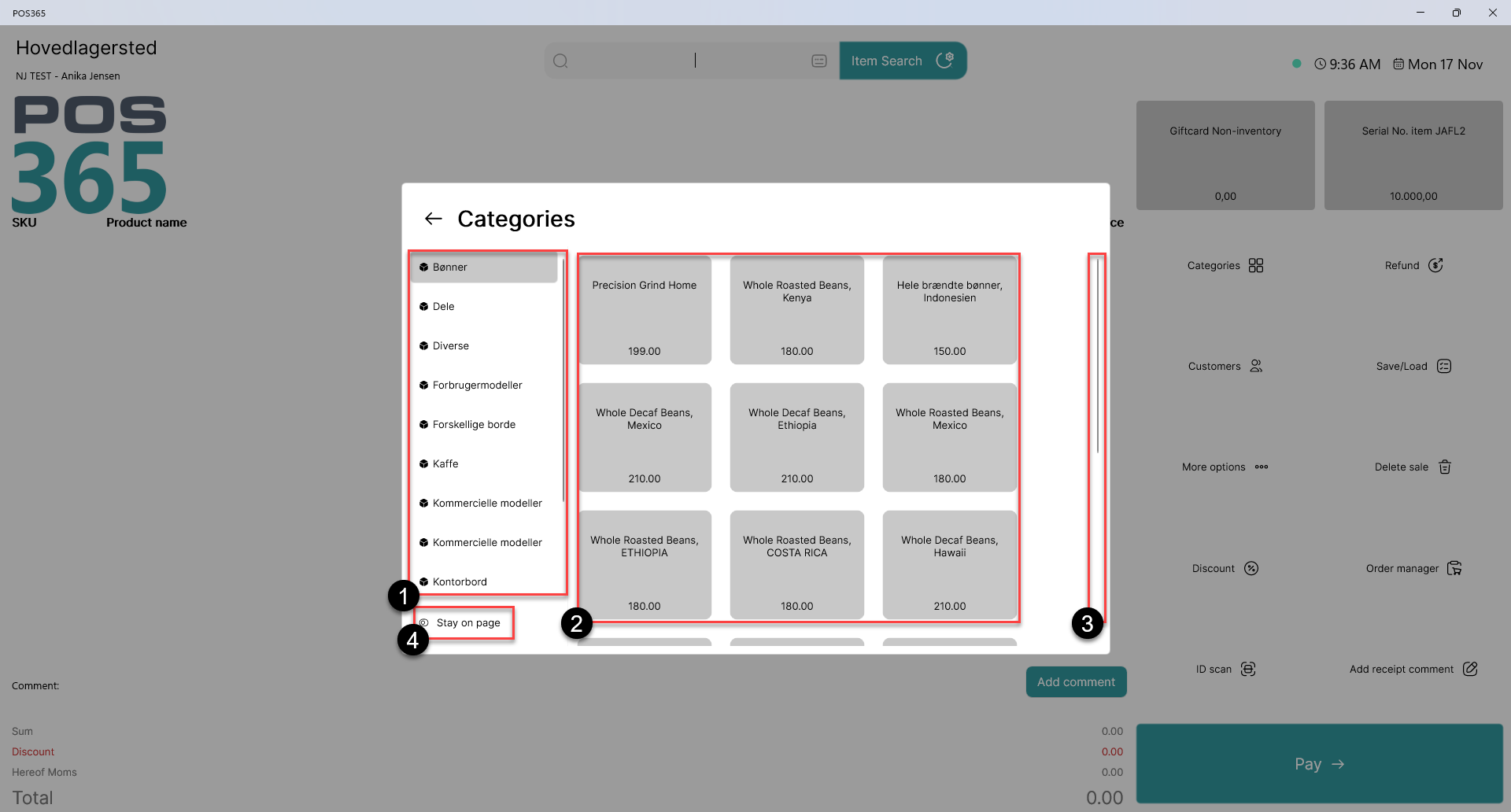
1) All synchronized item categories are shown. Use these to navigate between categories to display products within those categories
2) The products from the selected item category are displayed here
3) Use the scroll bar to navigate through all products within the item category. You can either drag the scrollbar downwards or use a computer mouse scroll wheel
4) Toggle whether you want the category view to close after selecting an item or not