This guide explains how to add, edit or delete a comment to a receipt. The comment will be shown in the system and on the printed receipt as well.
Step 1:
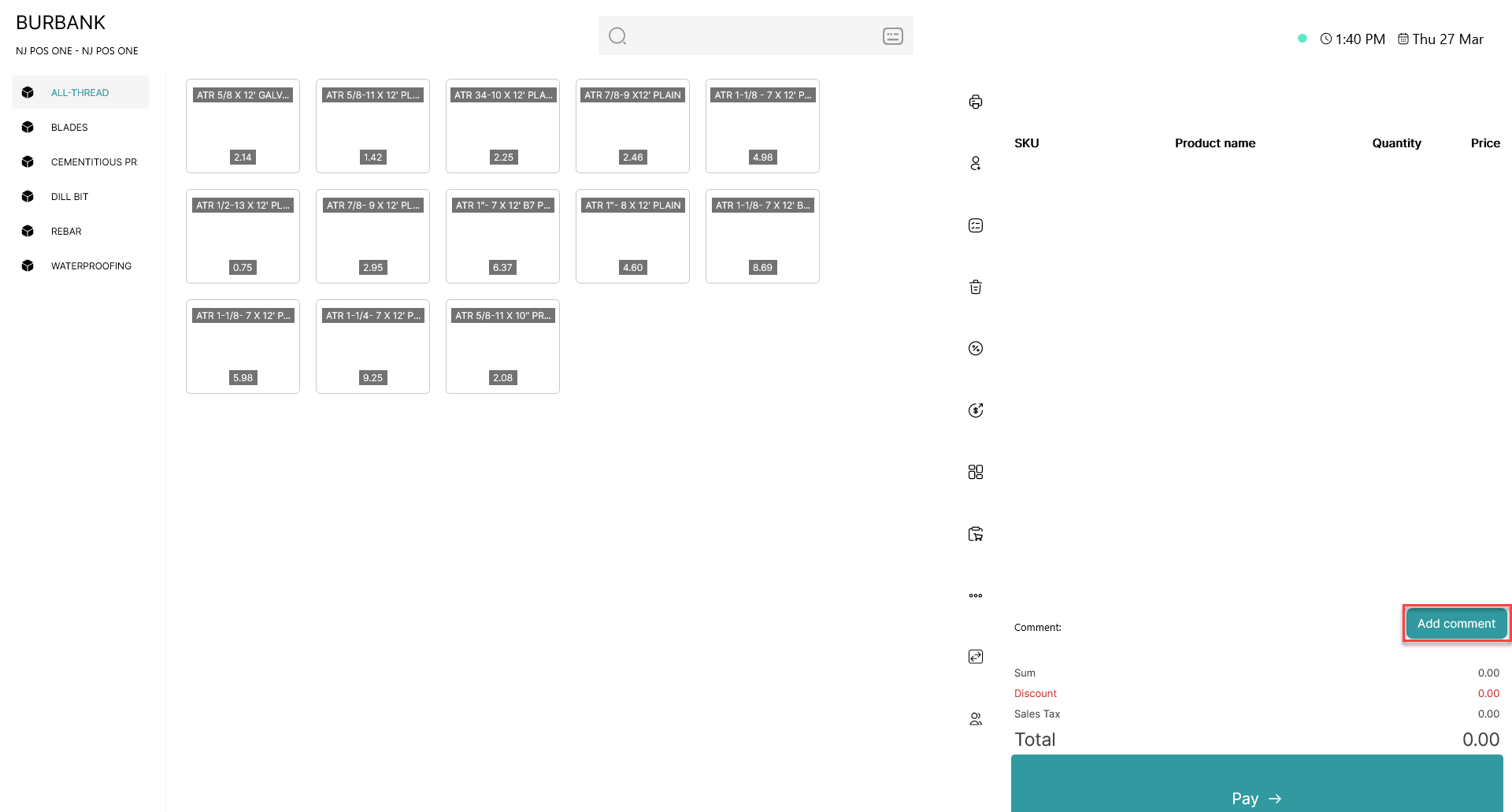
Click 'Add comment'
Step 2:
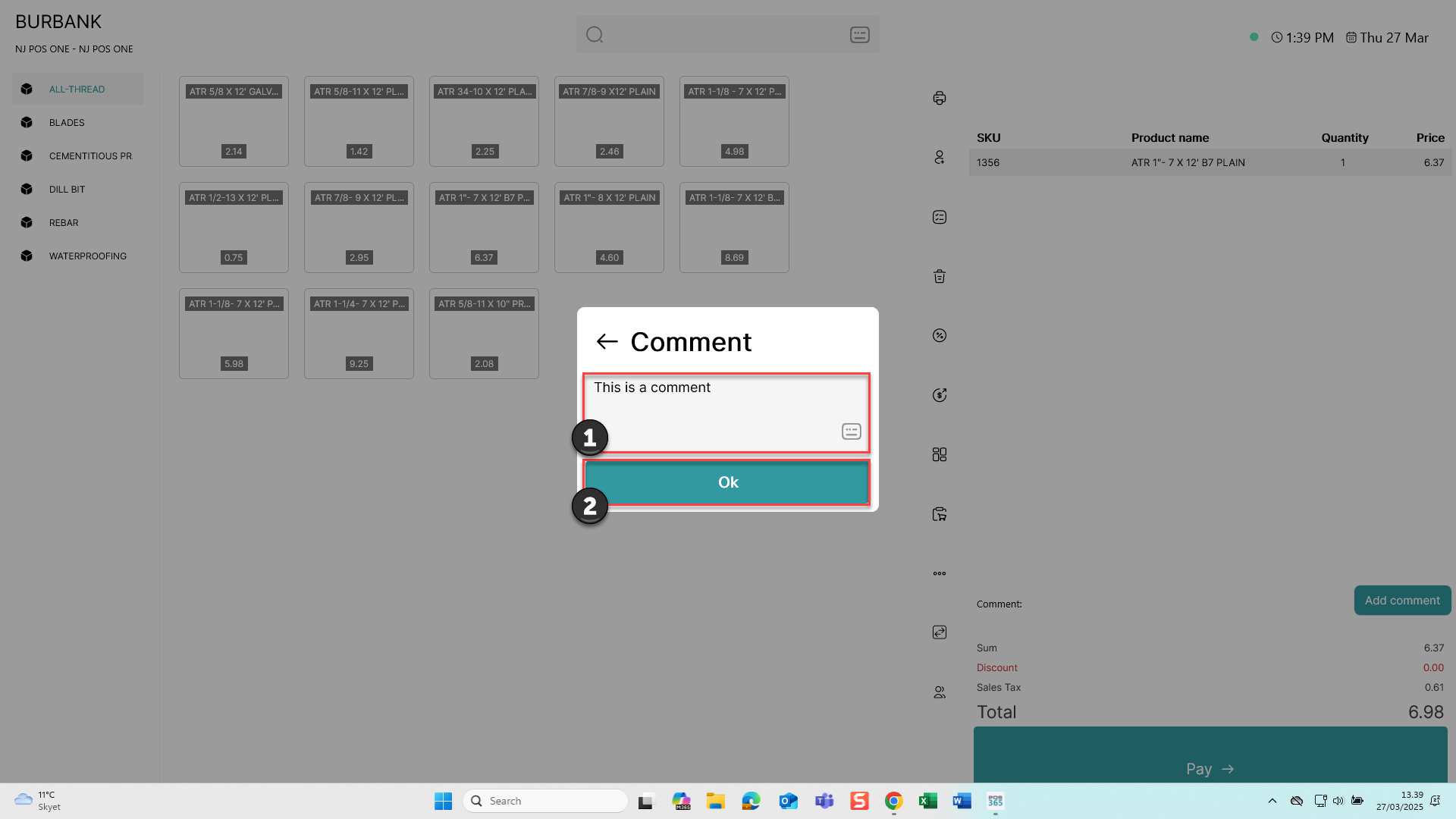
1) Type in the comment you want to add
2) Click 'Ok'
Step 3:
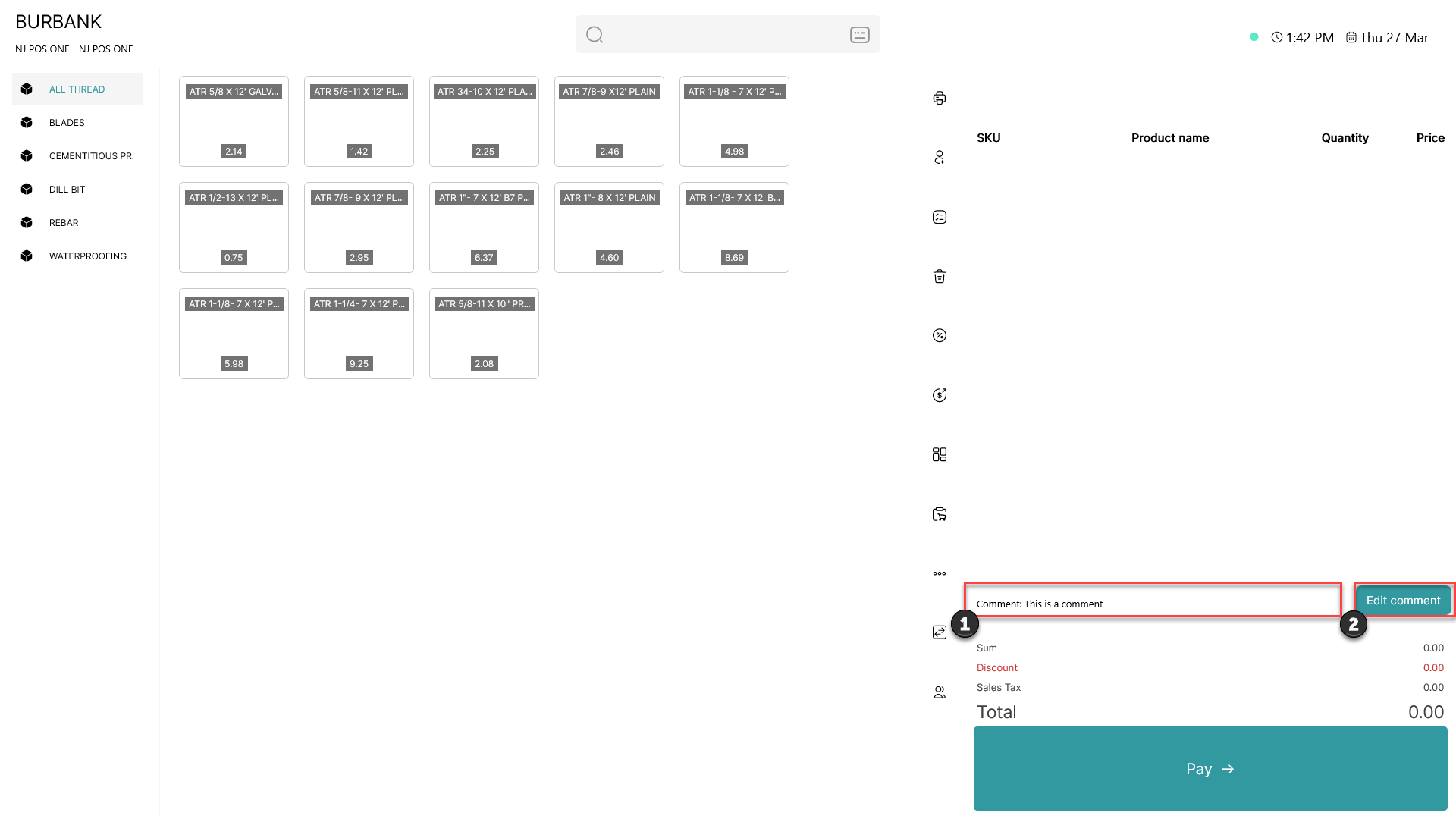
1) When the comment is added, it is displayed here
2) To edit or delete the comment, click 'Edit comment'