In this guide, we'll look closer at how to start and complete a sale in POS365.
Step 1:
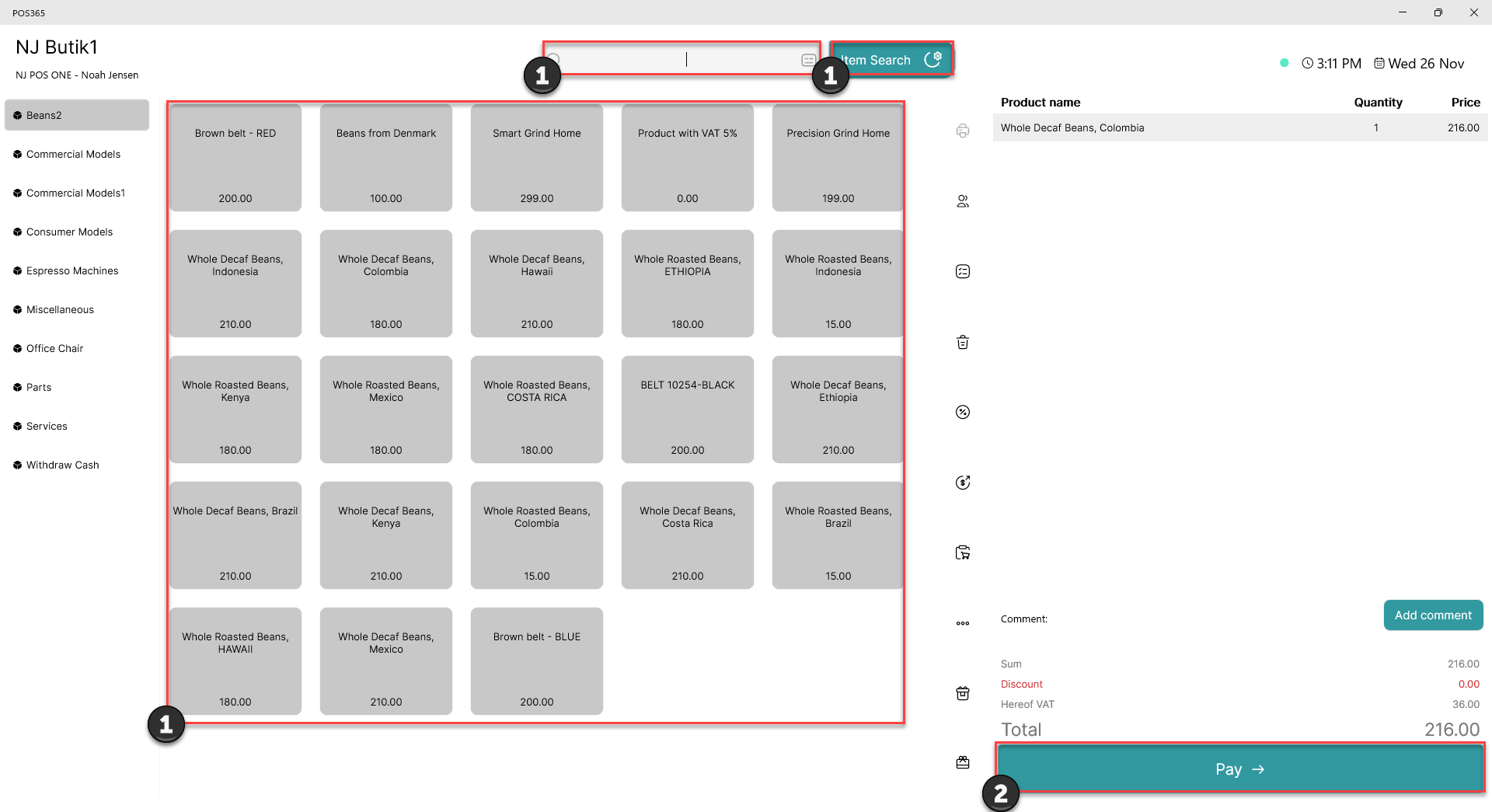
1) Scan, click or search for an item to add it to the basket
2) Click 'Pay'
Step 2:
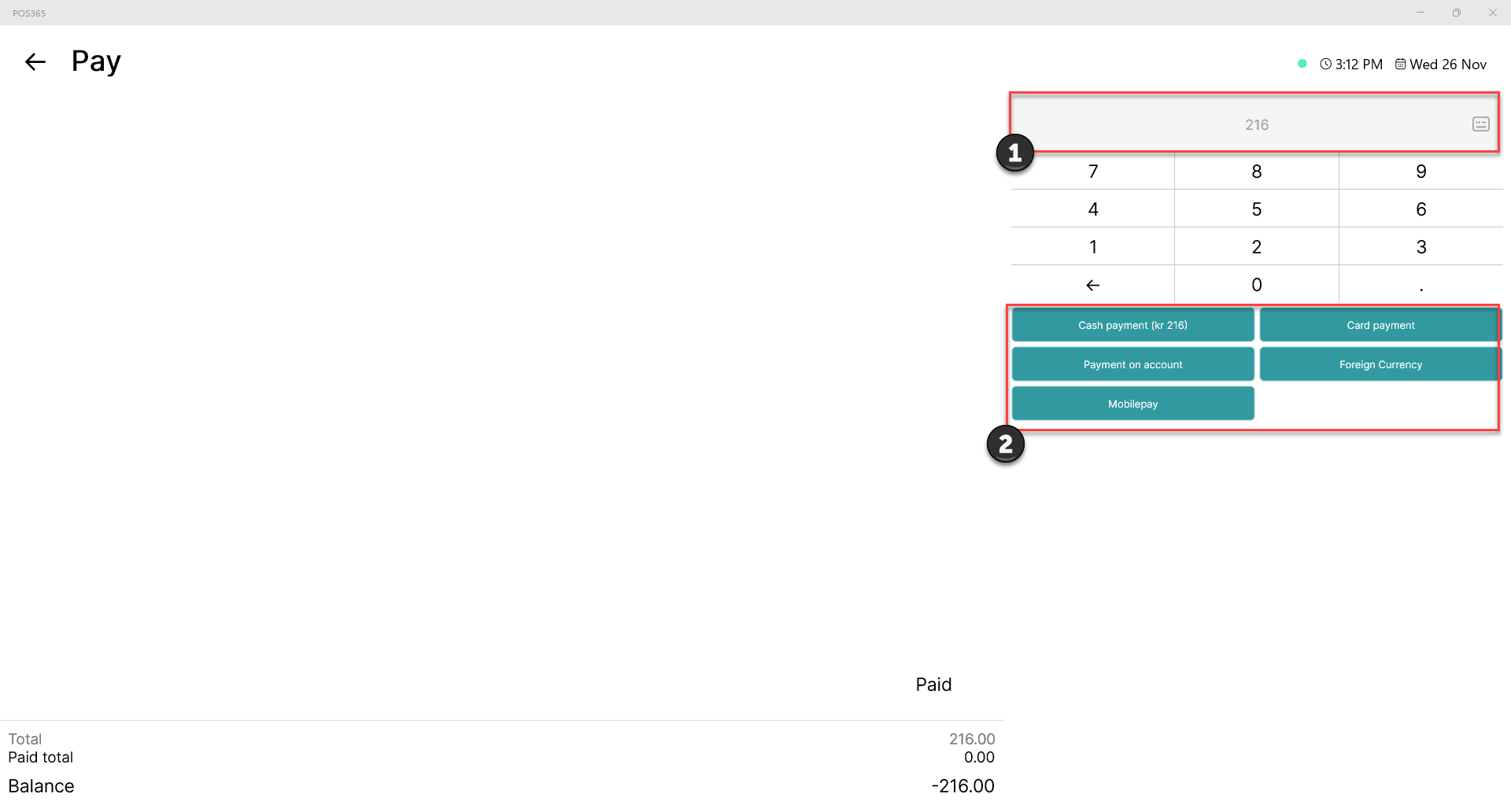
1) Insert amount to partially pay the invoice (if left empty, the entire invoice will be paid with the selected payment method)
2) Select payment method
Note:
To add more payment methods to the cash register, follow this guide.