This guide explains how to enable VAT / Sales tax analysis on the End of Day receipt in POS365.
Enable VAT/Sales Tax analysis on End of Day receipt:
Open the location settings, enable VAT / Sales tax analysis, and restart POS365.
Step 1:
Navigate to the location settings for the relevant POS365 location in Admin Center.
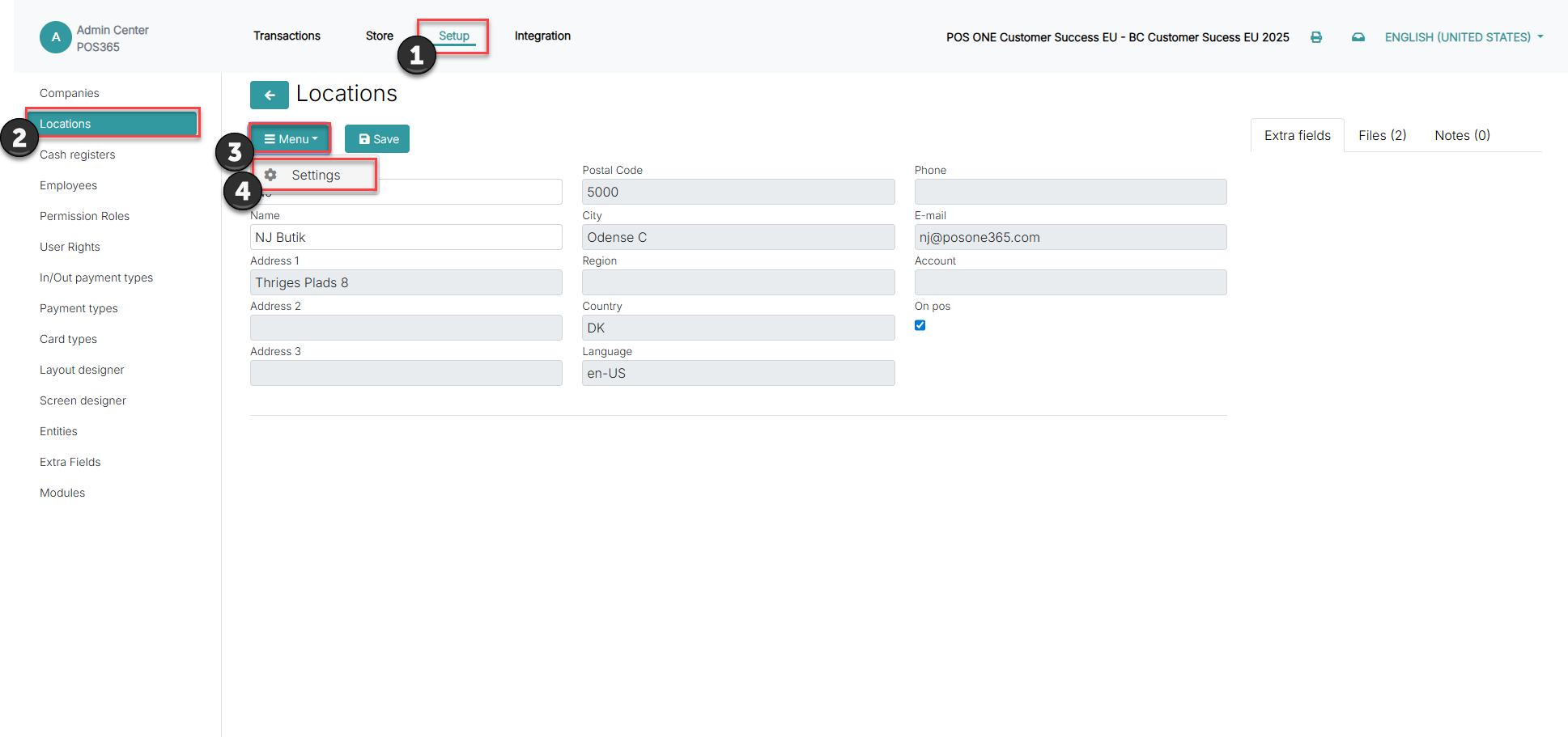
1) Click on 'Setup'
2) Open 'Locations' and select the location you wish to edit
3) Click on 'Menu'
4) Open 'Settings'.
Step 2:
Enable the setting 'Enable closure tax rate sums' to activate VAT / Sales tax analysis on the End of Day receipt
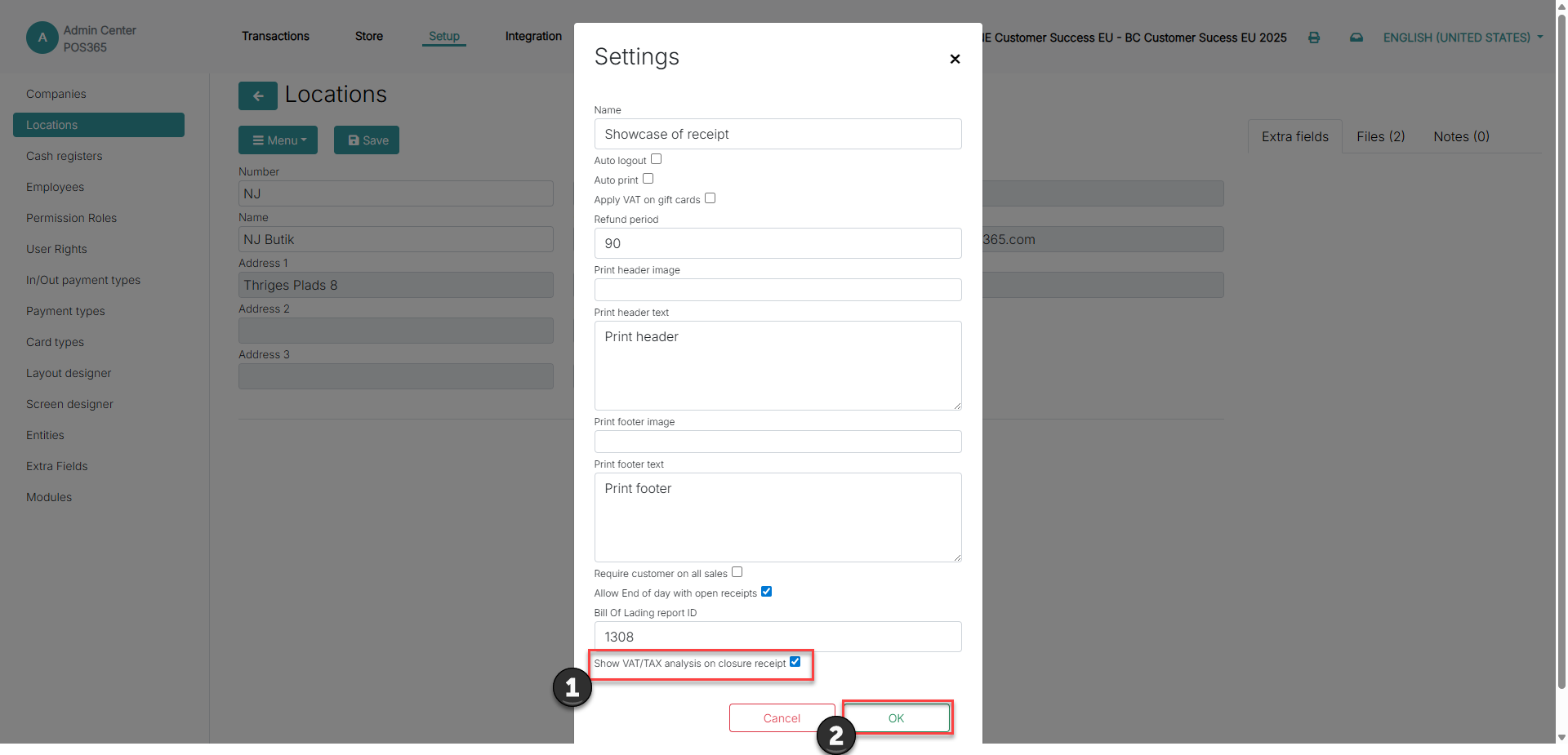
1) Enable the setting 'Show VAT/TAX analysis on closure receipt'
2) Click 'OK'
Note:
Enabling the changes requires a restart of POS365