Skip to content
English
  • There are no suggestions because the search field is empty.

View active Business Central extension version in Admin Center

This guide explains how to view the currently active Business Central extension version for POS365 that has been downloaded on your Business Central...

This guide explains how to view the currently active Business Central extension version for POS365 that has been downloaded on your Business Central environment. 

Step 1:
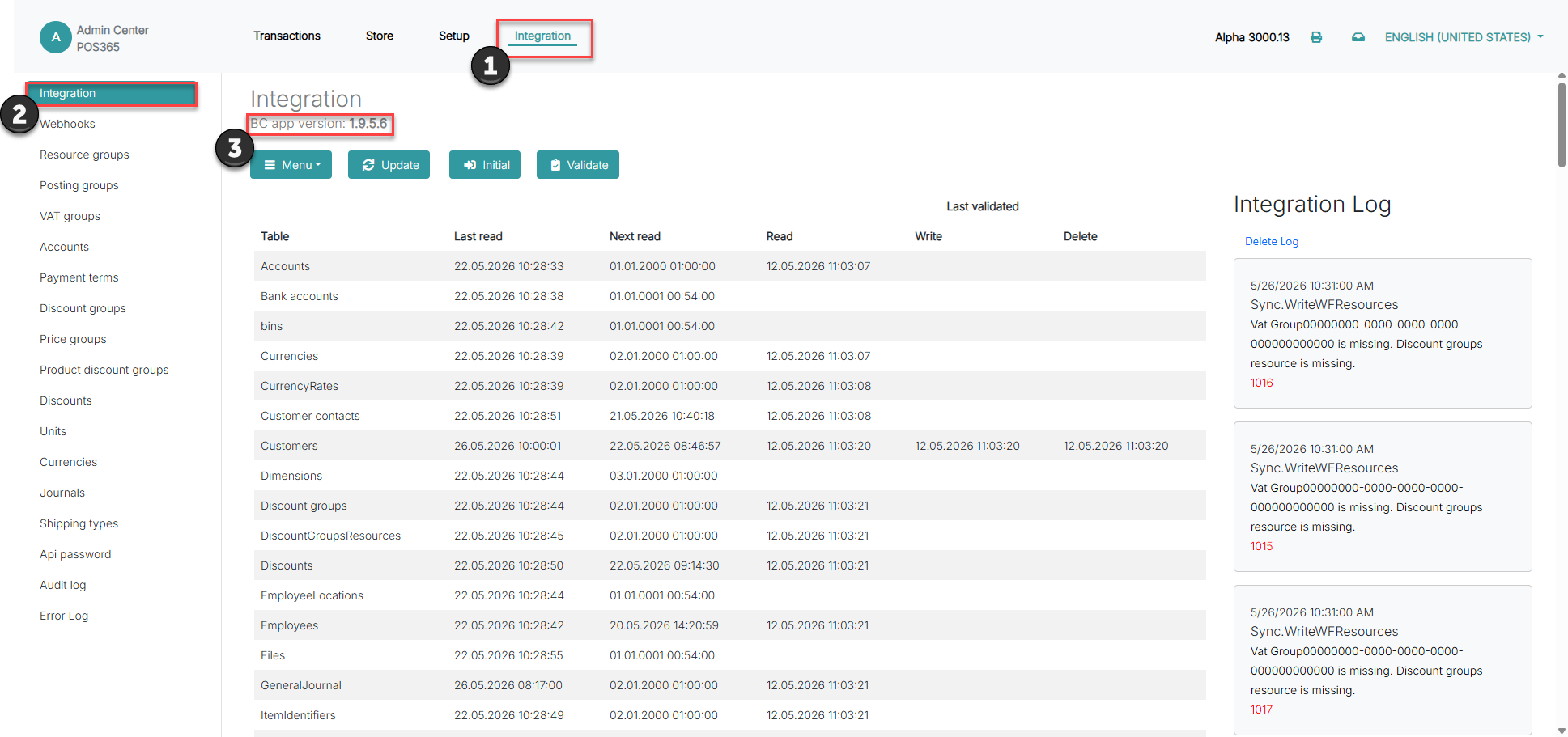
view active business central extension version in admin center

1) Click on 'Integration' in the header

2) Open 'Integration' on the left side of the screen

3) Observe the currently active Business Central extension version for POS365