This guide explains how to assign locations to employees in Business Central. The purpose is to control which locations each employee is available in.
Step 1:
Open the 'Salespeople/Purchasers' page to access the employee list and begin the setup.
For more information, see here:
Open Salespeople/Purchasers
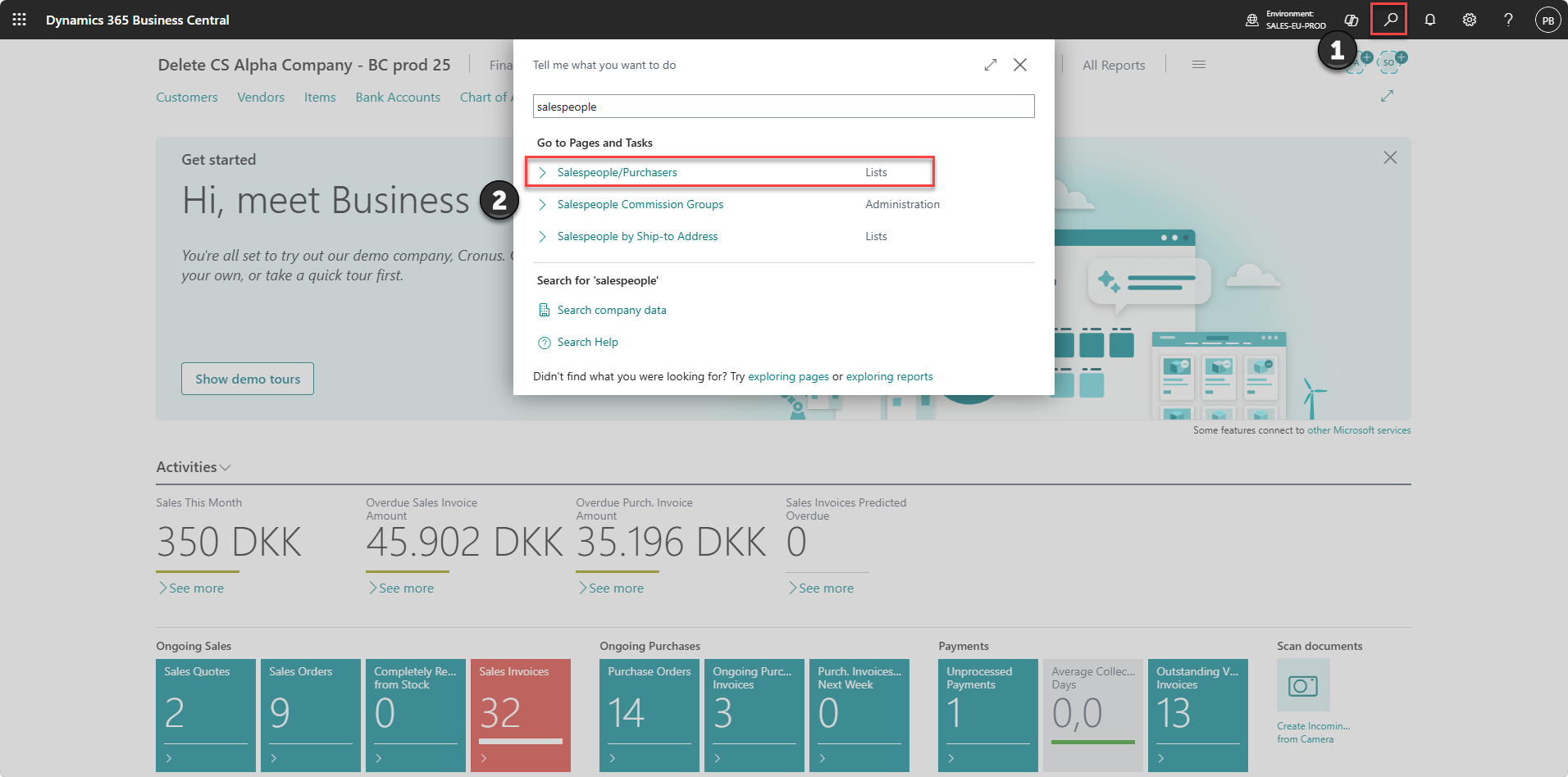
1) Click on the 'search' icon
2) Type 'Salespeople/Purchasers'
3) Select the page from the results
Step 2:
Select the employee and assign the relevant location to control where the employee is available.
For more information, see here:
Assign location to employee
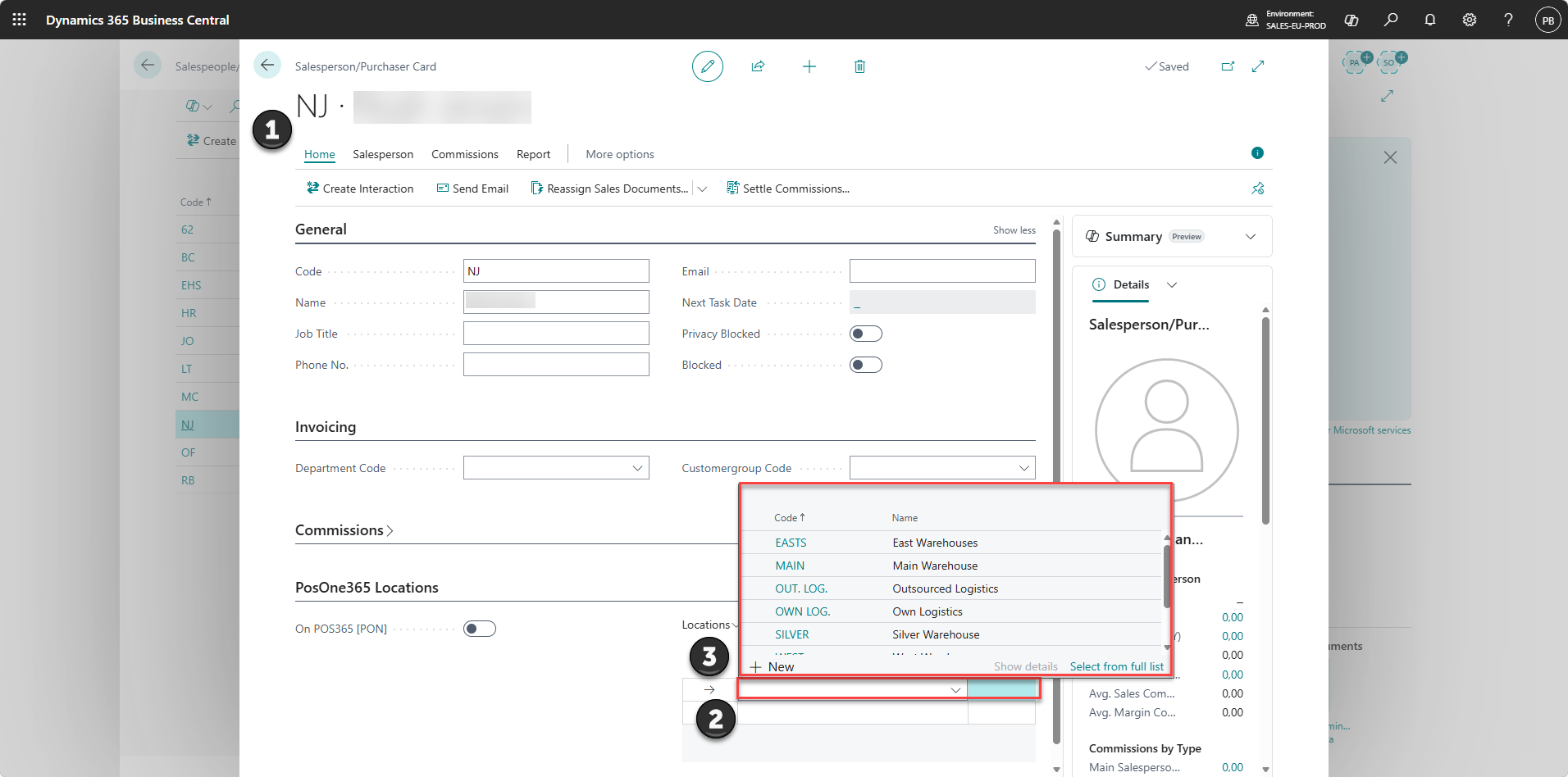
1) Locate the employee in the list
2) Click the record to open the card
3) Select the location(s) for the employee
Note:
All employees must have a location assigned if one employee has a location assigned.
Step 3:
The employee is now only visible on the selected location.