This guide explains how to send a receipt by email after completing a sale in POS365. Follow the steps to quickly deliver the receipt to the customer.
Note that this function will only be available if auto print of receipts has been turned off.
Step 1:
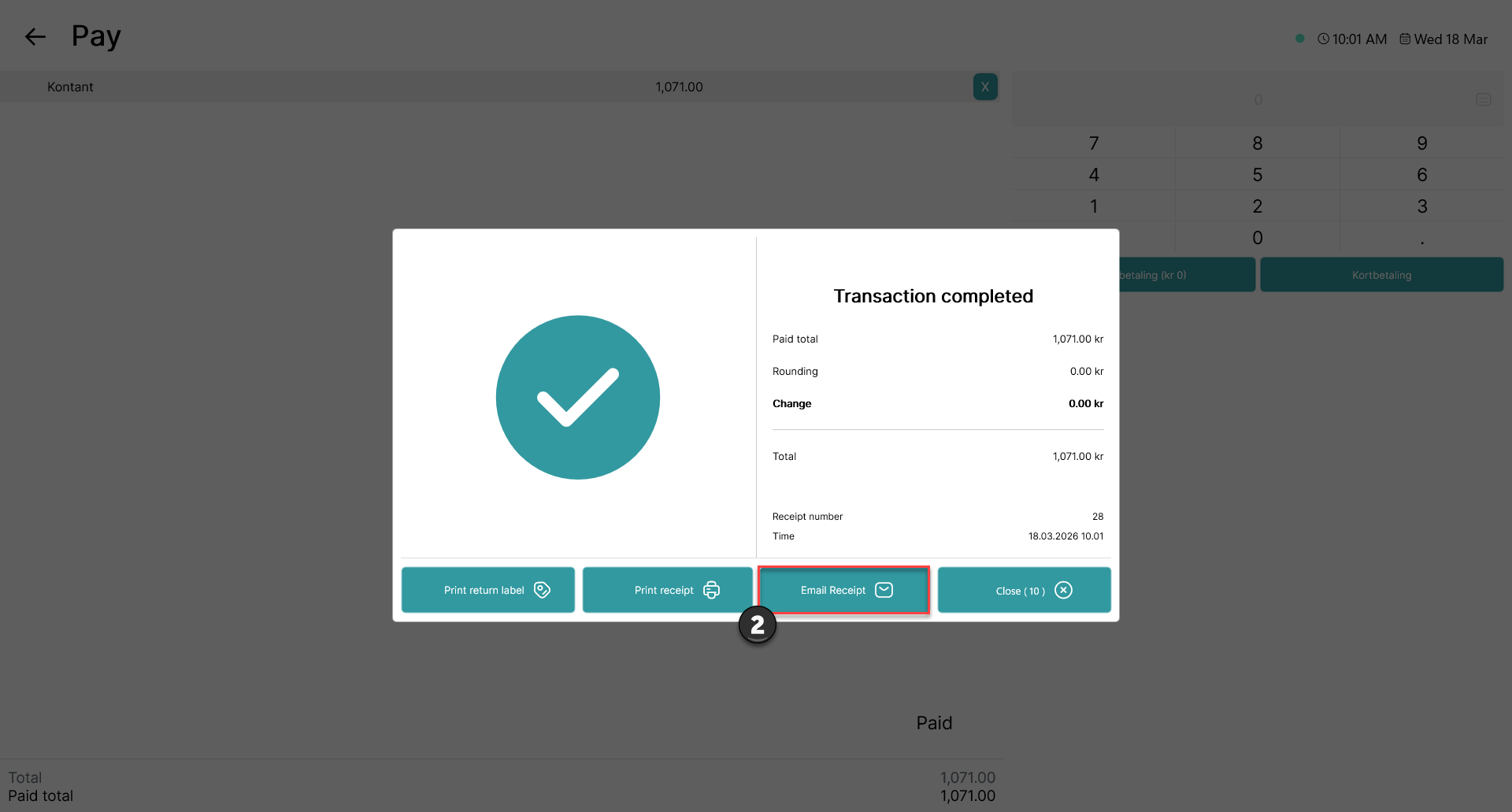
1) Complete the sale in POS365 to reach the transaction confirmation screen
2) Click 'Email receipt
Step 2:
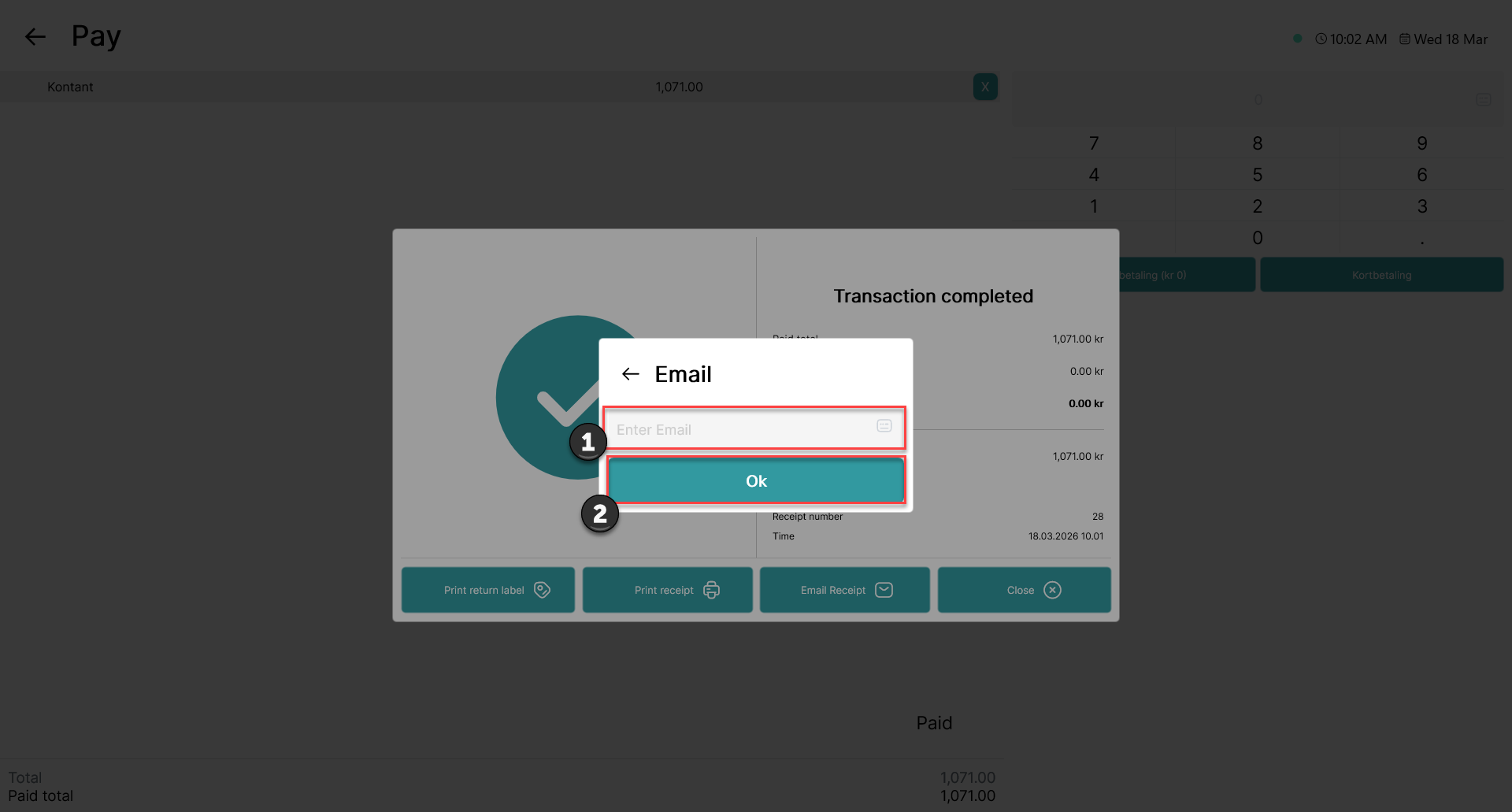
1) Enter the customer’s email address in the input field
2) Click 'OK'
Step 3:
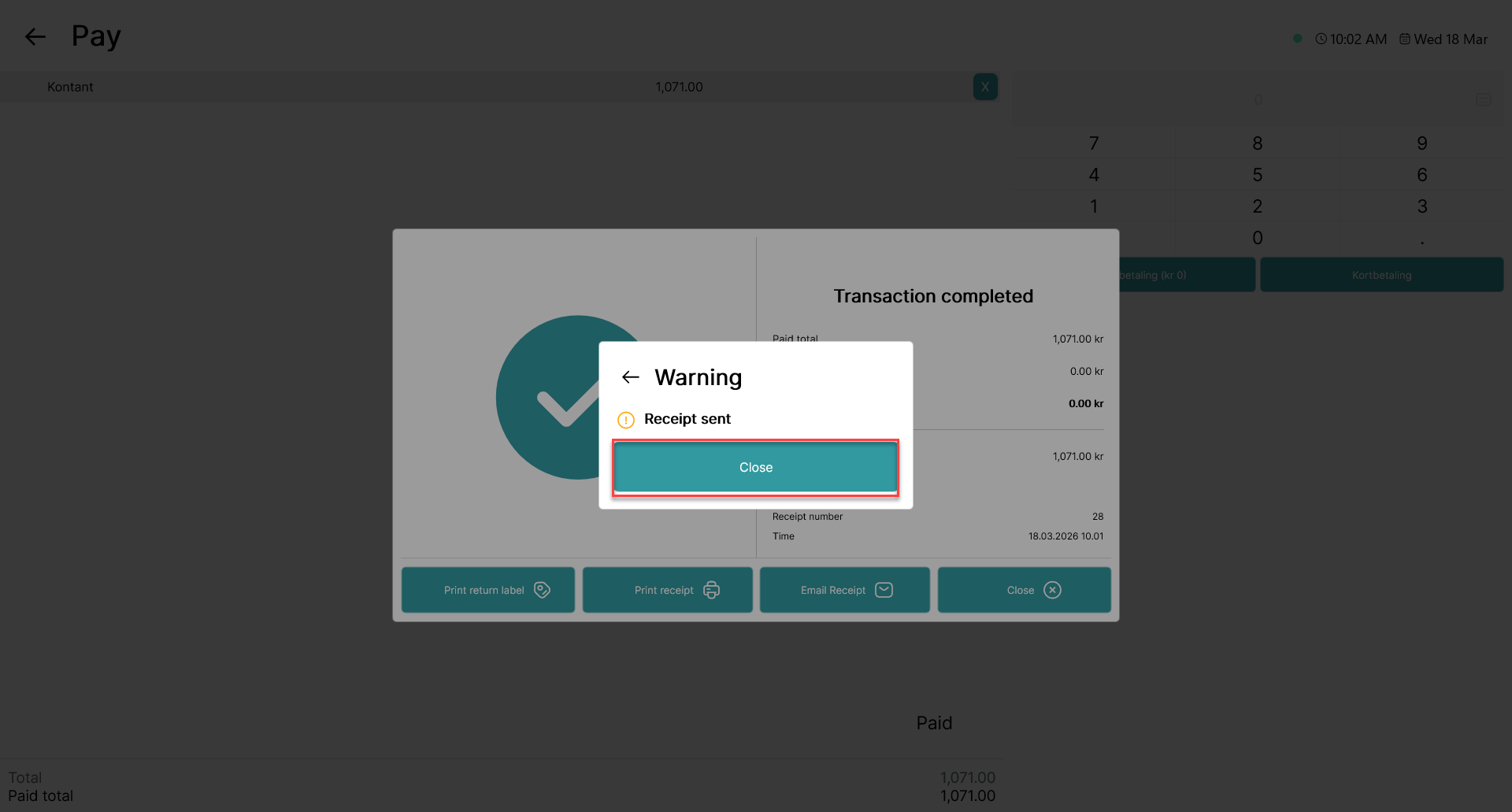
A prompt stating that the receipt has been sent is shown. Click 'Close'