This guide explains how to extract reports through the Admin Center. The reports available for generation and extraction are: Turnover Report, Product Sales Report, Transactions Report, Transaction Lines Report, Reconciliation Report, Vouchers Report, Voucher Balance Report.
Step 1:
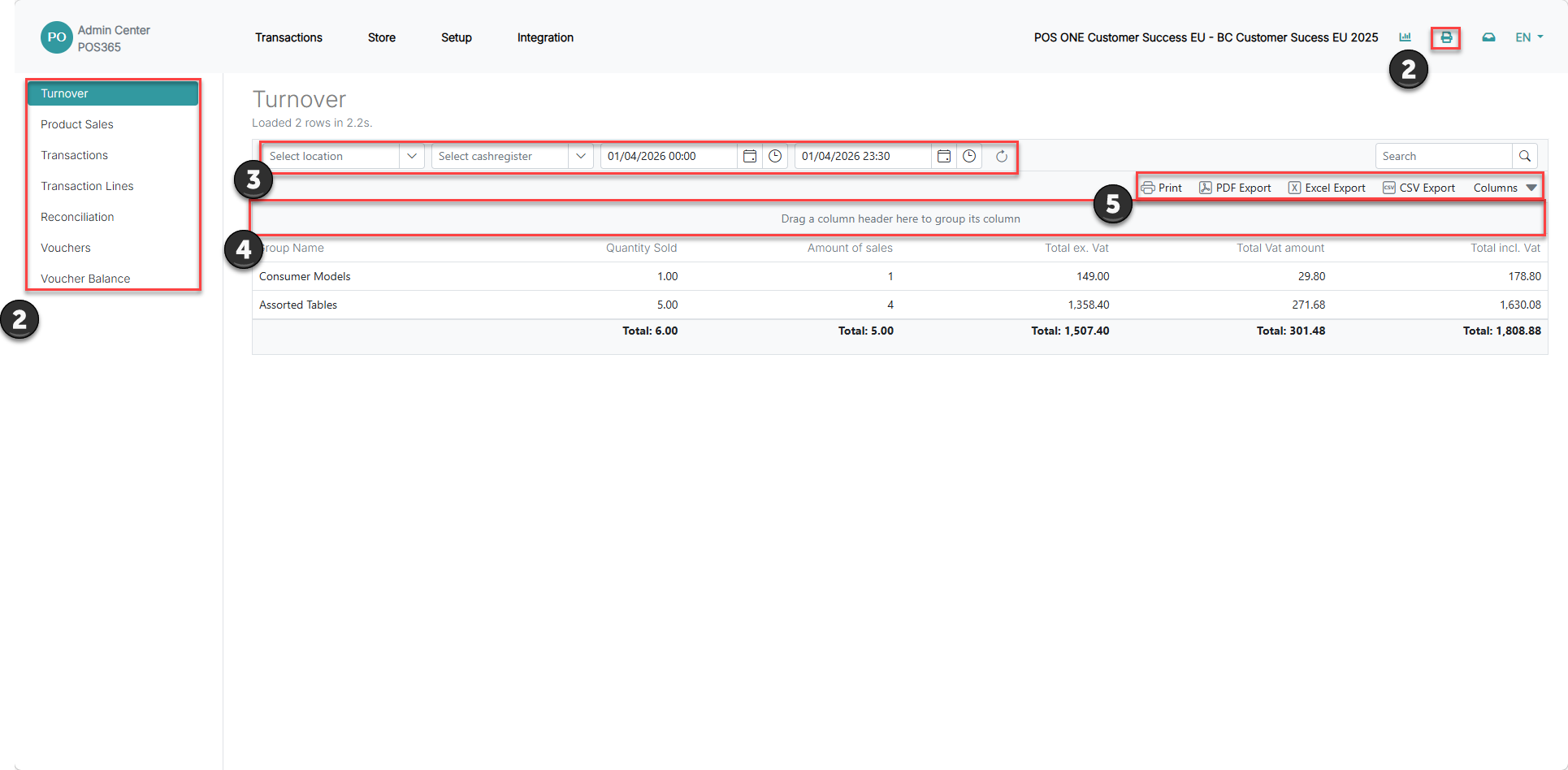
1) Click on the  - icon at the top, right corner of the Admin Center
2) The different reports can be accessed at the left side of the screen
3) Use the filters to filter out the needed information
4) The name of a column can be dragged to this spot to group the lines
5) The generated report can be extracted through print, PDF, Excel or CSV. Note that the 'Columns' field defines which columns are extracted