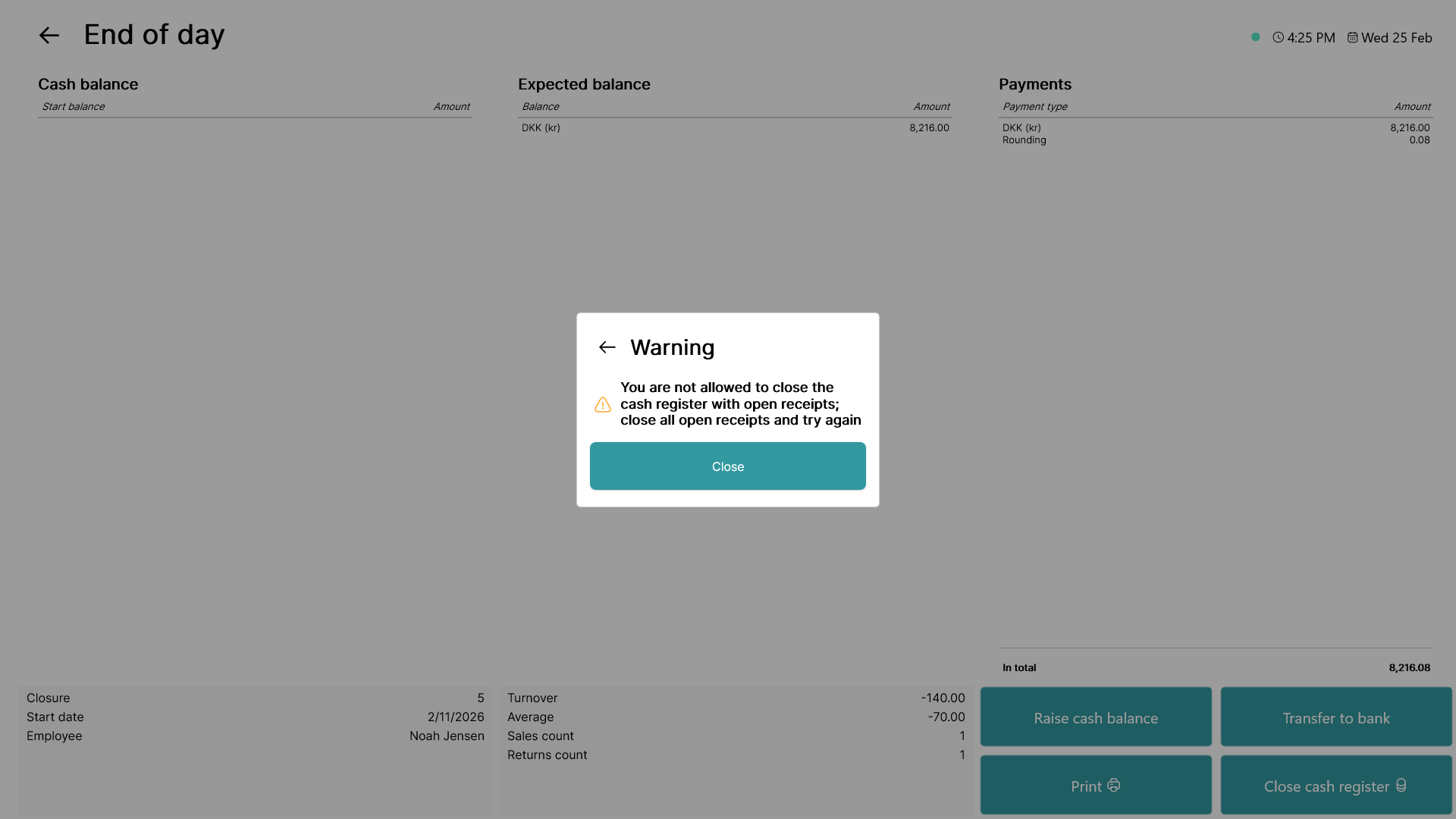
This guide explains how to enable/disable the pop-up displaying that the POS has open receipts when performing cash register closures on POS365. The pop-up is displayed below:
Step 1:
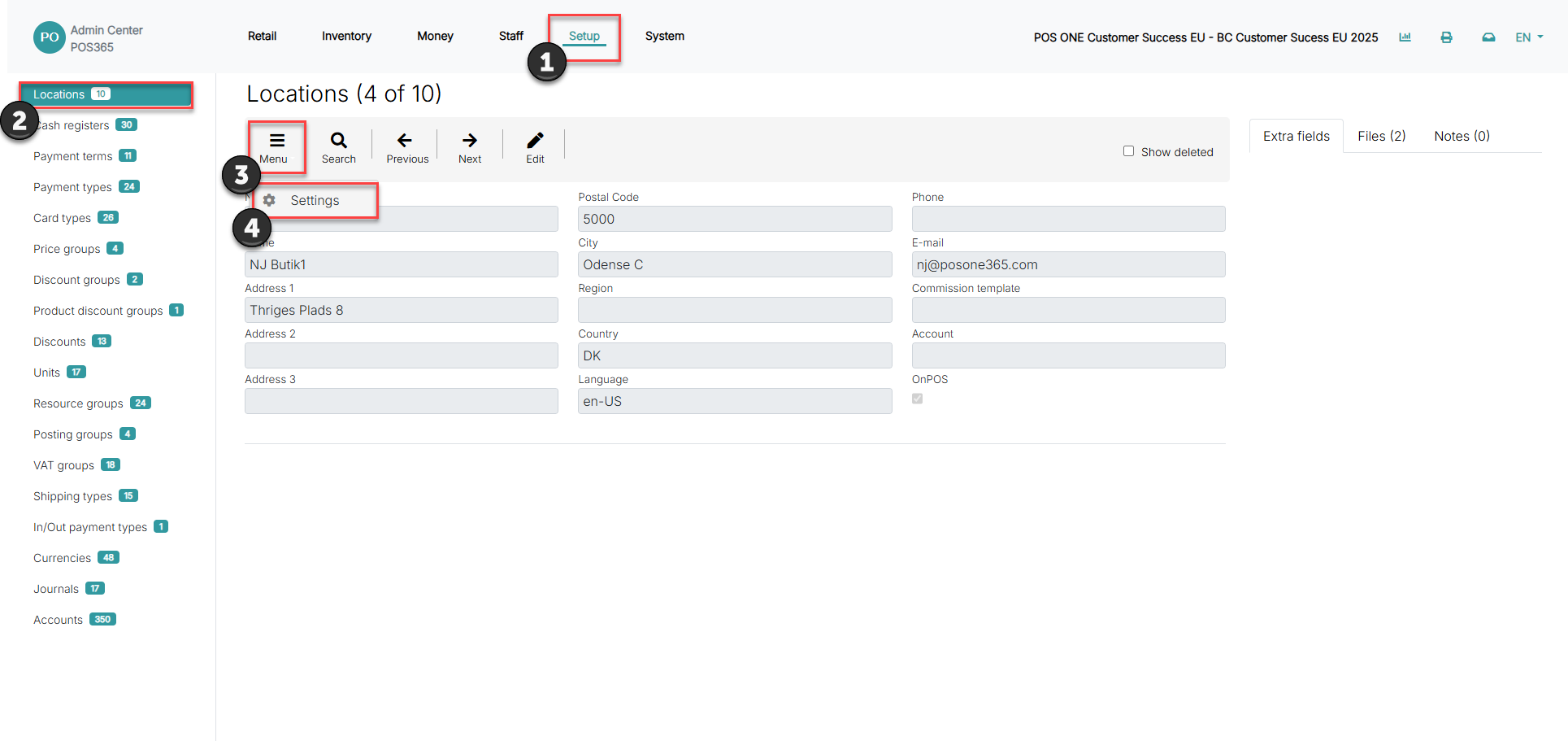
1) Go to 'Setup'
2) Open 'Locations'
3) Click on 'Menu'
4) Go to 'Settings'
Step 2:
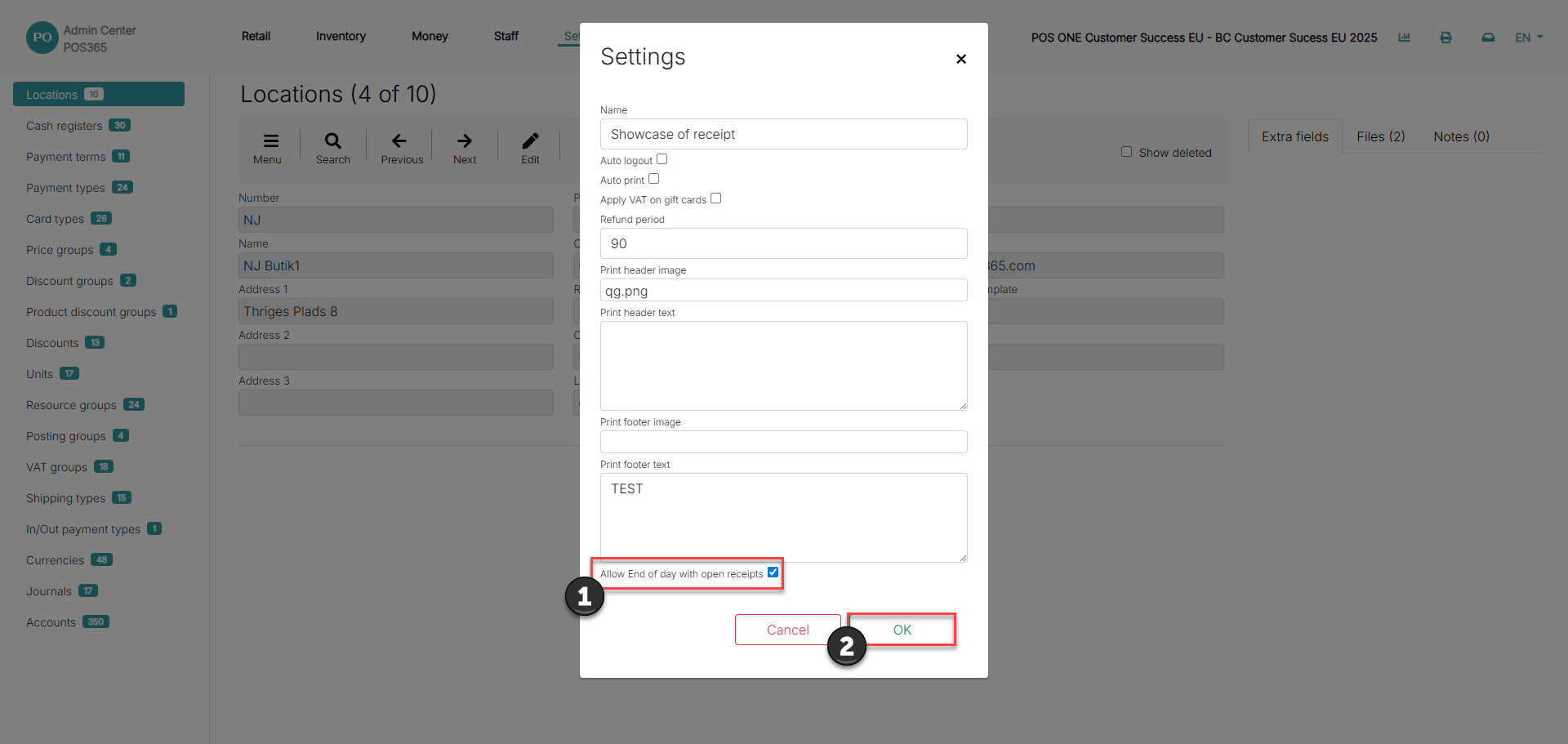
1) Set 'Allow End of day with open receipts' to true to disable the pop-up
2) Click 'OK'
Note:
For the settings to apply, close the POS365 application and open it again