This guide explains how to resync a sale to Business Central. Note that this function should only be used if the data is missing or has been deleted by mistake in Business Central.
Step 1:
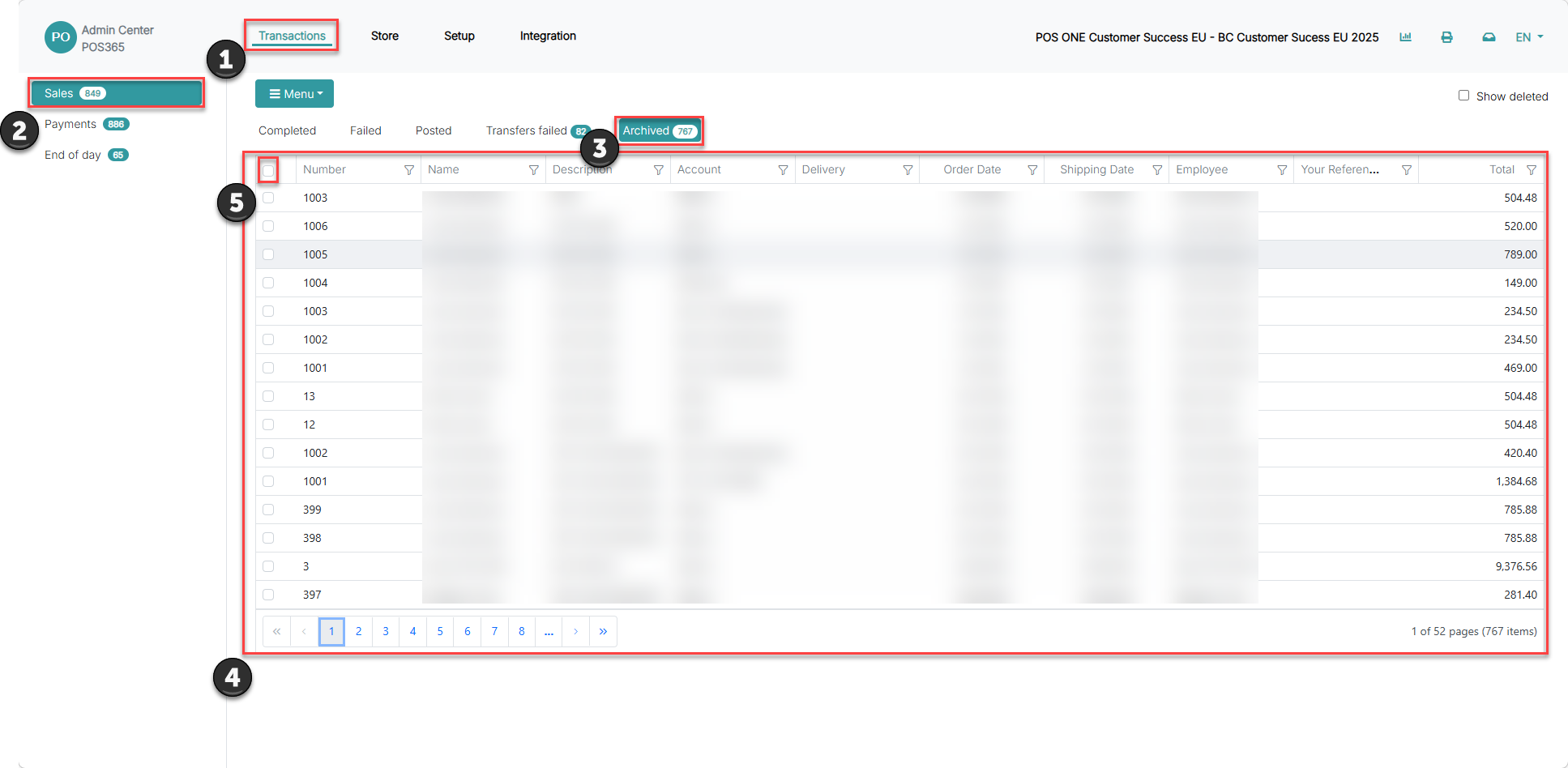
1) Click on 'Transactions'
2) Go to 'Sales'
3) Click on "Archived
4) Select a transaction from the list or:
5) Select all archived transactions at once
Step 2:
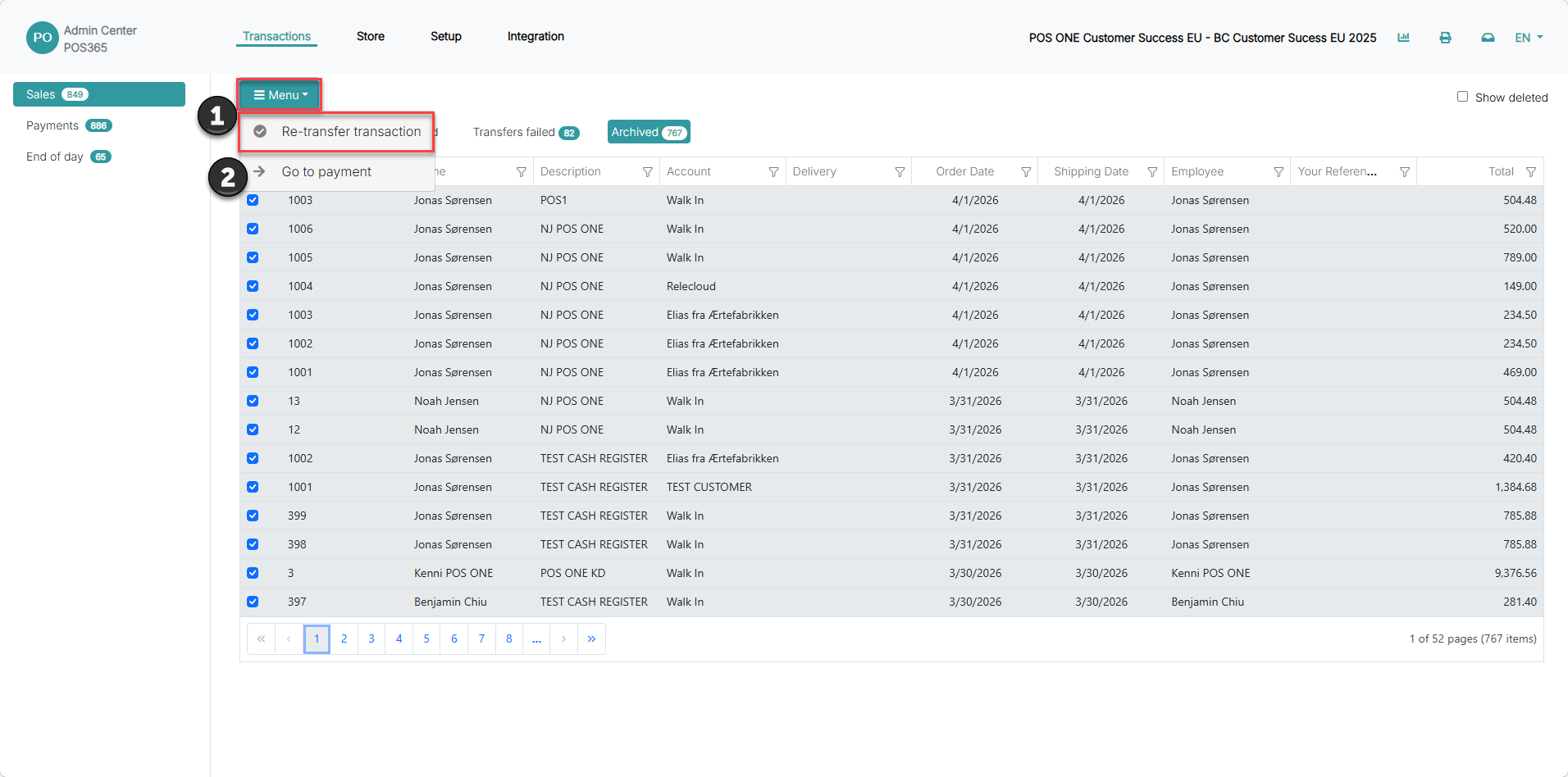
1) After you have selected the specific transactions, click "Menu"
2) Click Re-transfer transactions
Step 3:
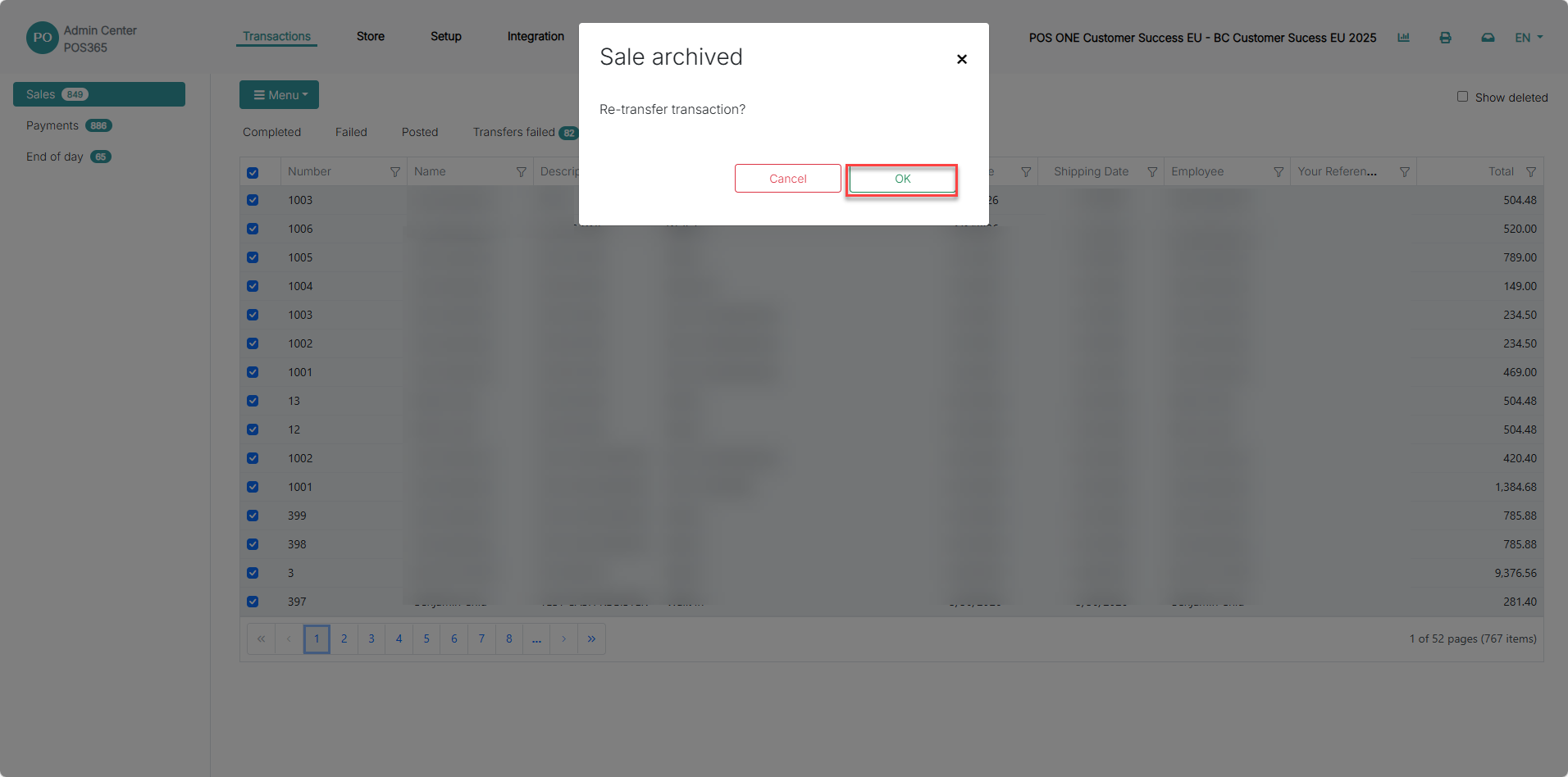
A prompt will show, asking if you would like to open the new record. Click 'OK'
Step 3:
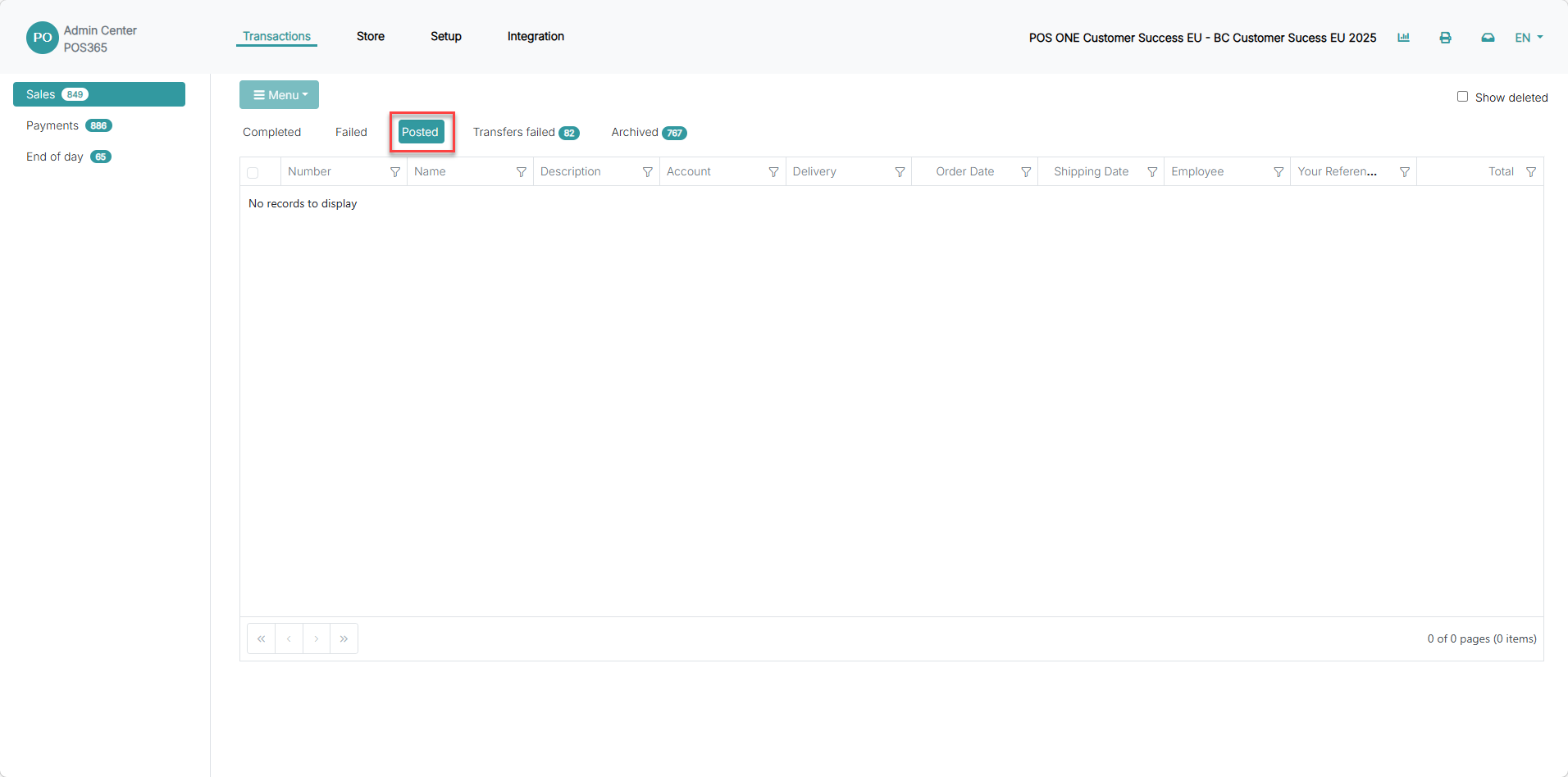
The transaction will be directed to 'Posted' and perform an internal posting before sending the transaction data to Business Central. This takes up to 6 minutes.
Note:
To check if the transaction has been transferred, refresh the page. If the transaction has been transferred to 'Archived sales' it has successfully been transferred to Business Central.