This guide explains how you can request a deletion of your company. Note that once the procedure has been carried through, the deletion is final.
Step 1:
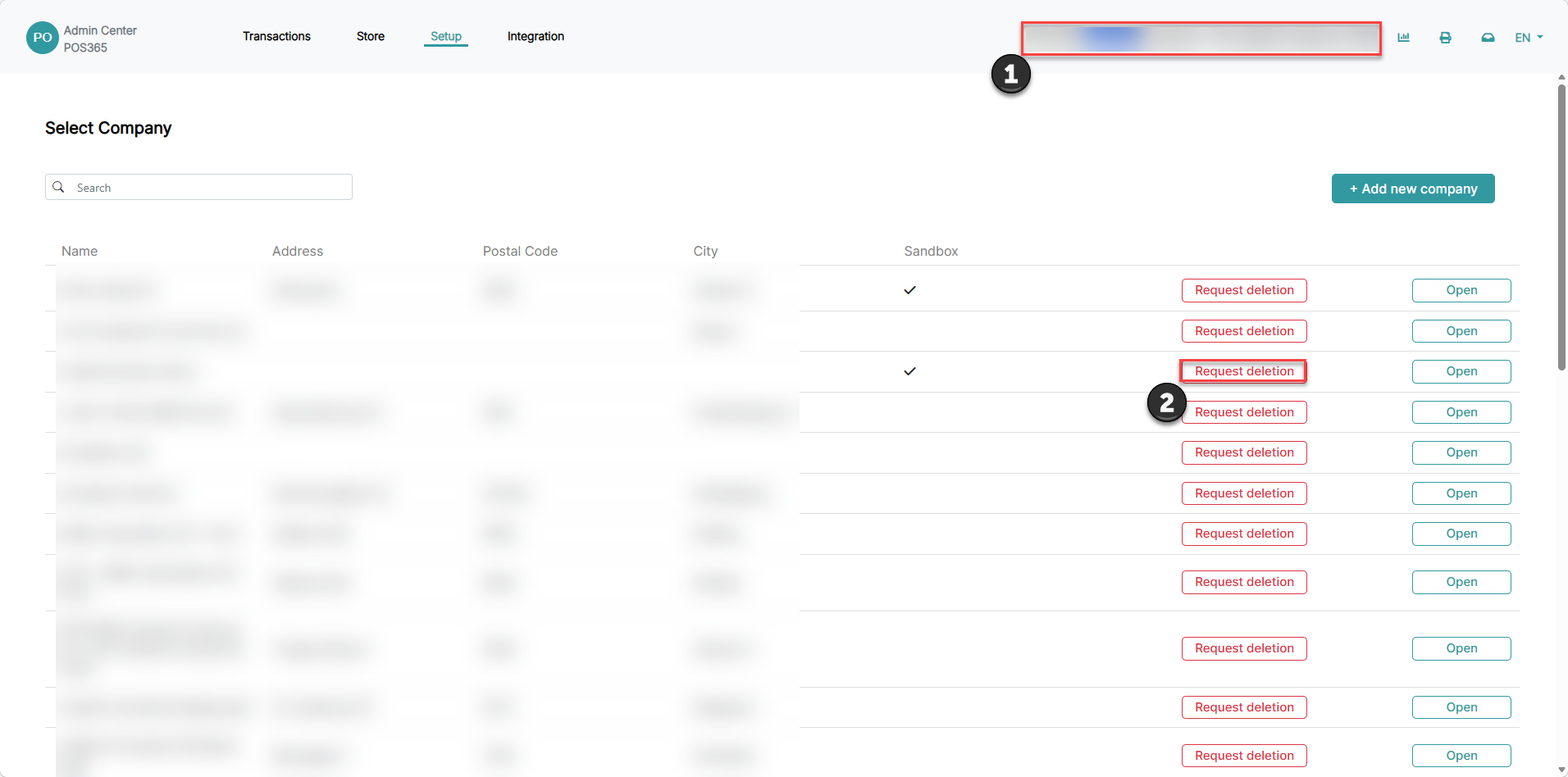
1) Click on the company name at the top, right corner
2) Click on 'Request deletion'
Step 2:
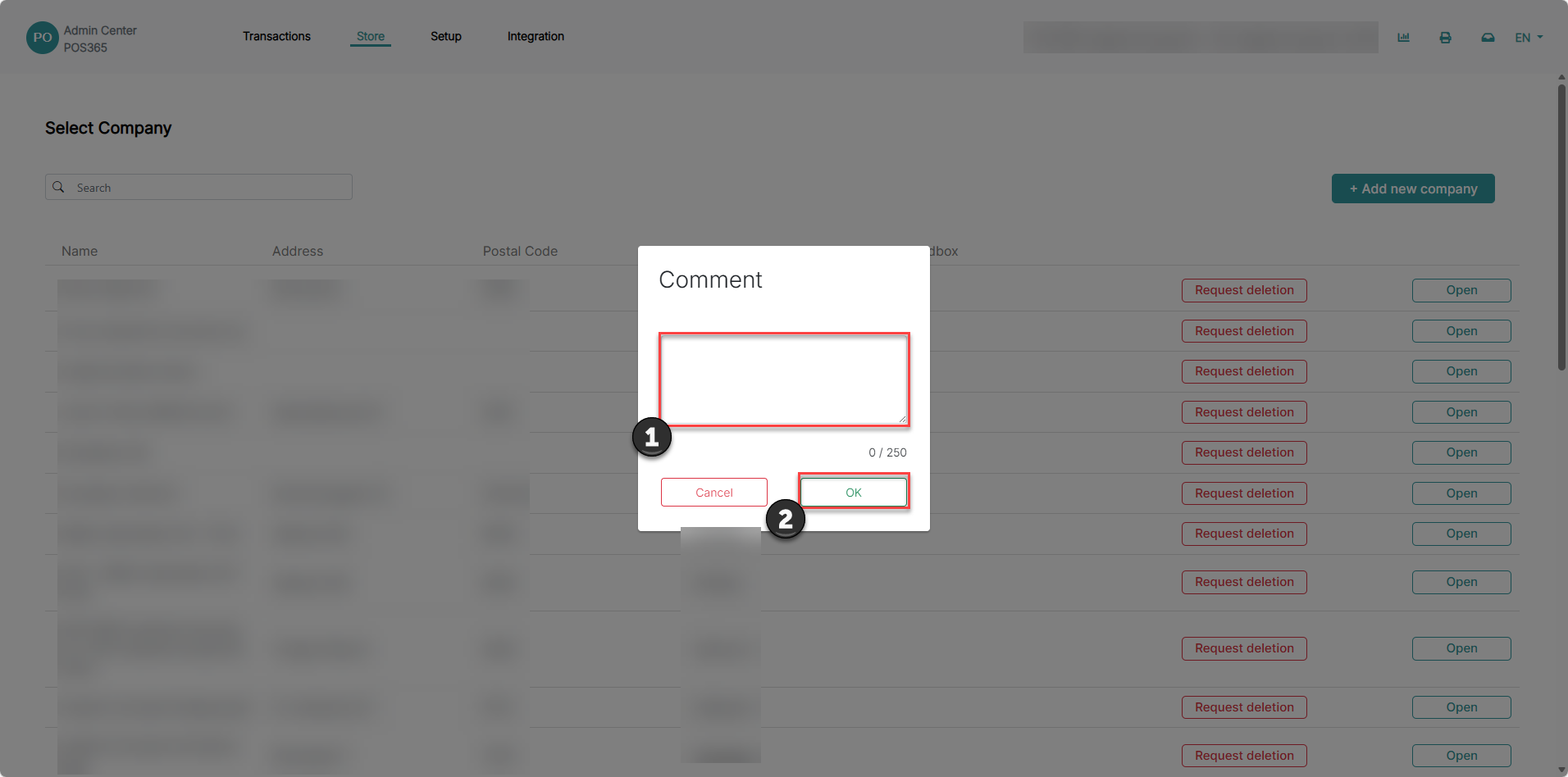
1) Write a comment explaining why the company needs to be deleted
2) Click 'OK'
Step 3:
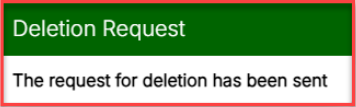
A message will be shown in the top, right corner, confirming that the requested deletion has been sent.
POS365 will be notified and review the deletion before all data will be removed.