This guide explains how to track serial numbers from Business Central through POS365. This is available in Business Central extension version 1.9.0.9 and above.
Requirements:
- Serial no. must have a serial no. information card
- Serial no. must be attached to a location
Step 1:
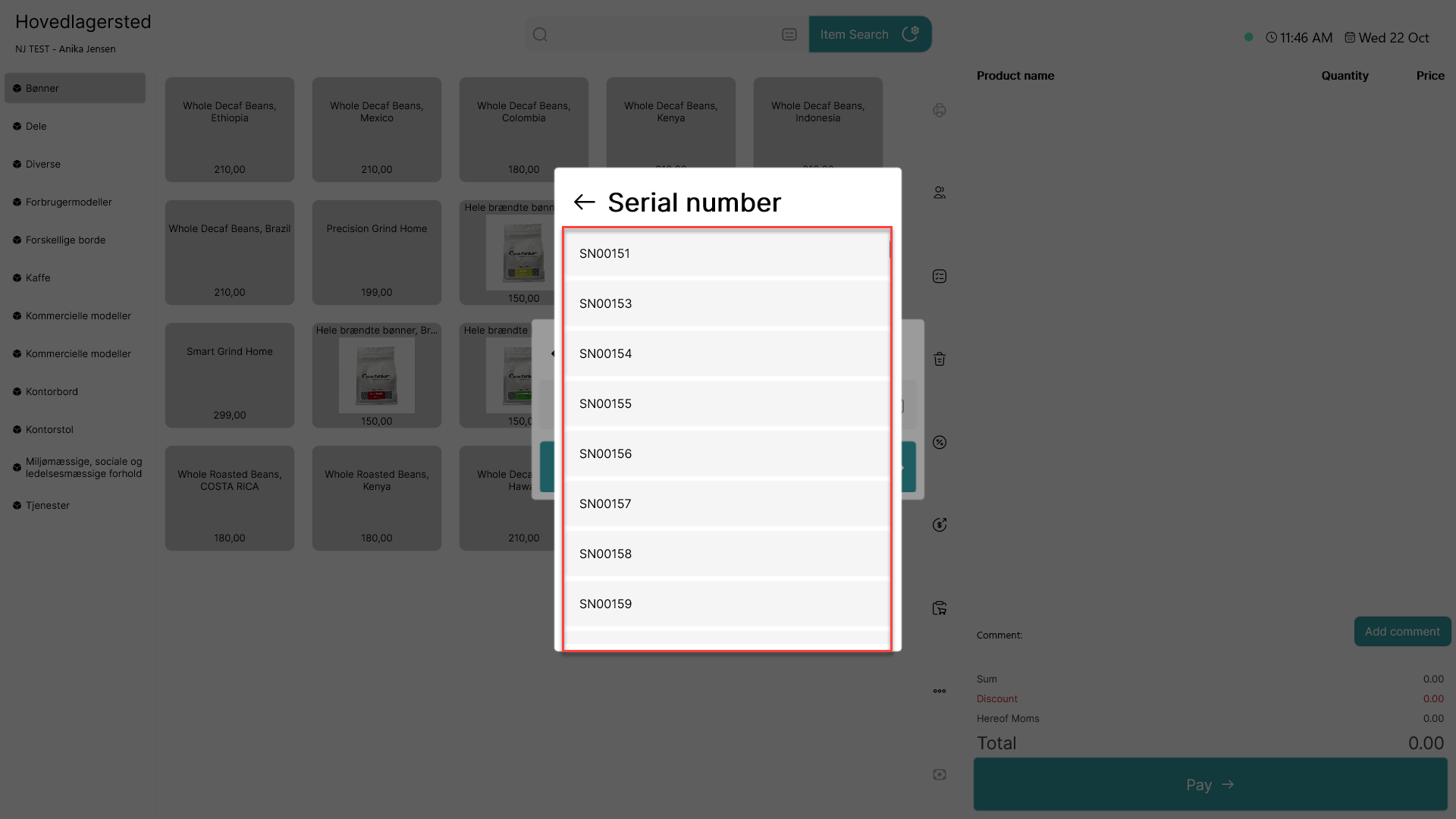
When selling an item with attached serial numbers, a prompt for selecting the correct serial number will appear. Once that has been selected, the item will be added to the basket and can be paid.
Step 2:
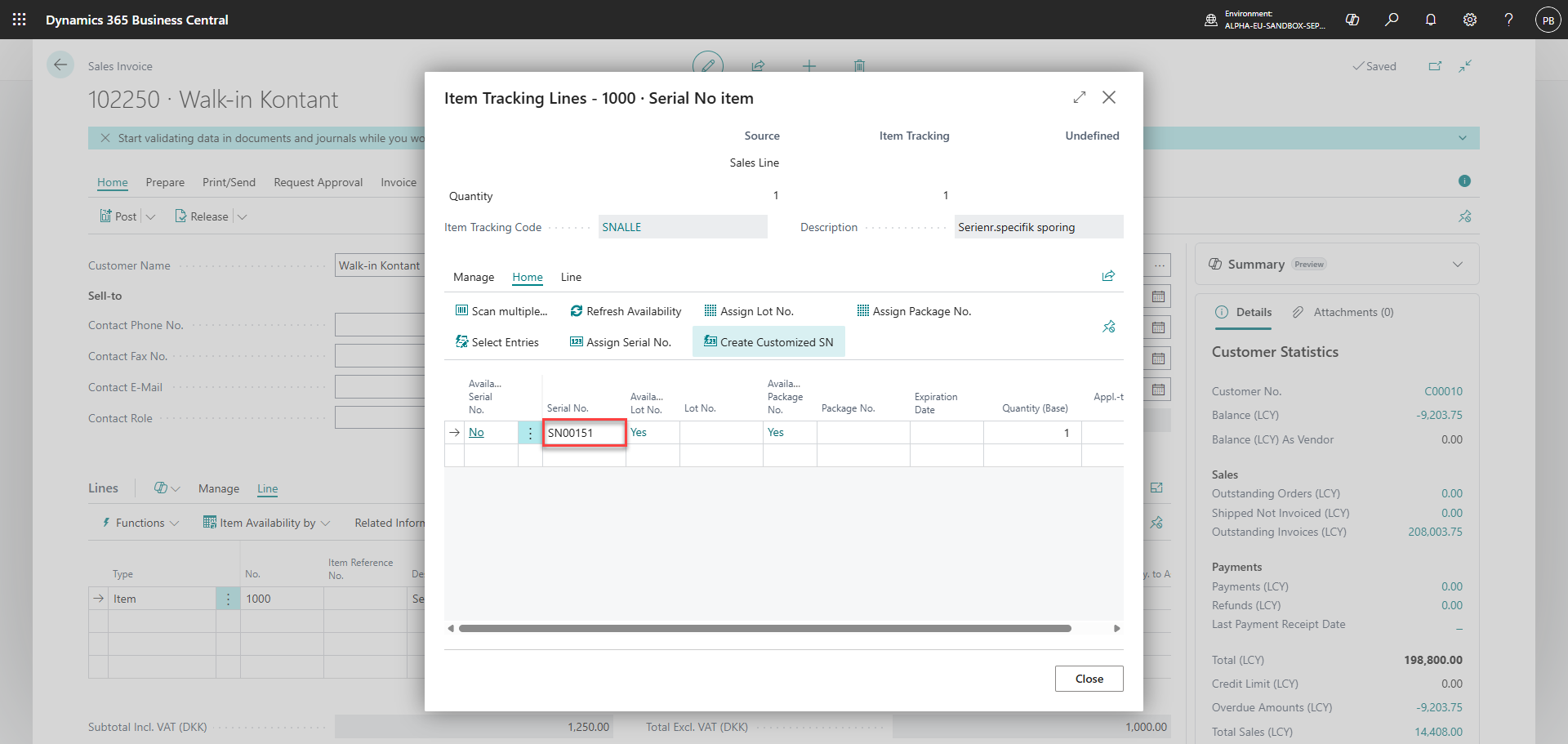
The serial number is automatically inserted on the sales invoice in Business Central