This guide explains how to import gift cards. To do so, you will need to upload .csv files containing the necessary data.
Step 1:
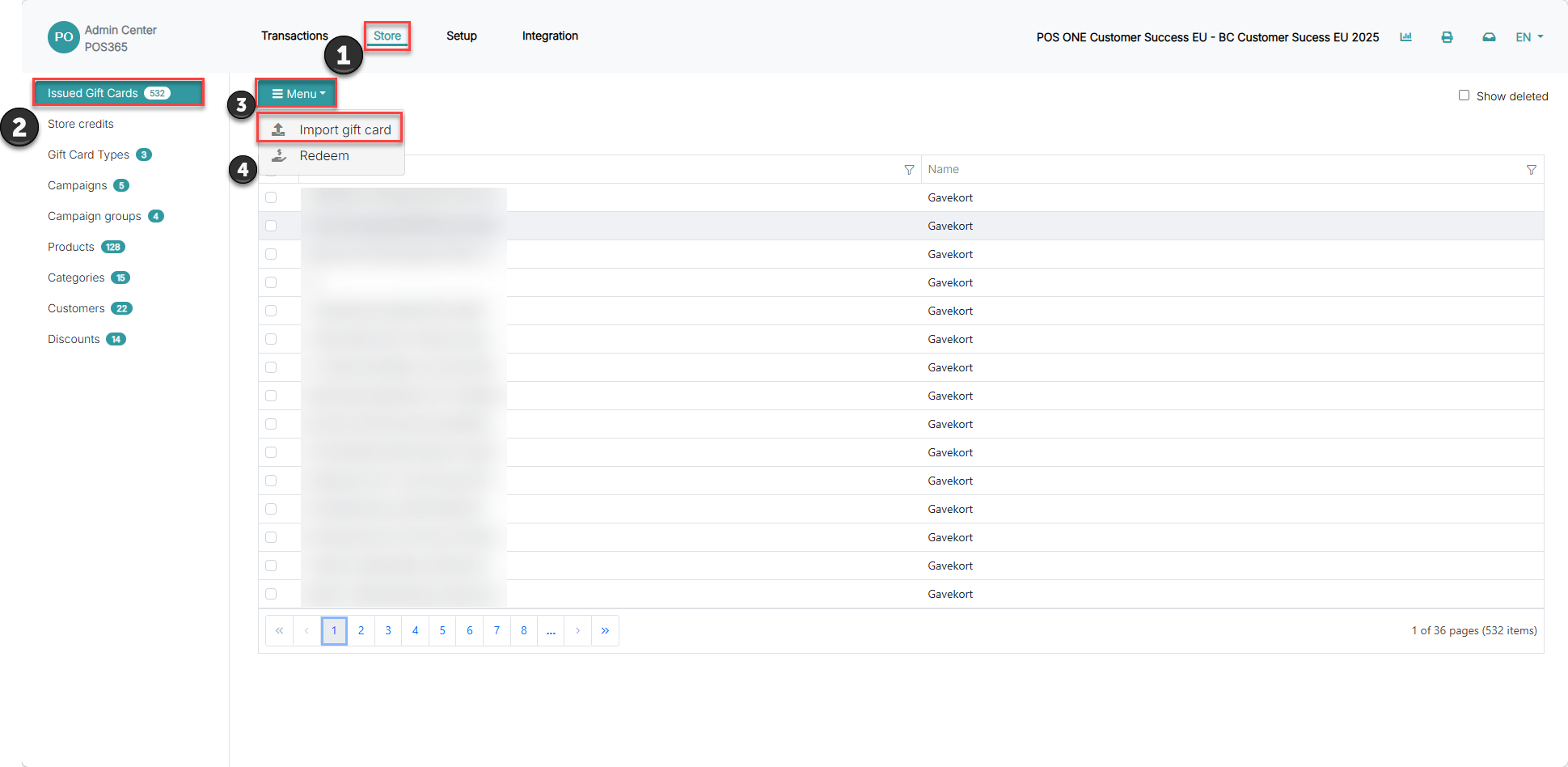
1) Go to 'Store'
2) Open 'Issued Gift cards'
3) Locate the specific gift card and click on it
4) Click on 'Menu'
5) Choose 'Import gift card'
Step 2:
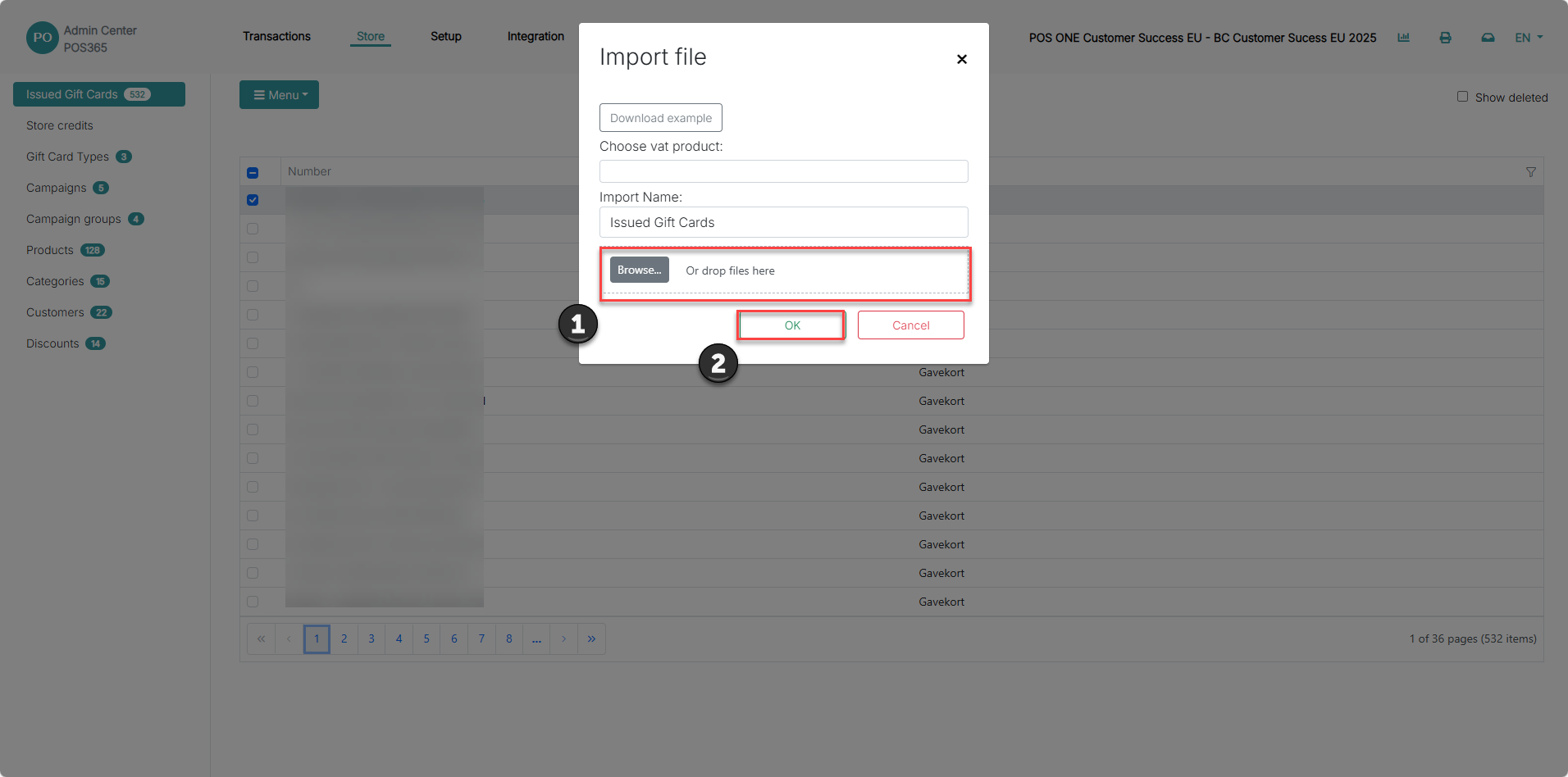
1) Upload the .csv file containing your gift card data
2) Click 'OK'
Note:
You can download a template for filling in the correct information in .csv format