This guide explains how to set up gift card payments for POS365.
Step 1:
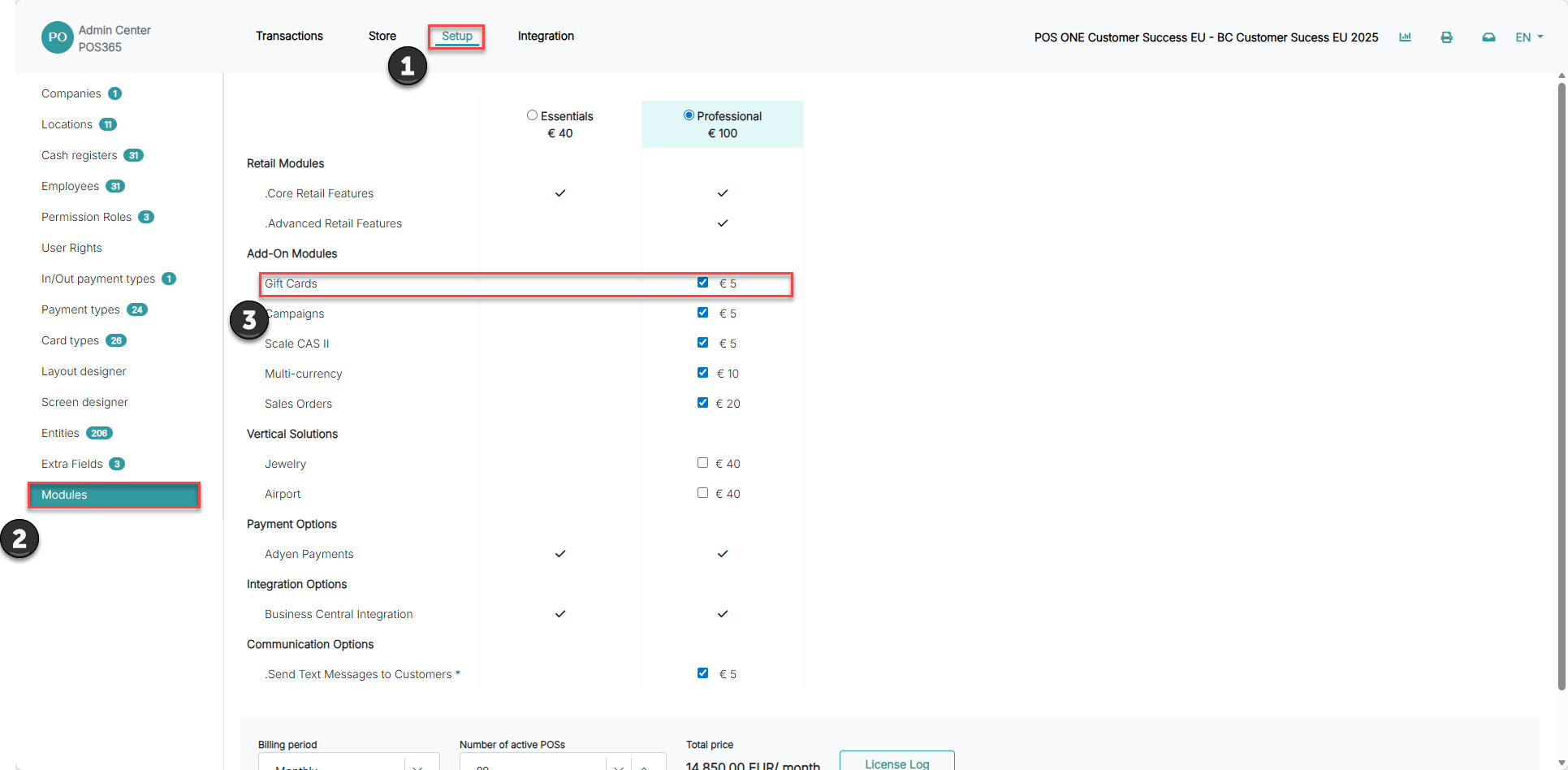
1) Go to 'Setup'
2) Open 'Modules'
3) Toggle 'Gift Cards' on
Step 2:
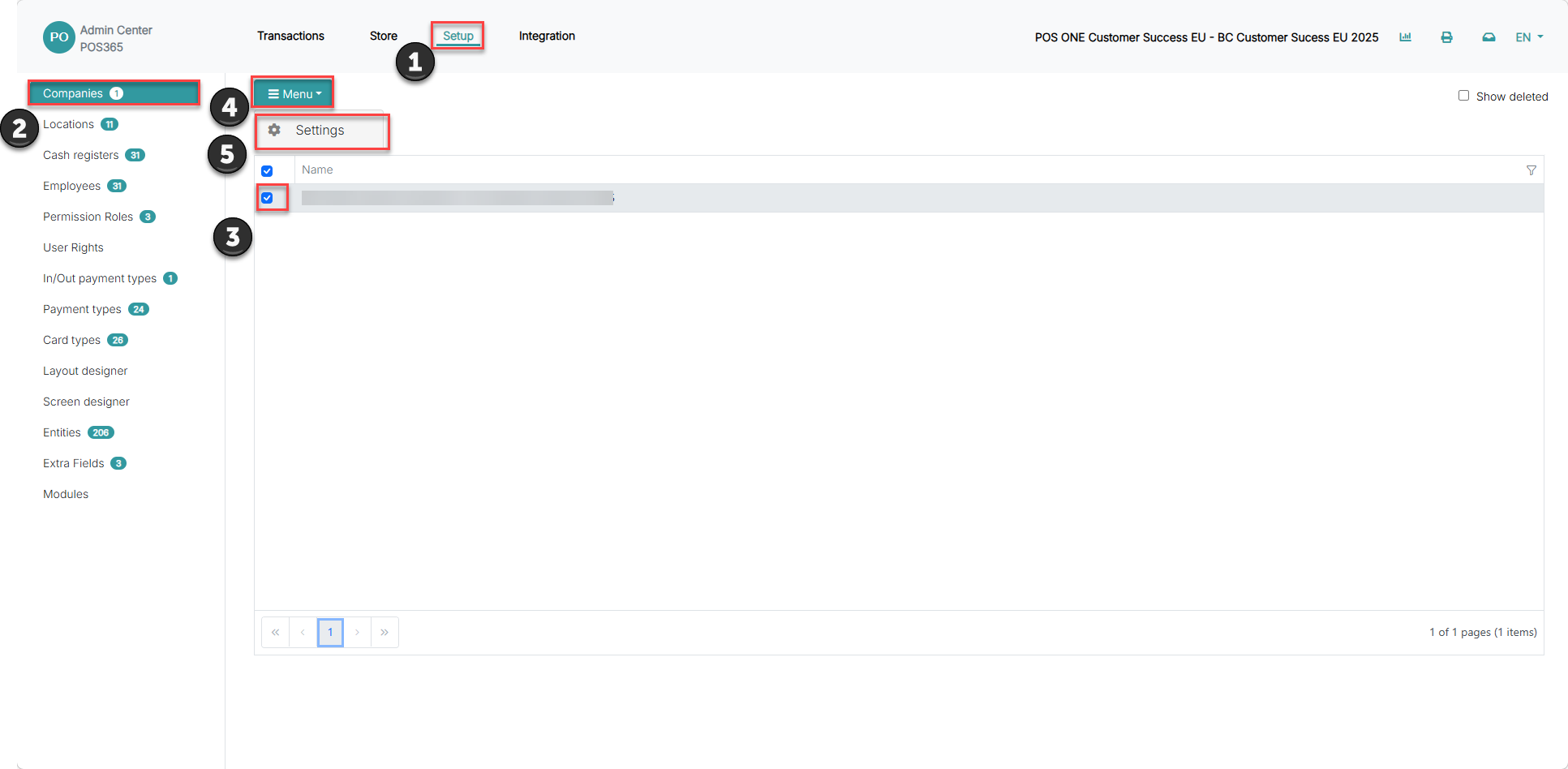
1) Go to 'Setup'
2) Open 'Companies'
3) Select the company
4) Open the 'Menu' dropdown
5) Select 'Settings'
Step 3:
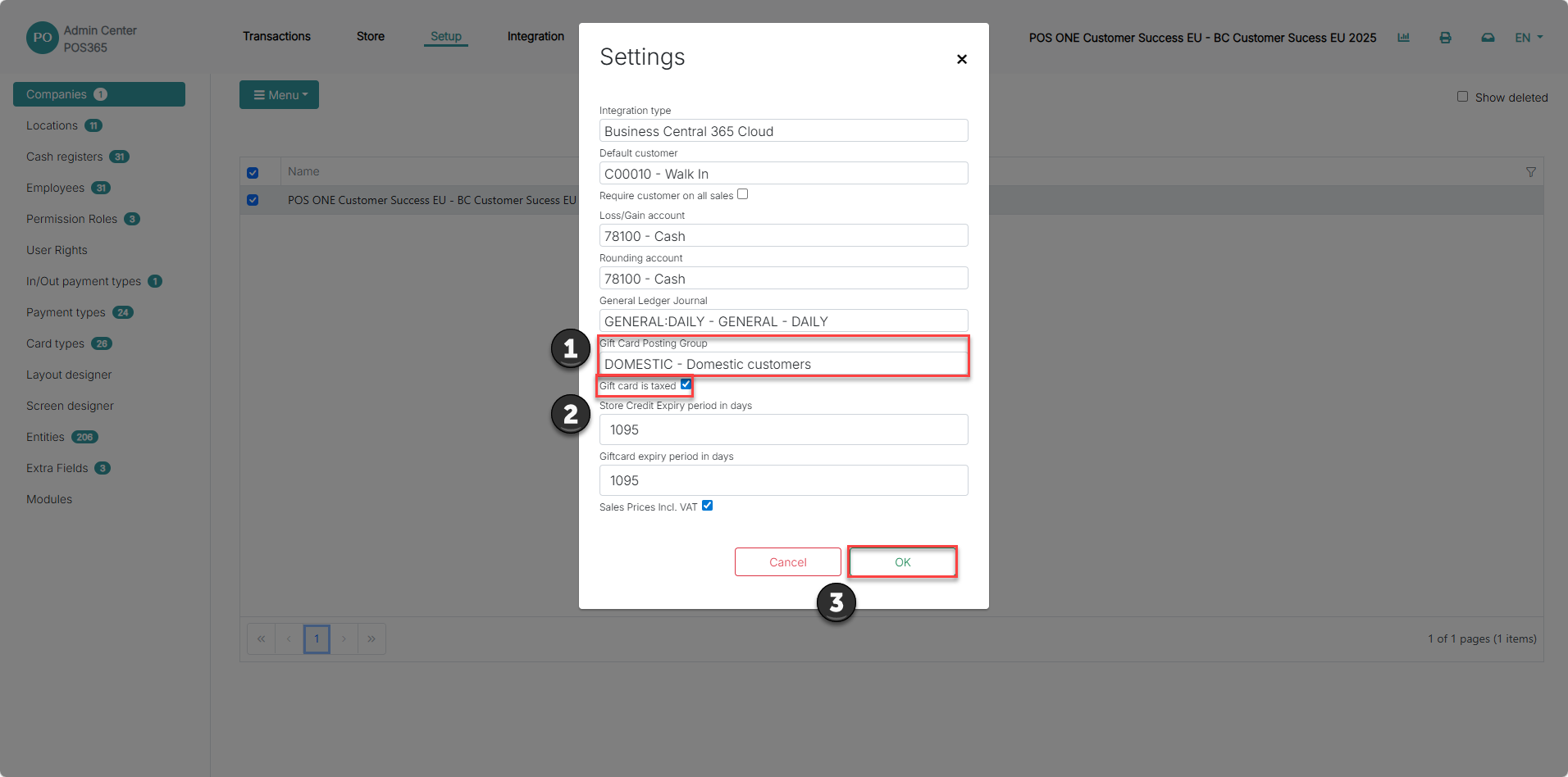
1) Set a posting group for gift cards
2) Choose whether you want gift cards to be taxed or not
3) Click 'OK' to save the settings
Step 4:
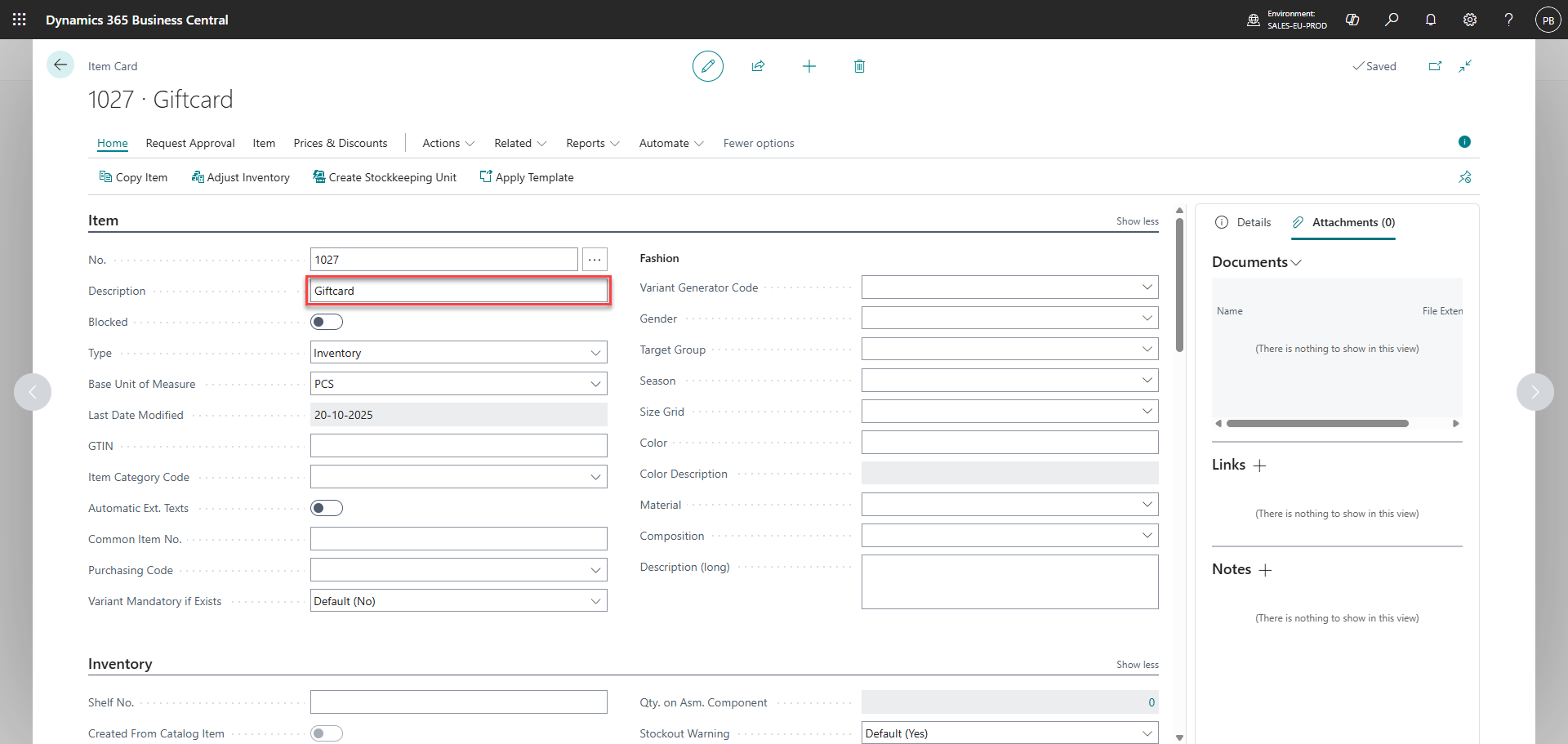
Create a new item in Business Central called 'Giftcard'
Step 5:
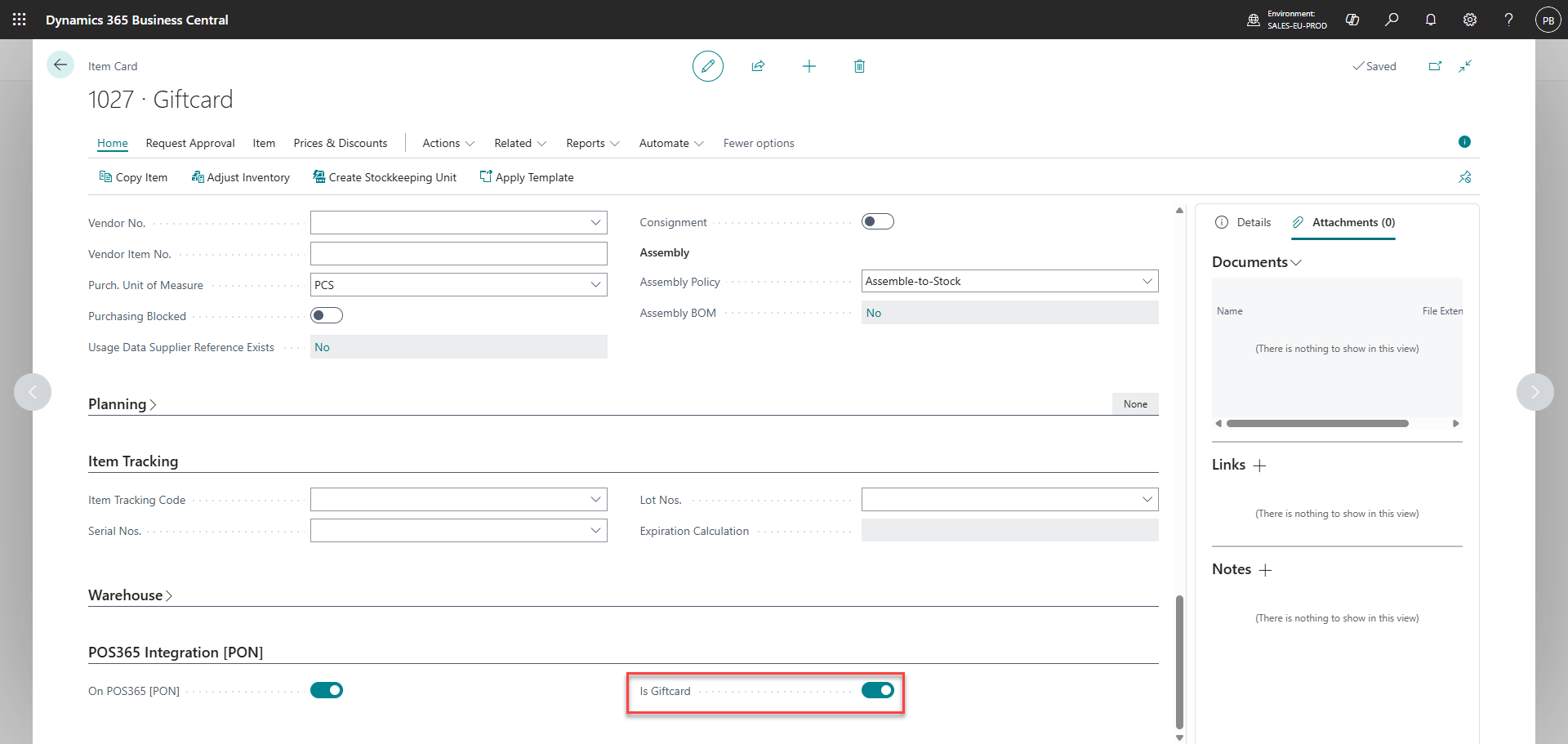
Scroll down to the bottom of the item card and set 'Is Giftcard' to true
Step 6:
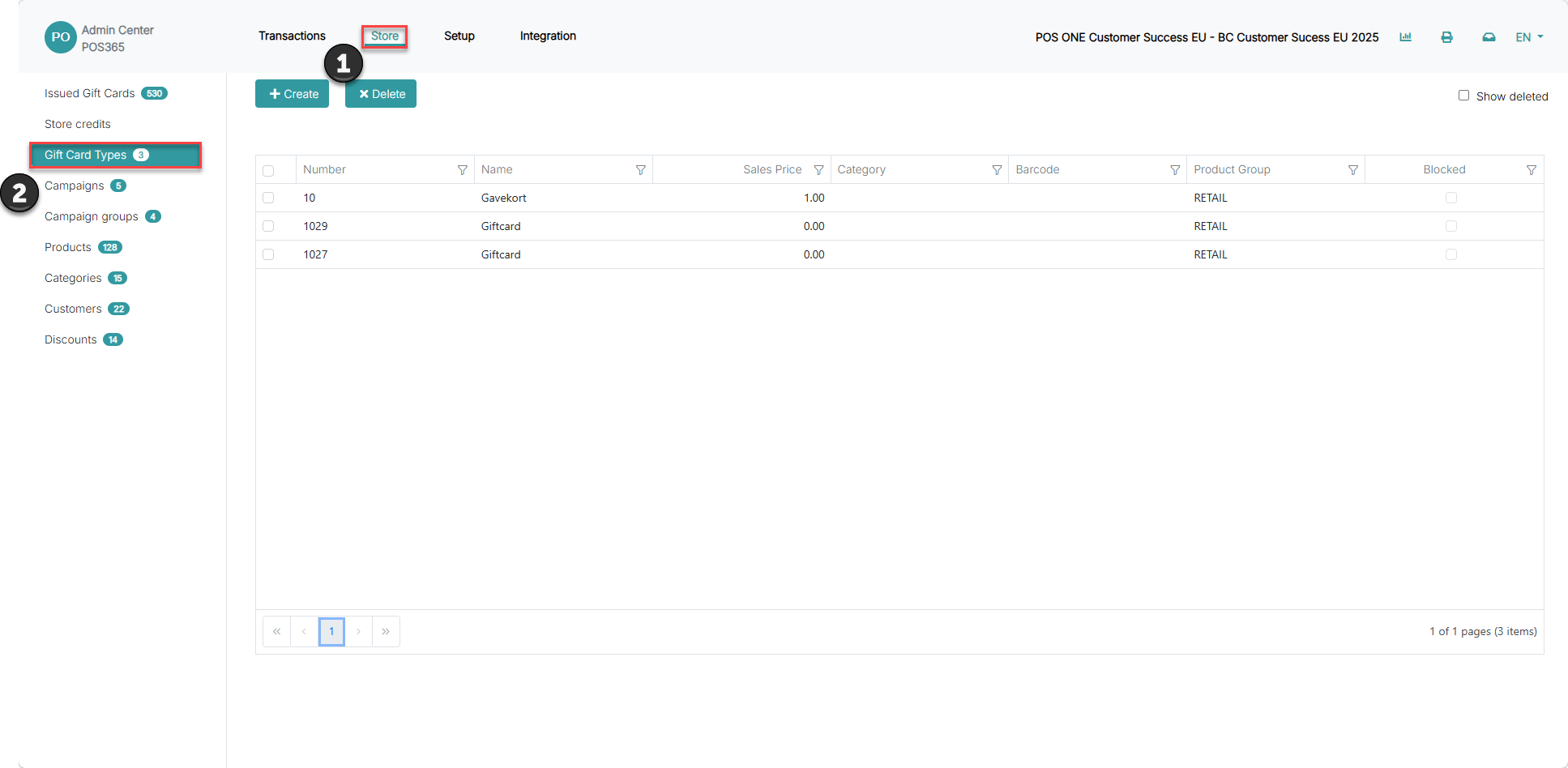
1) Go to 'Store'
2) Open 'Gift Cards Types'
Ensure that the item has been synchronized
Step 7:
Create the gift card payment method. To do so, follow this guide.
To create and use gift cards in POS365, please see attached guides: