This guide explains how to force employees to insert a credit card payment reference when a payment is made.
Step 1:
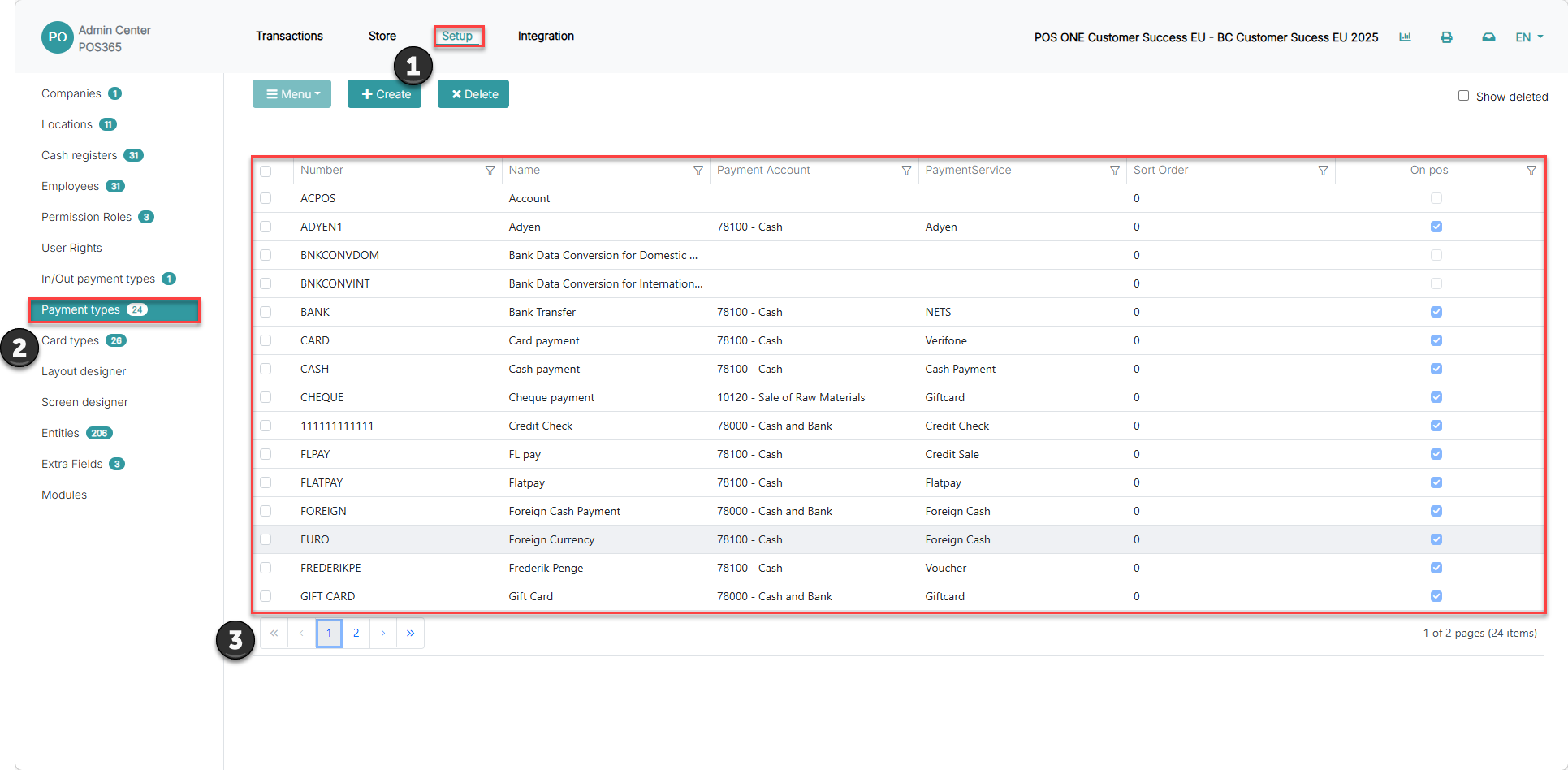
1) Go to 'Setup'
2) Click on 'Payment types'
3) Find the payment type you want to add a pop-up to, and click on it
Step 2:
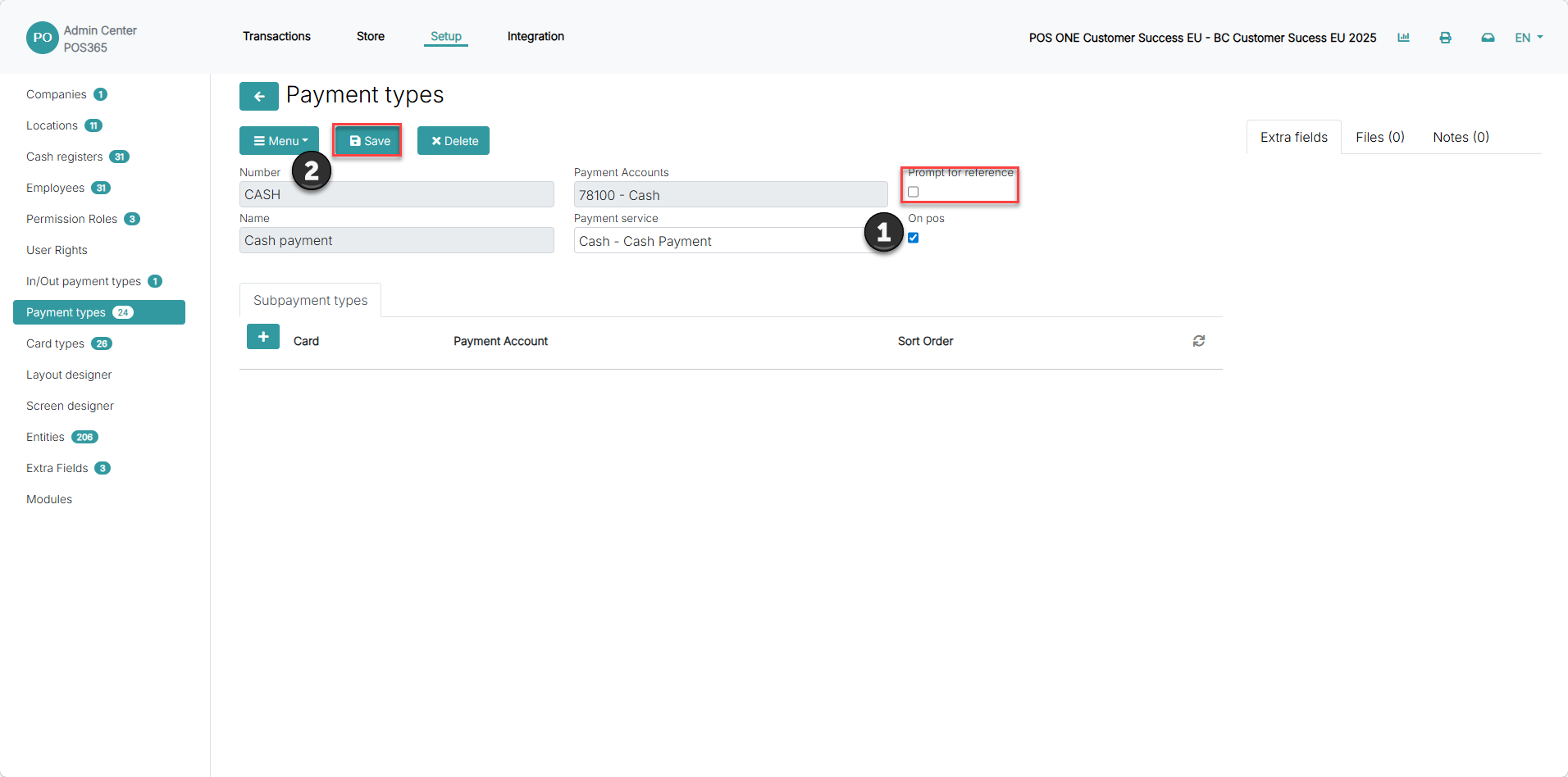
1) Toggle 'Prompt for reference' on
2) Click 'Save'
Step 3:
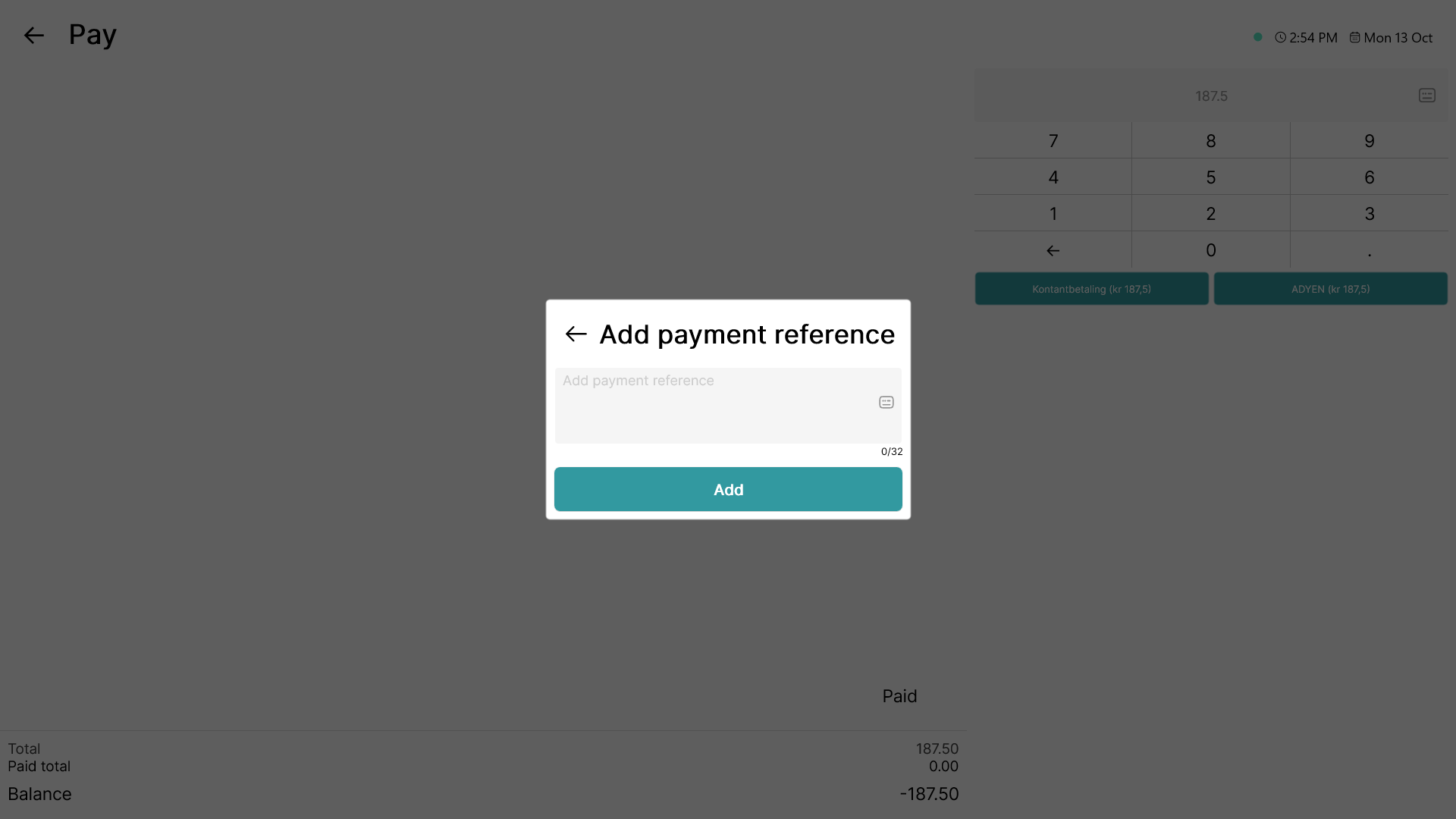
When the payment type is used, this pop-up will show, forcing the employee to add a payment reference