This guide explains how to export a database from POS365 to your desktop, which can be sent to POSONE for debugging purposes
Step 1:
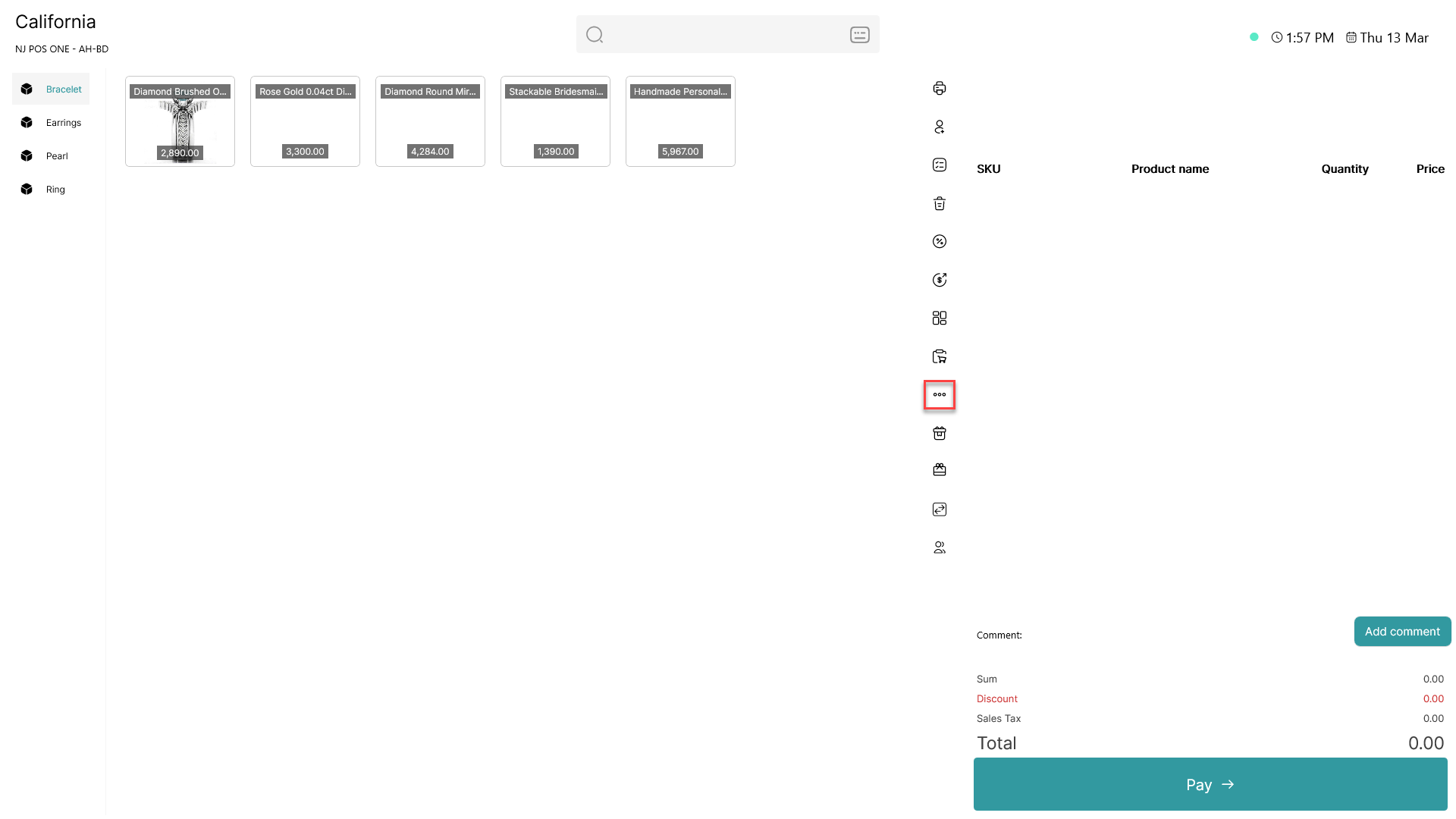
Click on the three dots ( - button) to access more options
Step 2:
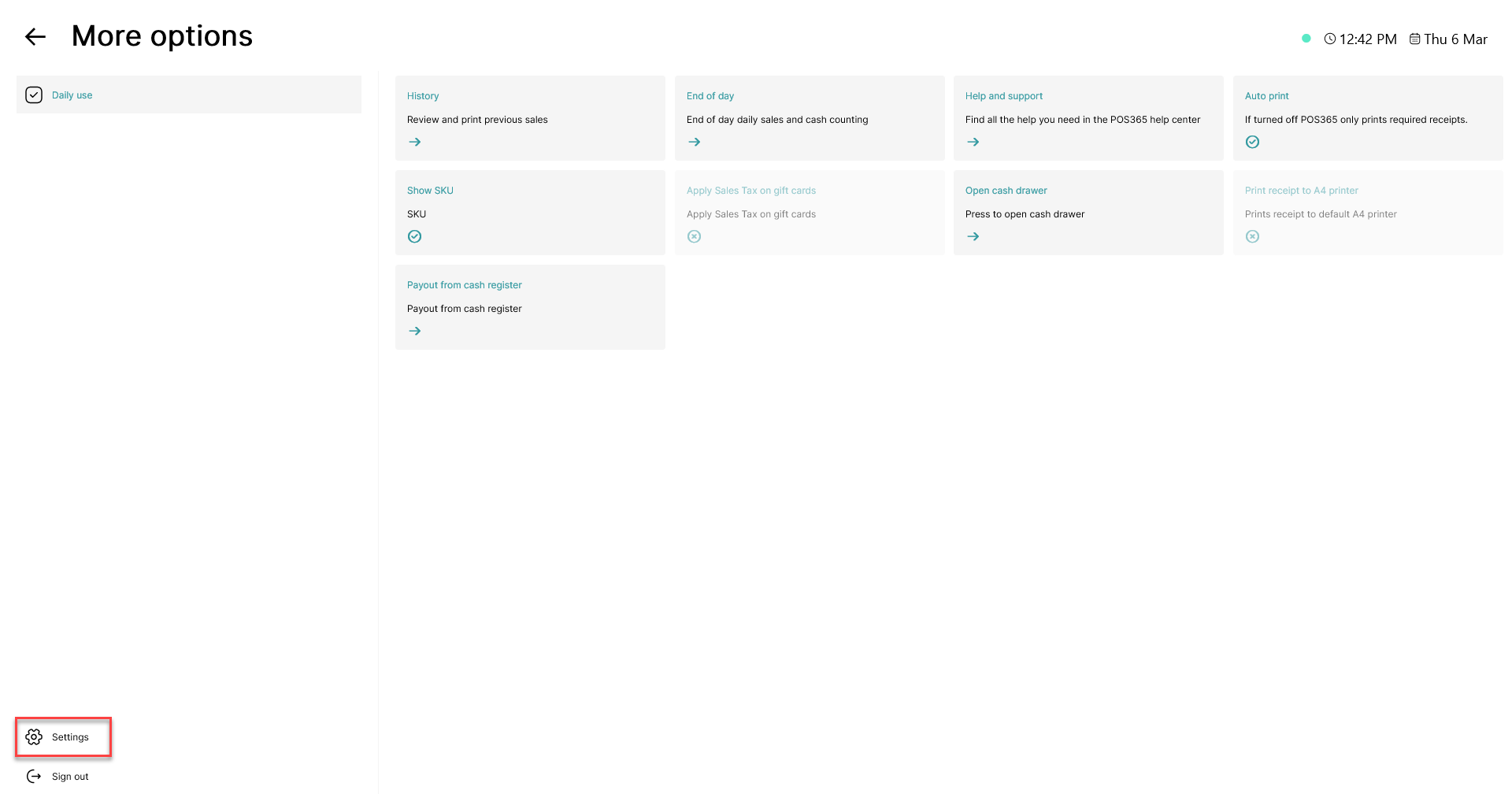
Click on the 'Settings' button in the bottom, left corner
Step 3:
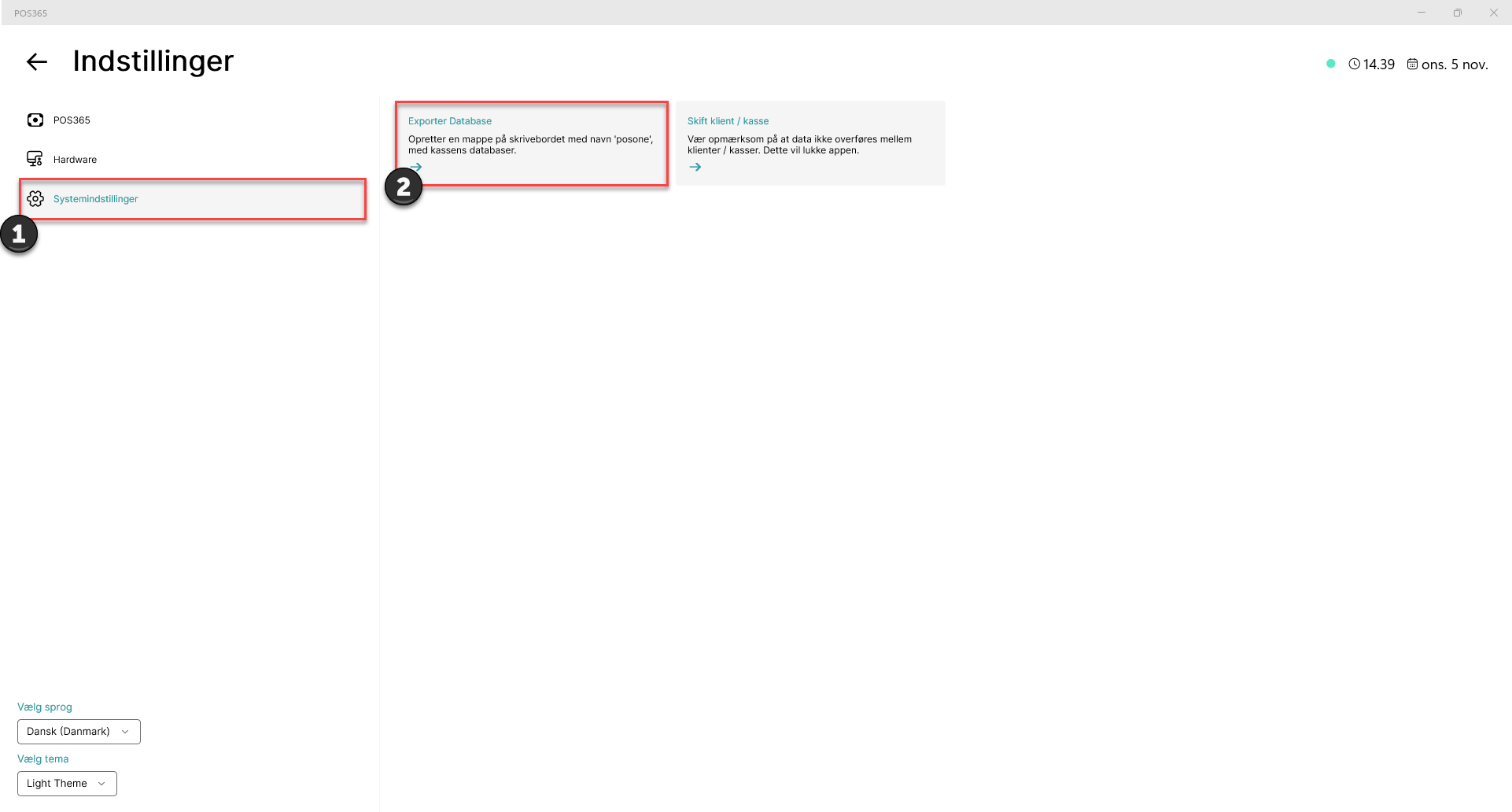
1) Go to 'System settings'
2) Click 'Export database'
Note:
A folder named 'posone' will be created on your desktop, which contains the database. This can be sent to help@posone365.com