This guide explains how to create and set up in and out payments for cash registers. This can be used for employees to make payments in and out of the cash register correctly by defining the account numbers used for different in and out payments and giving those a fitting name, which will be displayed on the POS365 interface.
Step 1:
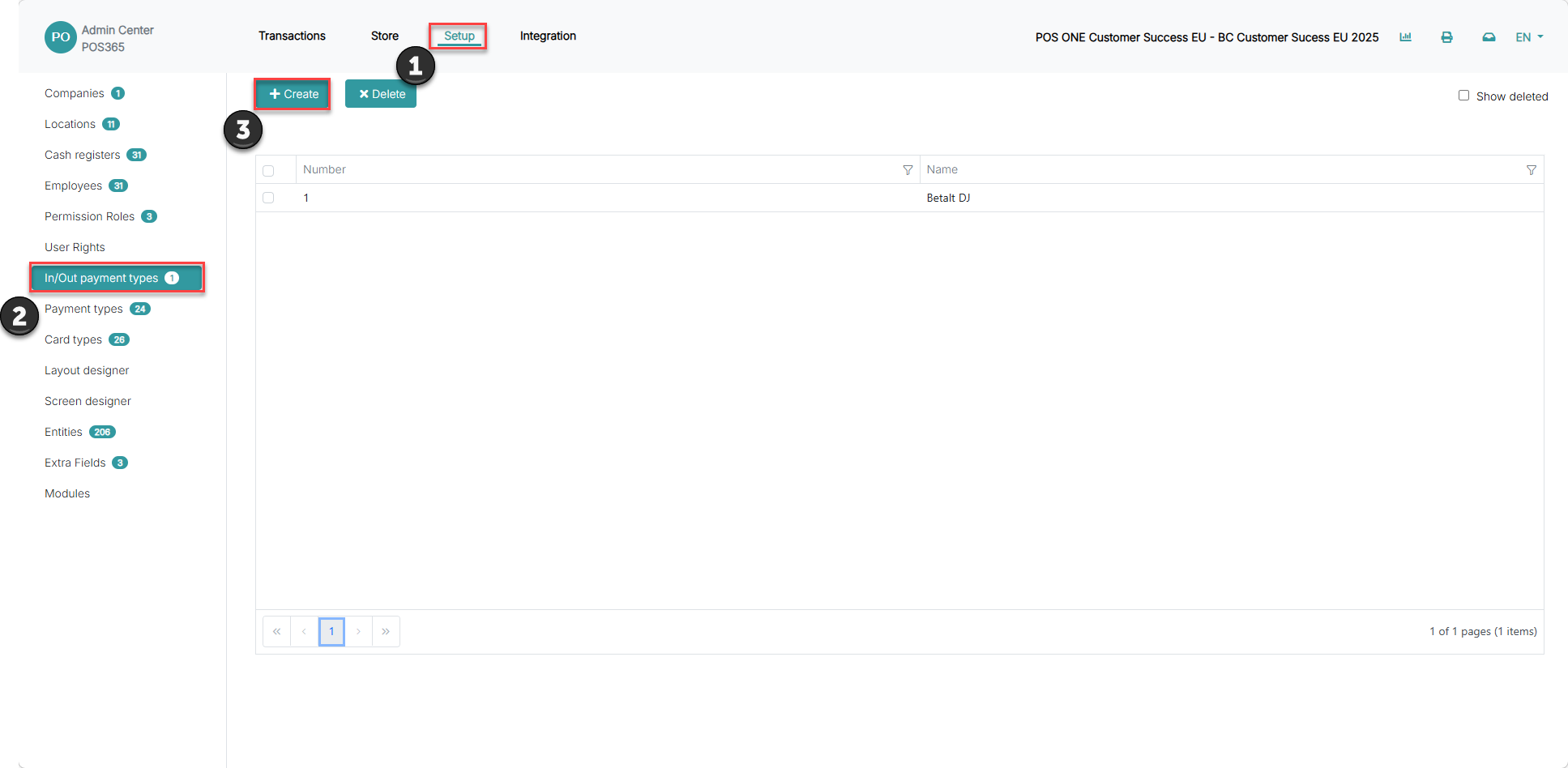
1) Go to 'Setup'
2) Click on 'In/Out payment types'
3) Choose 'Create'
Step 2:
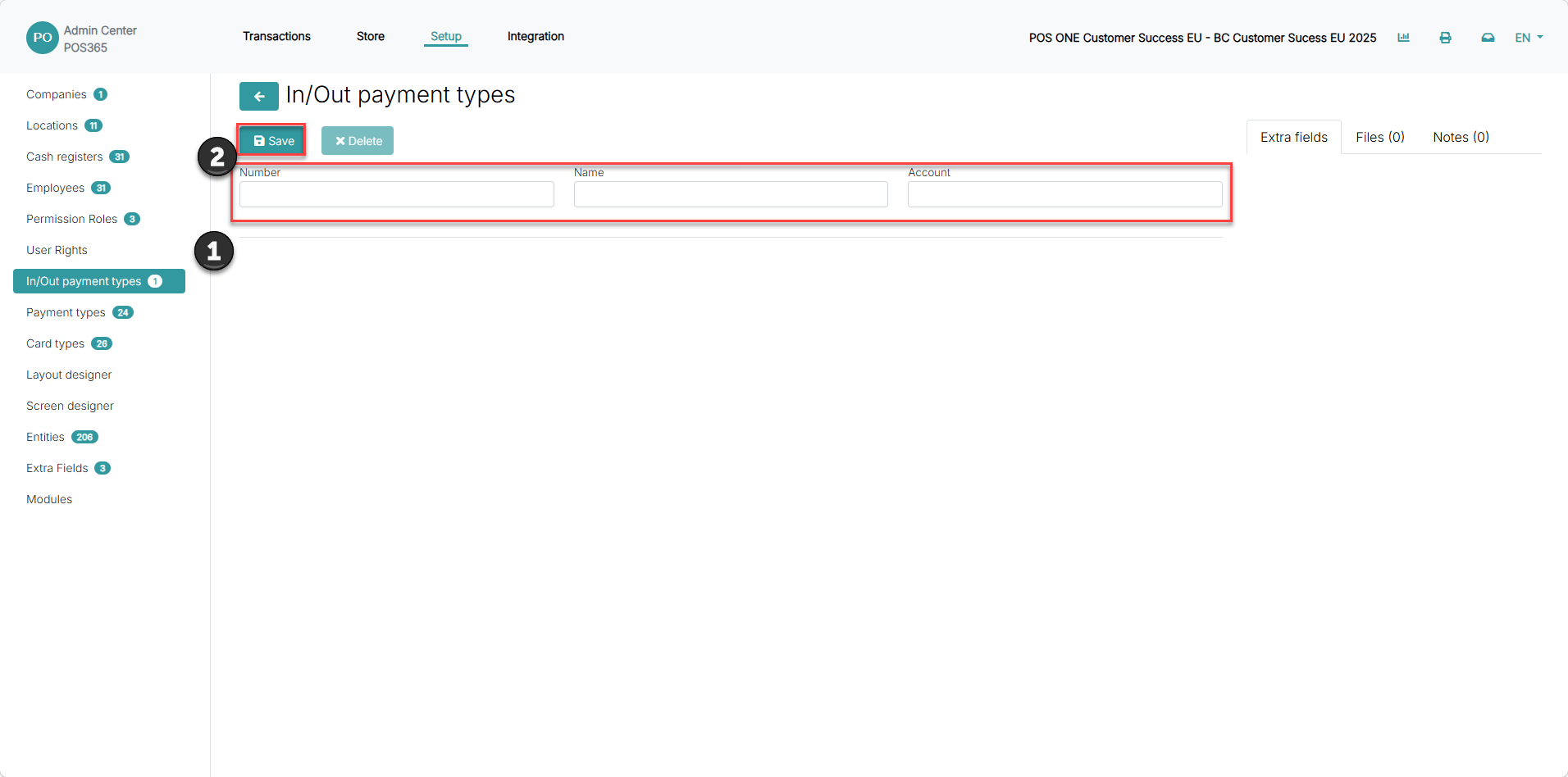
1) Insert information regarding the In/out payment type you wish to create
2) Click 'Save'
Note:
Number = The sort order of the different In/out payment types on the POS
Name = The name displayed on the POS
Account = The account in which the amount withdrawn from the cash register should be deducted from