This guide explains how to grant access to the Admin Center to an employee
Step 1:
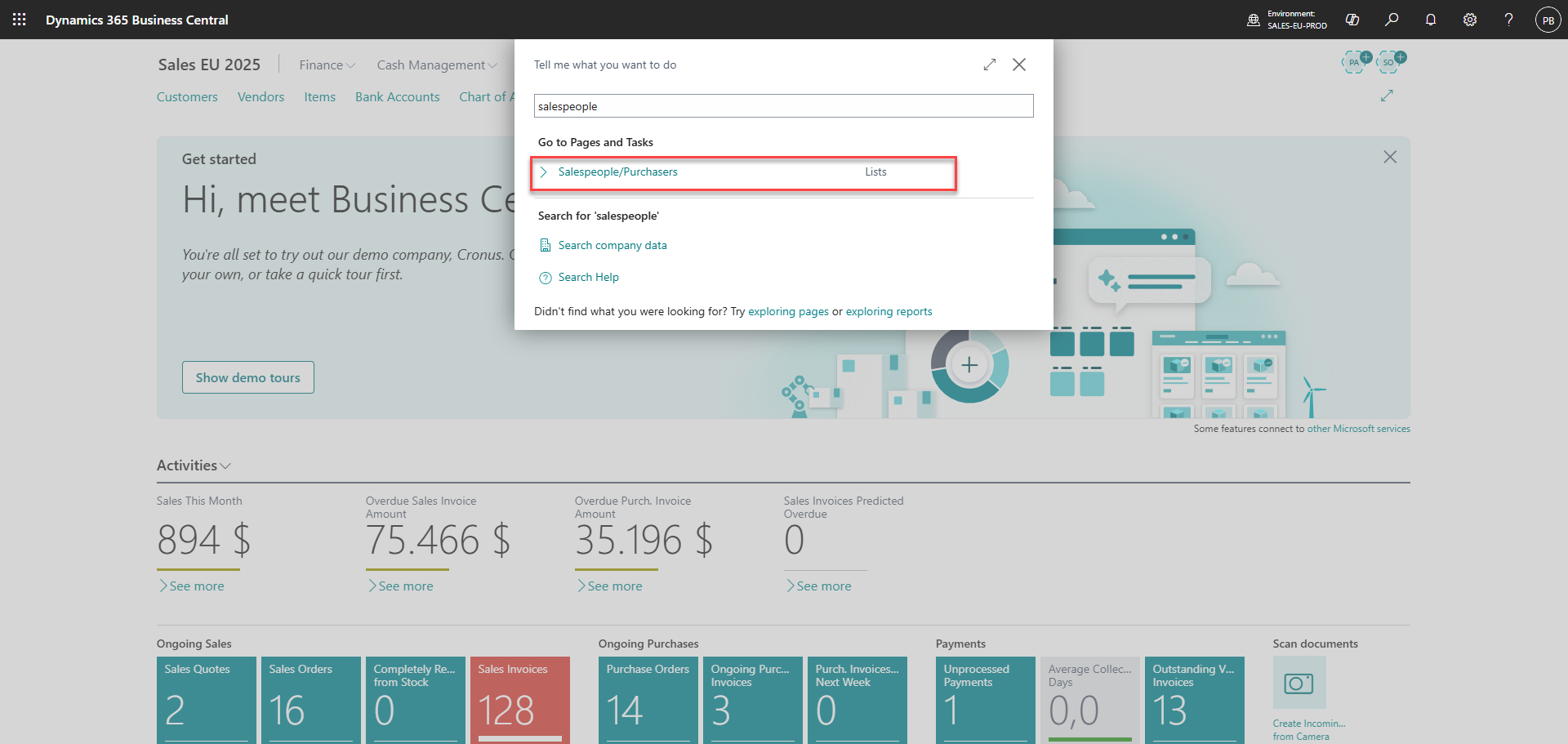
In Business Central, go to 'Salespeople/Purchasers'
Step 2:
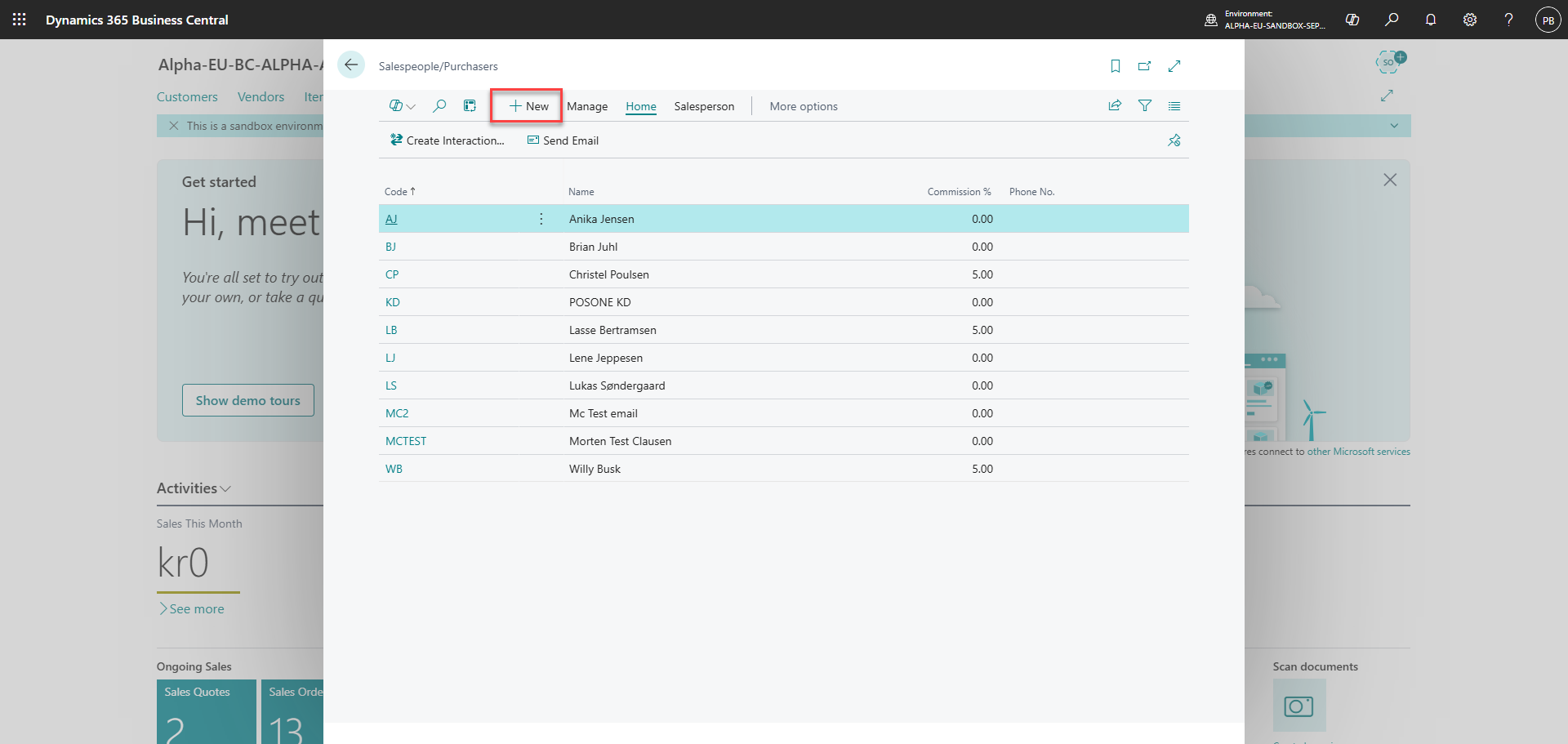
Create a new employee for the person who needs to be granted access to the Admin Center
Step 3:
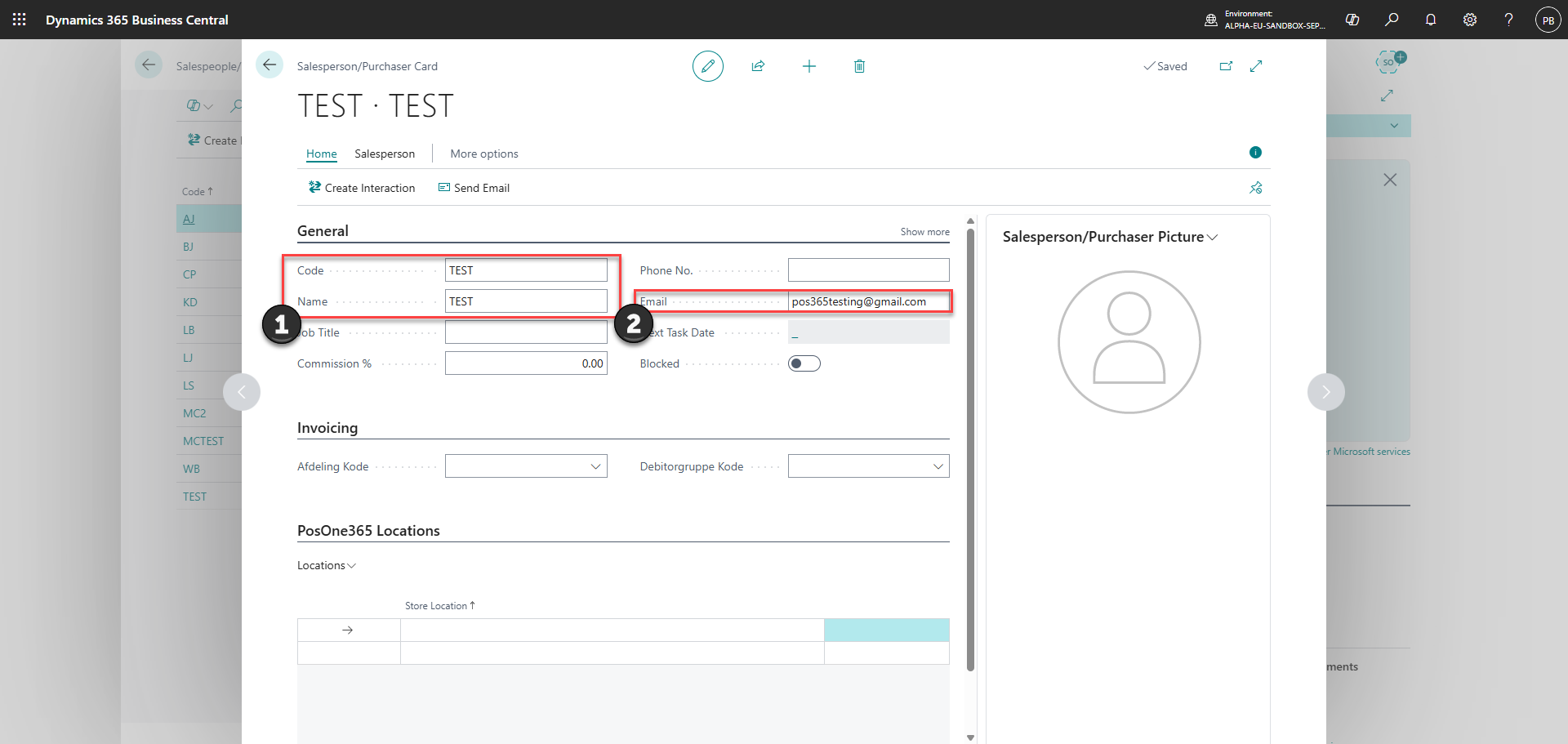
1) Add a 'Code' and 'Name'
2) Insert the email of the employee
Step 4:
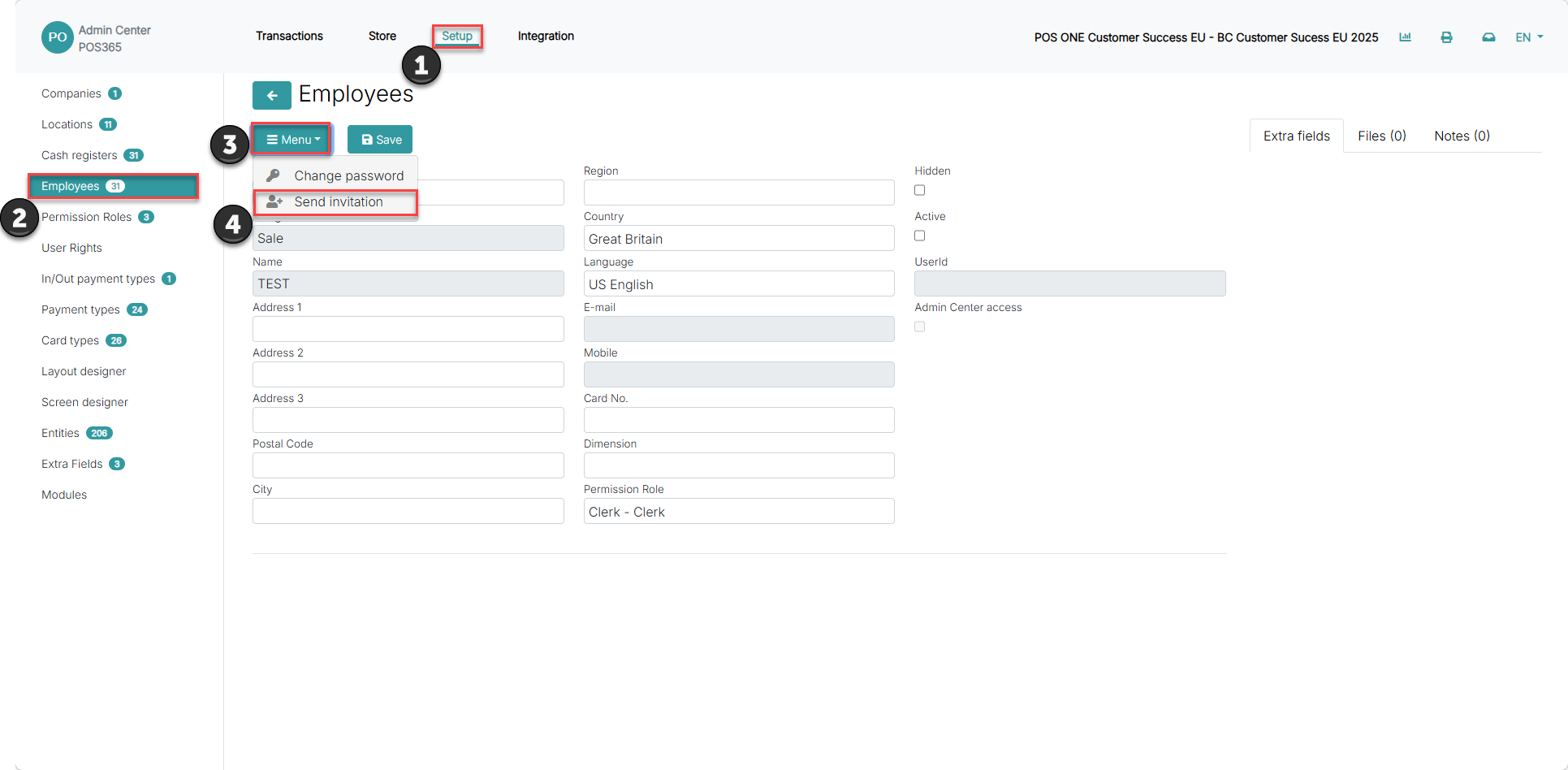
Wait for the synchronization. This can take up to 6 minutes
1) Go to 'Setup'
2) Go to employees, and select the specific employee
3) Go to 'Menu'
4) Click 'Send invitation'
Step 5:
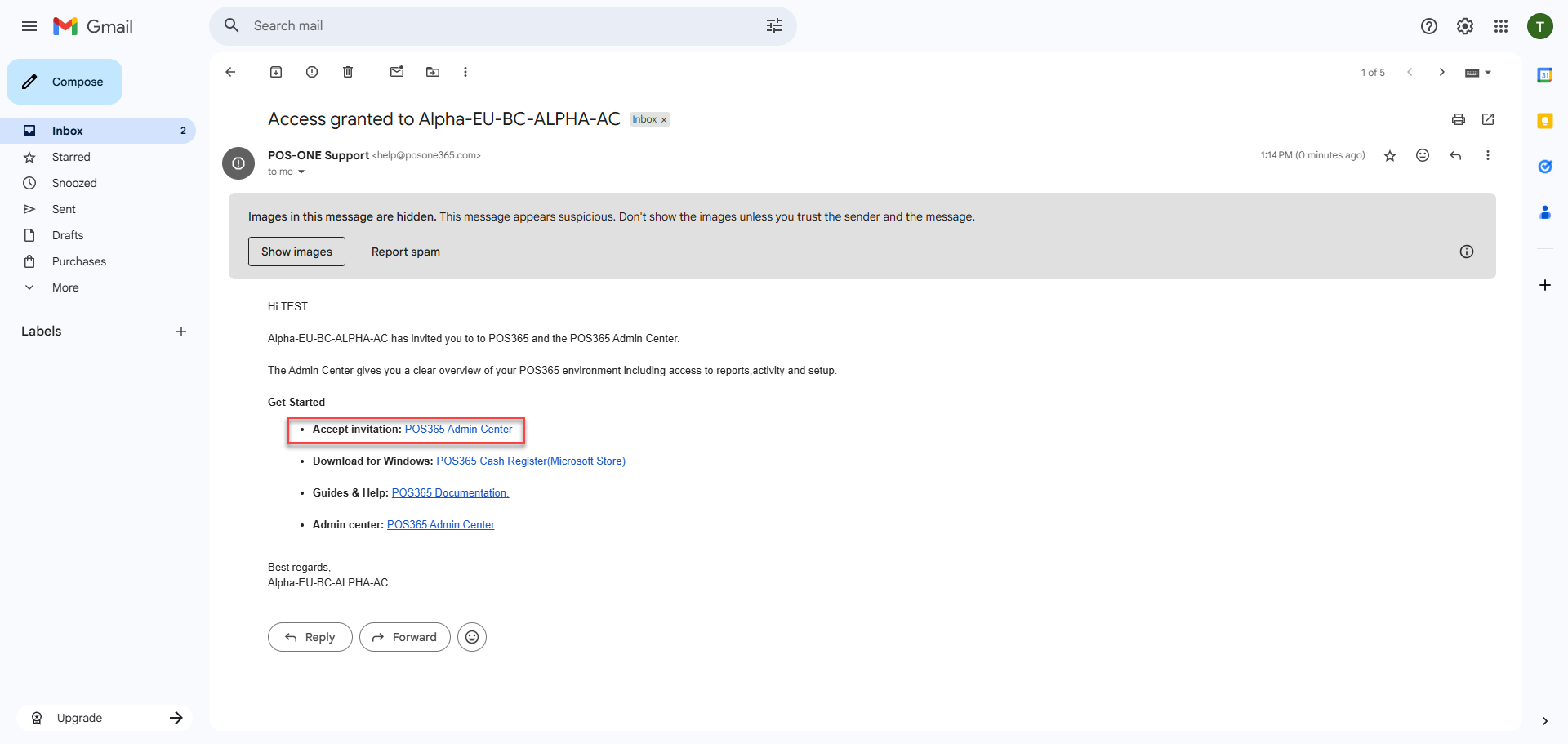
Go to your email and find the one from help@posone365.com
Click on the first link in the email and you will automatically be signed in to the Admin Center
Step 6:
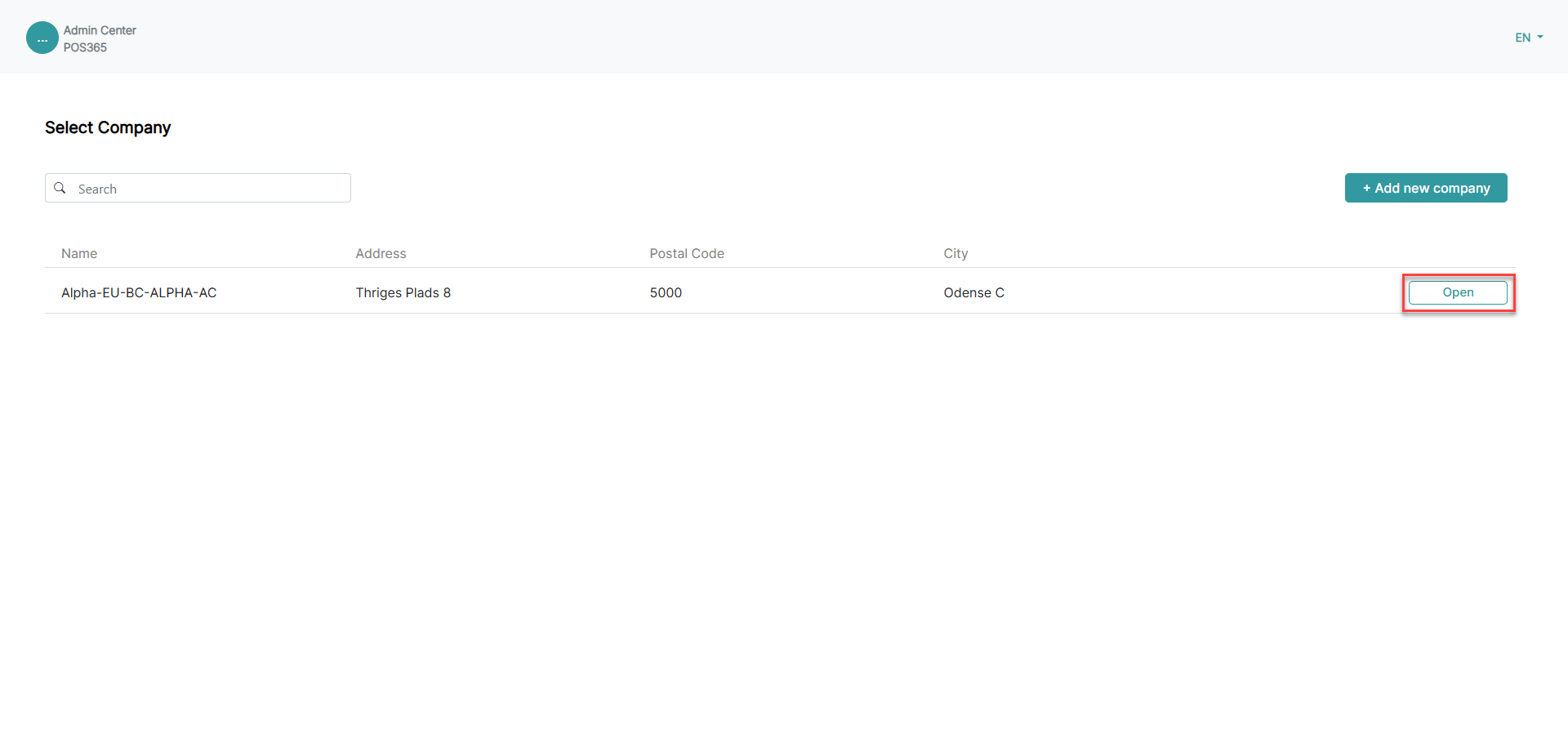
Click 'Open' to access the company data in the Admin Center