This guide explains how to use the discount calculator in the POS365 app. The discount calculator can be used to calculate cost price and gross margin of a product as well as calculating/setting the correct paid price of the product.
Step 1:
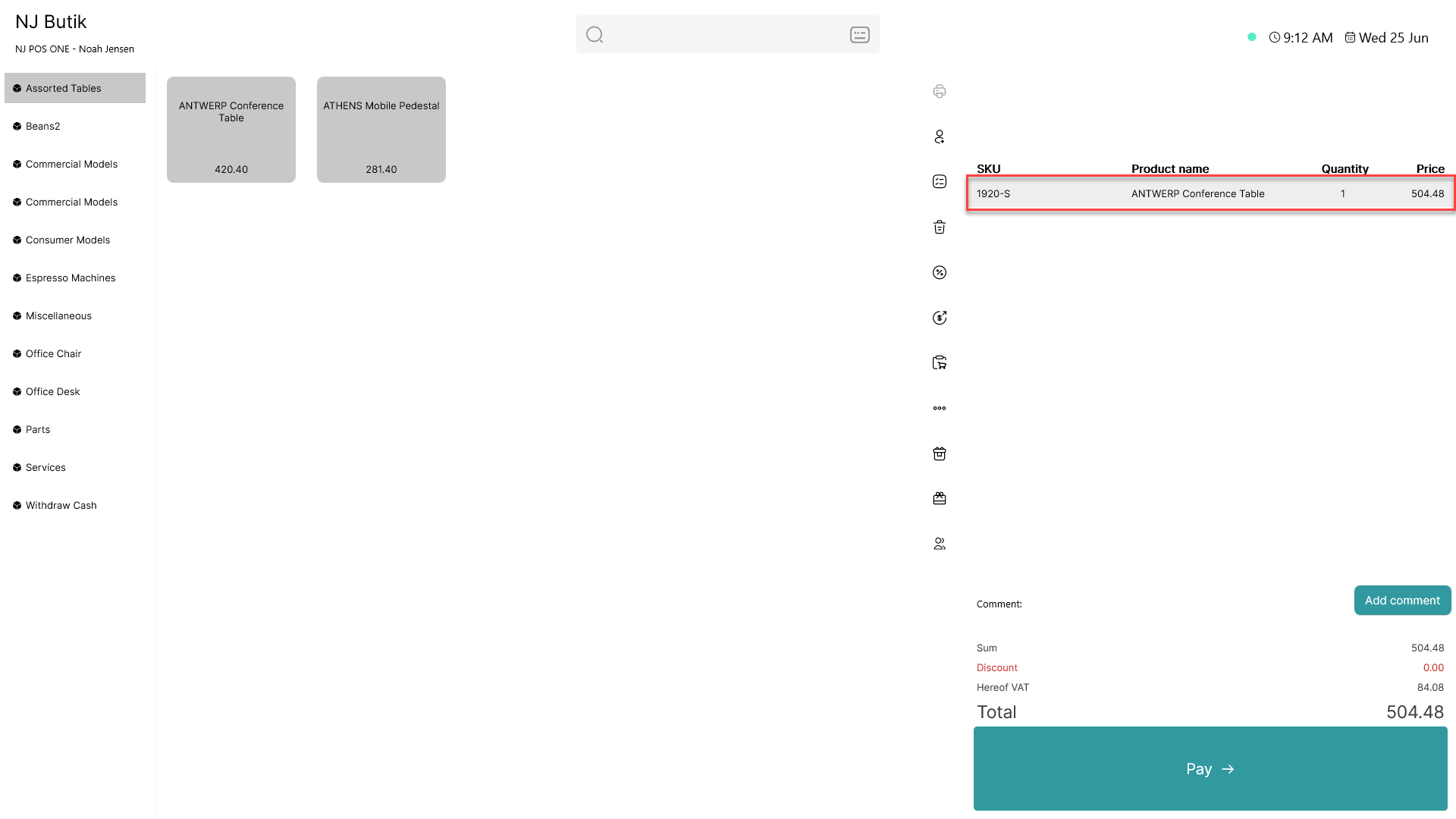
Add an item to the basket and click on it
Step 2:
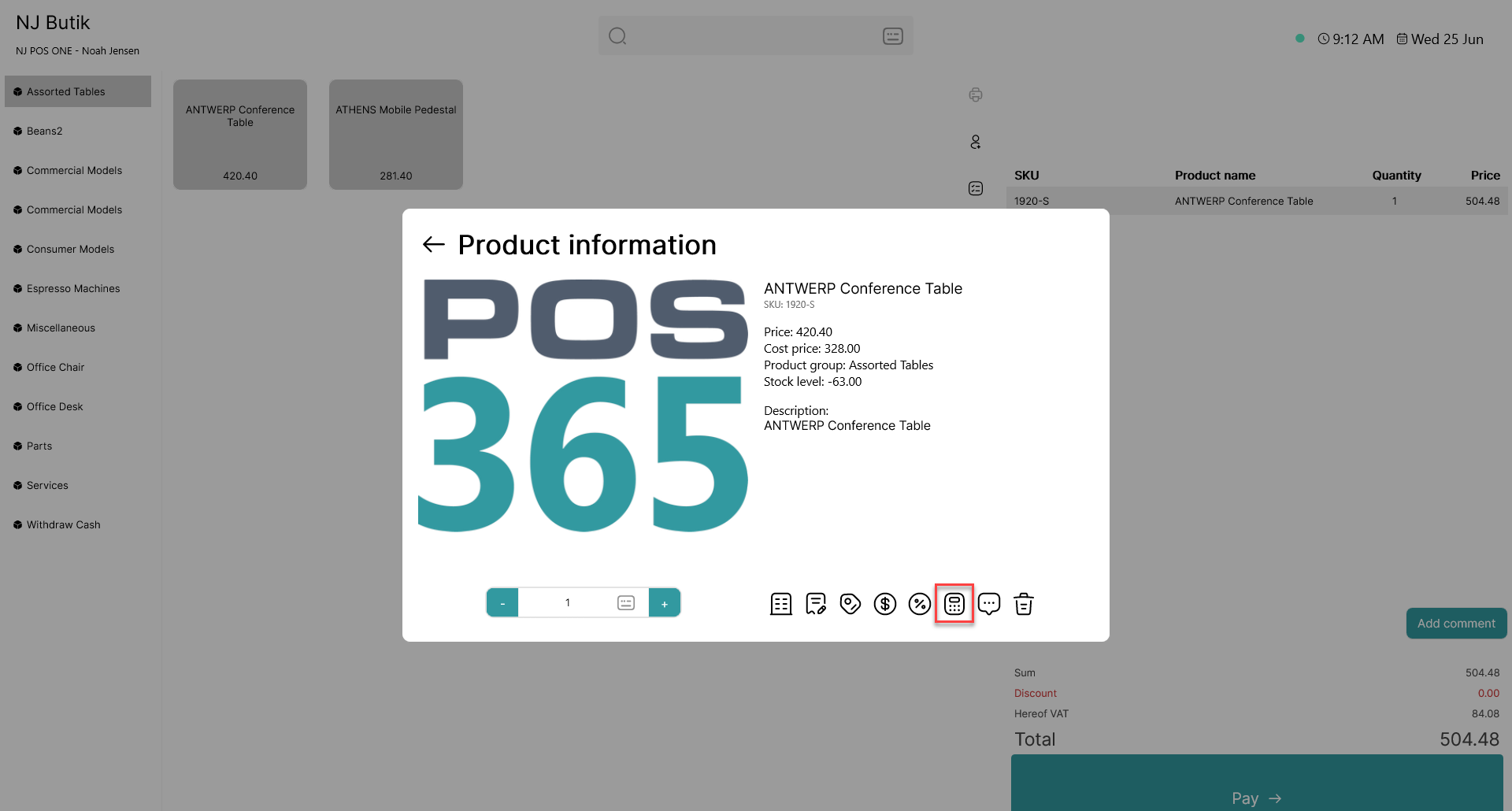
The item card will open. Click on the  - icon
Step 3:
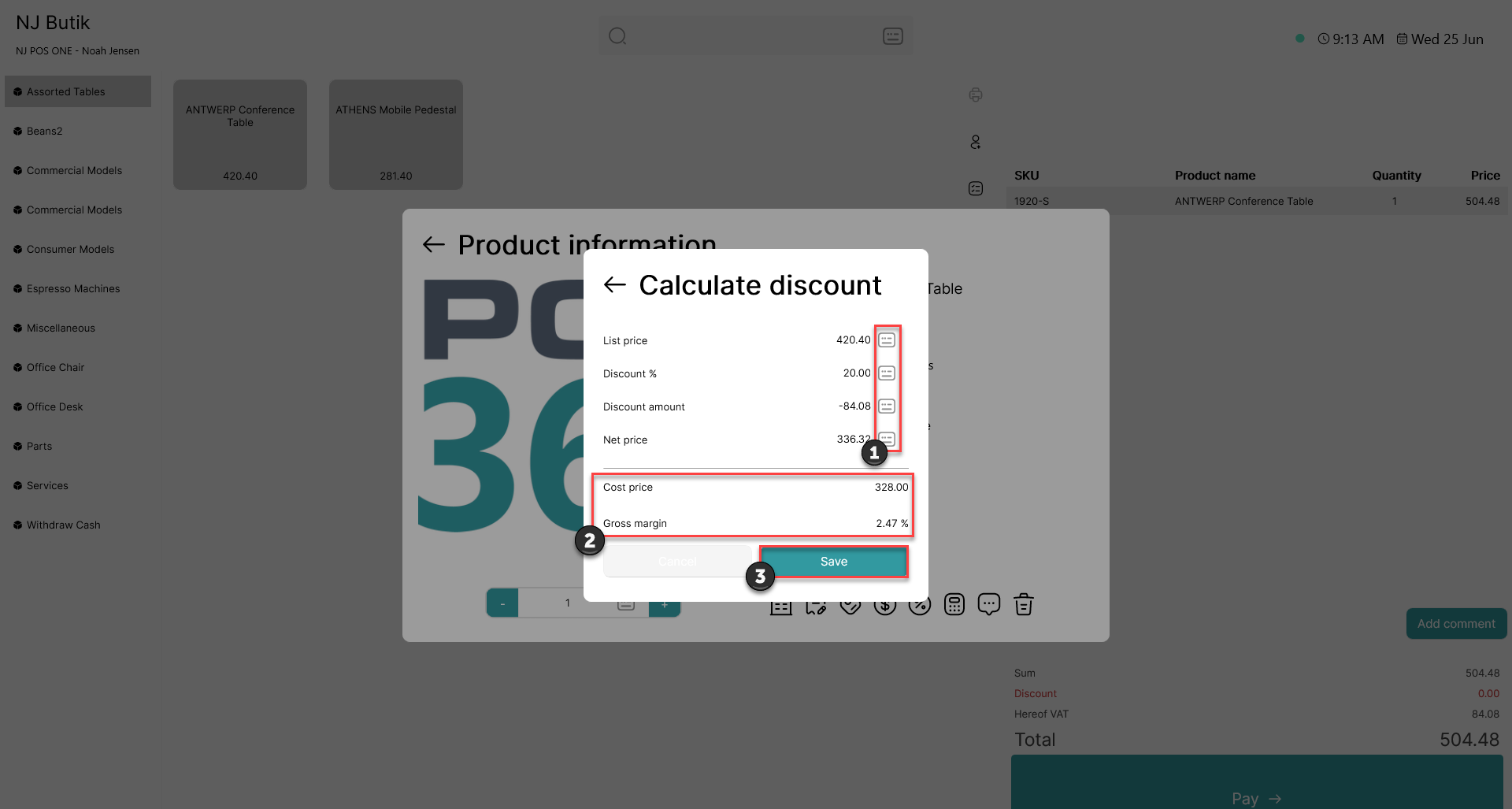
1) Use the  - icon to adjust the discount value
2) The cost price and gross margin is calculated
3) Click 'Save'