This guide explains how to enable or disable the smart cash drawer function in the POS365 app. This function ensures that the cash drawer will only open when cash is involved in the payment - whether it is as a payment or a withdrawal/return.
Step 1:
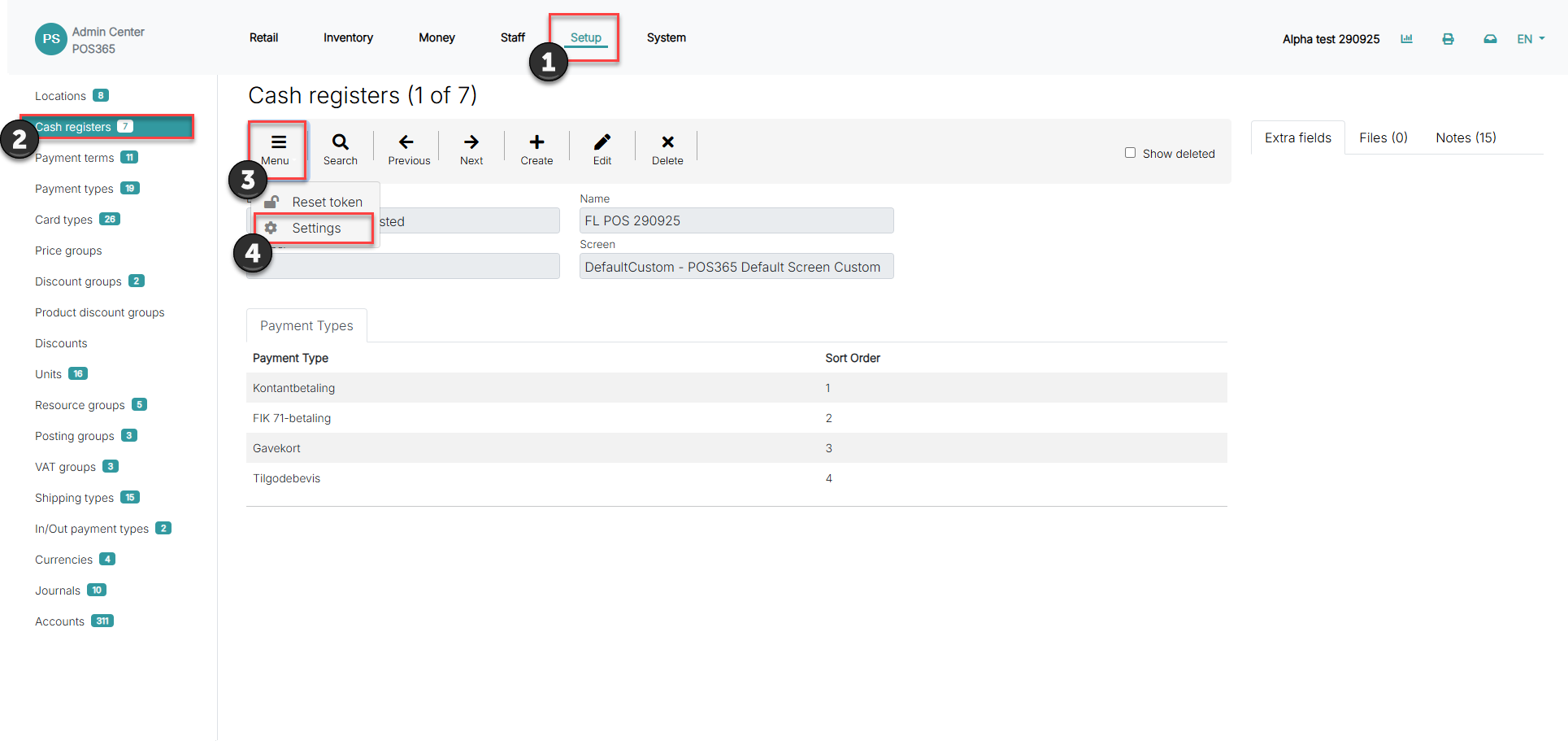
1) Go to 'Setup'
2) Click on 'Cash registers'
3) Open 'Menu'
4) Go to 'Settings'
Step 2:
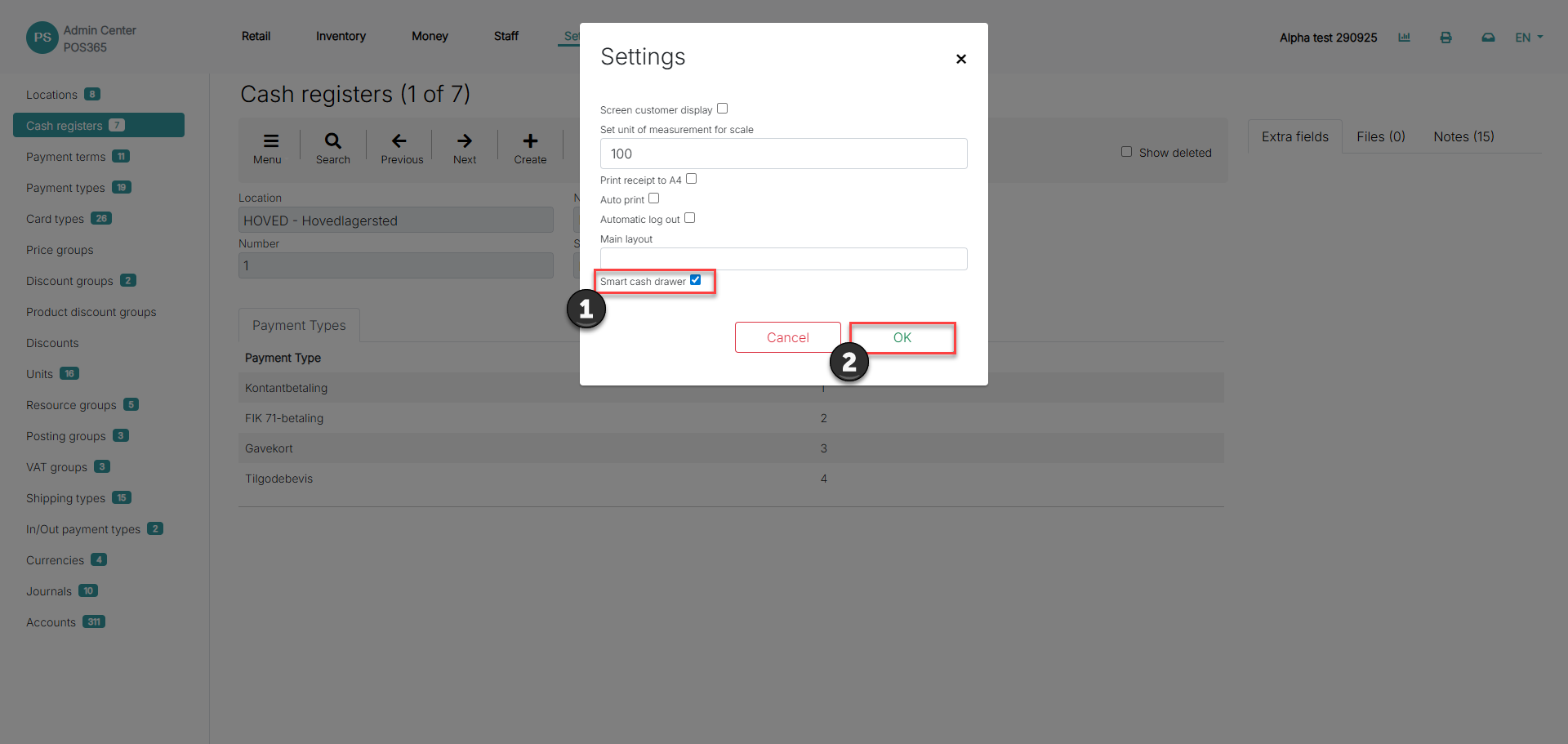
1) Toggle 'Smart cash drawer' on
2) Click 'OK'