This guide explains how to withdraw cash from the cash register using the POS365 app. The setup must be made in Business Central.
If the setup has already been made, go to step 3 in this guide
Step 1:
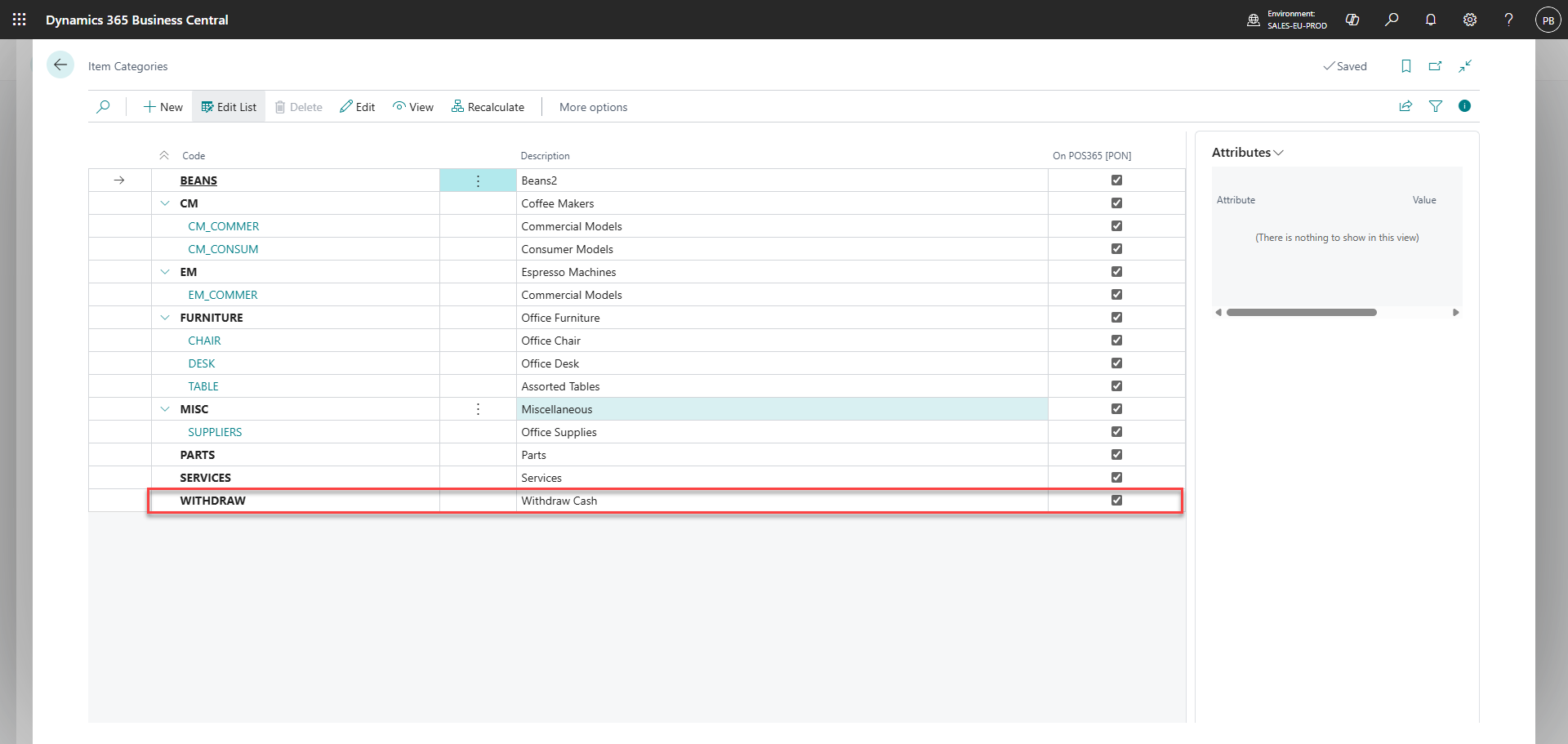
Create an item category in Business Central called 'WITHDRAW'
Make sure to set 'On POS365 [PON]' to true
Step 2:
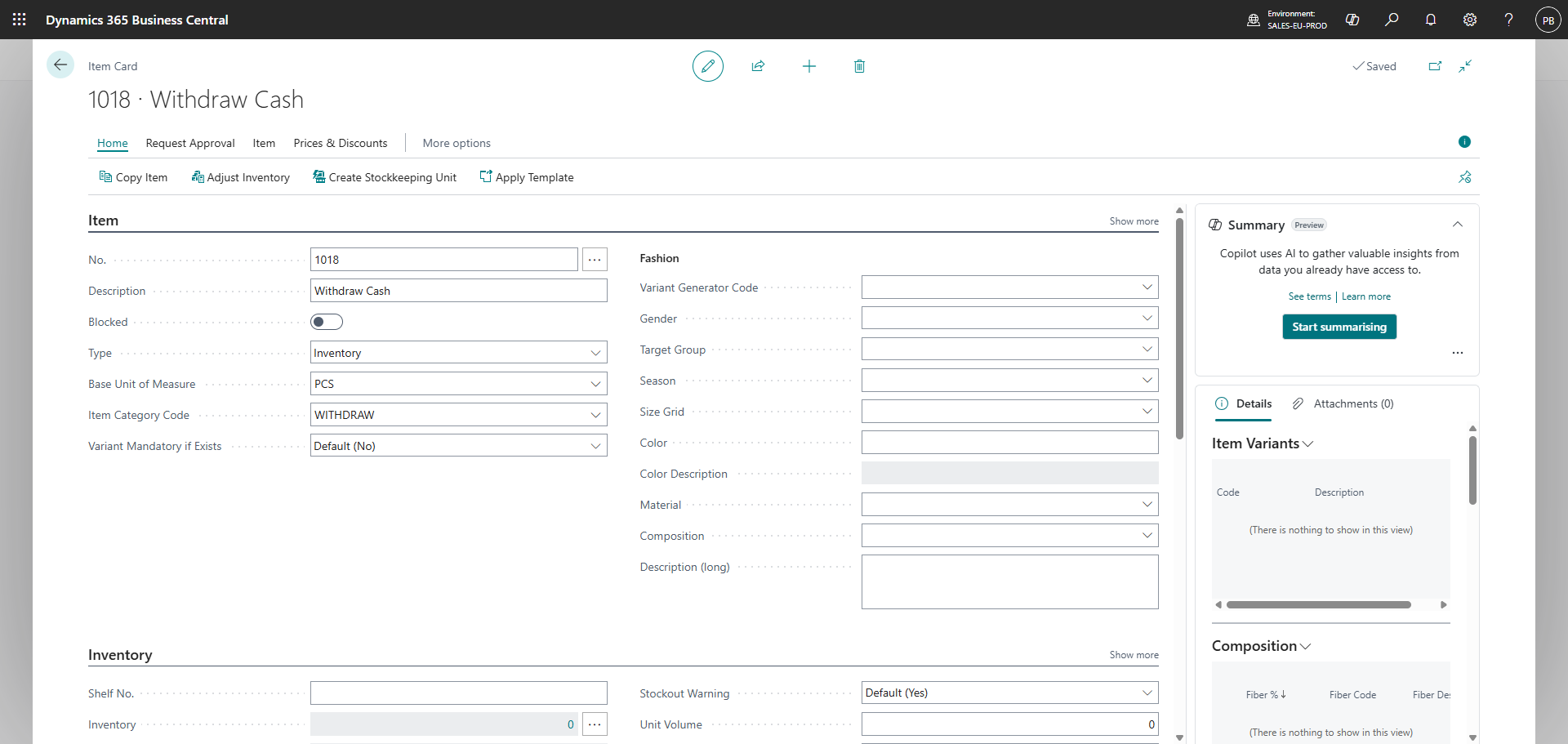
Create an item in Business Central called 'Withdraw Cash'
Set the 'Item Category Code' to 'WITHDRAW'
Once the Business Central setup has been made, wait up to 5-6 minutes for a synchronization to happen.
To make a cash withdrawal in the POS365 app, follow this guide: How to - Withdraw cash from the cash register