This guide explains how to print price labels through the POS365 app.
Step 1:
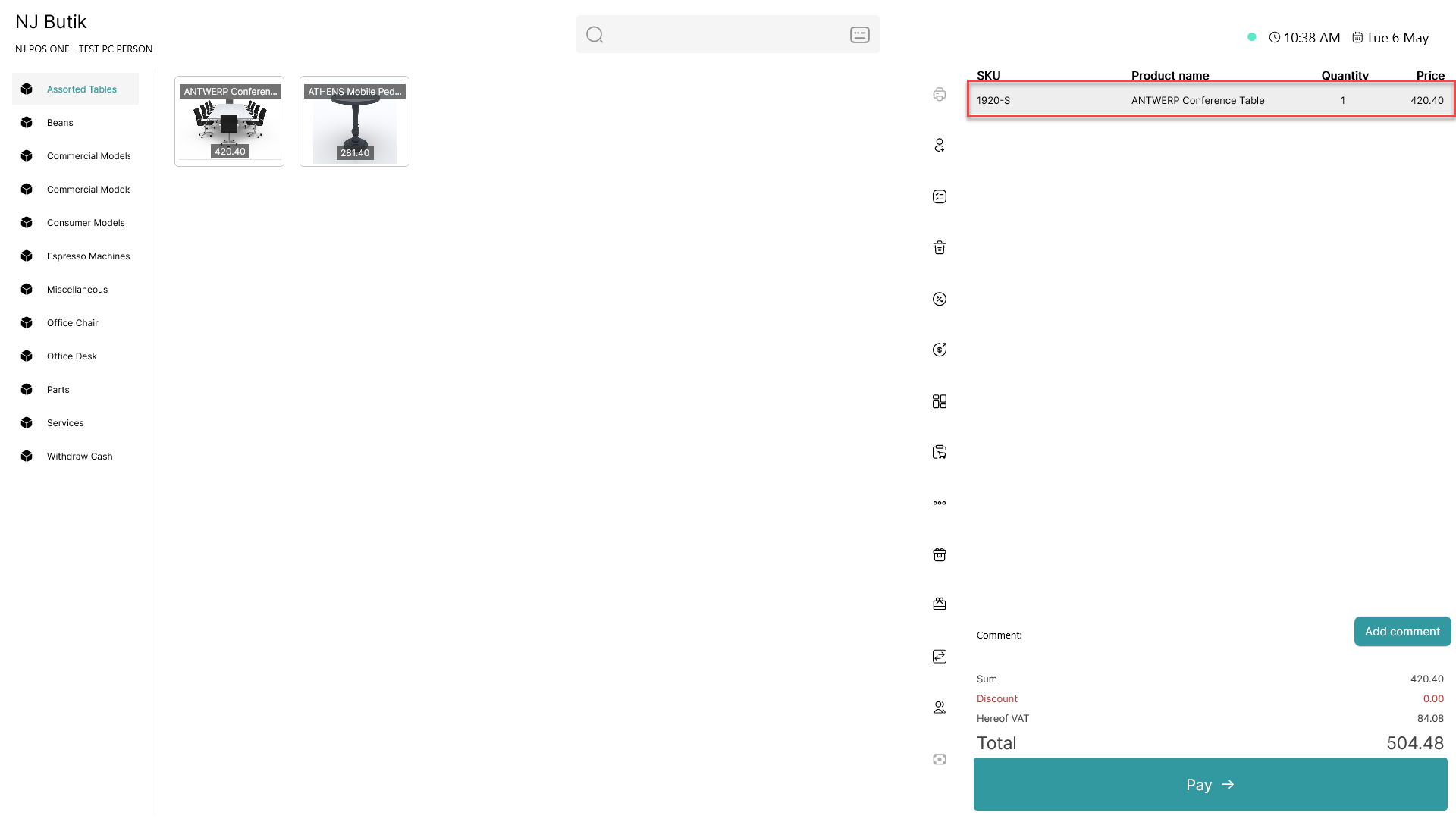
Add an item to the basket and click on it
Step 2:
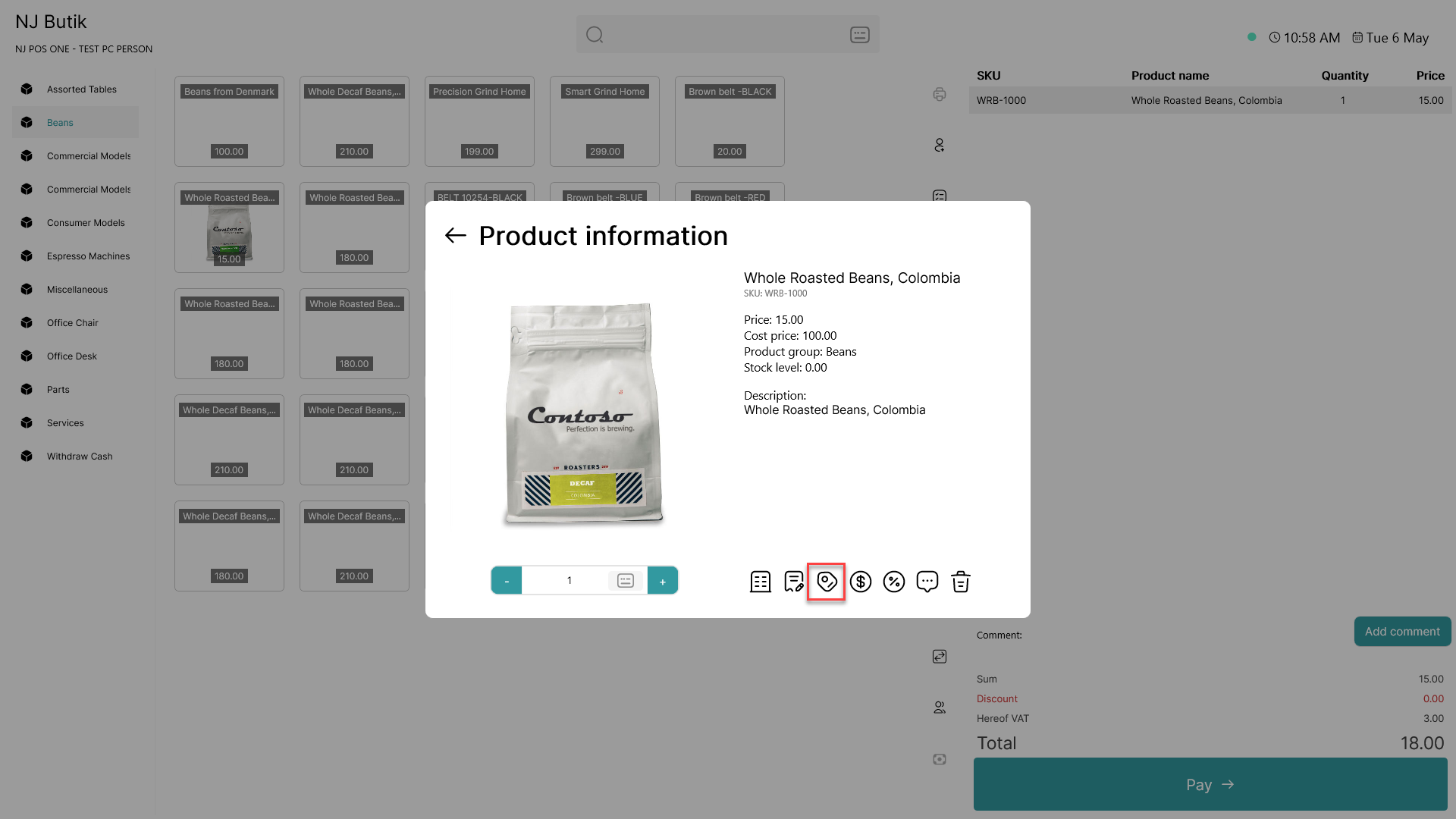
Click on the  - button
Step 3:
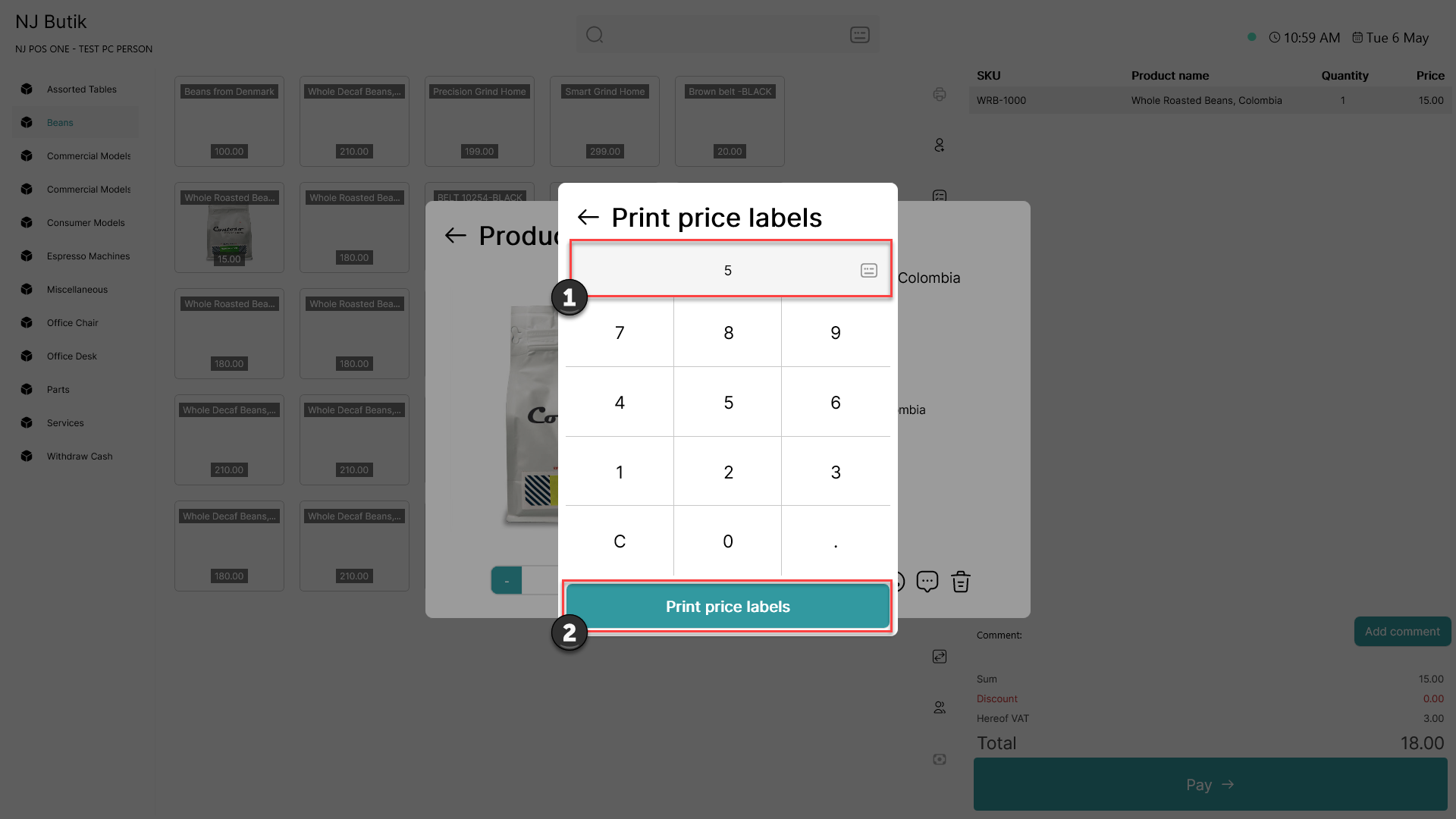
1) Choose the number of price labels you want to print
2) Click 'Print price labels'
Step 4: Example of price label

The price labels will be printed to your selected price label printer
To change price label printer, follow this guide: How to - Select printer for labels