This guide explains how to delete one product line added to the basket in the POS365 app.
This function is useful if you have added an item to the basket by mistake and want to delete that specific item from the basket without clearing the entire basket.
Step 1:
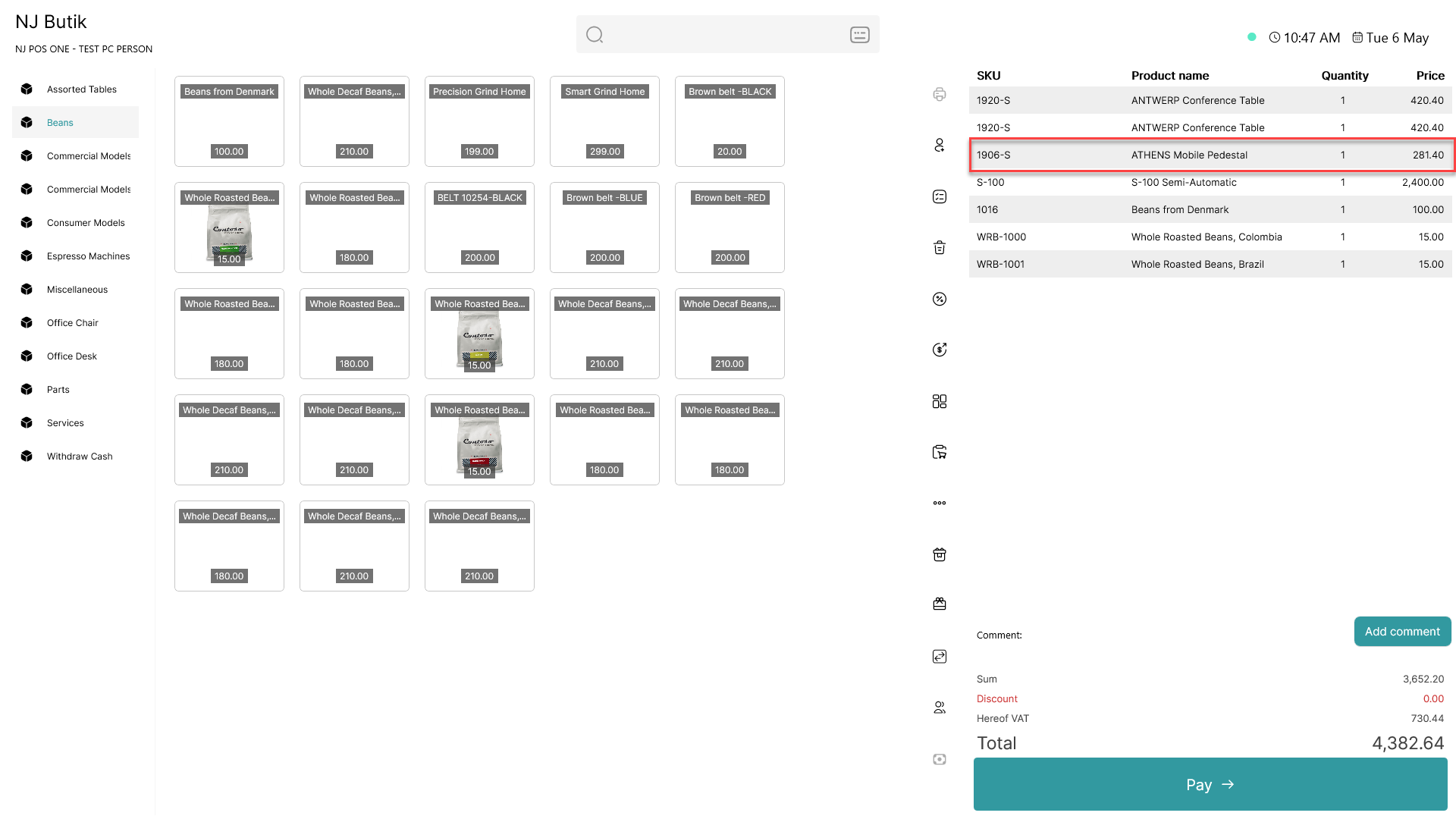
Click on the item you want to delete from the basket
Step 2:
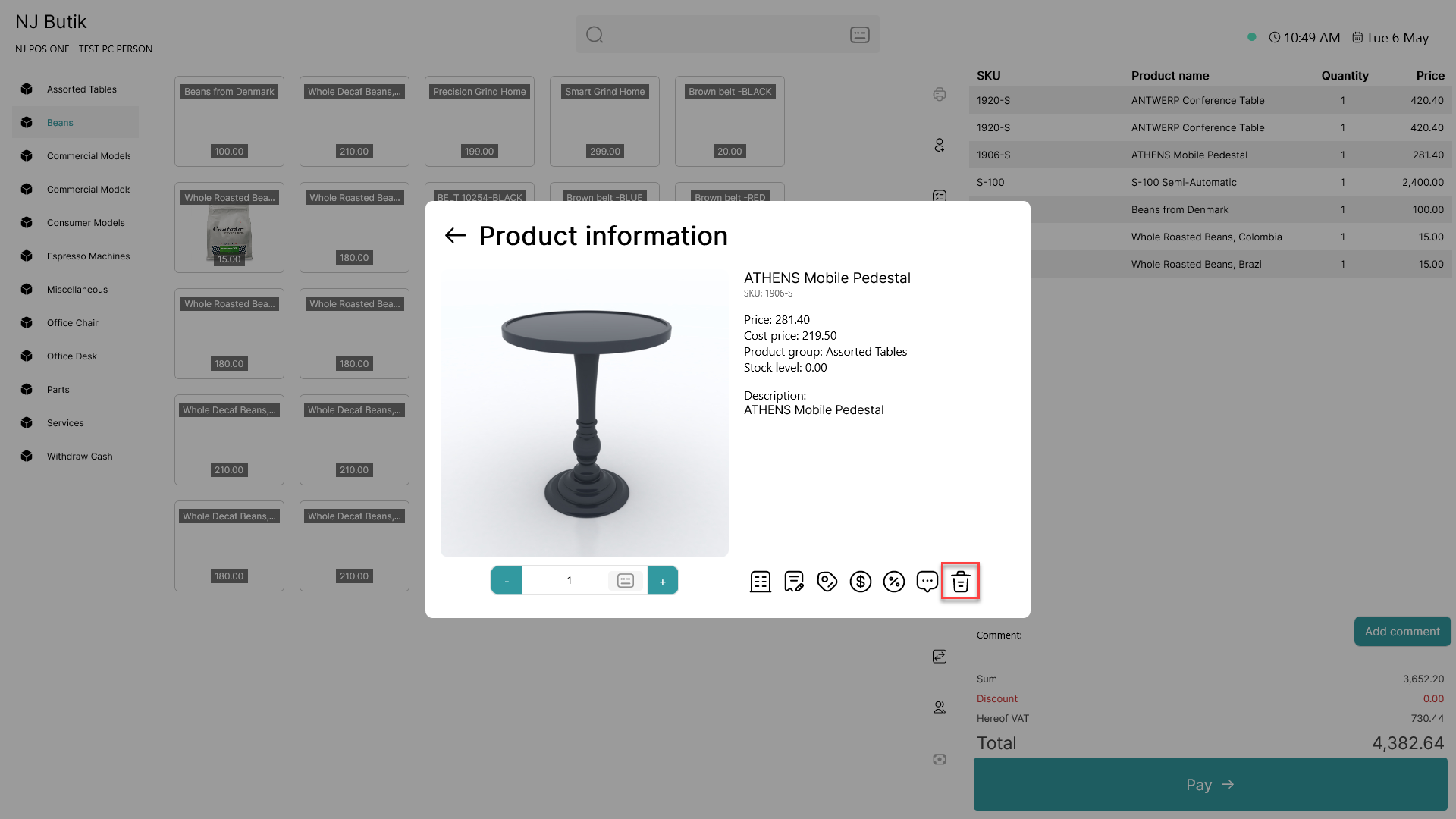
Click on the  - button
Step 3:
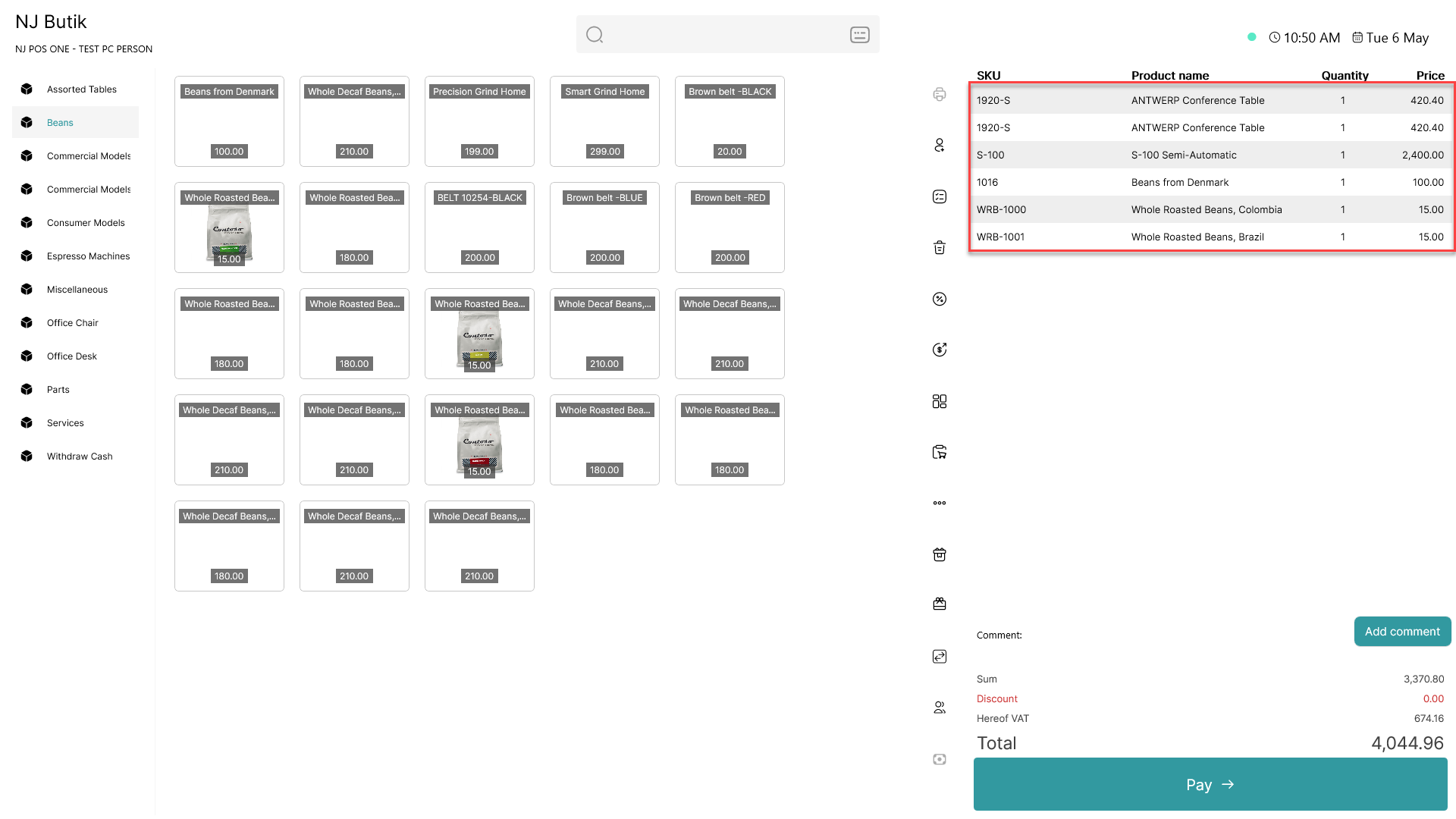
The item has now been deleted from the basket, but the other items remain