This guide explains how to add a comment on a specific item when making a sale in the POS365 app.
This function is useful if you need to add specific information regarding a product in the basket.
Step 1:
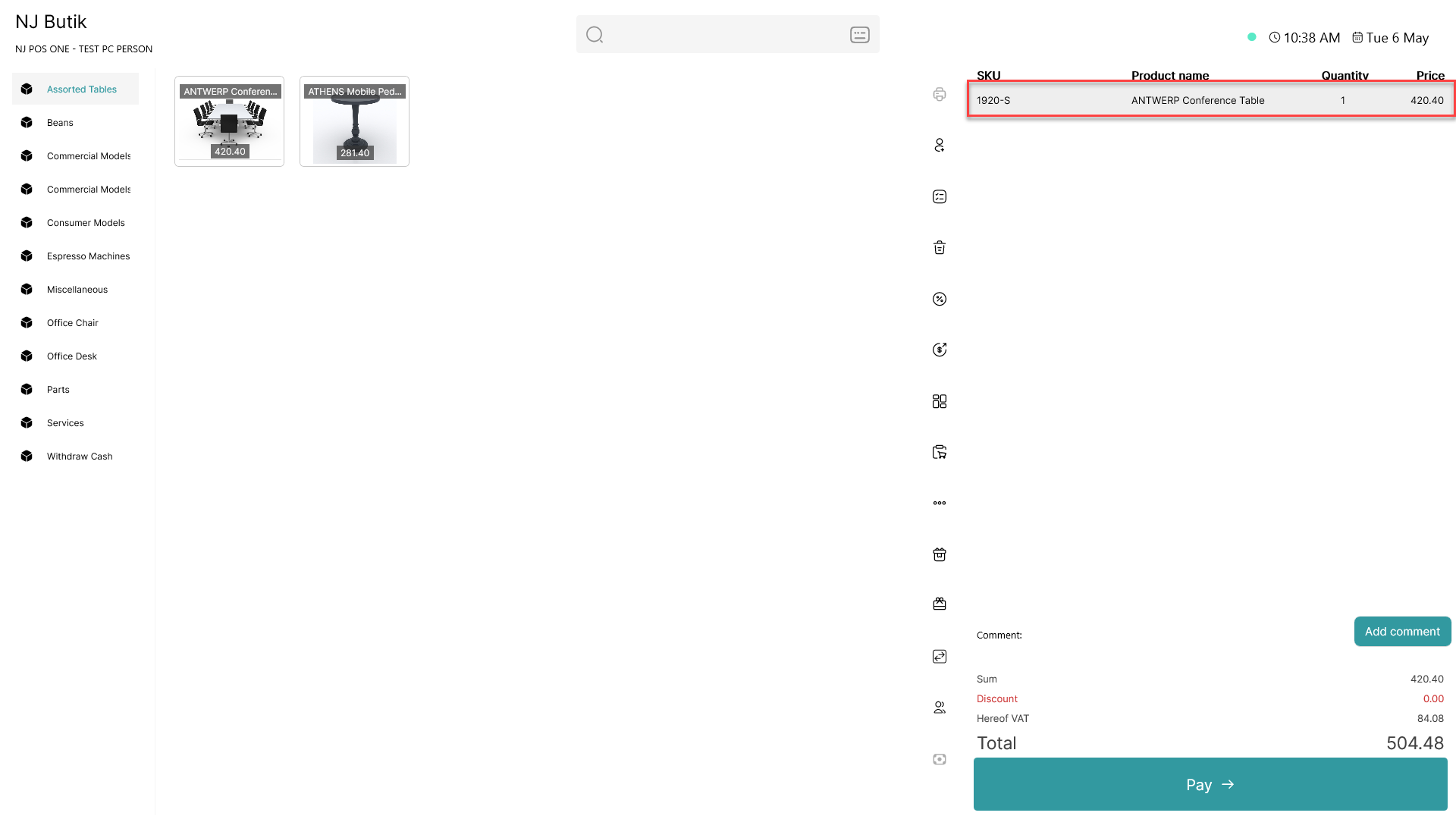
Add an item to the basket and click on it
Step 2:
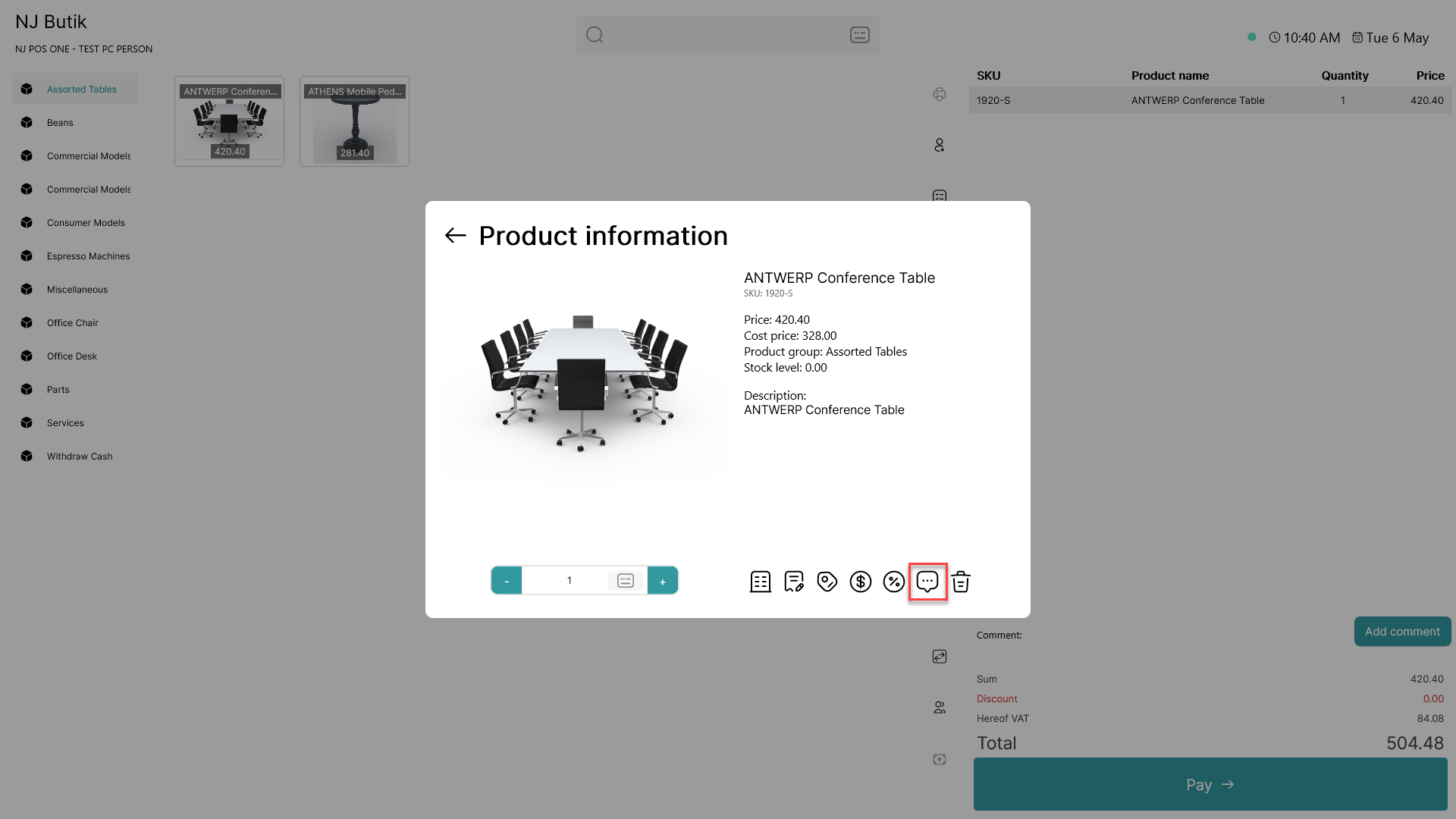
Click on the  - button
Step 3:
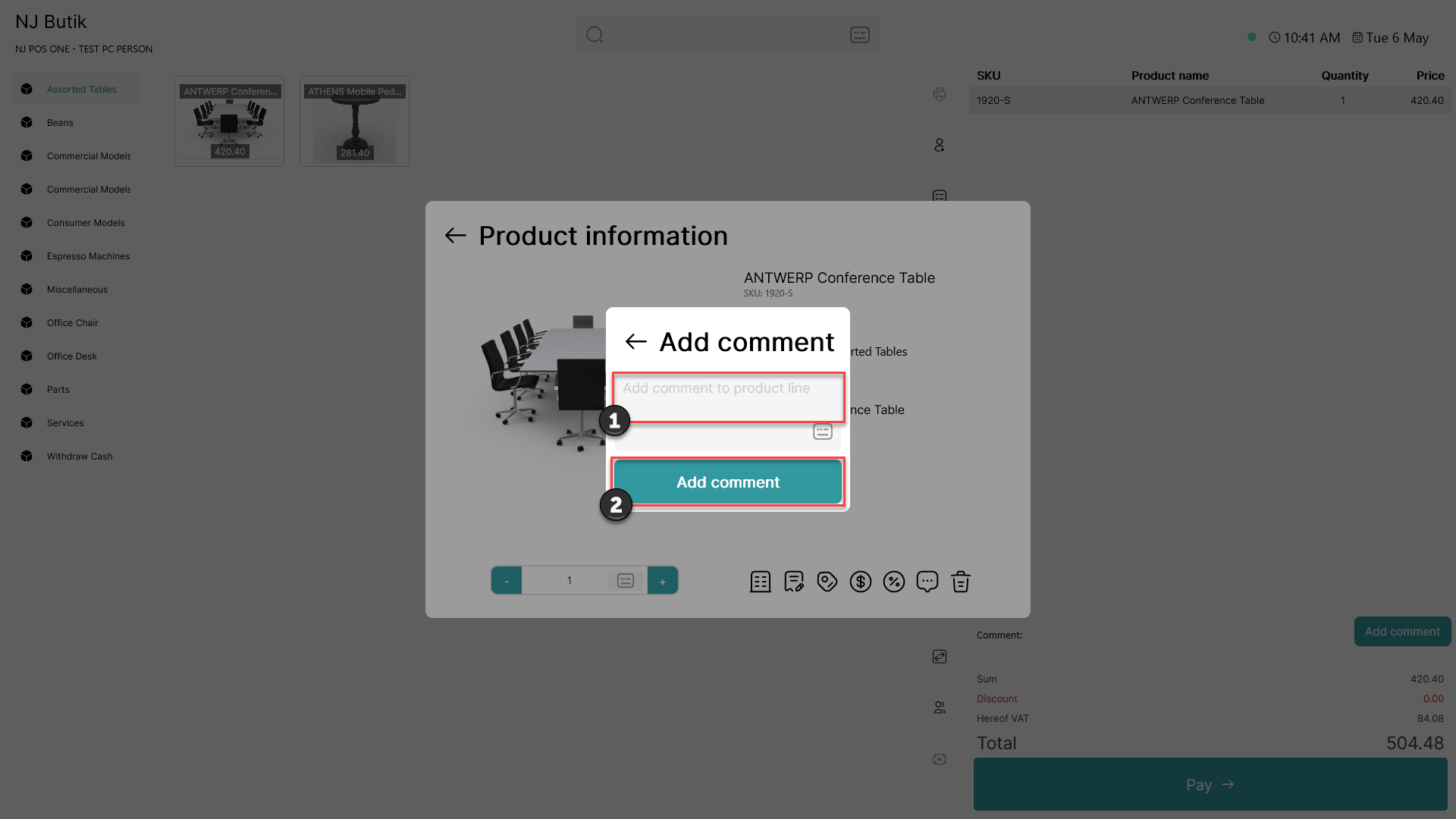
1) Type the comment you want to add
2) Click 'Add comment'
The comment has now been added and will be displayed in the POS basket and on the receipt
Note: It is also possible to edit or delete the comment by following the same steps