This guide explains how to create a new customer using the POS365 app. The customer created through the POS365 app will also be created in Business Central and synchronized to the Admin Center.
Step 1:
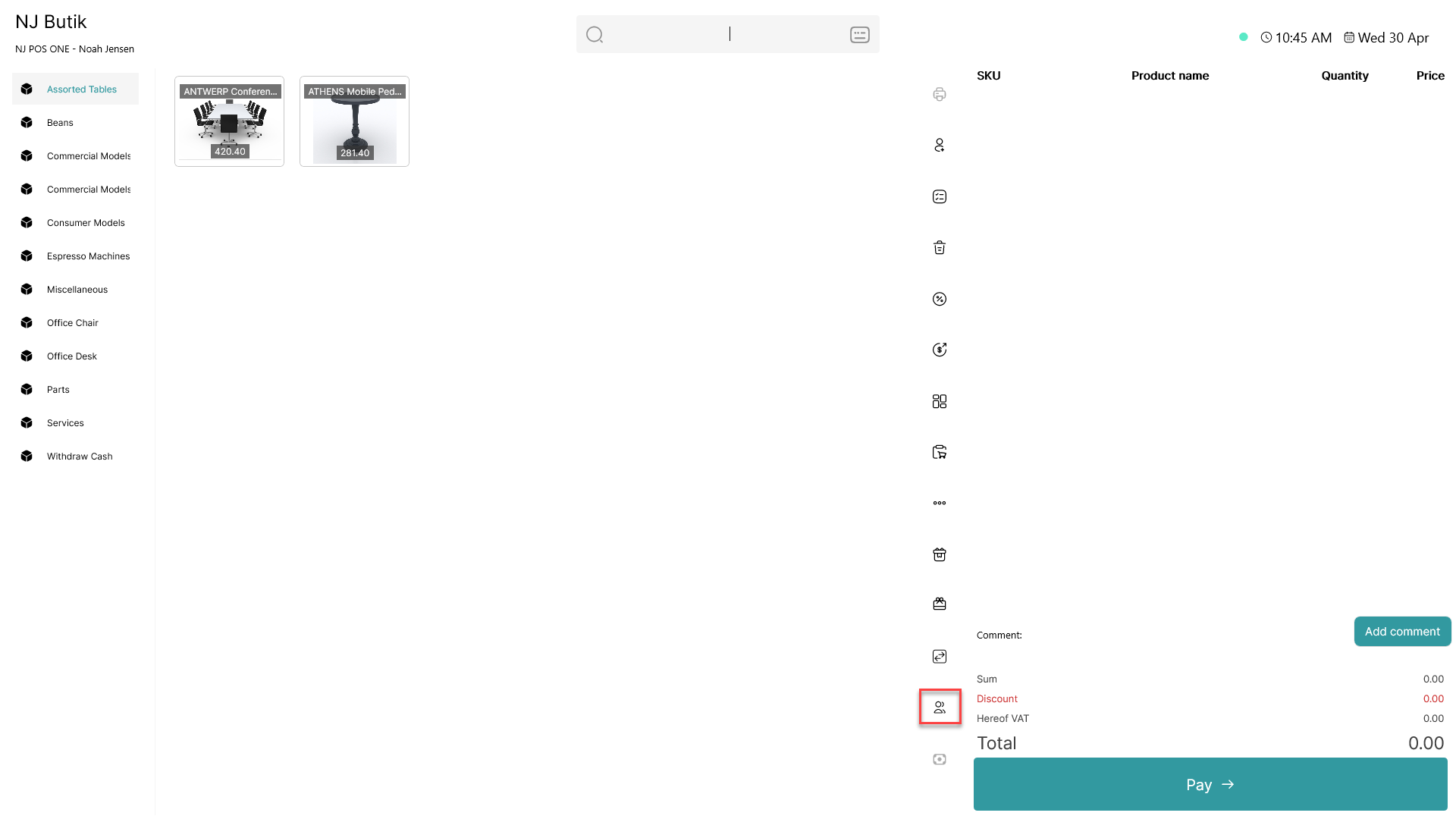
Click on the  - button
Step 2:
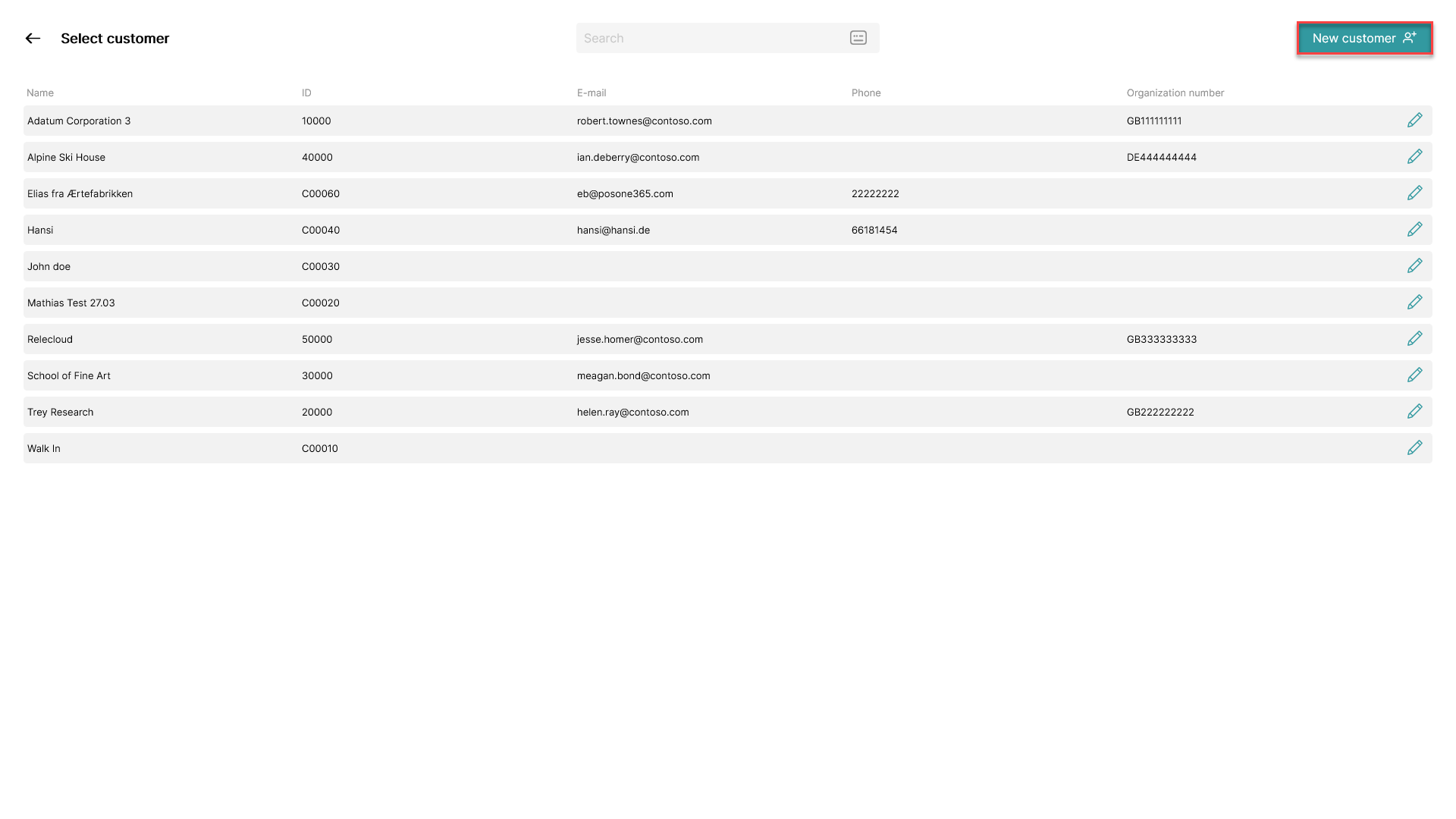
Click on the 'New Customer' button located at the top, right corner
Step 3:
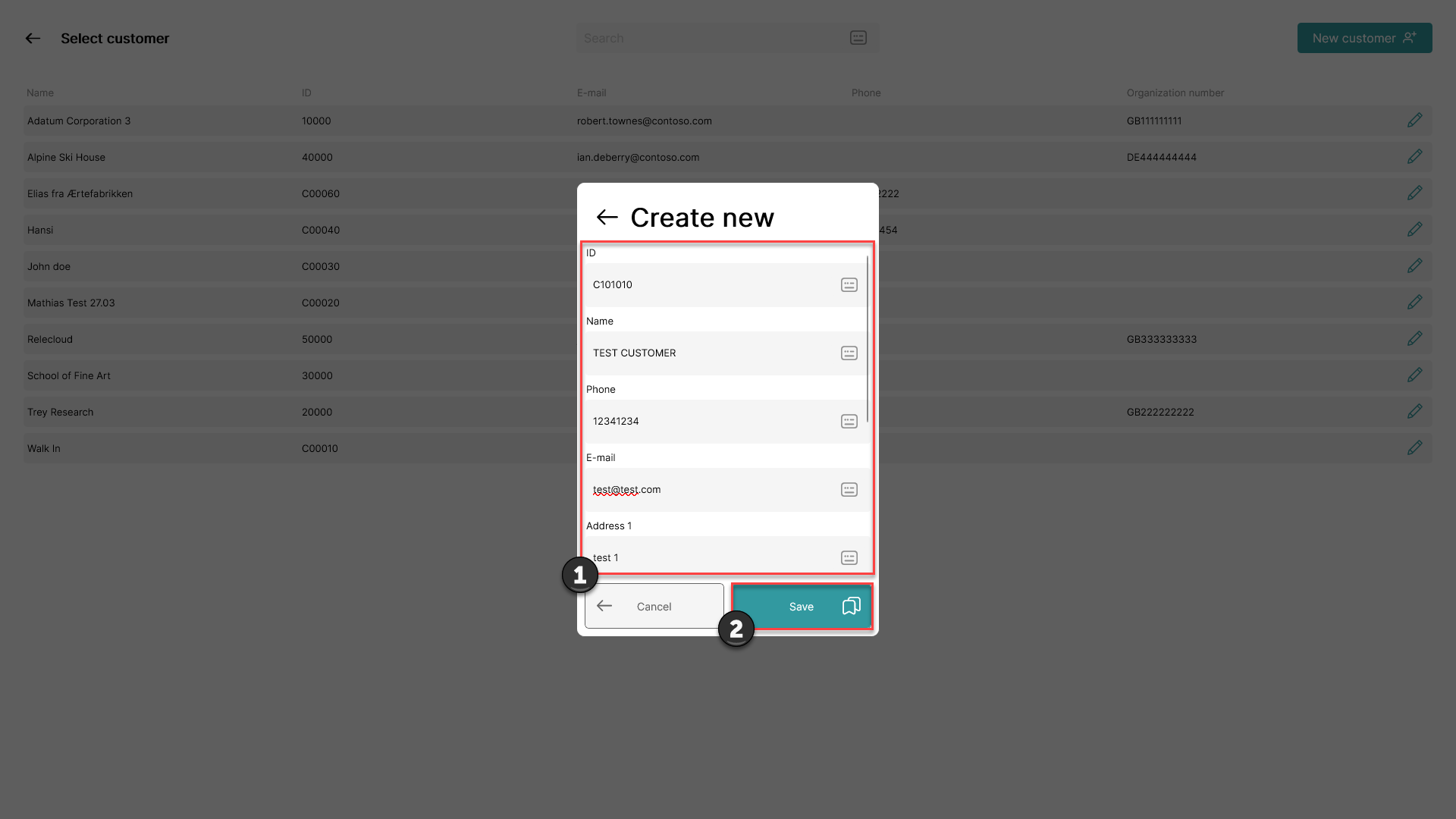
1) Fill in the necessary information (scroll down for more fields)
2) Click 'Save'
Step 4:
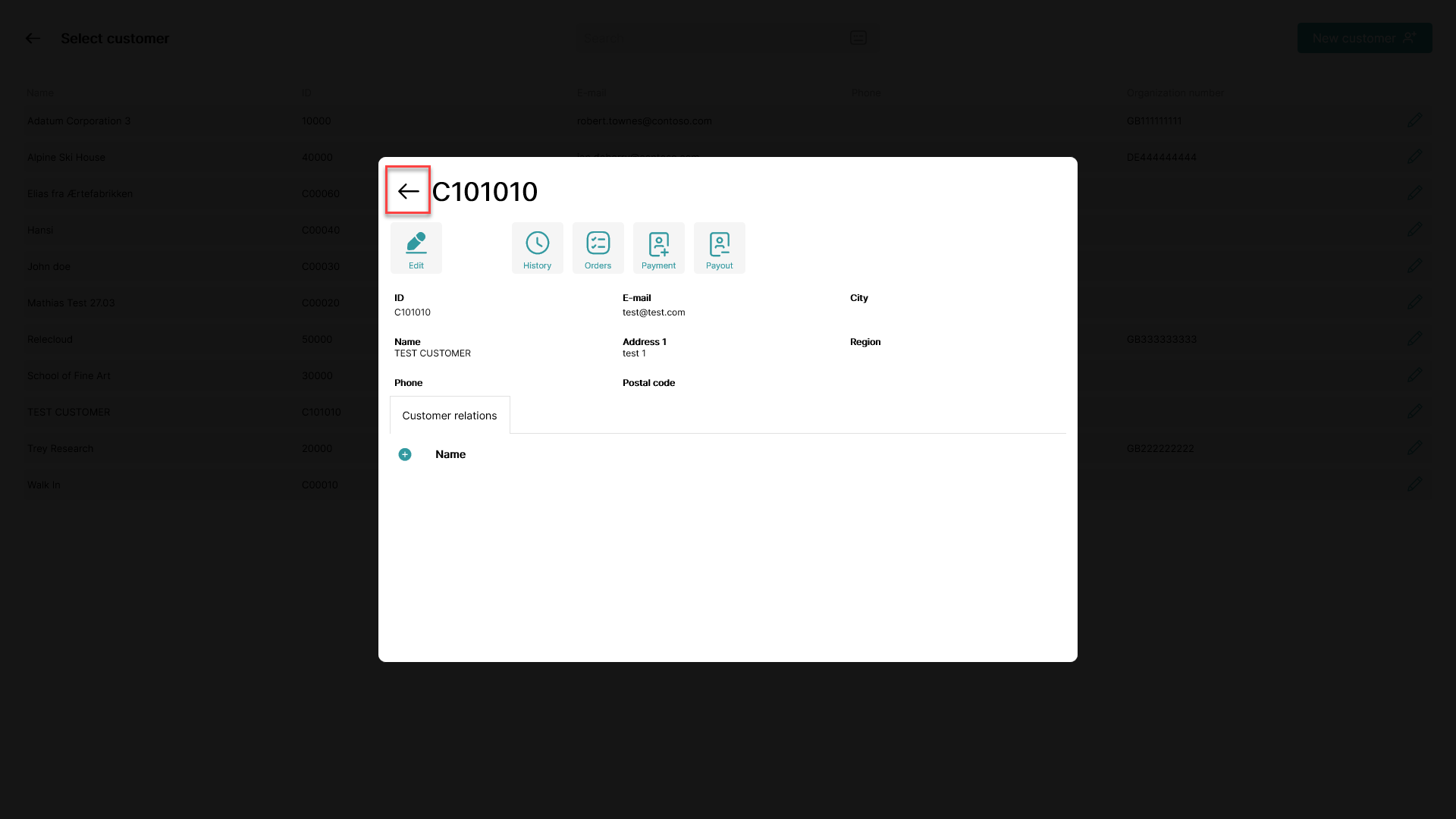 Information regarding the newly created customer is shown.
To exit this window, click on arrow pointing left