This guide explains how to edit the price of a specific item added to the basket in POS365. Note that the price is only changed for this order.
Step 1:
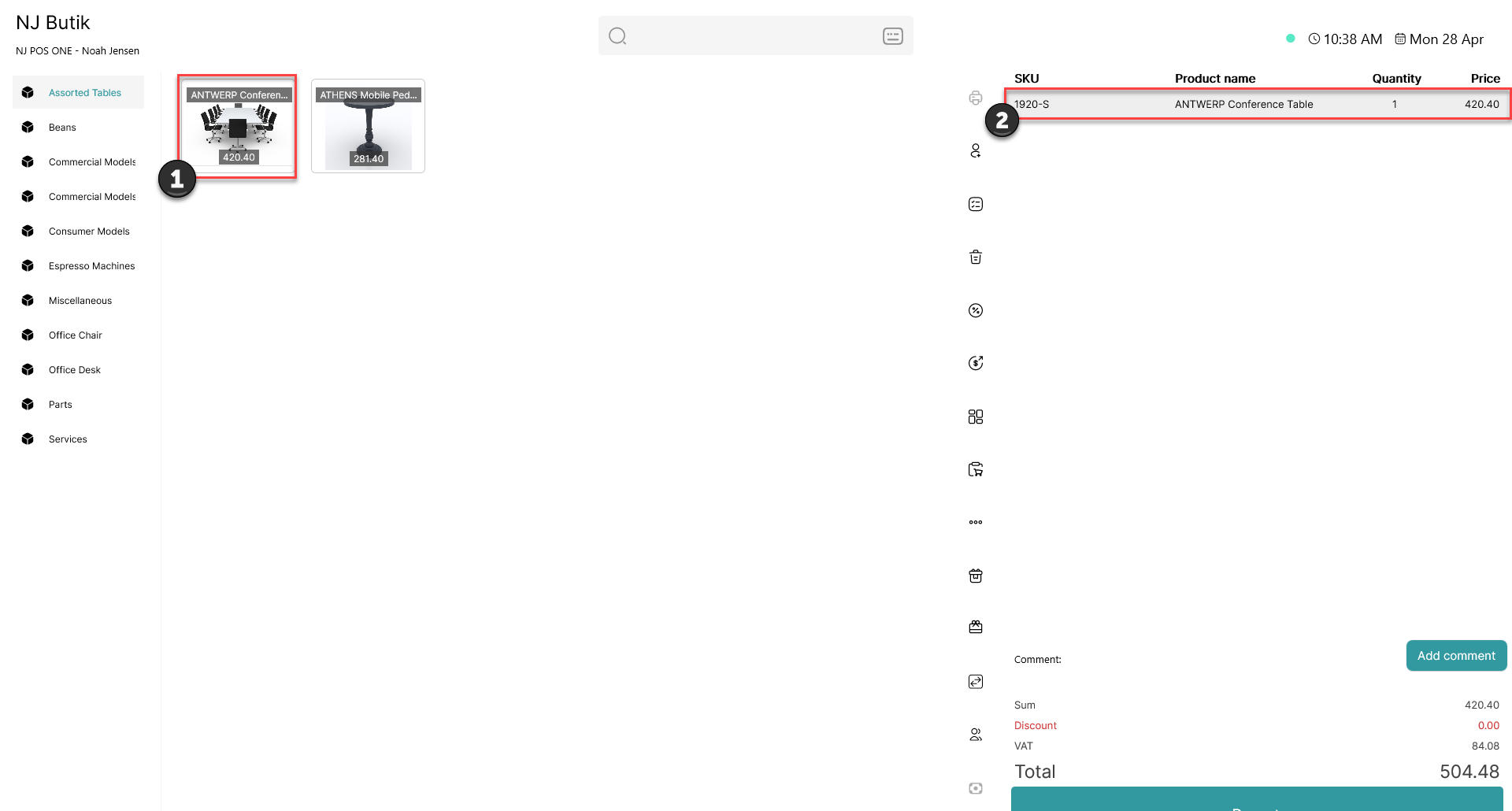
1) Add an item to the basket
2) Click on the item in the basket
Step 2:
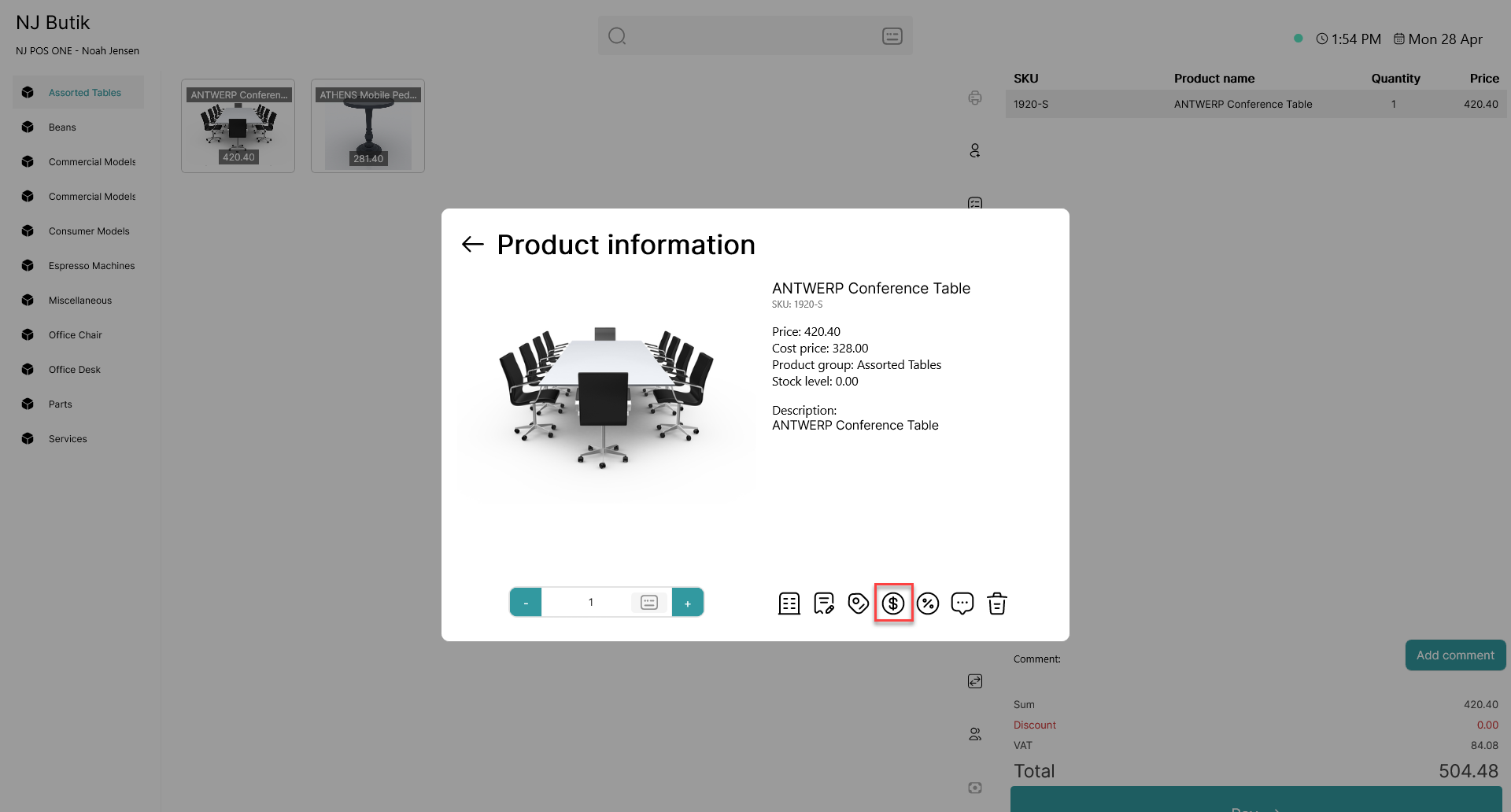
Click on the  - button
Step 3:
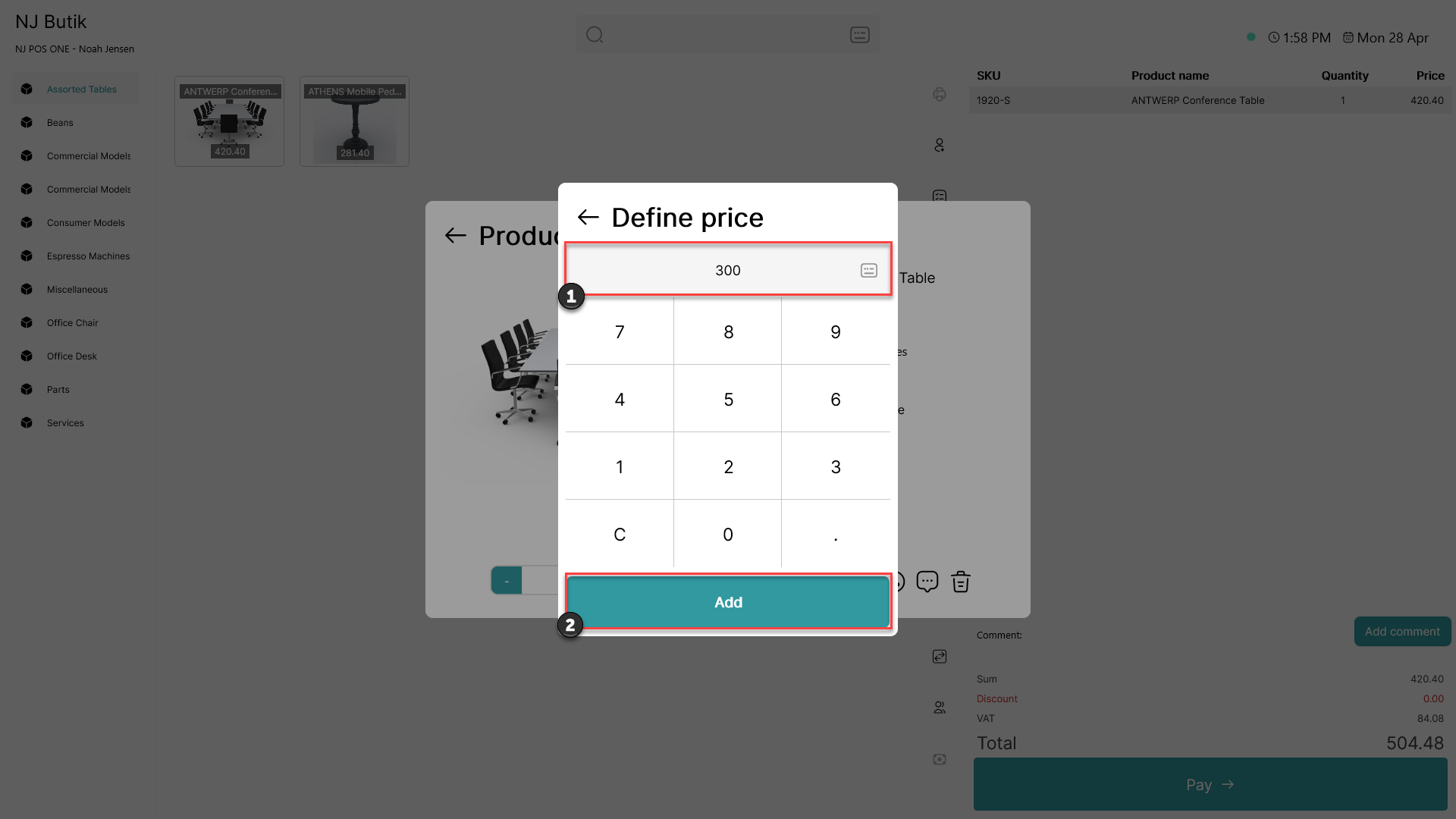
1) Type in your desired price
2) Click 'Add'
Step 4:
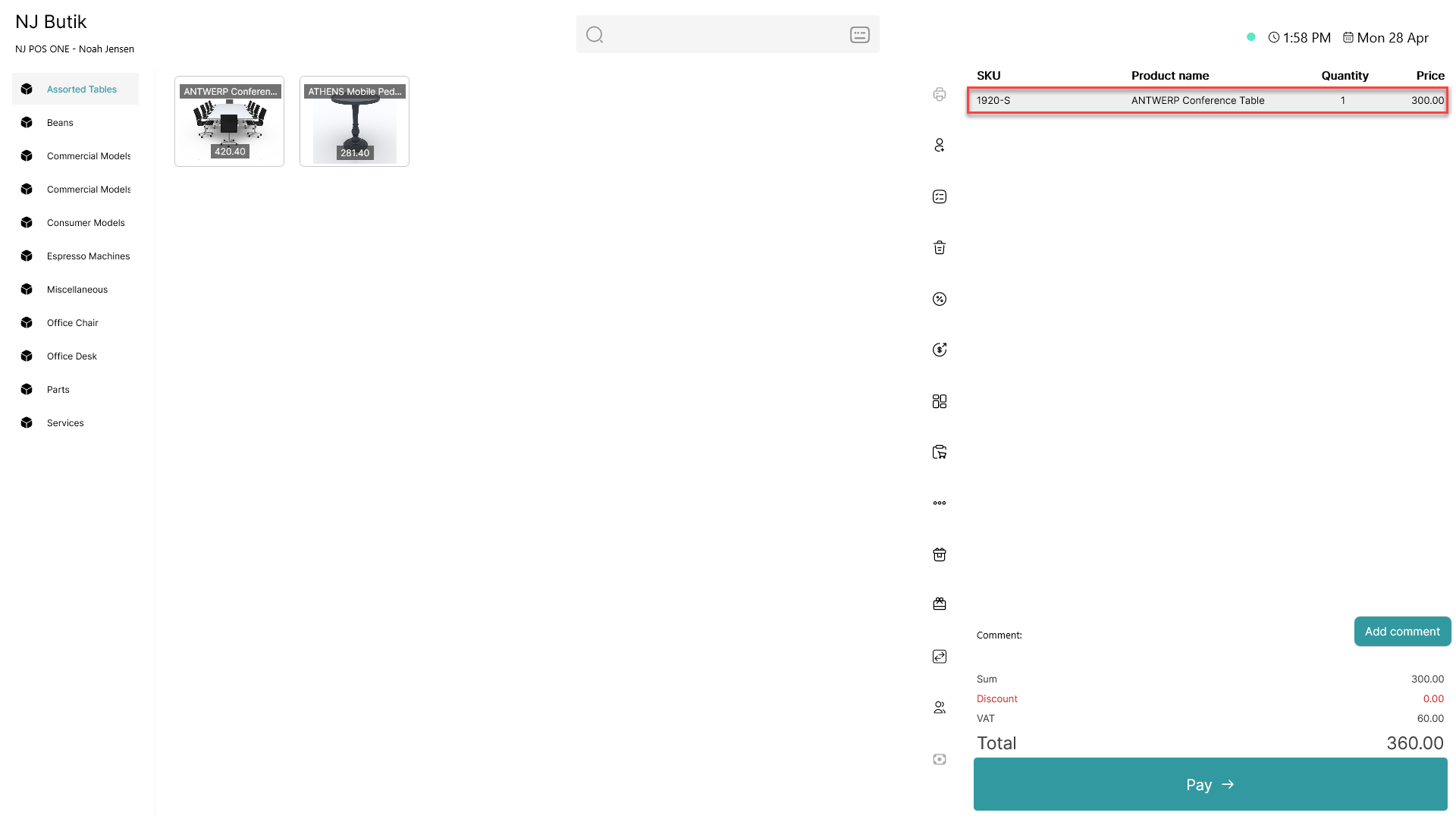
The price of the product has now been changed in the basket