This guide explains how to view the stock level of an item at different locations through the POS365 app.
Step 1:
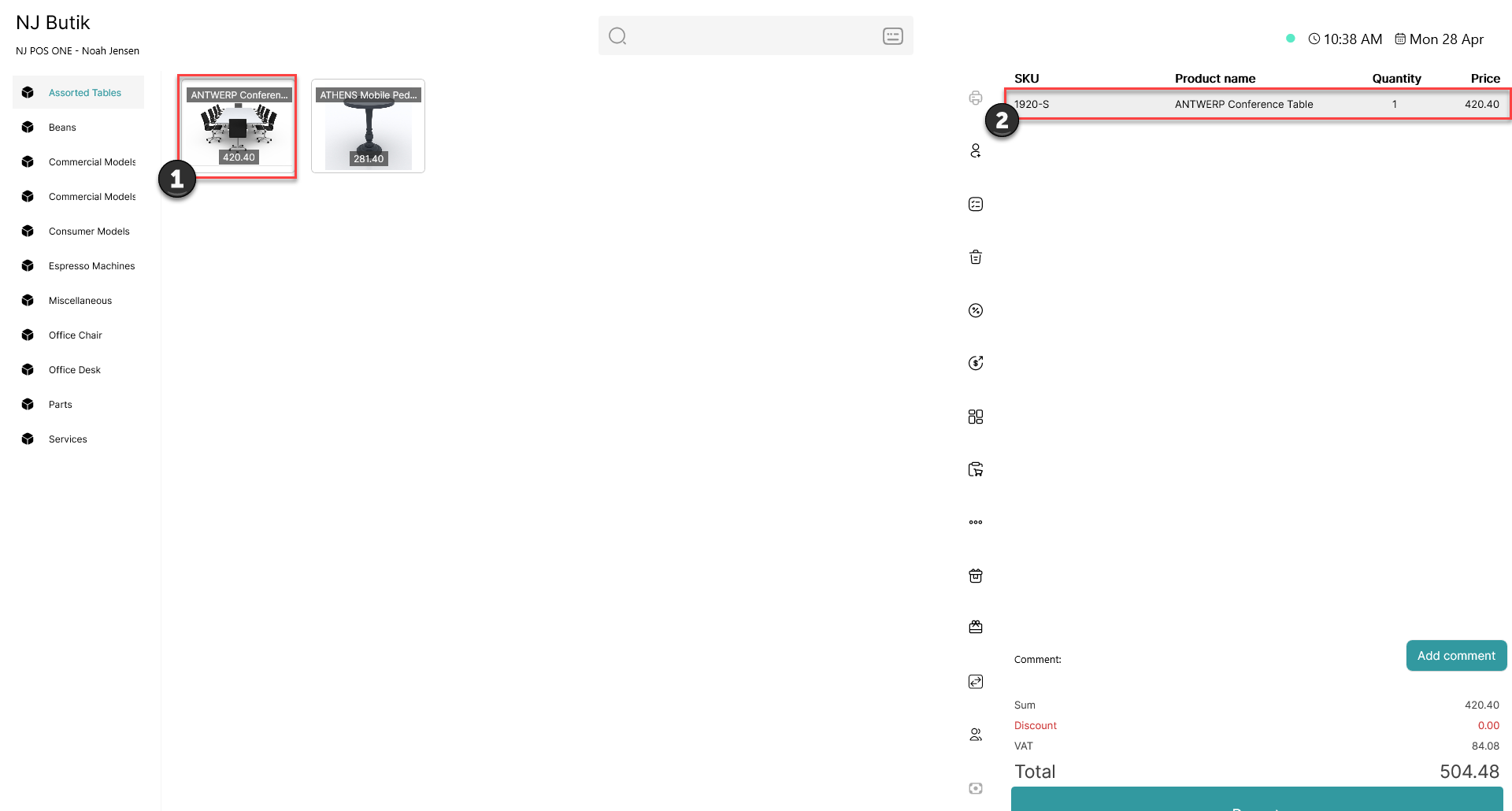
1) Add an item to the basket
2) Click on the item in the basket
Step 2:
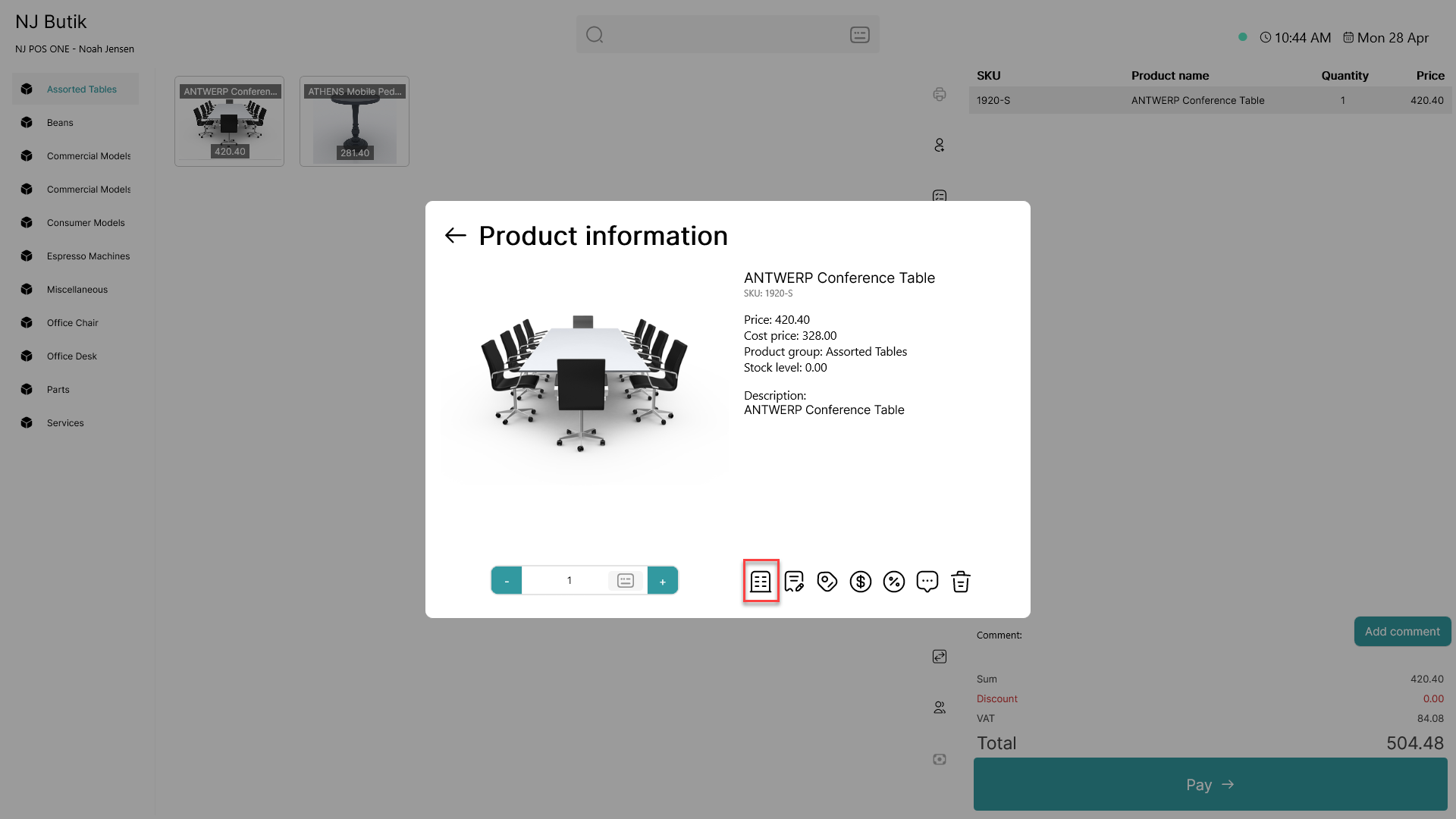
Click on the  - button
Step 3:
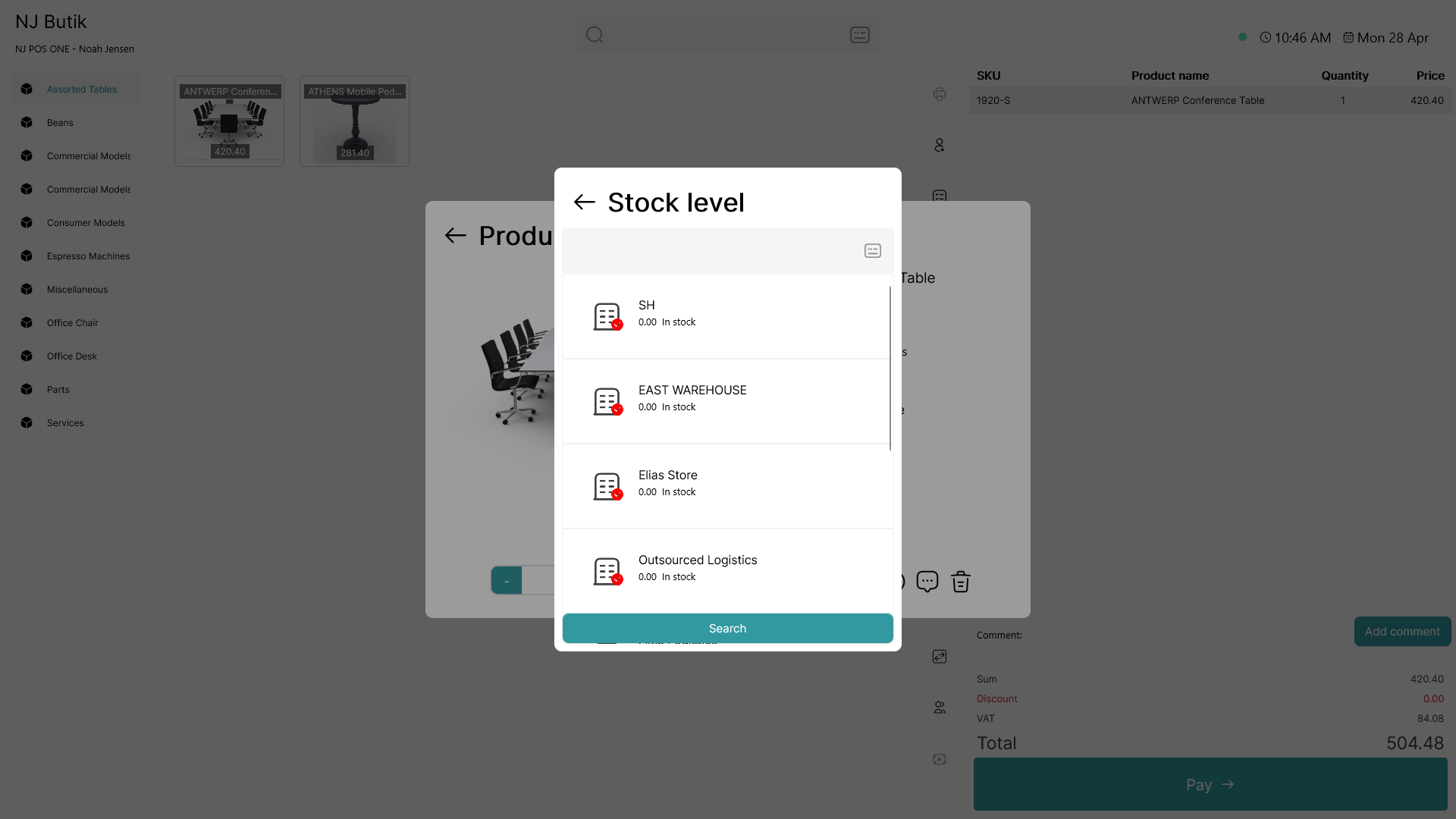
A list of all locations and their stock amount is shown
Note:
This information is synchronized directly from Business Central and will therefore not be accessible when offline