This guide explains how to assign a new permission role to an employee/staff member
Step 1:
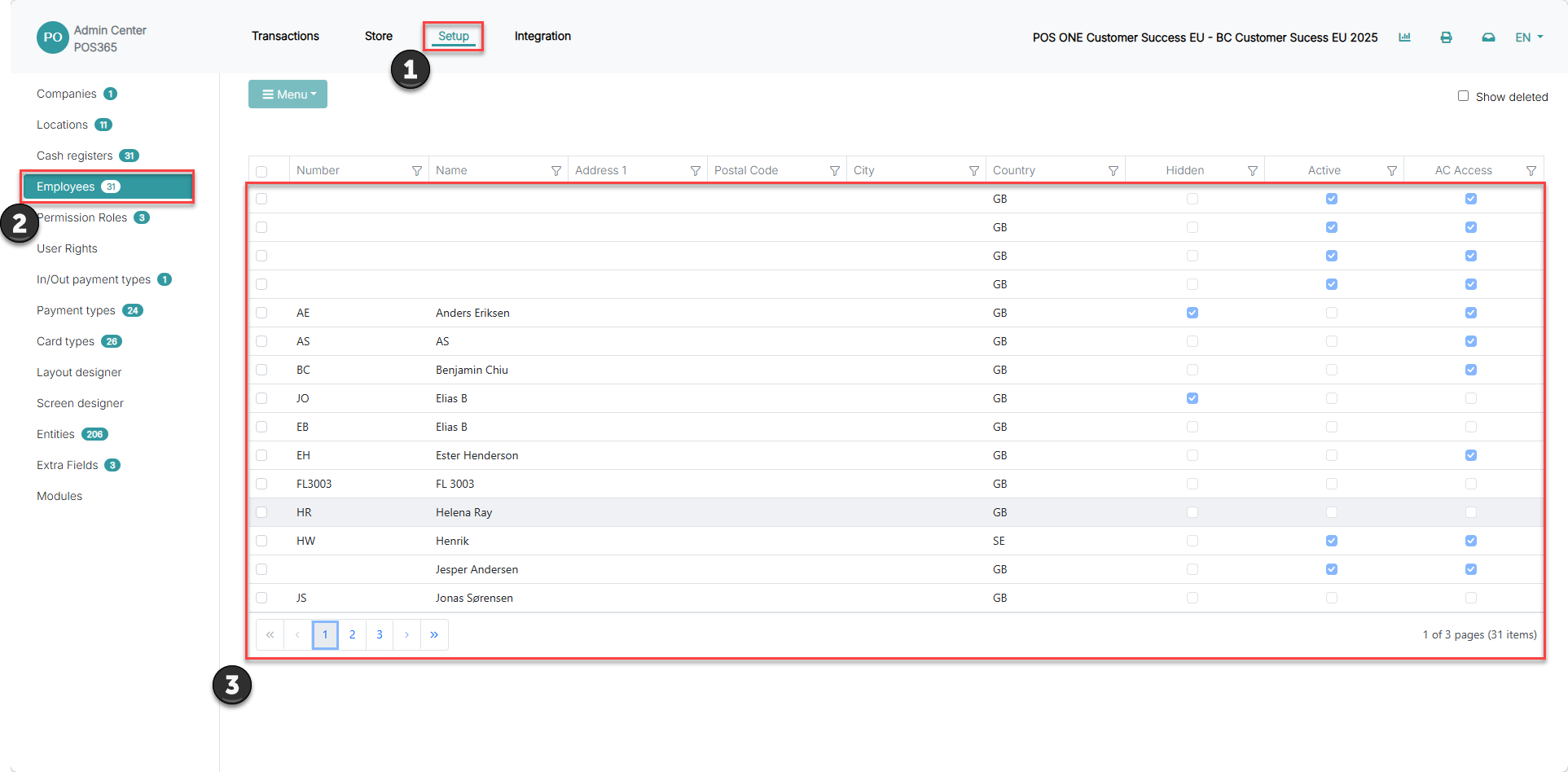
1) Go to 'Setup'
2) Click 'Employees'
3) Click on the relevant employee
Step 2:
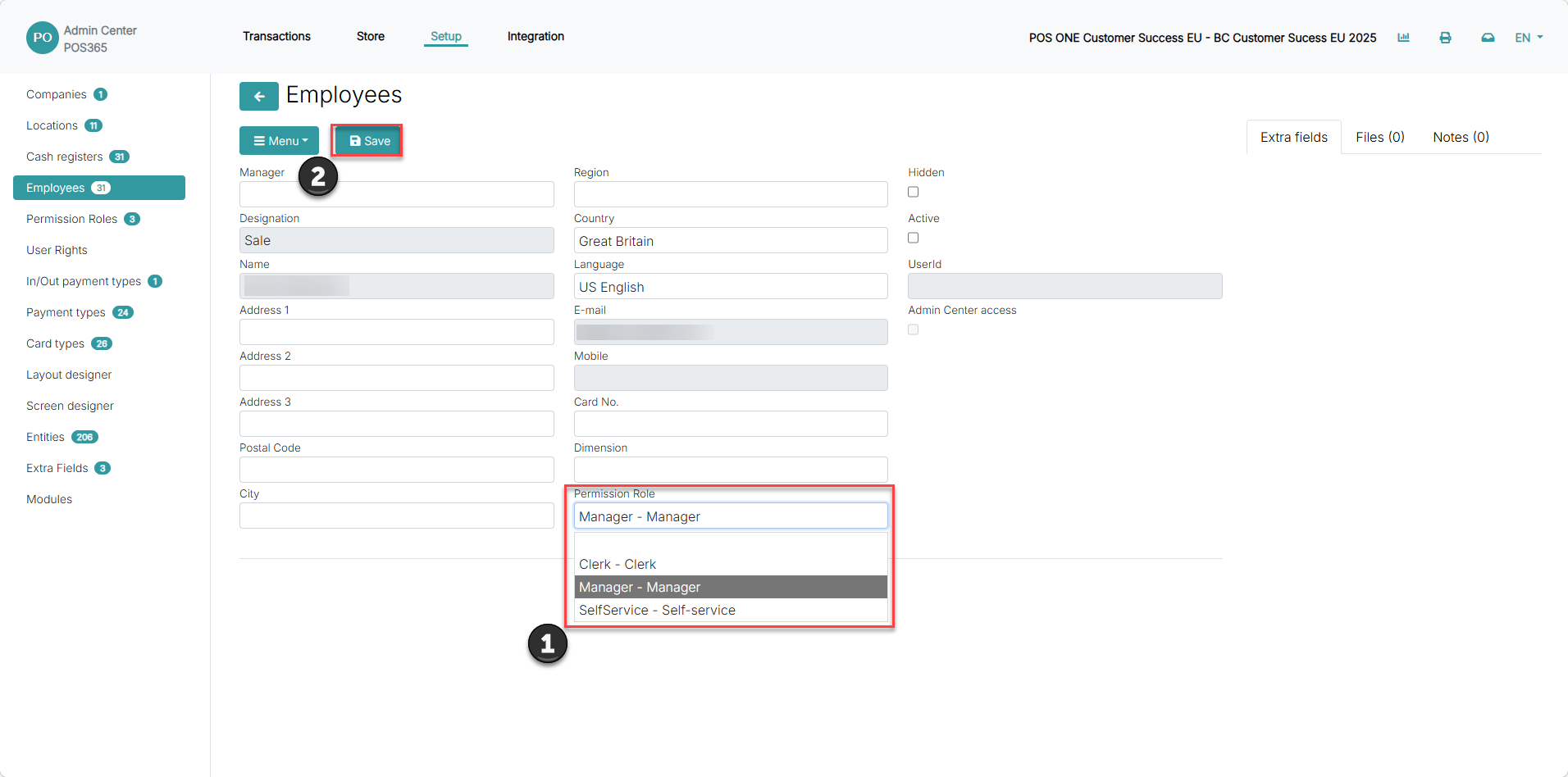
1) Click on 'Permission Role' and choose the role from the list
2) Click 'Save'