This guide explains how to load a sale that has been saved.
If you have not already put a sale on hold, please follow this guide: How to - Save a sale
Step 1:
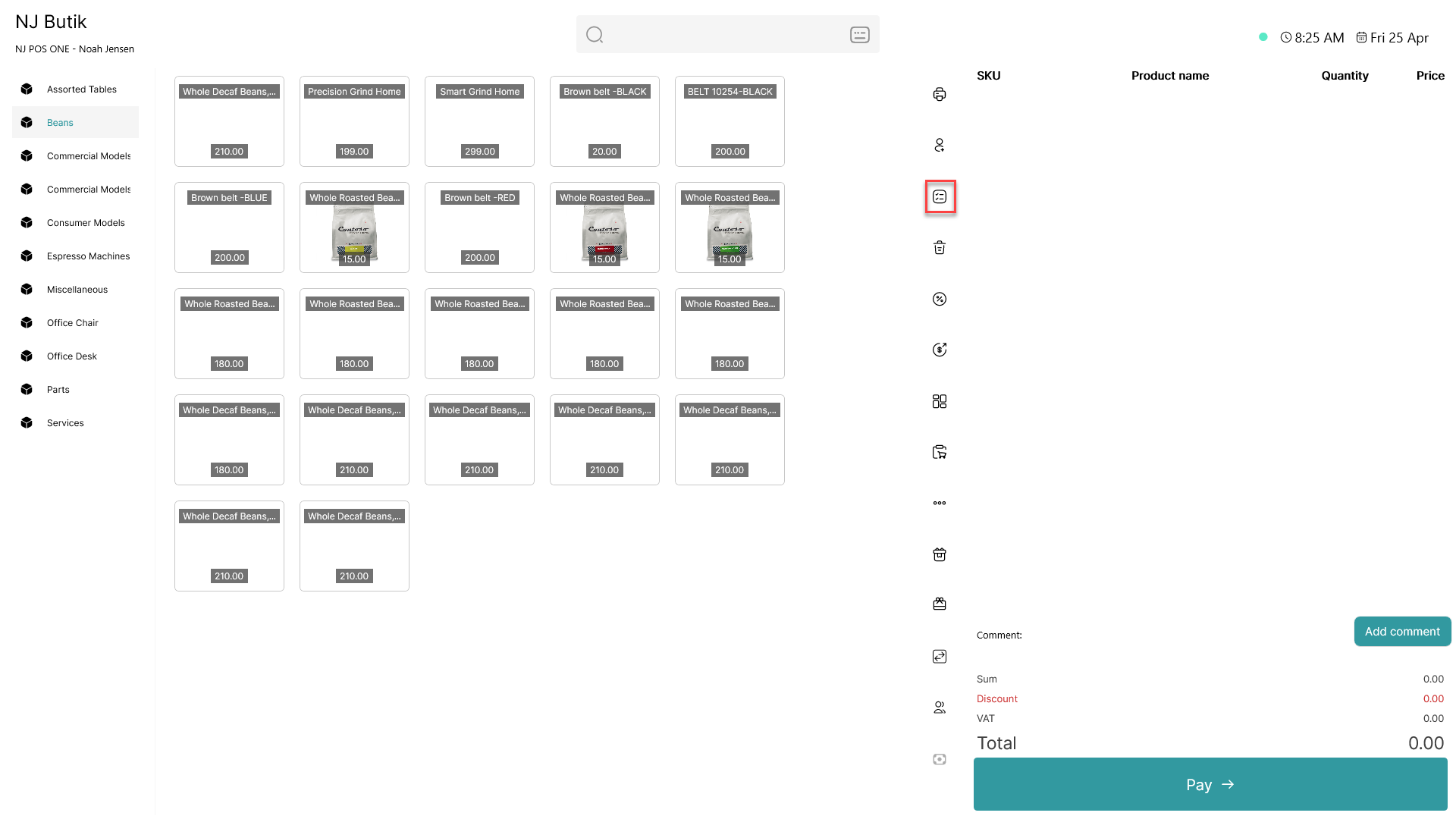
Click on the  - button
Step 2:
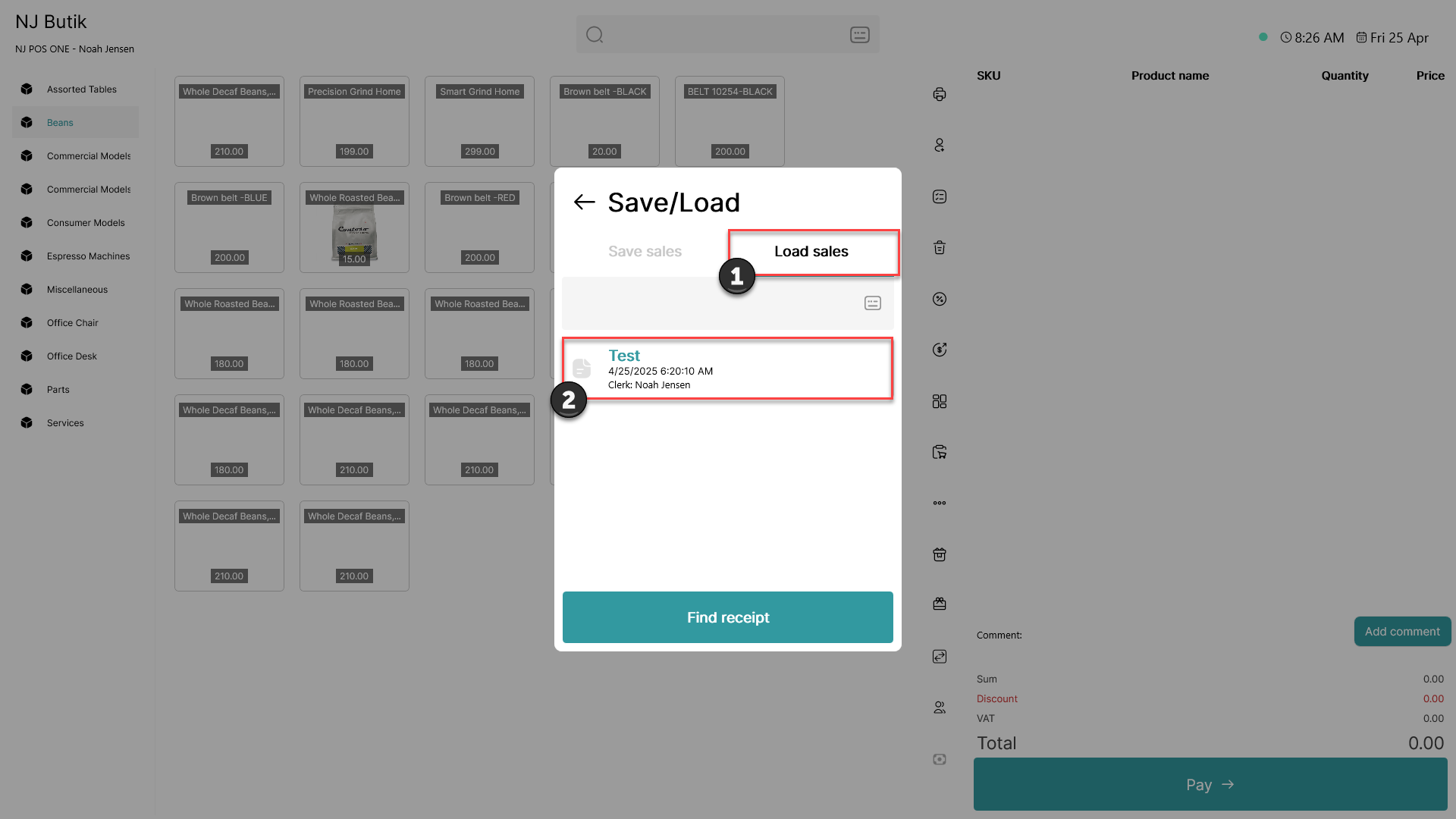
1) Click on 'Load sales'
2) Find the sale you want to load from the list and click on it
Once this has been done, the items will be added to the empty basket
Saved sales can be accessed on all cash registers within the same location
To merge a sale with an existing basket, please follow this guide