This guide explains how to put a sale on hold. By using this function, the items in the basket will be saved and can be loaded later.
Step 1:
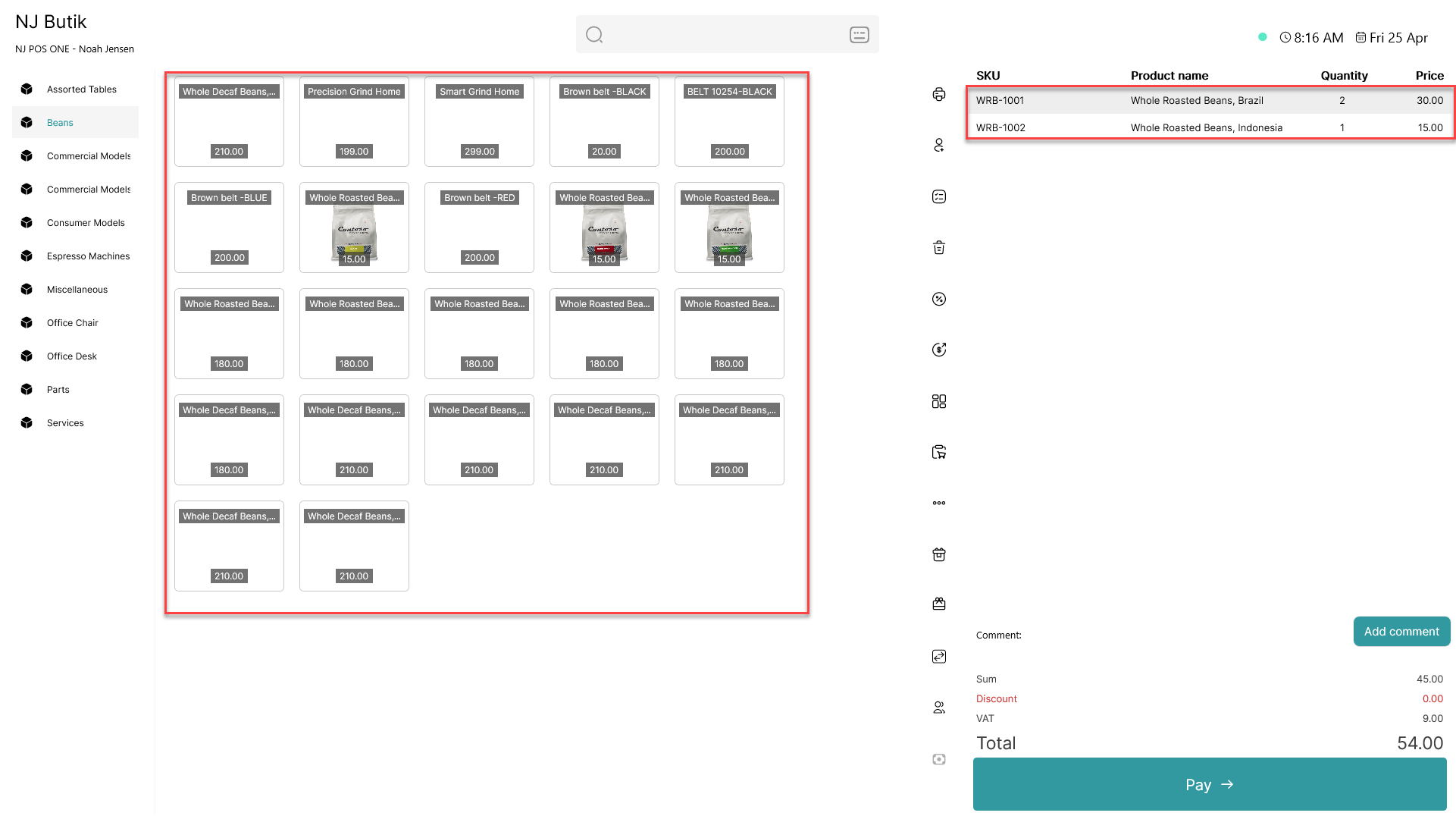
Add items to the basket
Step 2:
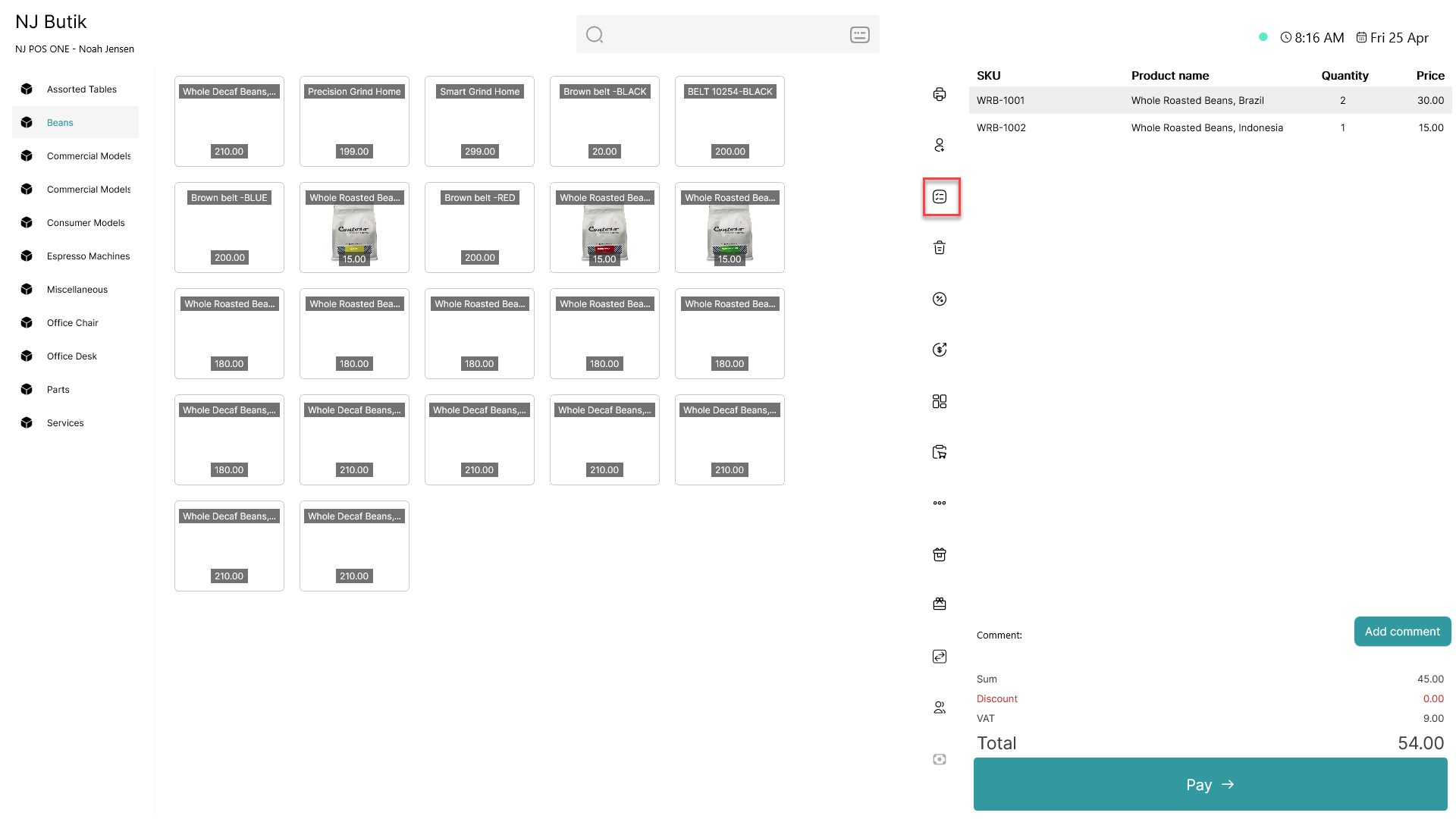
Click on the  - button
Step 3:
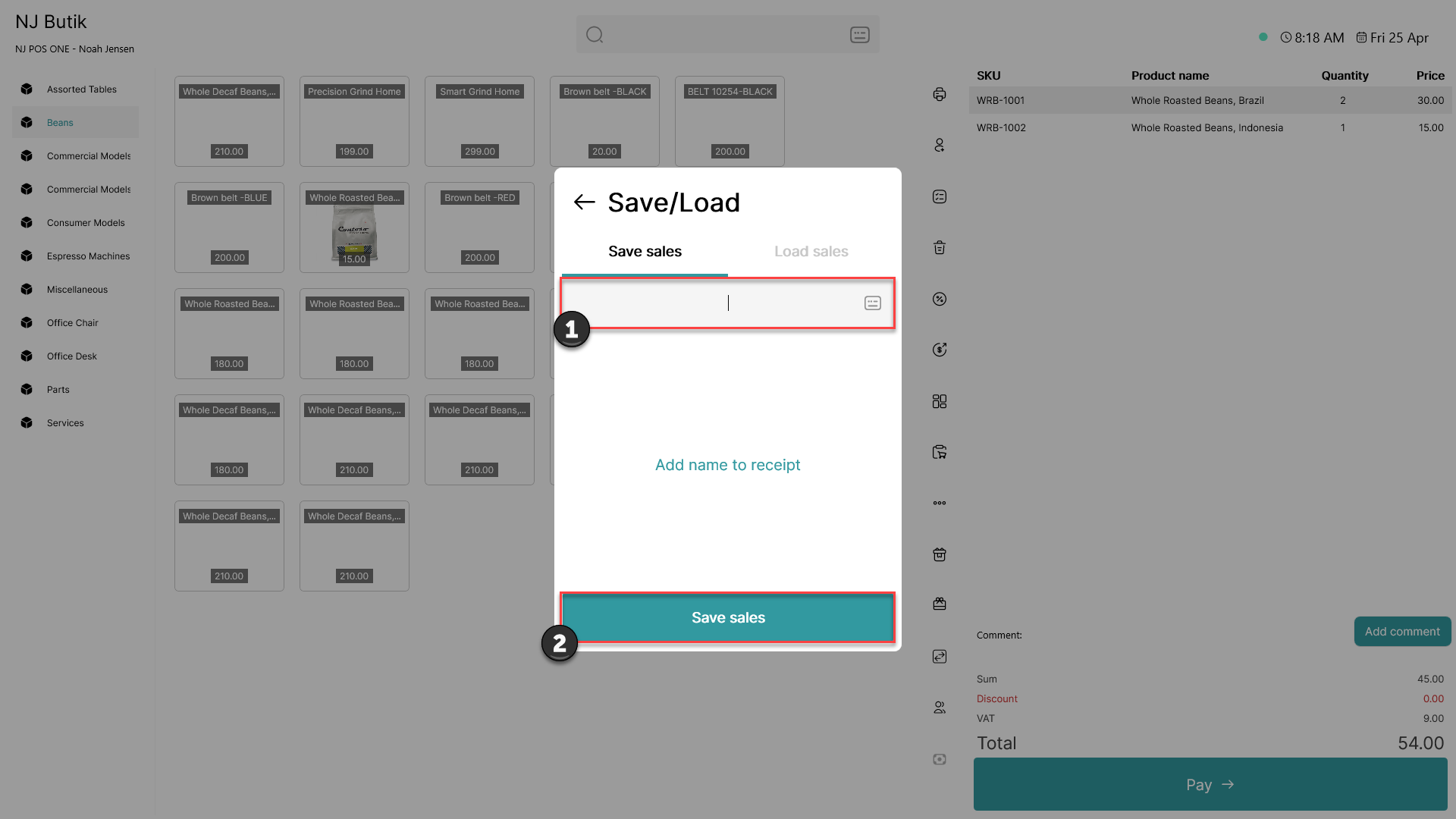
1) Enter a name for the sale to help you recall its details or the parties involved
2) Click 'Save sales'
The sale has now successfully been saved for later use
Note:
- Saved sales can be viewed on all registers at the same location.
To load a saved sale, please follow this guide: How to - Load a sale