This guide explains how to set the default customer of the POS365 app. The setup must be made in the Admin Center. Furthermore, a specific customer for this purpose needs to be created in Business Central.
Step 1:
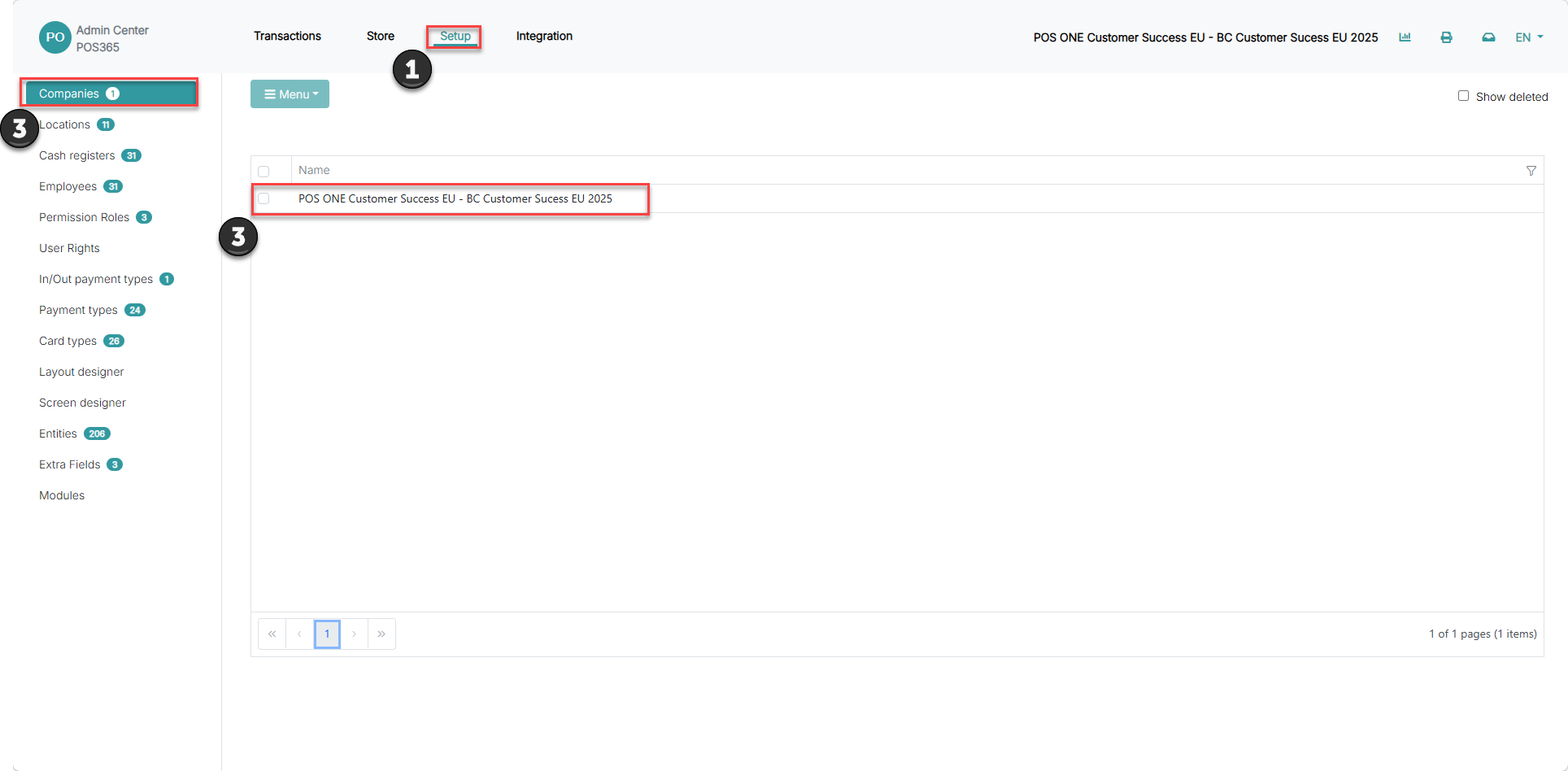
1) Click 'Setup'
2) Go to 'Companies'
3) Click on your company
Step 2:
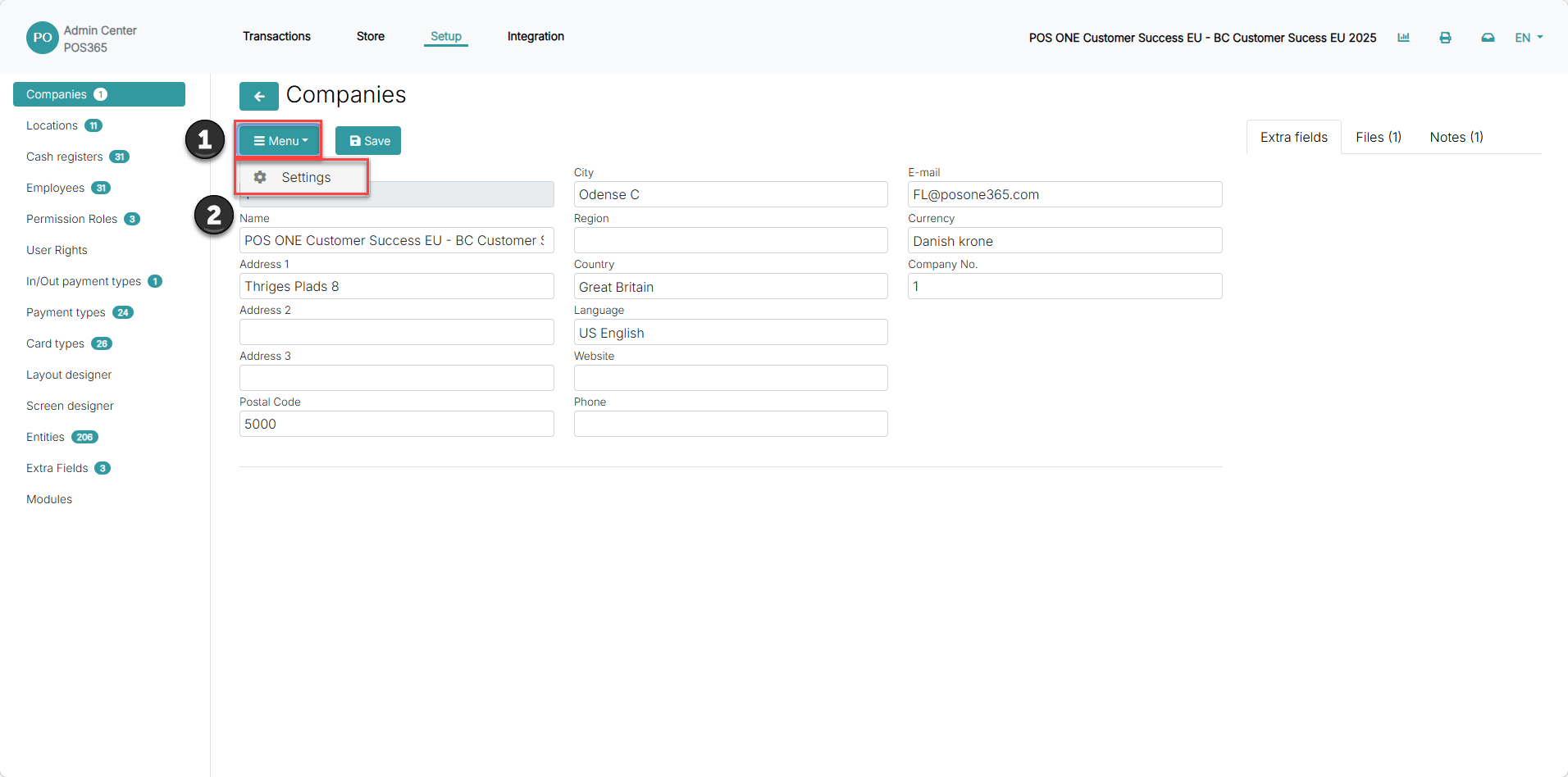
1) Click "menu"
2) Click "settings"
Step 3:
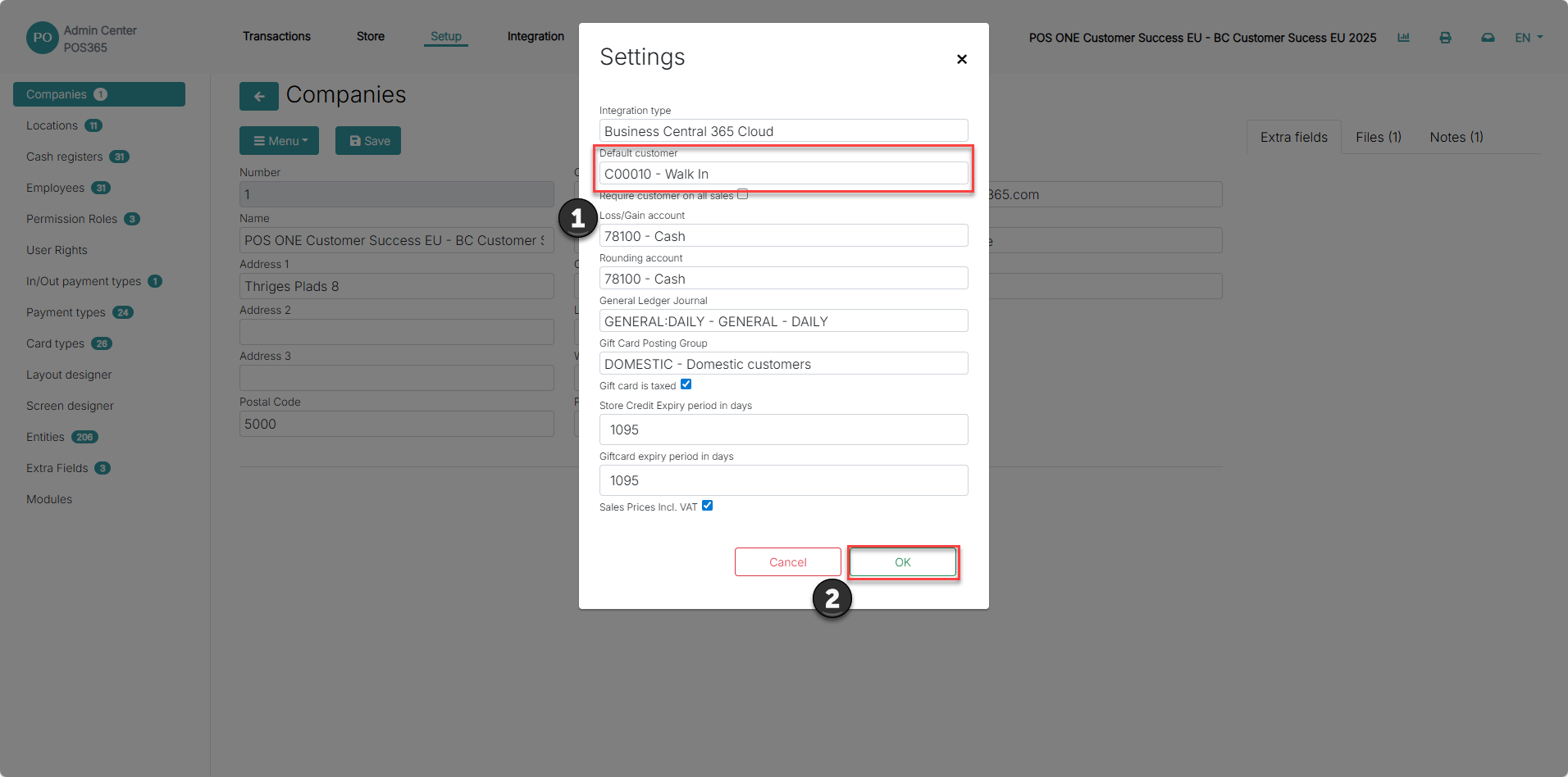
1) Pick the customer you created in Business Central from the drop down menu
2) Click 'OK'