This guide explains how to use a gift card that has already been created.
If you haven't already created a gift card, follow this guide: How to - Create a gift card
Step 1:
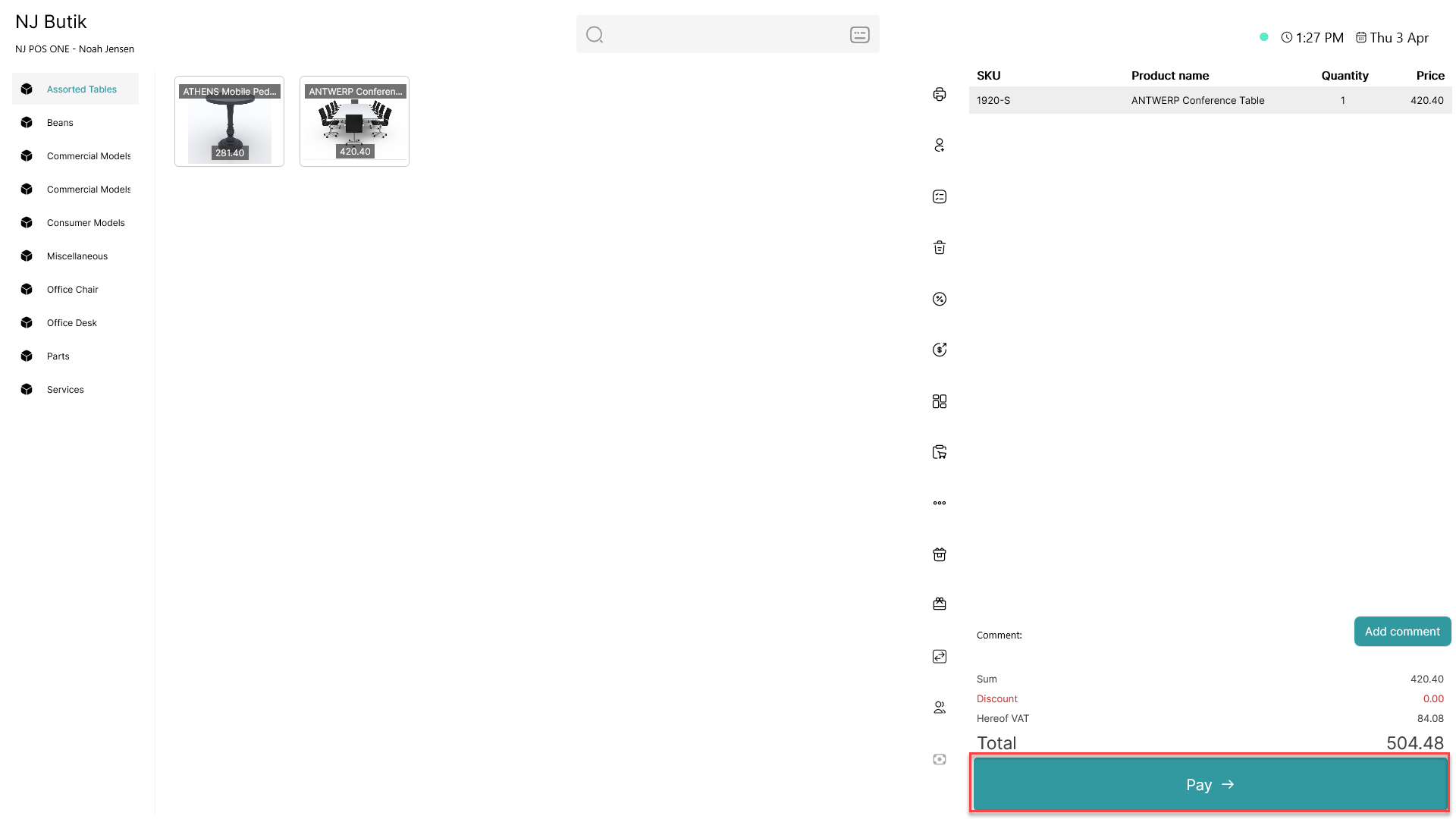
Click 'Pay'
Step 2:
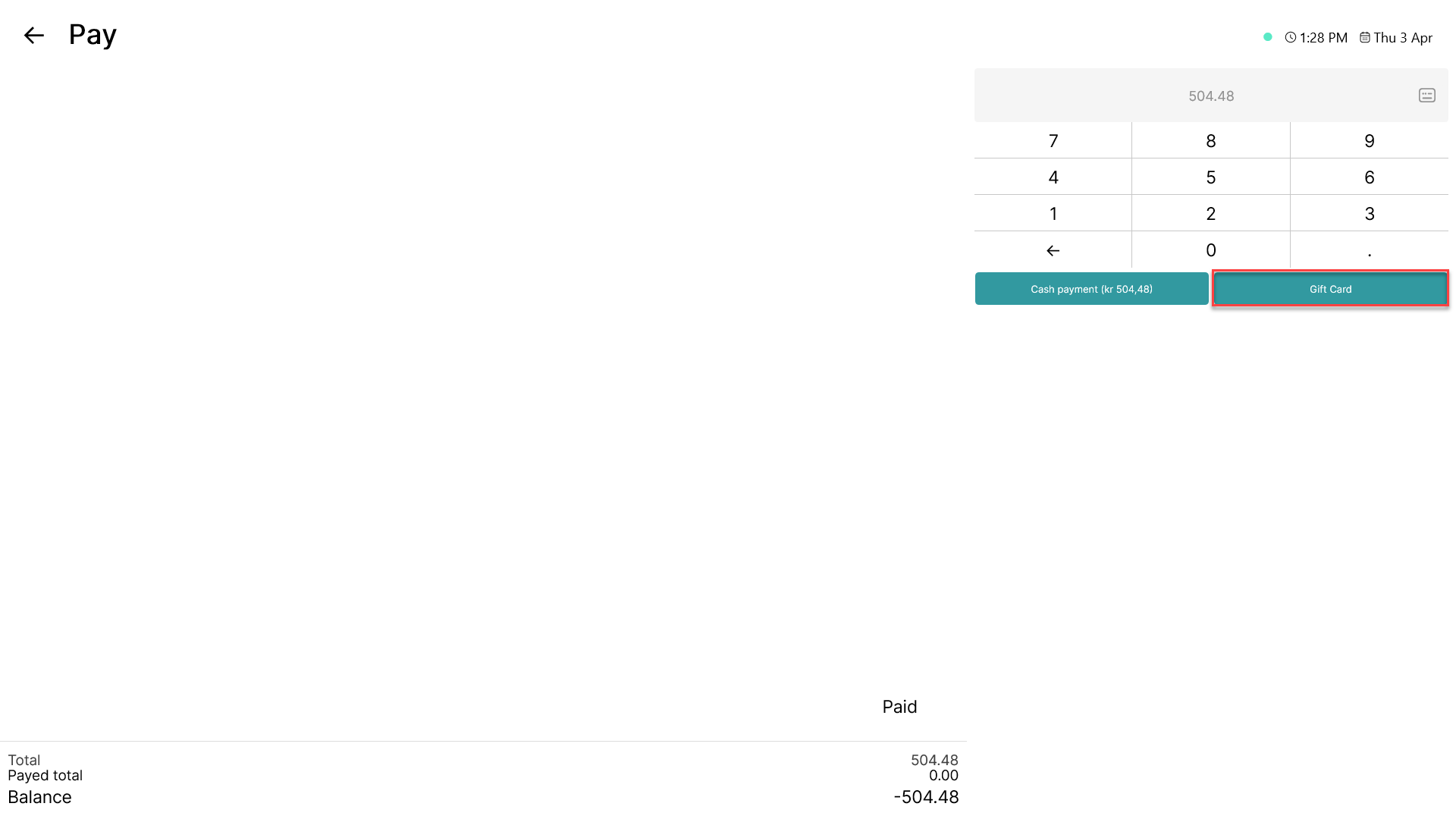
Click on 'Gift Card'
Step 3:
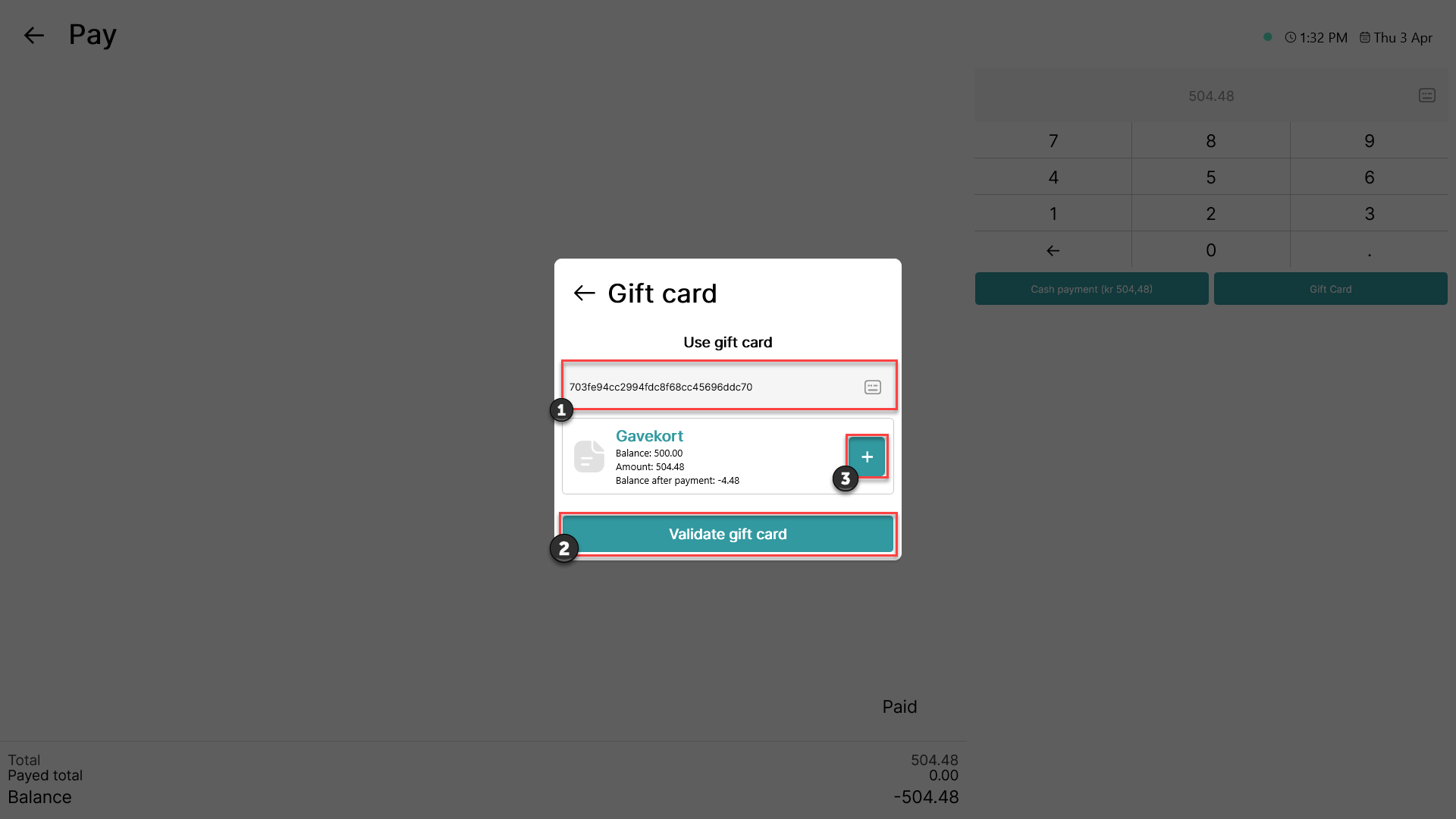
1) Scan the gift card
2) Click ' Validate gift card'
3) The gift card will show up. Click on the '+' button
Step 4:
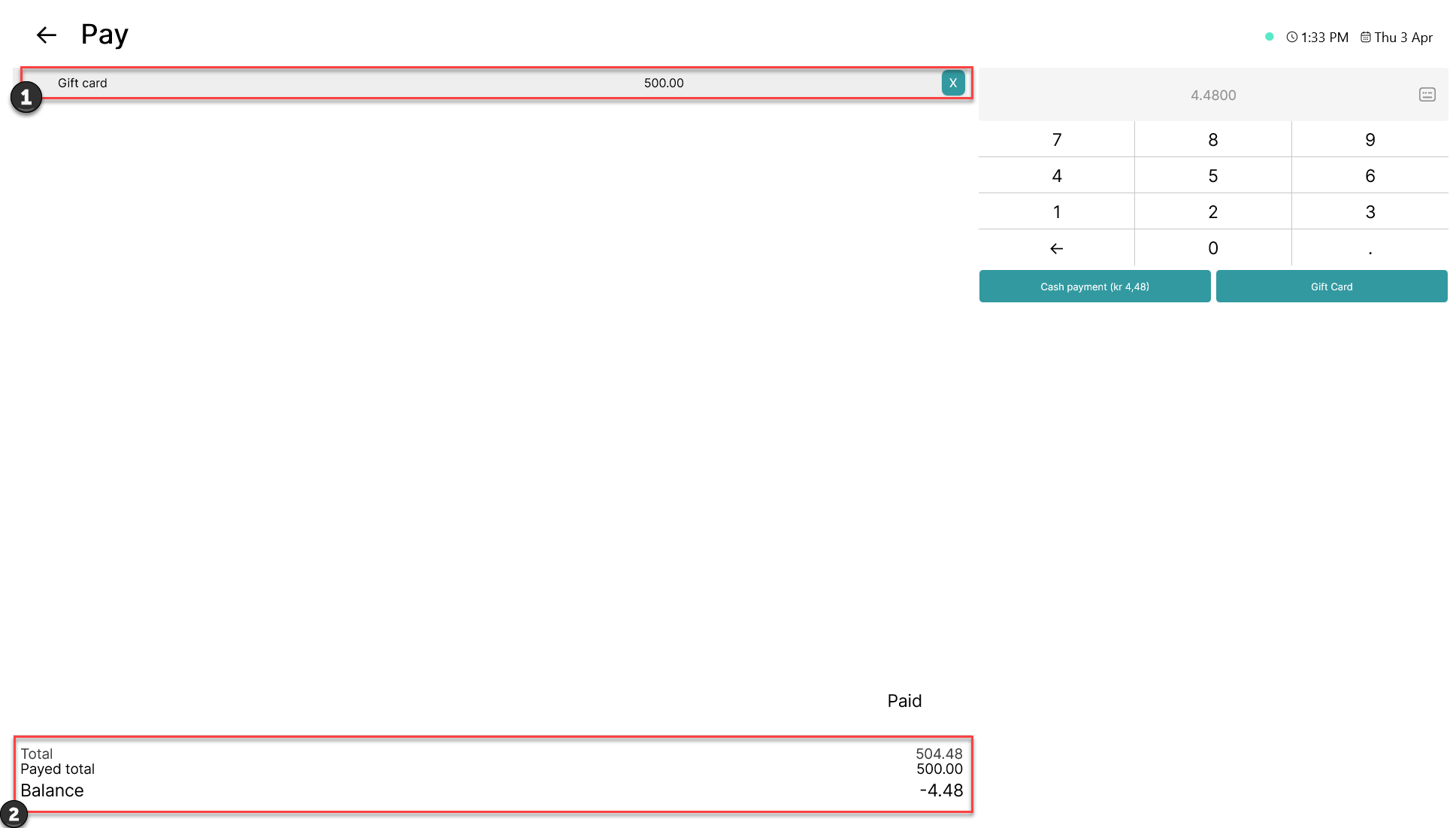
1) The gift card is added as a payment. If you want to remove the gift card, click on the 'X' button
2) The value of the gift card is deducted from the total payment. If the gift card doesn't cover the entire payment, the rest can be paid with a different gift card or another payment type.