This guide explains how to create a gift card in the POS365 app.
Before this can be done, please make sure that you have completed the gift card setup in the Admin Center by following this guide: How to - Set up gift card payments
Step 1:
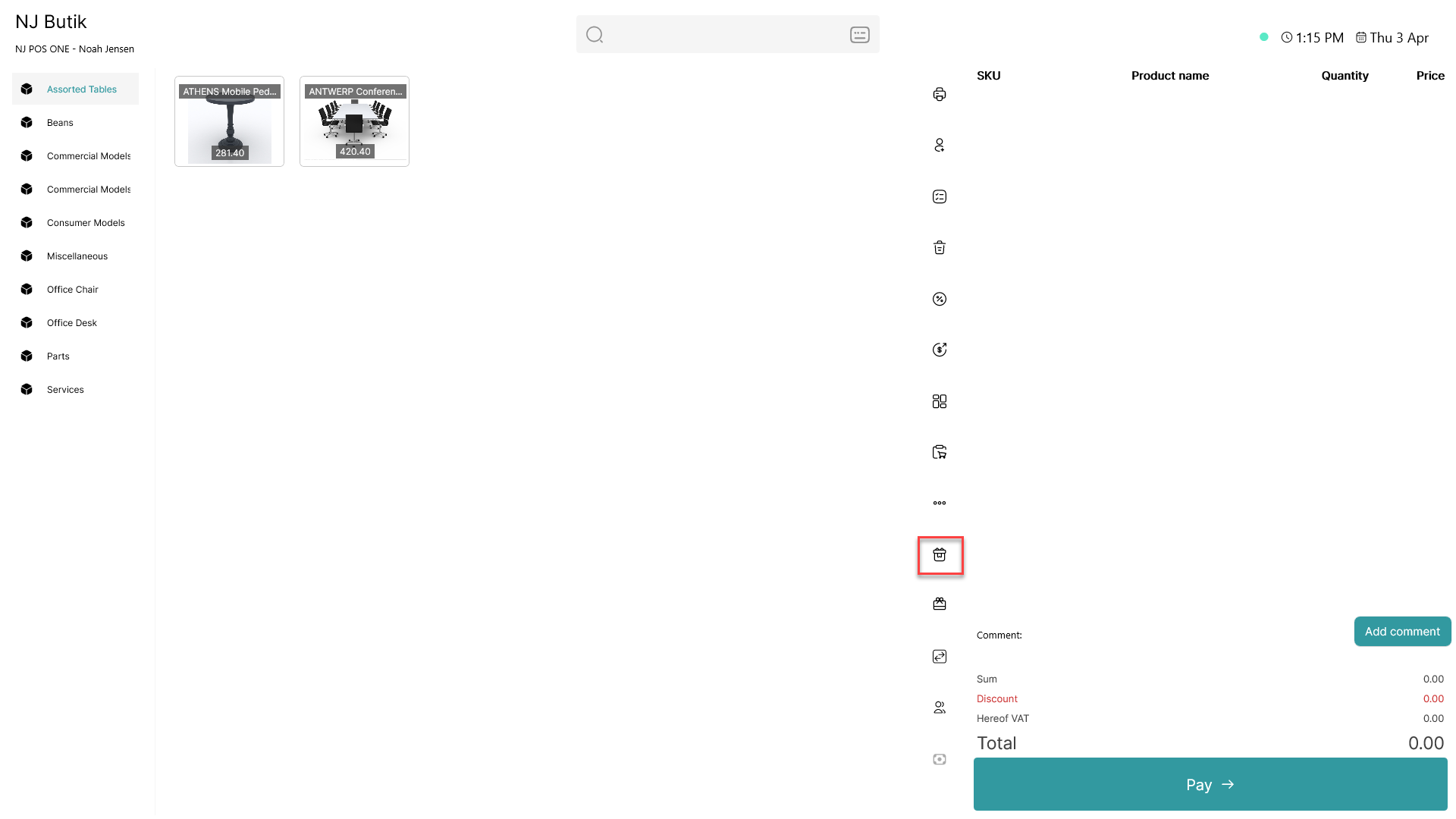
Click on the  - button
Step 2:
A gift card code is automatically generated
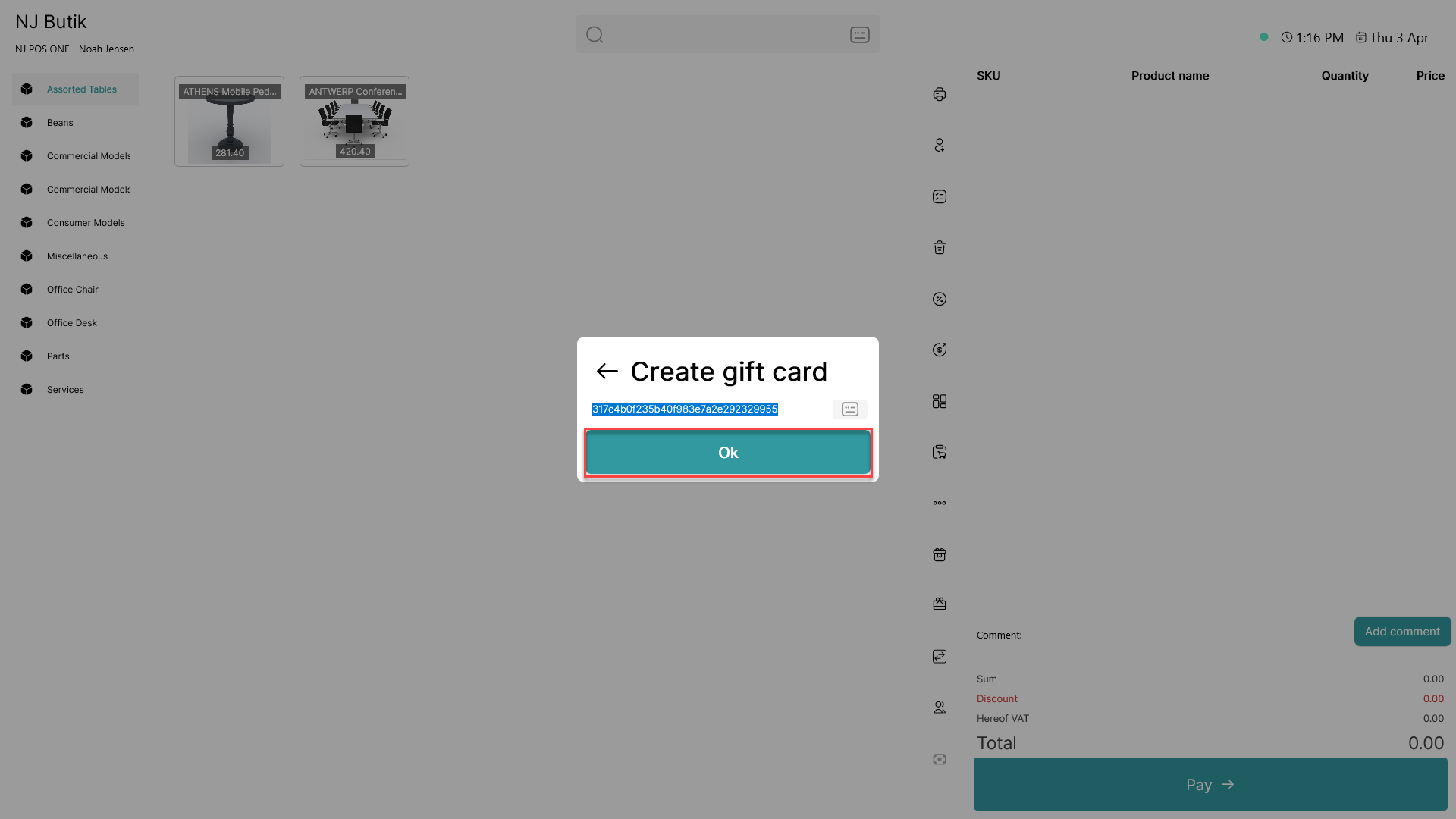
Click 'OK'
Step 3:
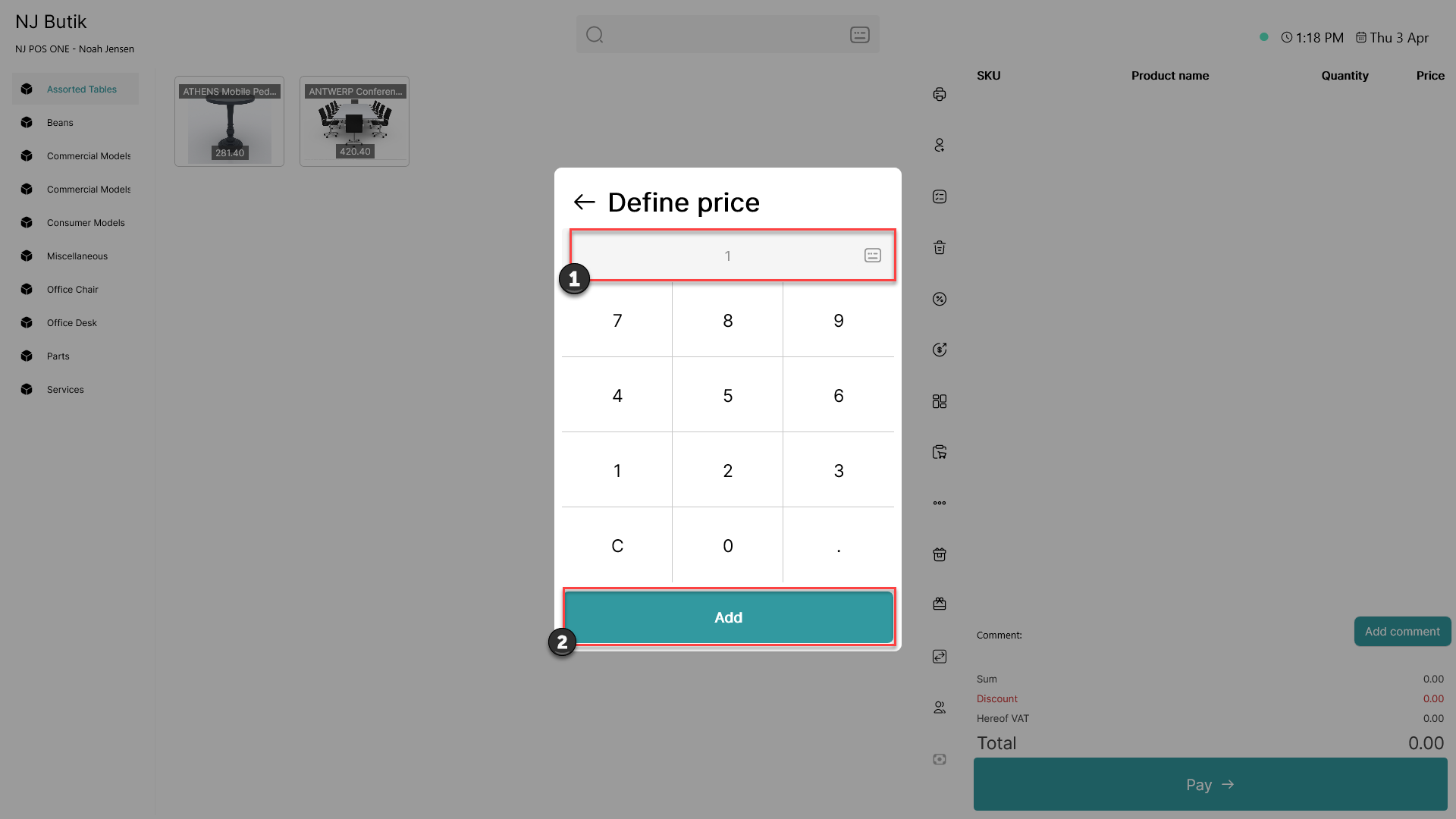
1) Type in the desired amount of the discount
2) Click 'Add'
Step 4:
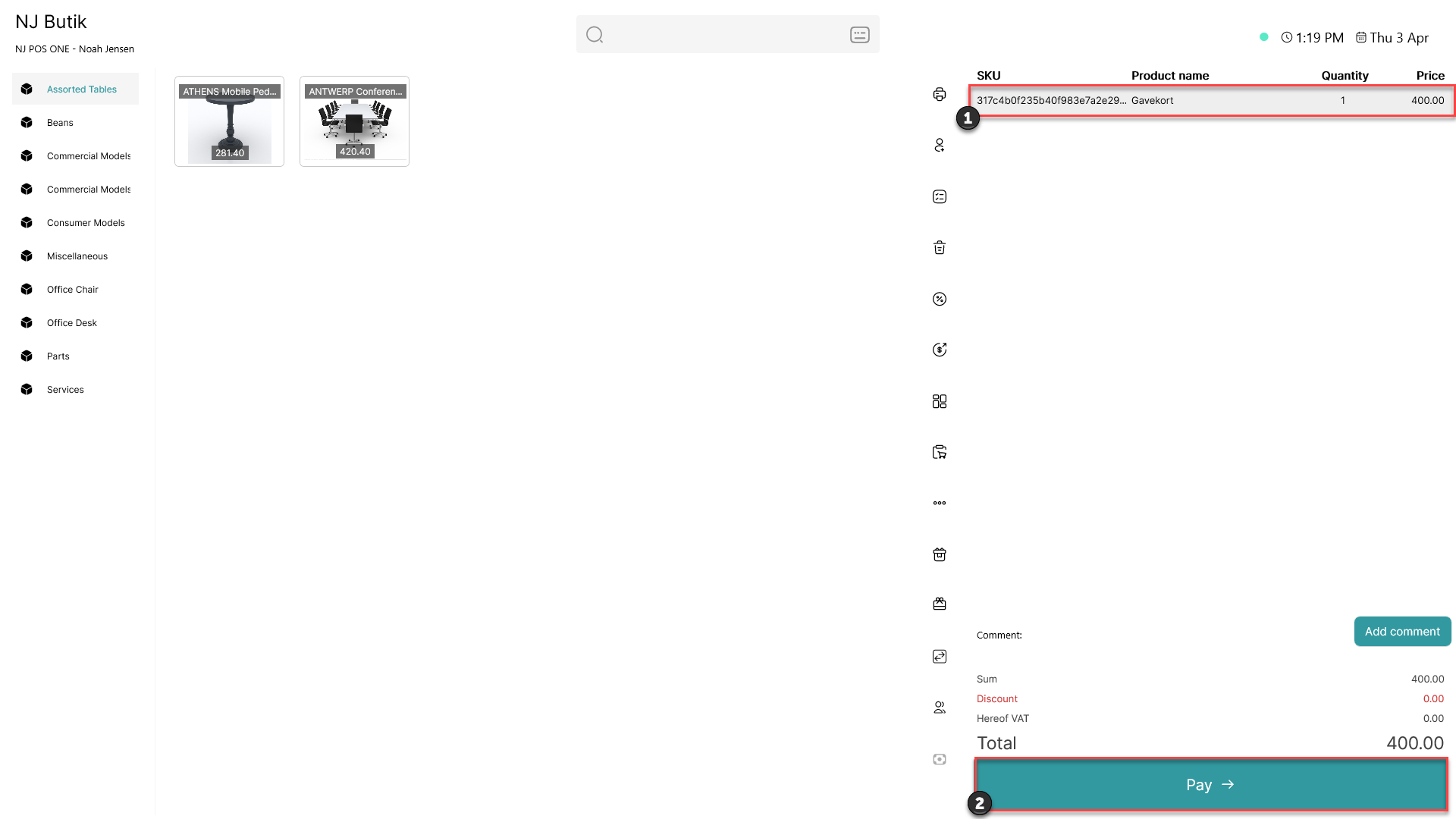
1) The gift card is added to the basket
2) Click 'Pay'
Step 5:
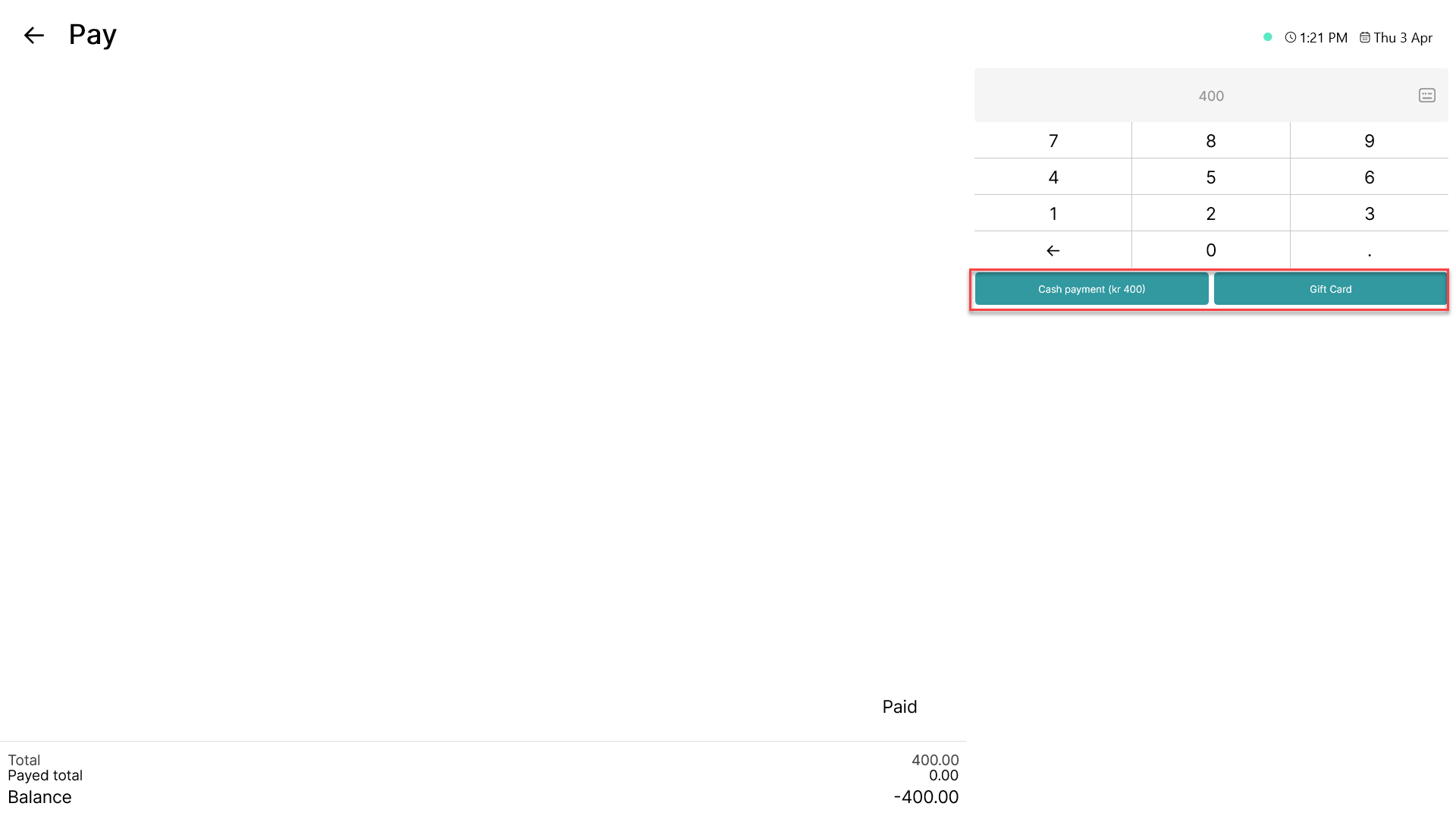
Pay for the gift card as a normal transaction by choosing the preferred payment method
You may also need: