Skip to content
English
  • There are no suggestions because the search field is empty.

Add percentage discount to entire order

This guide shows how to add a percentage discount to an order.

This guide shows how to add a percentage discount to an order. 

Step 1:
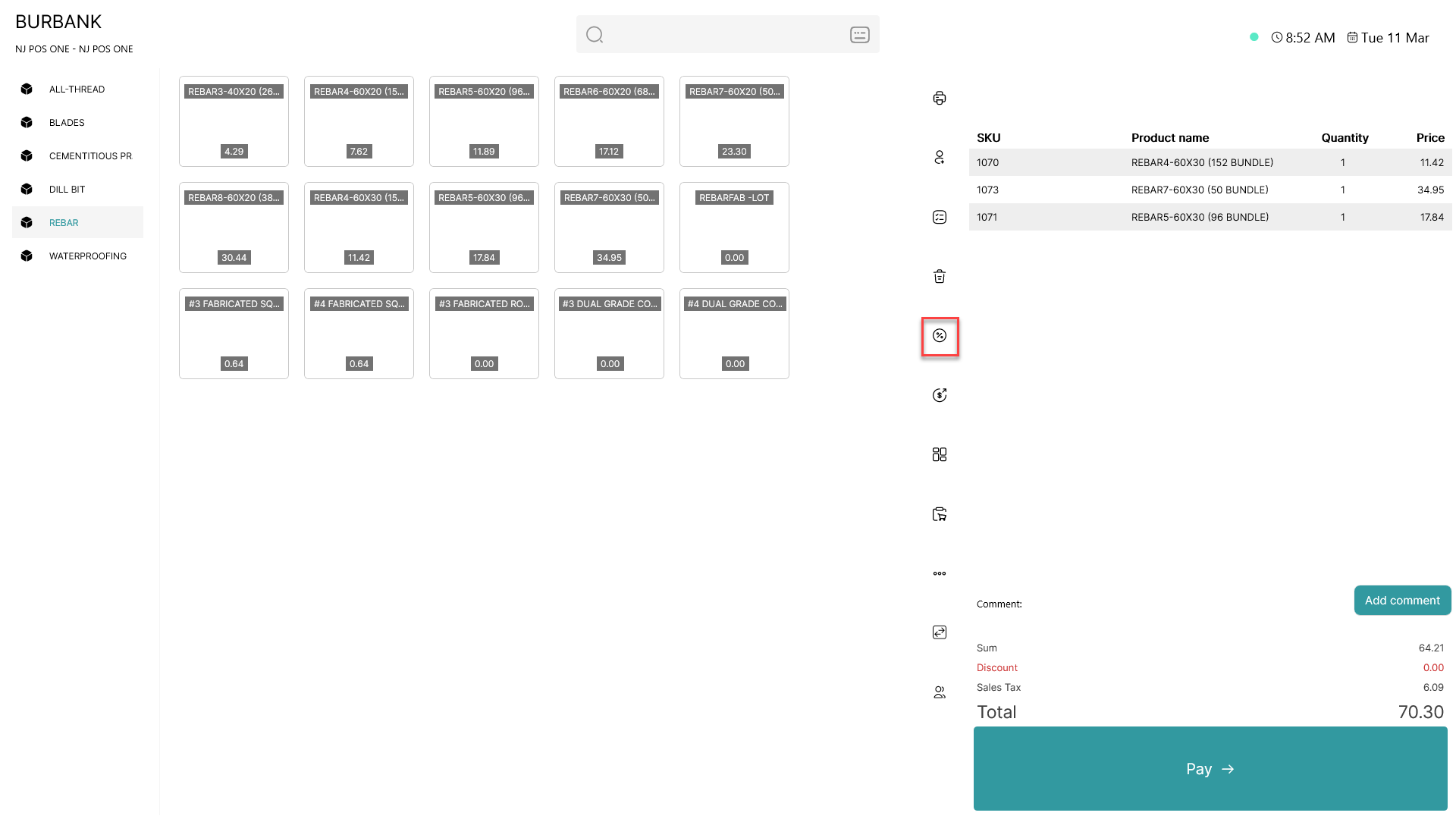
add percentage discount to entire order

To open the order discount tab, press the  add percentage discount to entire order  button

Step 2:

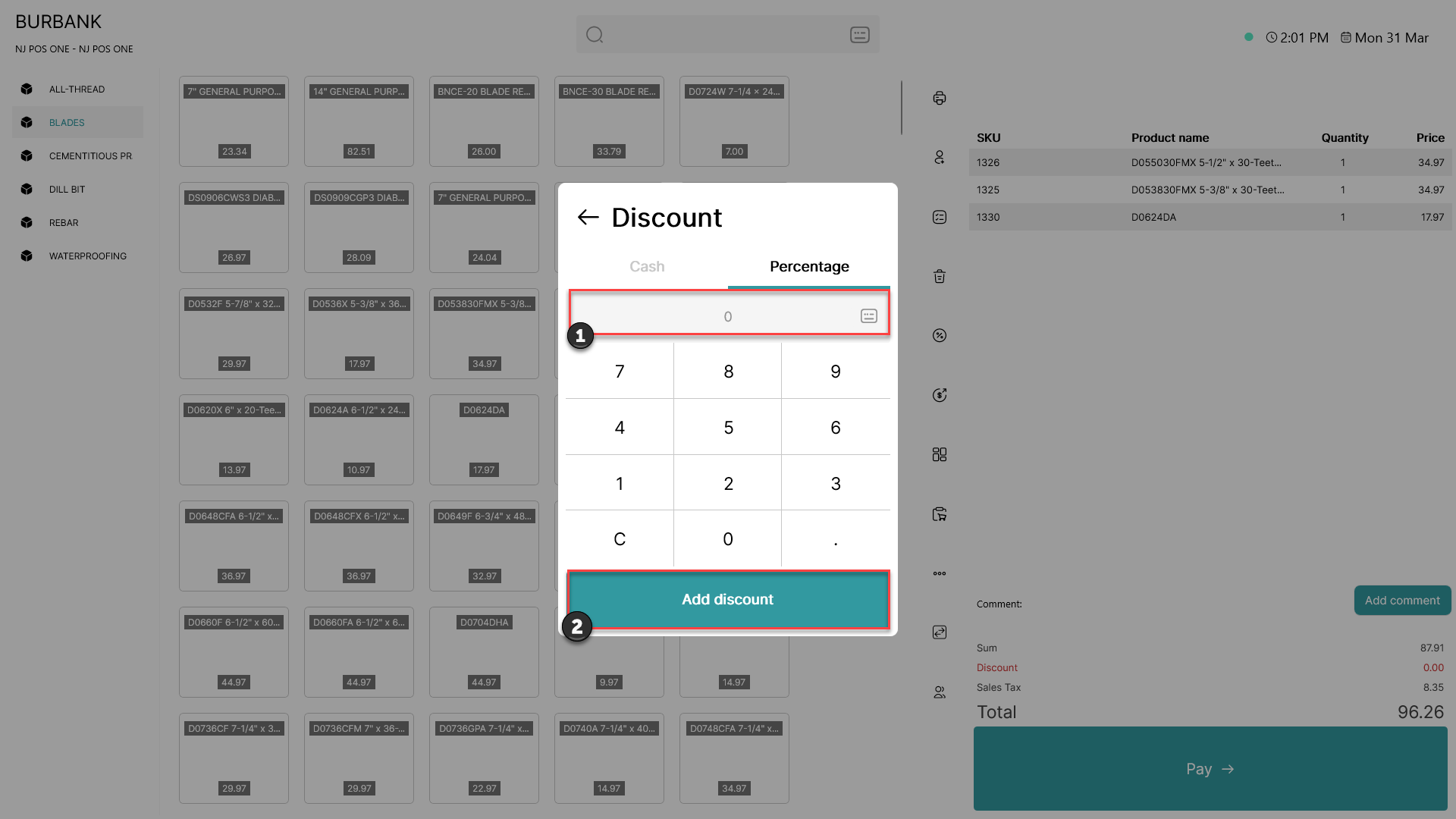
add percentage discount to entire order

1) Using a keyboard or the integrated numeral system, type in the desired percentage discount

2) Click 'Add discount'

Step 3:
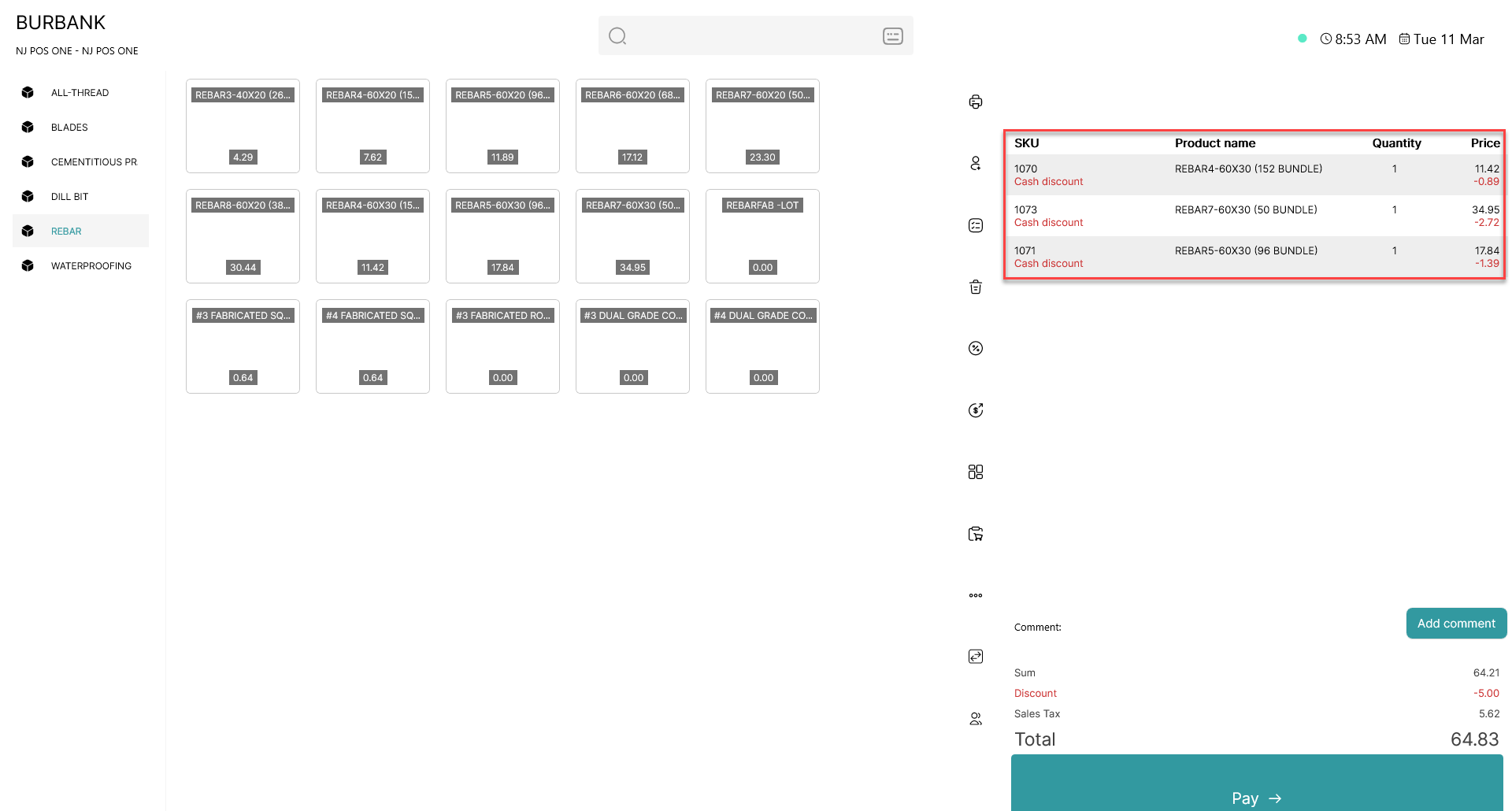
add percentage discount to entire order

The percentage discount you have typed in will be added to all items in the basket