This guide explains how to delete a sale entirely. The function empties the basket completely so a new order can be made.
Step 1:
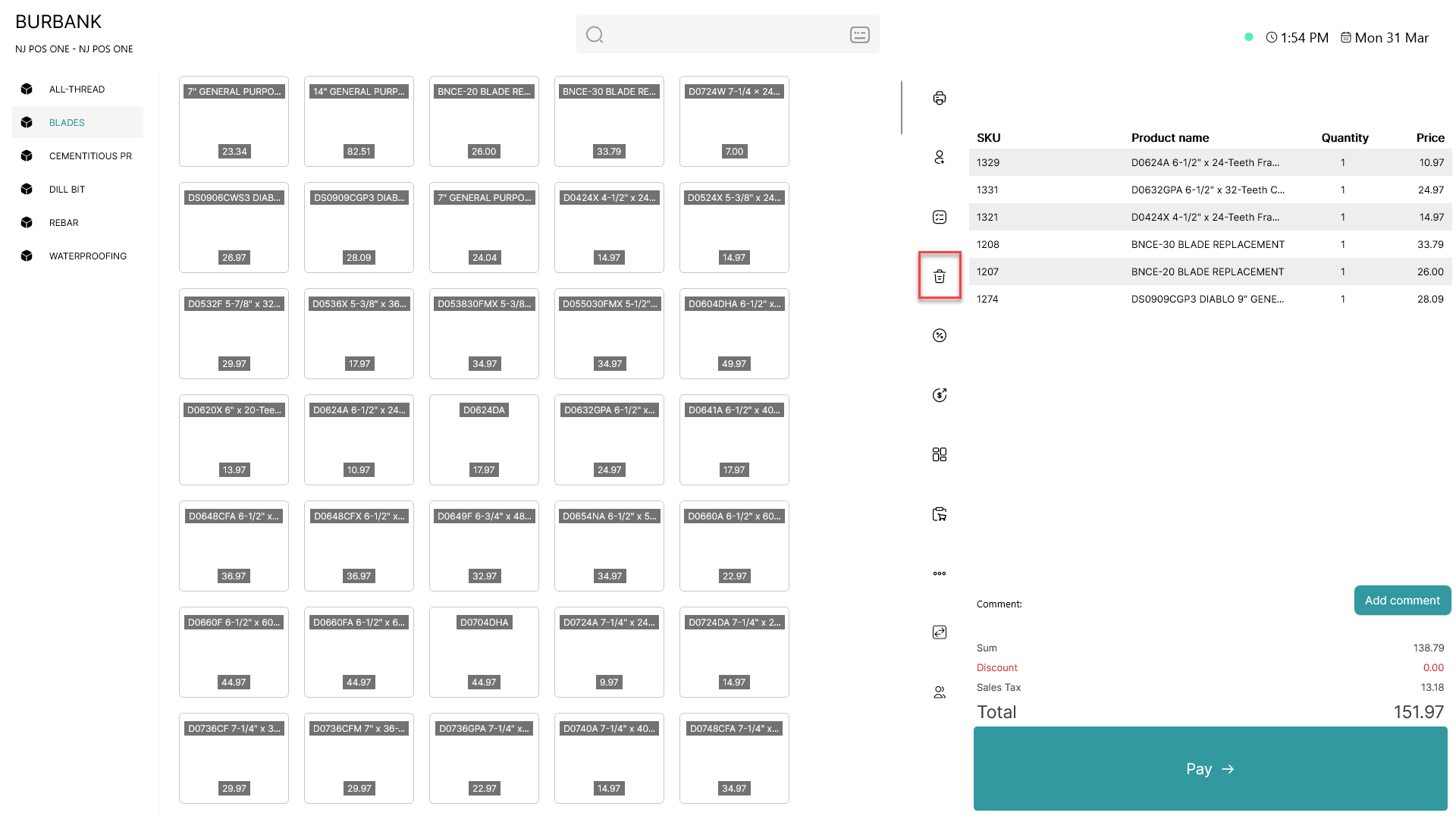
When items has been added to the basket, click on the  - button
Step 2:
A pop-up window will appear:
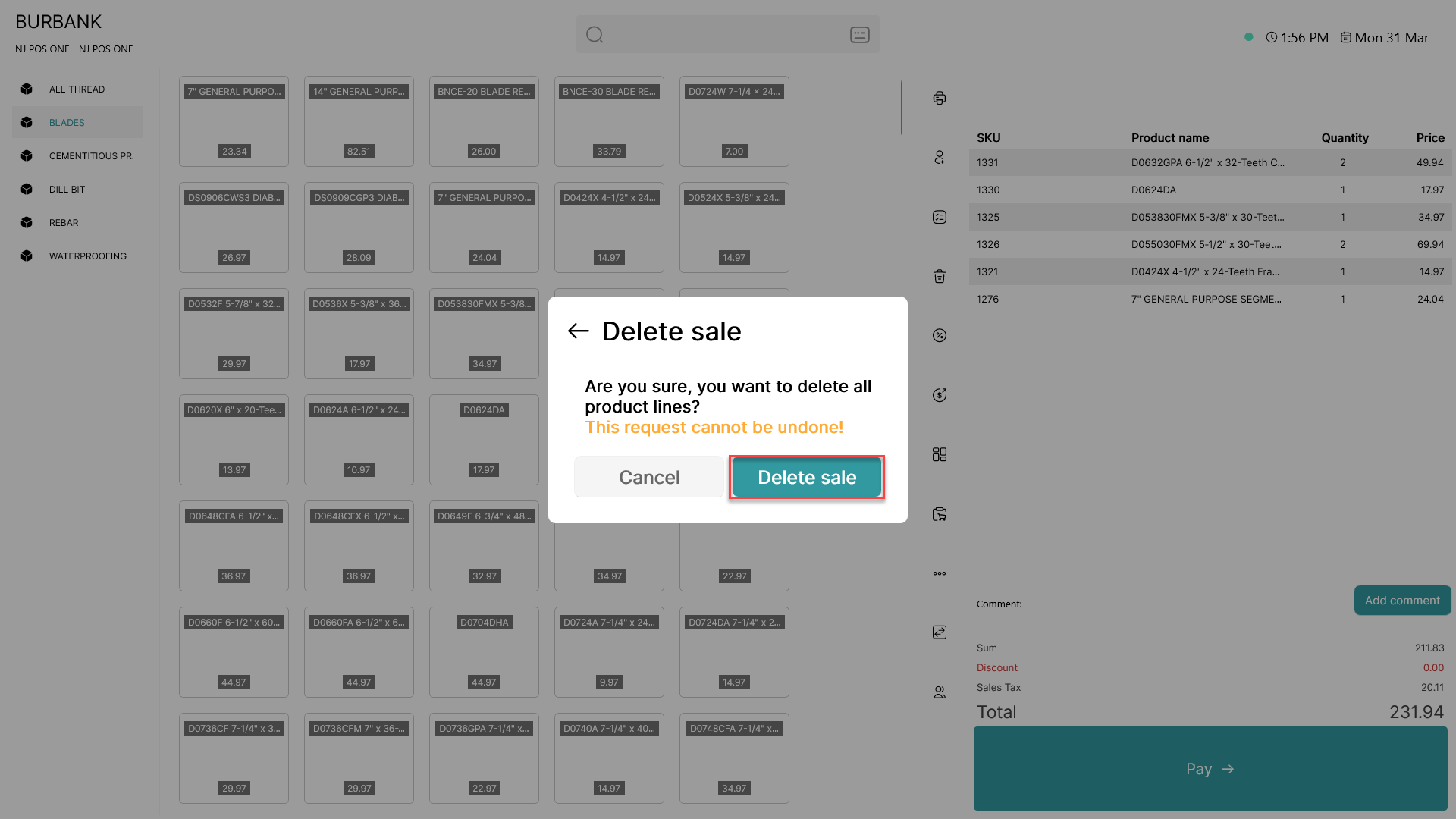
Click 'Delete sale'
Step 3:
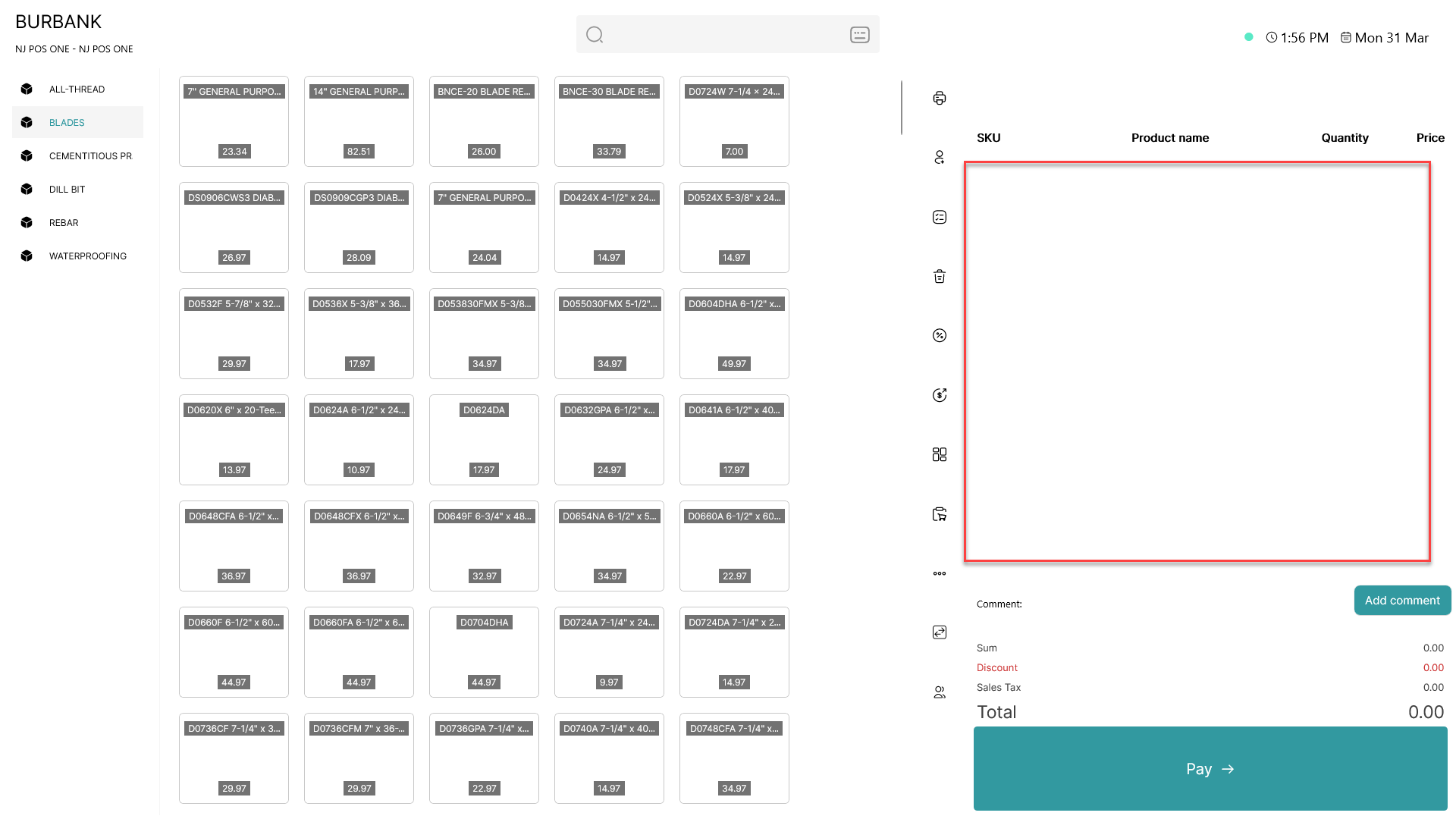
The basket is now empty and a new order can be made