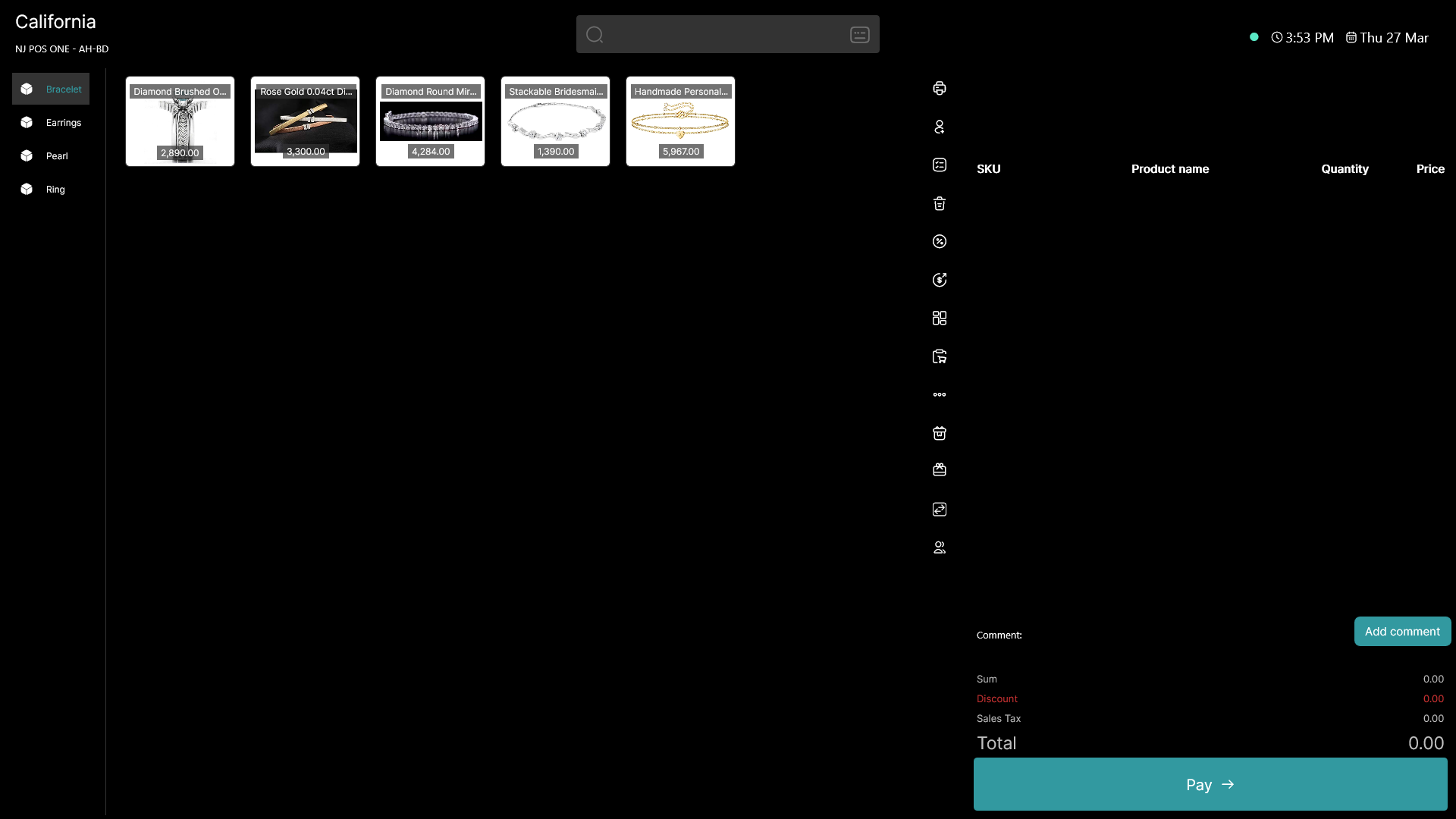
This guide explains how to change the theme in the POS365 app. It is possible to choose between light mode and dark mode.
Step 1:
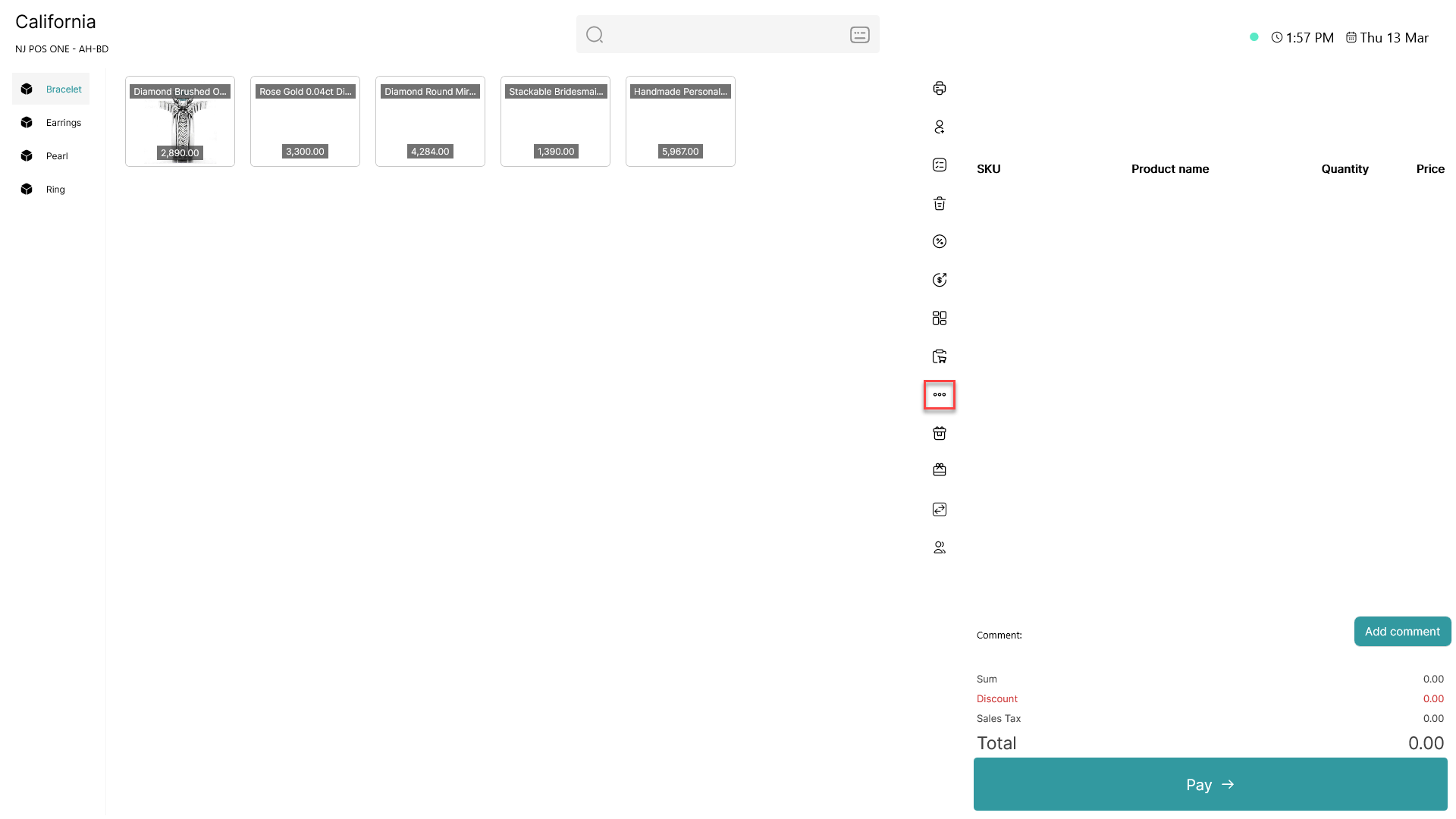
Click on the three dots ( - button) to access more options
Step 2:
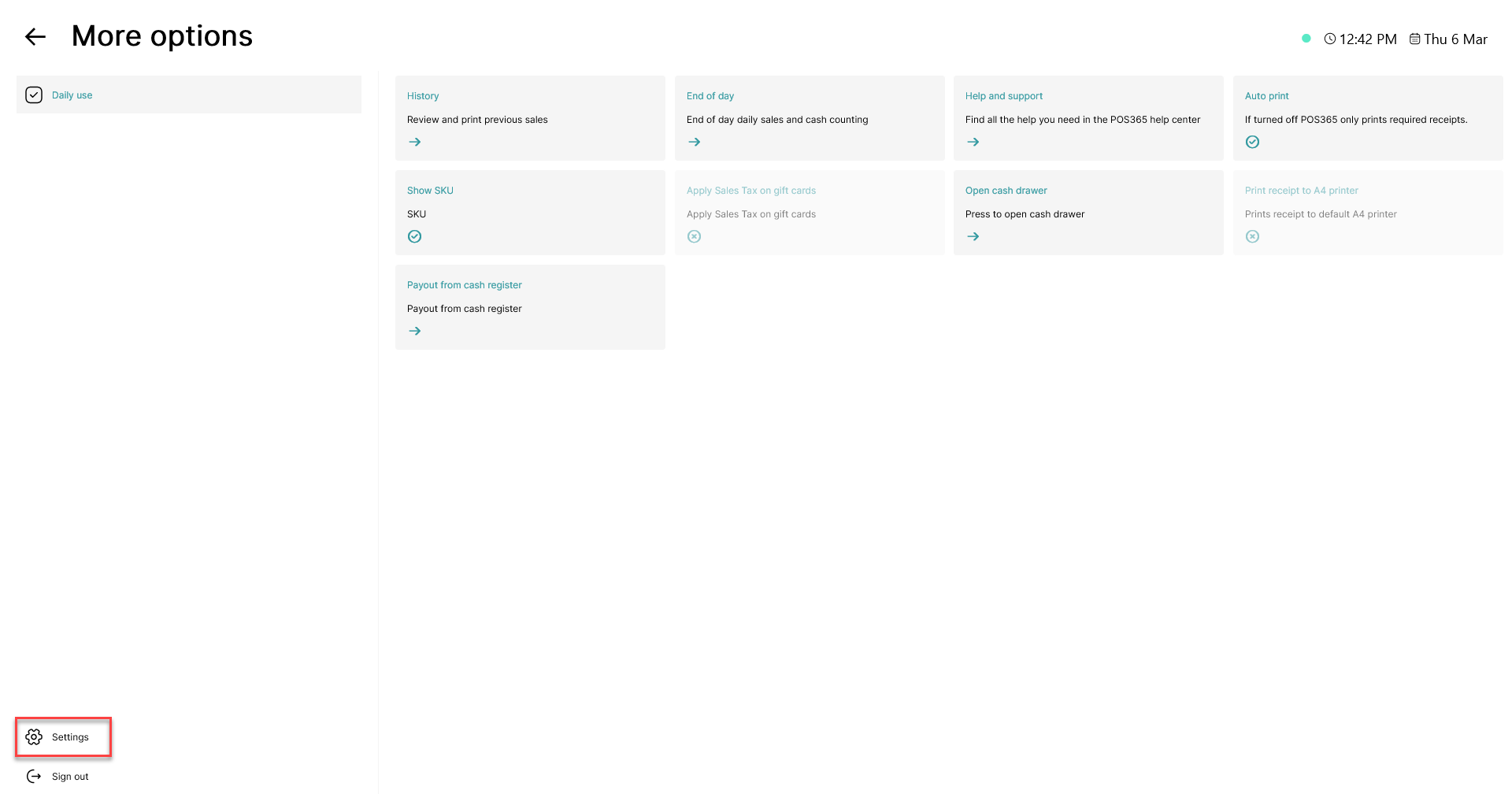
Click on the 'Settings' button in the bottom, left corner
Step 3:
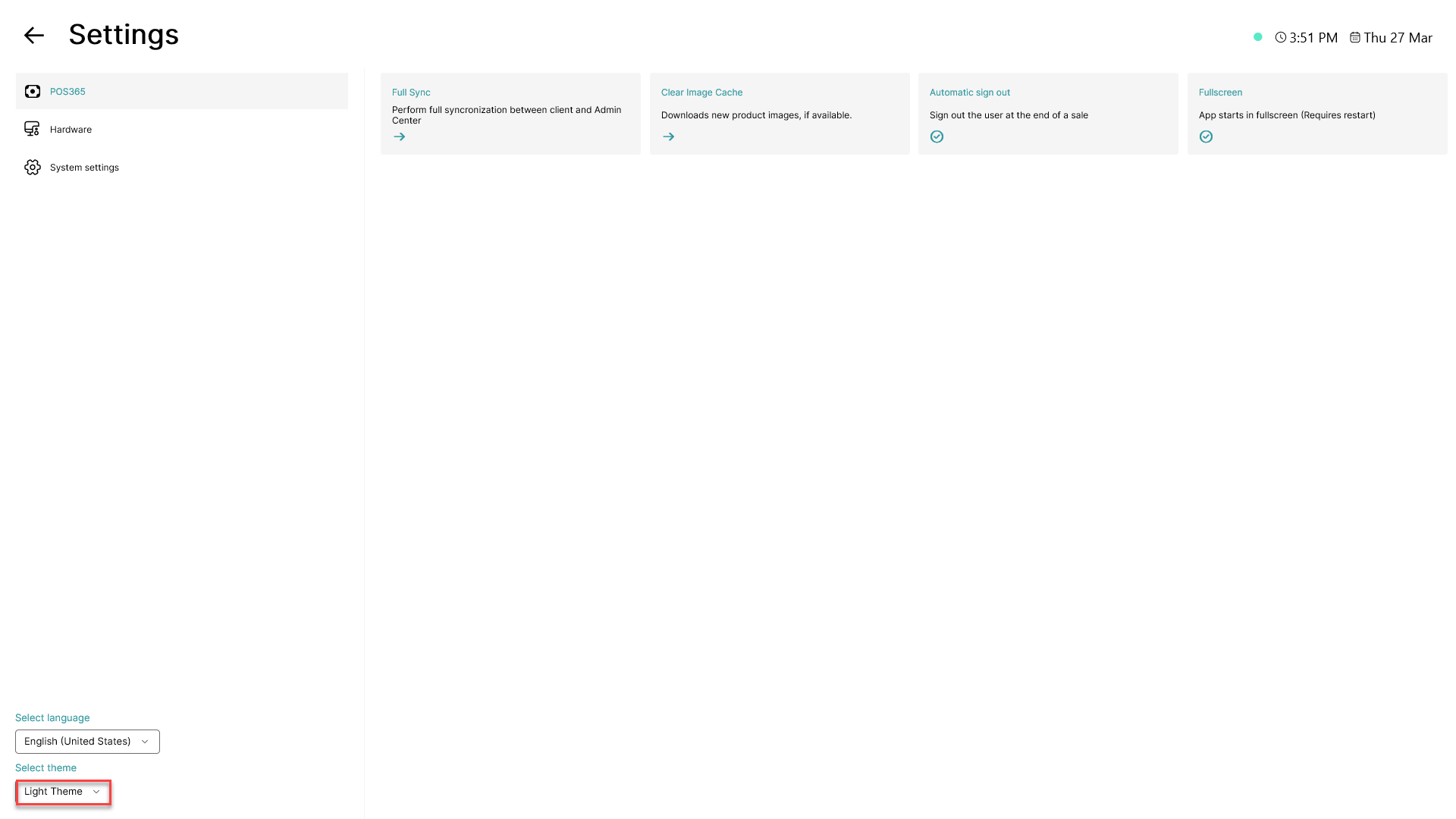
Click on the theme name displayed in the bottom, left corner
Step 4:
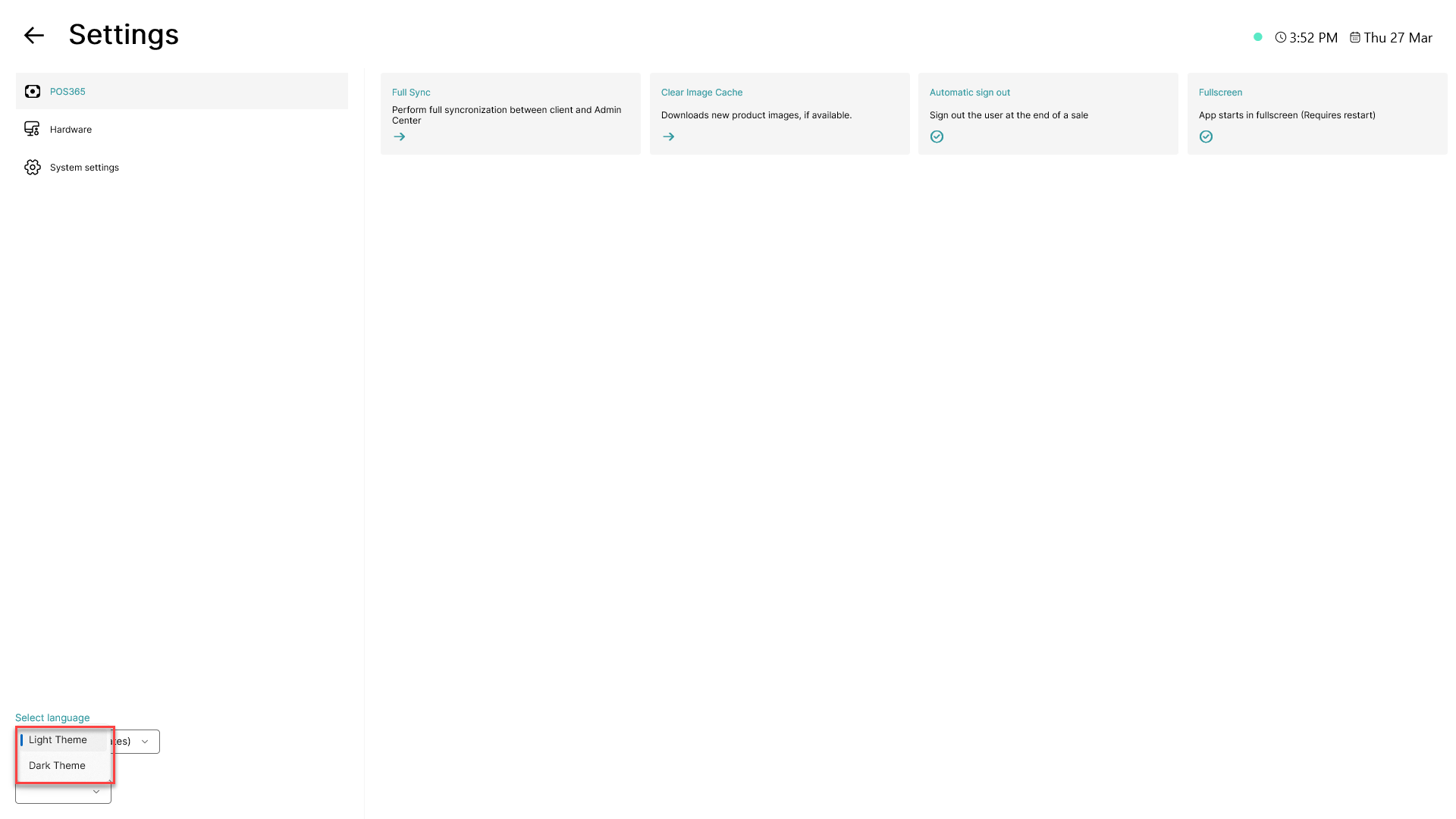
Choose between light theme and dark theme from the list
Visual representation of dark theme: