This guide explains how to change the language in the POS365 app at a user level when logged in on the POS. This needs to be done each time you log in.
Step 1:
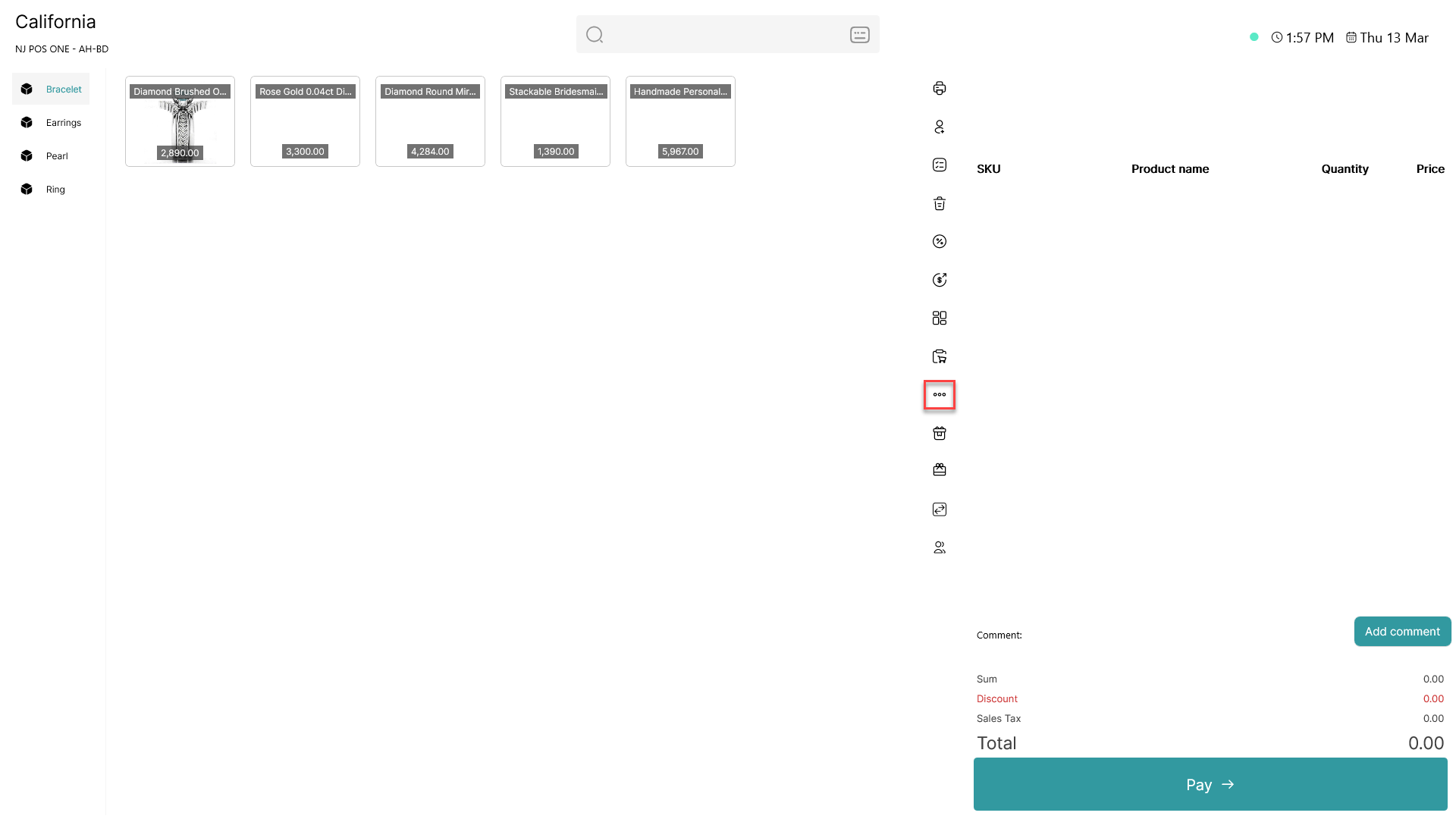
Click on the three dots ( - button) to access more options
Step 2:
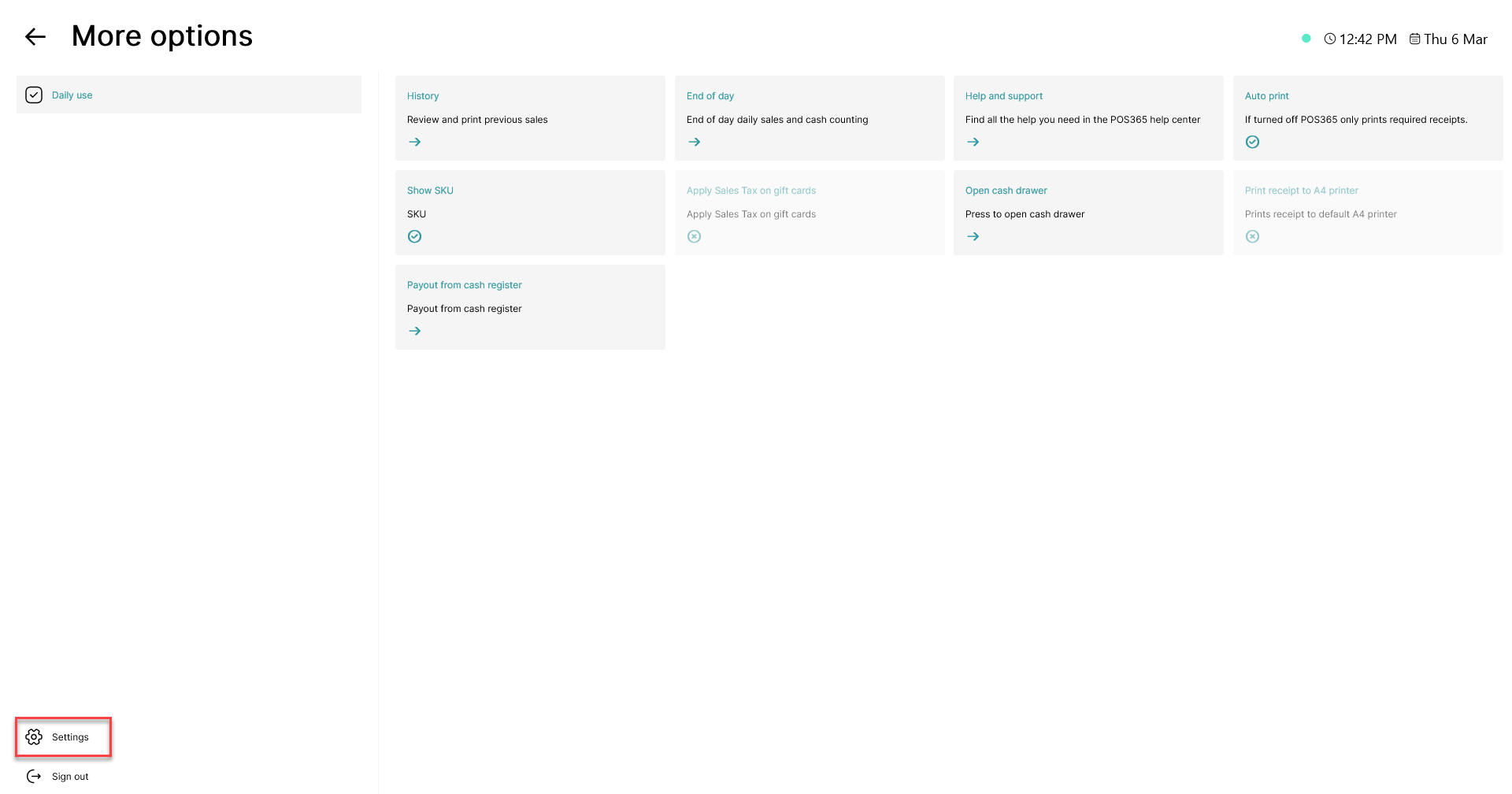
Click on the 'Settings' button in the bottom, left corner
Step 3:
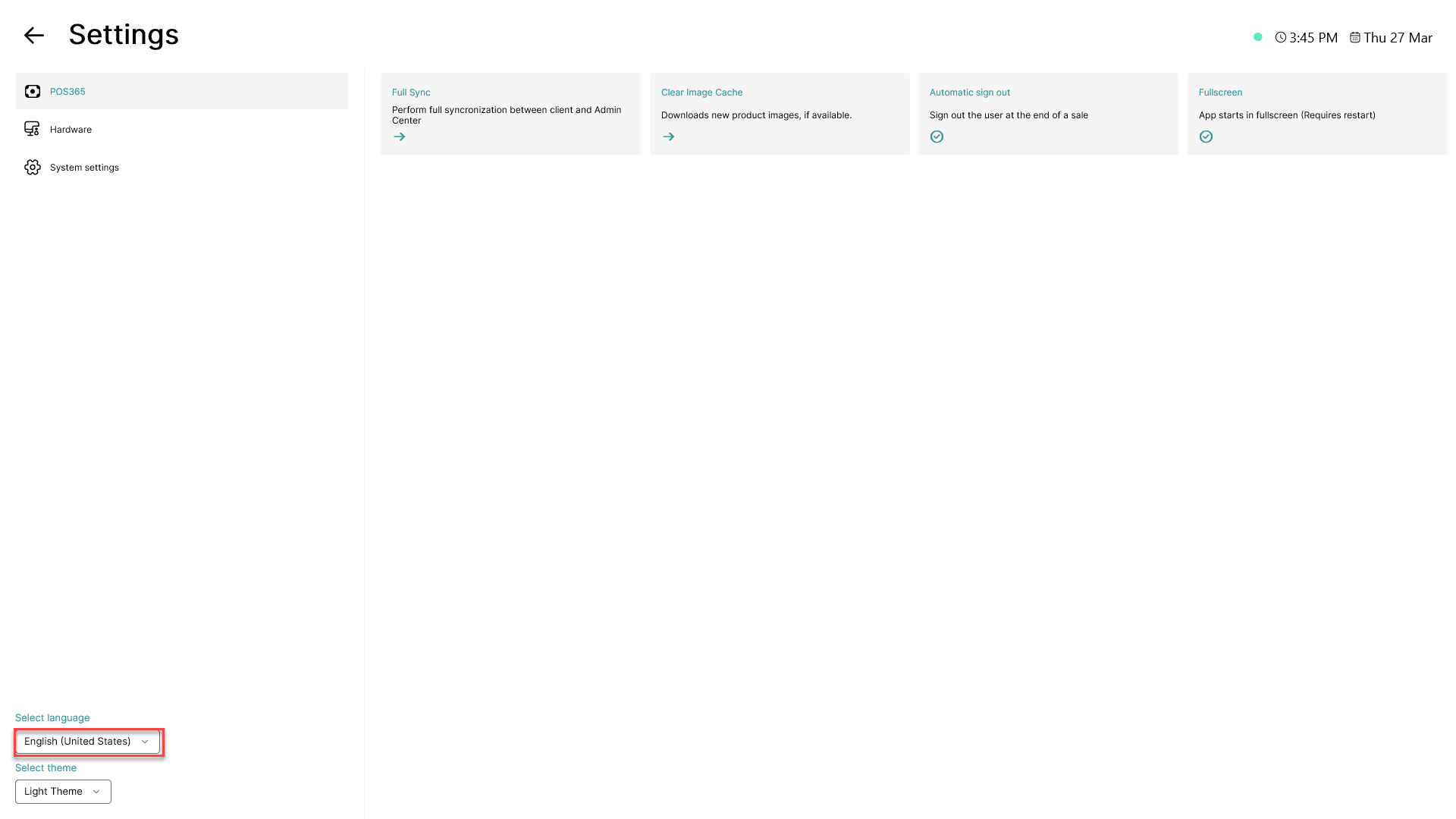
Click on the language displayed in the bottom, left corner
Step 4:
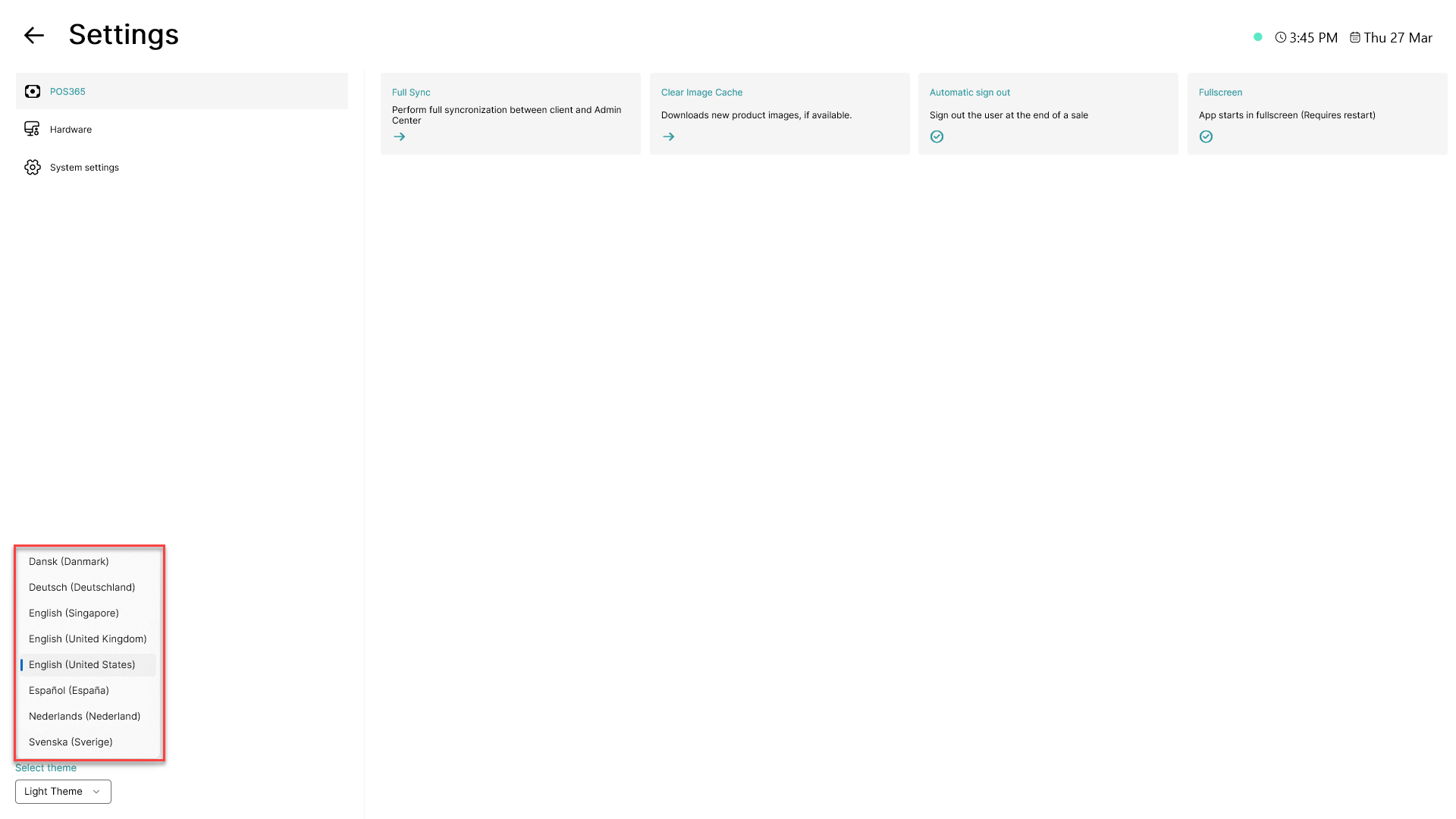
Pick the preferred language for the specific POS365 employee/user from the list by clicking on the language