Skip to content
English
  • There are no suggestions because the search field is empty.

Set unit of measurement for scales

This guide explains how to set or change the default unit of measurement for scales used in POS365 To connect a scale to POS365, follow this guide Step 1: 1) Go...
This guide explains how to set or change the default unit of measurement for scales used in POS365

To connect a scale to POS365, follow this guide

Step 1:

set unit of measurement for scales

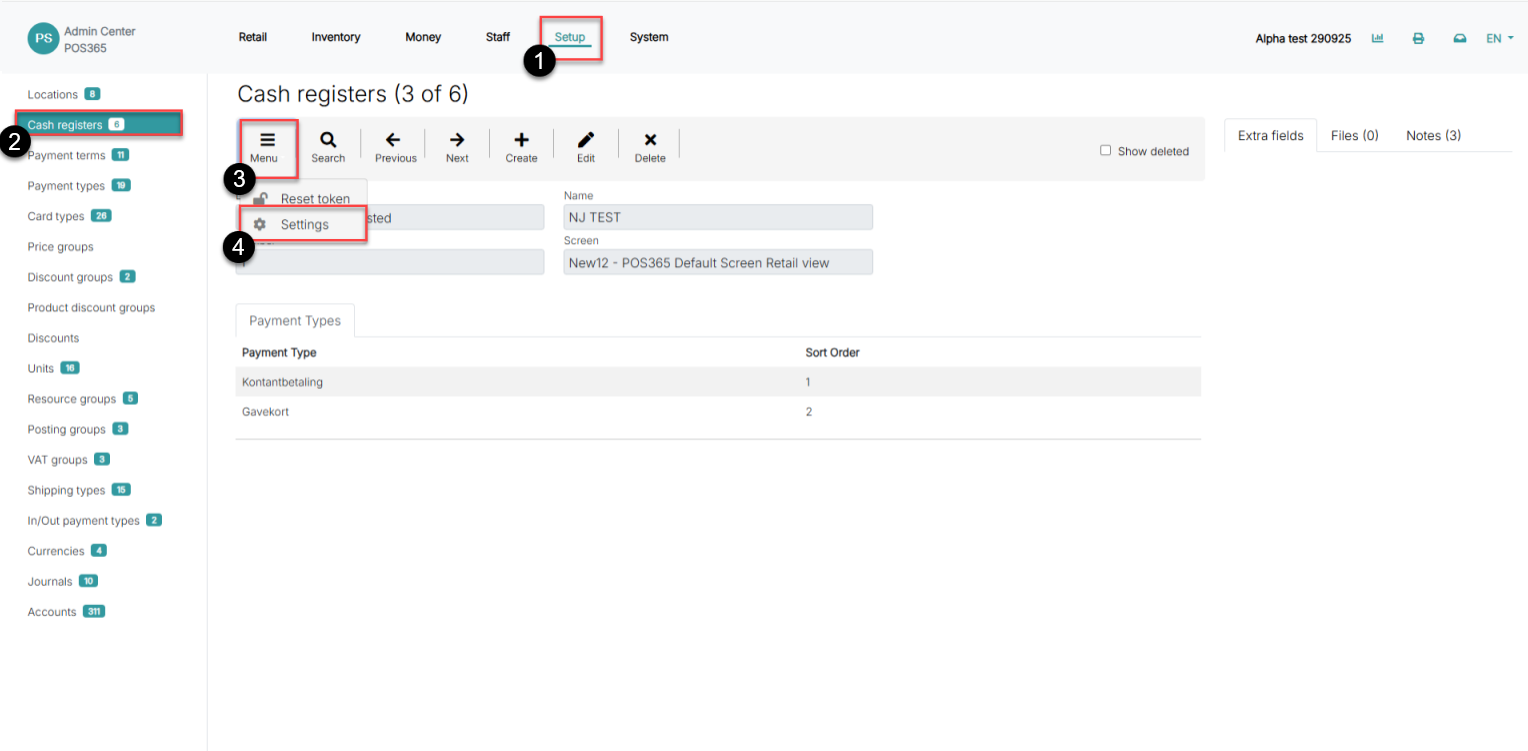
1) Go to 'Setup'

2) Click on 'Cash registers'

3) Open 'Menu'

4) Go to 'Settings'

Step 2:
set unit of measurement for scales

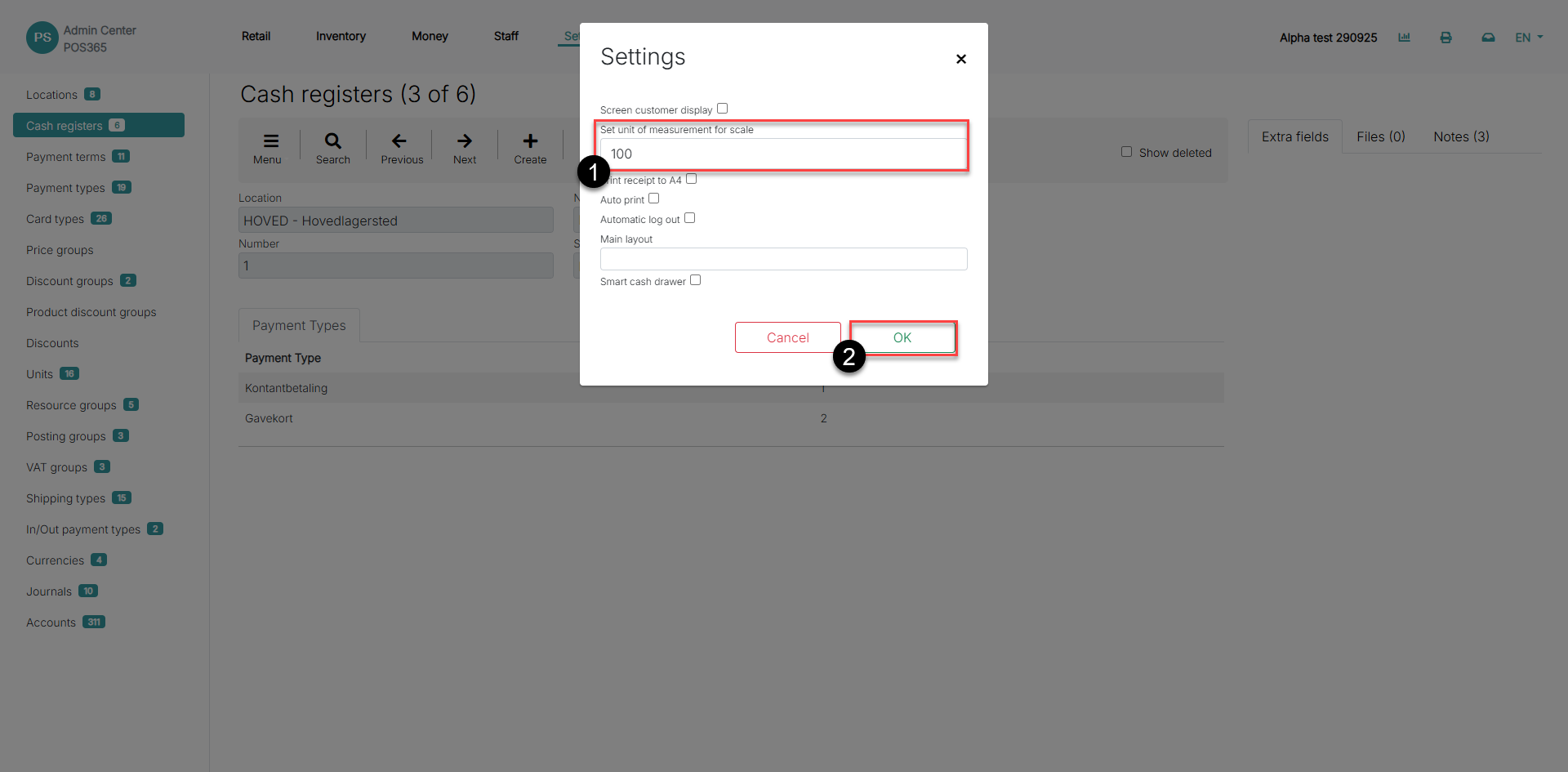
1) Insert the desired unit of measurement value

2) Click 'OK'

Note: 

This setup needs to be made for all cash registers