This guide explains the different methods to close the POS365 app
The app can be closed in 3 different ways:
1) When signed in
2) When NOT signed in
3) If page is not answering
When signed in:
Step 1:
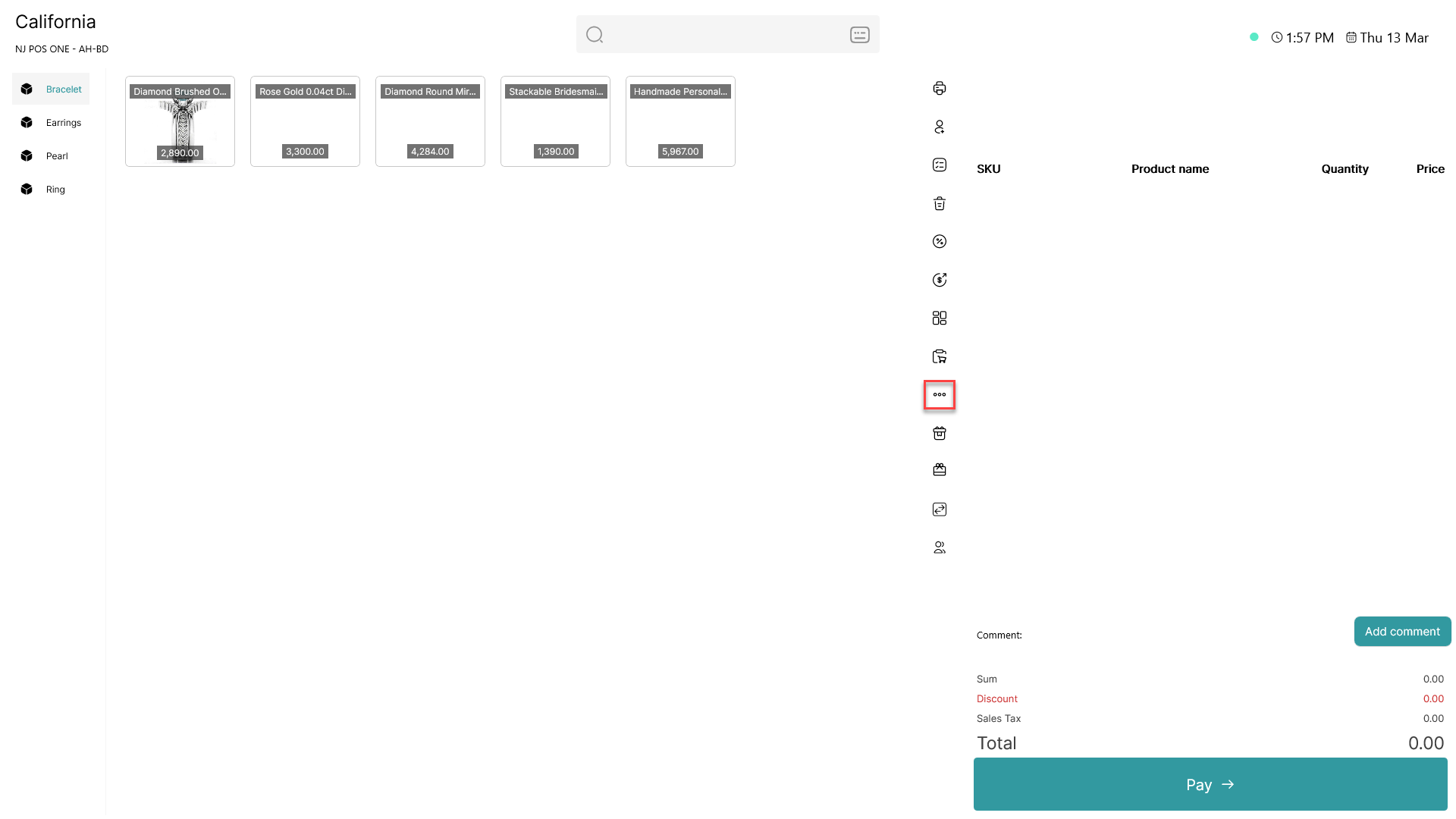
Click on the three dots (  - button) to access more options
Step 2:
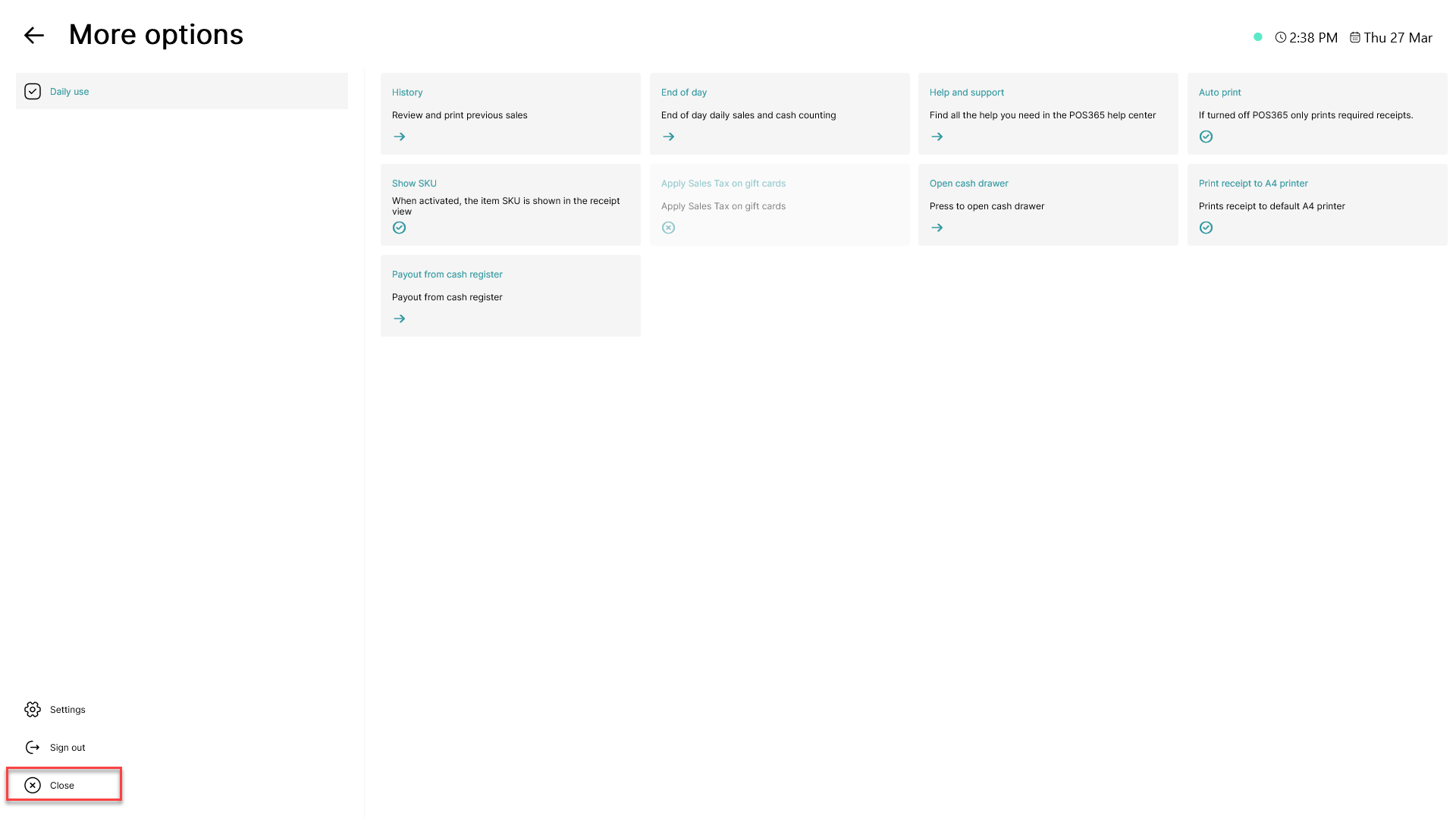
Click on 'Close' in the bottom, left corner
When NOT signed in:
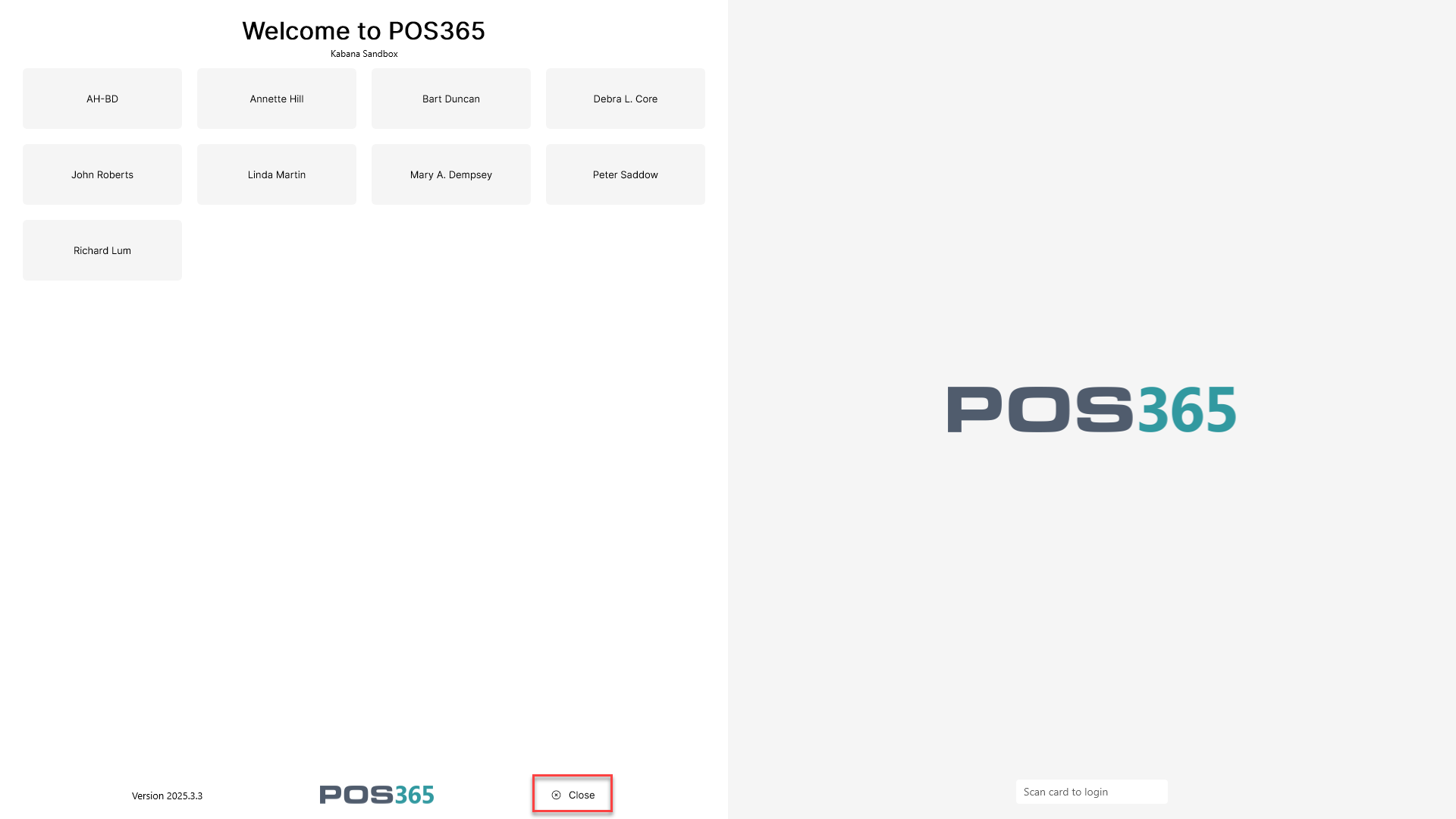
Click on 'Close' in the bottom of the screen
If page is not answering:
WARNING: This method should ONLY be used if nothing else works as we CAN NOT ensure that data is saved correctly!
Hold the 'Alt' button and press the 'F4' button